Getting Started
The fastest way to start — no install required.
- Open annotator-ten.vercel.app
- Click the gear icon in the header to open Settings
- Pick your AI provider, enter your API key (if needed), and choose a model
- Click Save — you're ready to annotate
Your settings and API key are stored in your browser's localStorage. They never leave your machine.
Running locally is required if you want to use Ollama or other local AI models, since they need localhost access.
git clone https://github.com/donjguido/annotator.git
cd annotator
npm install
npm run dev
Open http://localhost:5173.
- Node.js 18+
- npm
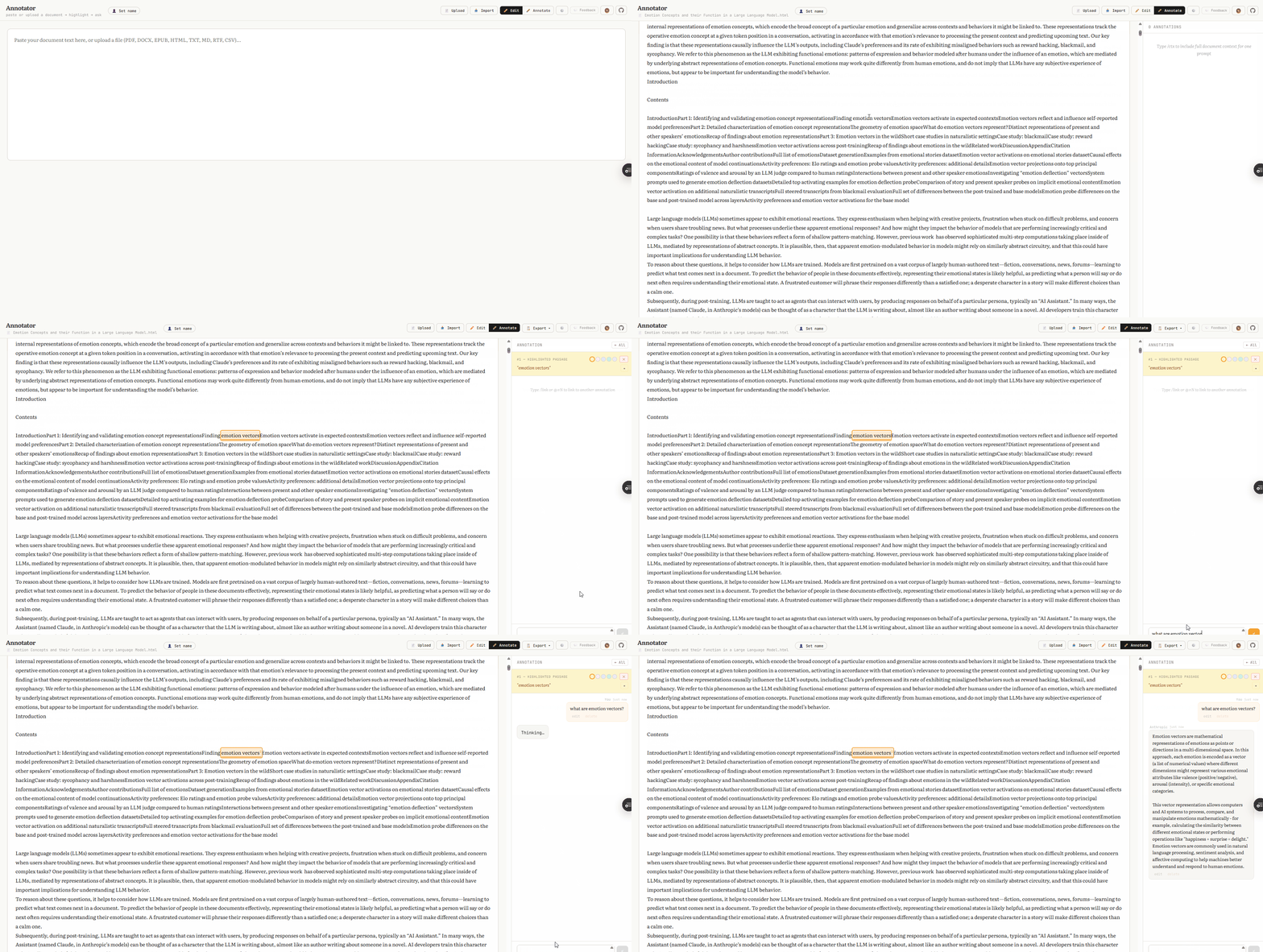
- Load a document — Paste text into the editor, or click Upload to import a PDF, DOCX, or EPUB
- Switch to Annotate mode — Click the toggle in the header
- Highlight text — Select any passage to create a color-coded annotation
- Ask a question — Click the highlight, type a question in the sidebar, and press Enter
-
Explore — Try
/ctxfor full-document context,/skipto leave a comment, or@#1to link annotations
For a full walkthrough, see the Features Guide.
When you open Annotator for the first time, a built-in tutorial walks you through the interface with spotlight popups. You can dismiss it at any time by clicking Skip tutorial.