Home
Welcome to the Annotator wiki — the companion guide for the open-source, AI-powered document annotation tool.
Try it live | Source code | Discussions
| Page | Description |
|---|---|
| Getting Started | Set up in 60 seconds — live or local |
| Features Guide | Detailed walkthrough of every feature |
| AI Providers | Provider setup, supported models, and tips |
| Slash Commands | Reference for /ctx, /skip, /search, /find, /attach
|
| Keyboard Shortcuts | Default hotkeys and how to customize them |
| Export & Import | All export formats — Markdown, HTML, CSV, JSON, clipboard |
| Roadmap | What's next and what we'd build with community interest |
| Contributing | How to contribute, project structure, and local dev setup |
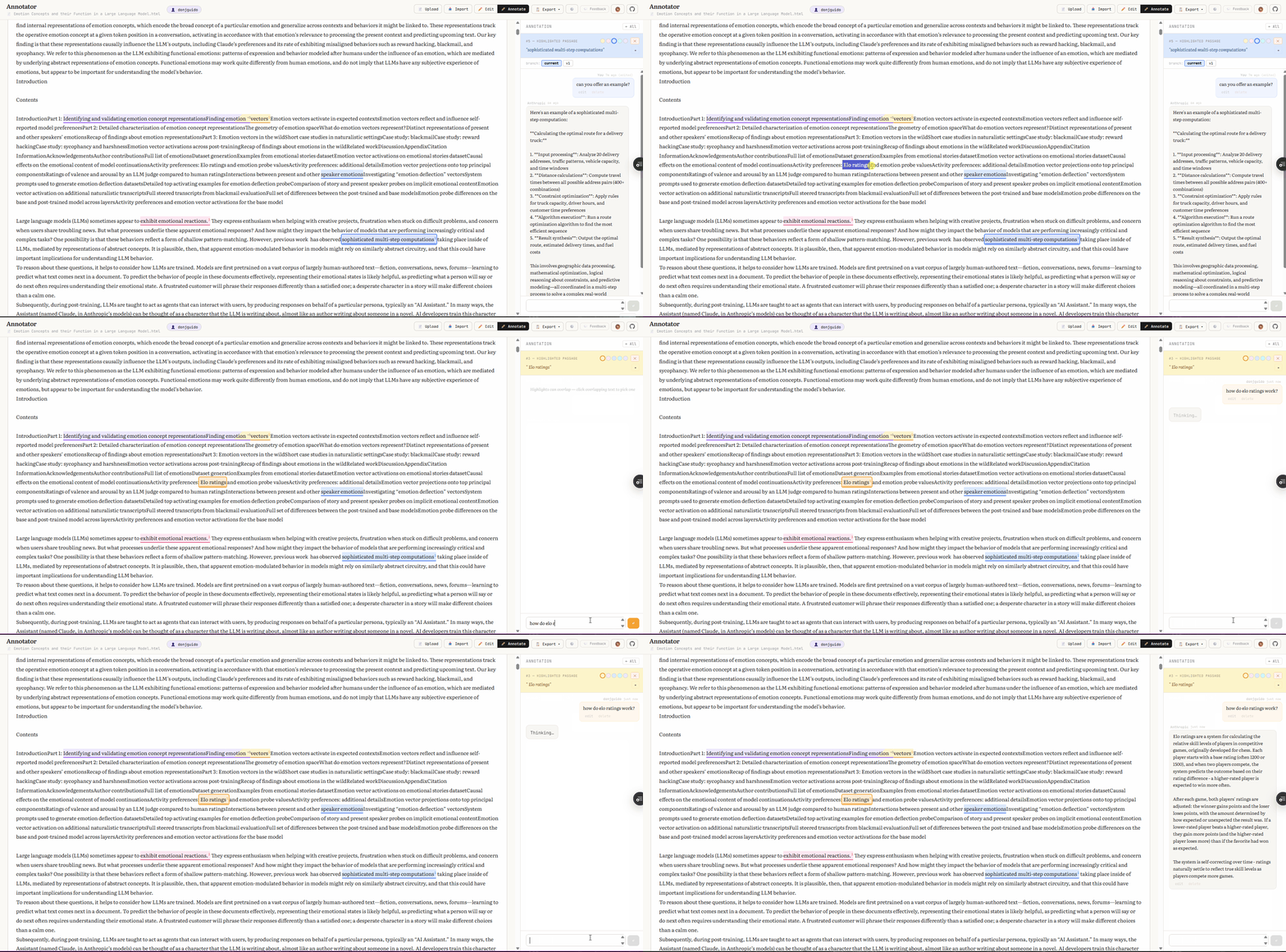
Annotator lets you highlight passages in any text or PDF, then have AI-powered conversations about them. Each highlight gets its own chat thread. You bring your own AI provider — Anthropic, OpenAI, Google Gemini, OpenRouter, Ollama, or any OpenAI-compatible endpoint.
Everything runs in the browser. Your API keys and settings stay in localStorage and are never sent to our servers.
Annotator is MIT-licensed and open source. We believe the core annotation and conversation experience should be free and available to everyone. See the Roadmap for where we're headed and what extra features the community might shape.
We'd love to hear from you. The best place to share ideas, report bugs, or ask questions is GitHub Discussions.