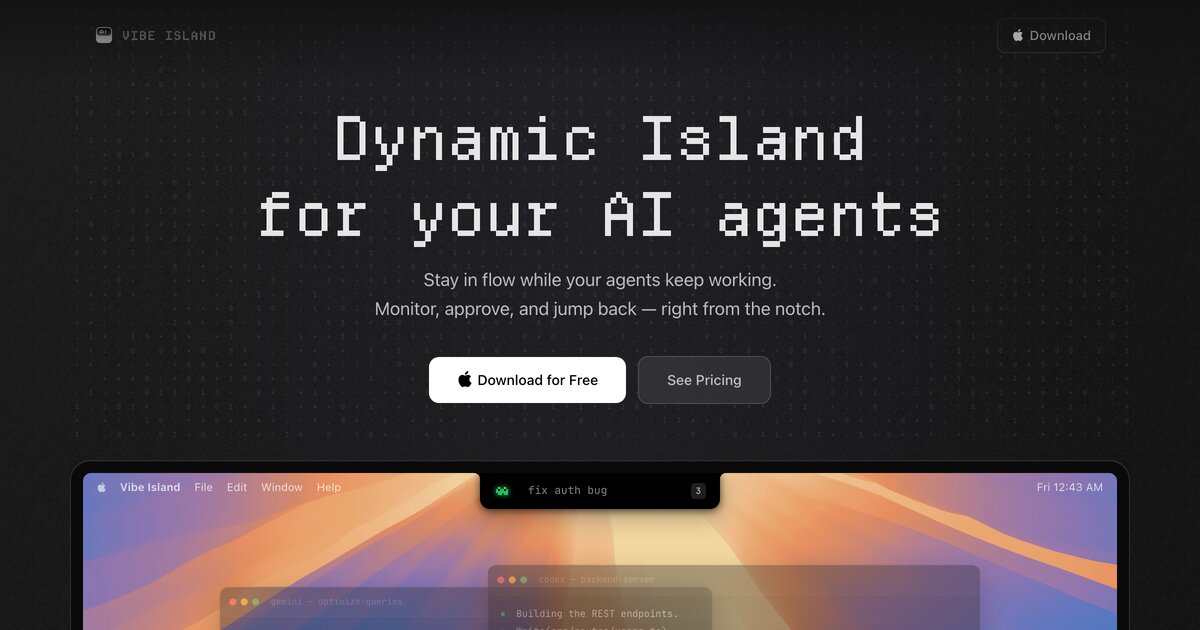
Dynamic Island for your AI agents — a macOS notch panel for 25 AI coding agents: Claude Code, Codex, Gemini CLI, Cursor, and more.





▶ Watch the demo on YouTube — Vibe Island monitoring Claude Code, Codex & more in the Mac notch
Vibe Island turns the MacBook notch into a real-time control surface for AI coding agents. See what every session is doing at a glance, approve permission requests without switching windows, answer agent questions with one click, and jump straight back to the exact terminal tab or IDE window that needs you.
Download the latest release from vibeisland.app, or install with Homebrew:
brew install --cask vibe-island
- Live session status — every running agent visible in the notch: working, waiting for input, needs approval, done
- Approve from the notch — permission requests pop up as cards; allow or deny without hunting for the right terminal
- Answer questions in one click — when an agent asks you to choose, pick the option right in the panel
- Precise jump-back — click a notification and land on the exact terminal tab, split pane, or IDE window that asked
- Plan review — read full Markdown plans and send feedback before an agent starts editing
- Usage limits — see subscription quota windows per provider before you hit the wall
- SSH Remote — monitor agents running on remote servers from your Mac's notch
- Zero config — detected CLIs are set up automatically on first launch
- Native Swift — under 50 MB RAM, near-zero idle CPU, no Electron; everything stays on your machine
Claude Code · Codex · ZCode · Gemini CLI · Antigravity CLI · Cursor · Trae · OpenCode · MiMoCode · Droid · Qoder · Qwen · Kimi Code · Kimi · DeepSeek · Mistral Vibe · Copilot · CodeBuddy · WorkBuddy · Kiro · Hermes · Amp · Pi Agent · Oh My Pi · Gajae Code
iTerm2 · Terminal.app · Ghostty · Warp · WezTerm · Kitty · Zellij · Otty · VS Code · Cursor · Zed · and more — including split panes and tabs
This is the community home for Vibe Island: bug reports, feature requests, and discussions.
Include your Vibe Island version, macOS version, and the CLI tool you were using. Attach diagnostic logs if possible (Settings → About → Export Diagnostics).
Describe the problem you're solving, not just the solution you want.
For usage questions, troubleshooting, and general chat. Search existing discussions before posting.
| Channel | |
|---|---|
| Discord | Real-time chat, quick help |
| X / Twitter | Updates, announcements |
| hi@vibeisland.app |
How much does Vibe Island cost? One-time purchase with a free trial — no subscription. See pricing.
Which macOS versions are supported? macOS 14 or later.
Where can I see what changed in each release? The changelog lists every shipped update.
- Website: vibeisland.app
- Download: Latest release
- Changelog: vibeisland.app/changelog
- Announcements: Discussions → Announcements