




|
F7History - Graphical Command History for PowerShell.
A PowerShell module providing a graphical Command History activated by the `F7` and `Shift-F7` keys. Built with Terminal.Gui and Out-ConsoleGridView by Tig. |
✅ F7History is now built into PSTui
The F7/Shift+F7 graphical command history is folded into PSTui (the continuation of
Microsoft.PowerShell.ConsoleGuiTools), so you no longer need a separate module:Install-Module PSTui Import-Module PSTui # registers F7 / Shift+F7 — add to your $PROFILE
F7/Shift+F7work exactly as below, and PSTui also gives youOut-ConsoleGridView(ocgv) andShow-ObjectTree(shot). You can also call the picker directly asShow-PSTuiHistory. This standaloneF7Historymodule remains available but is no longer the recommended way to get F7 history.
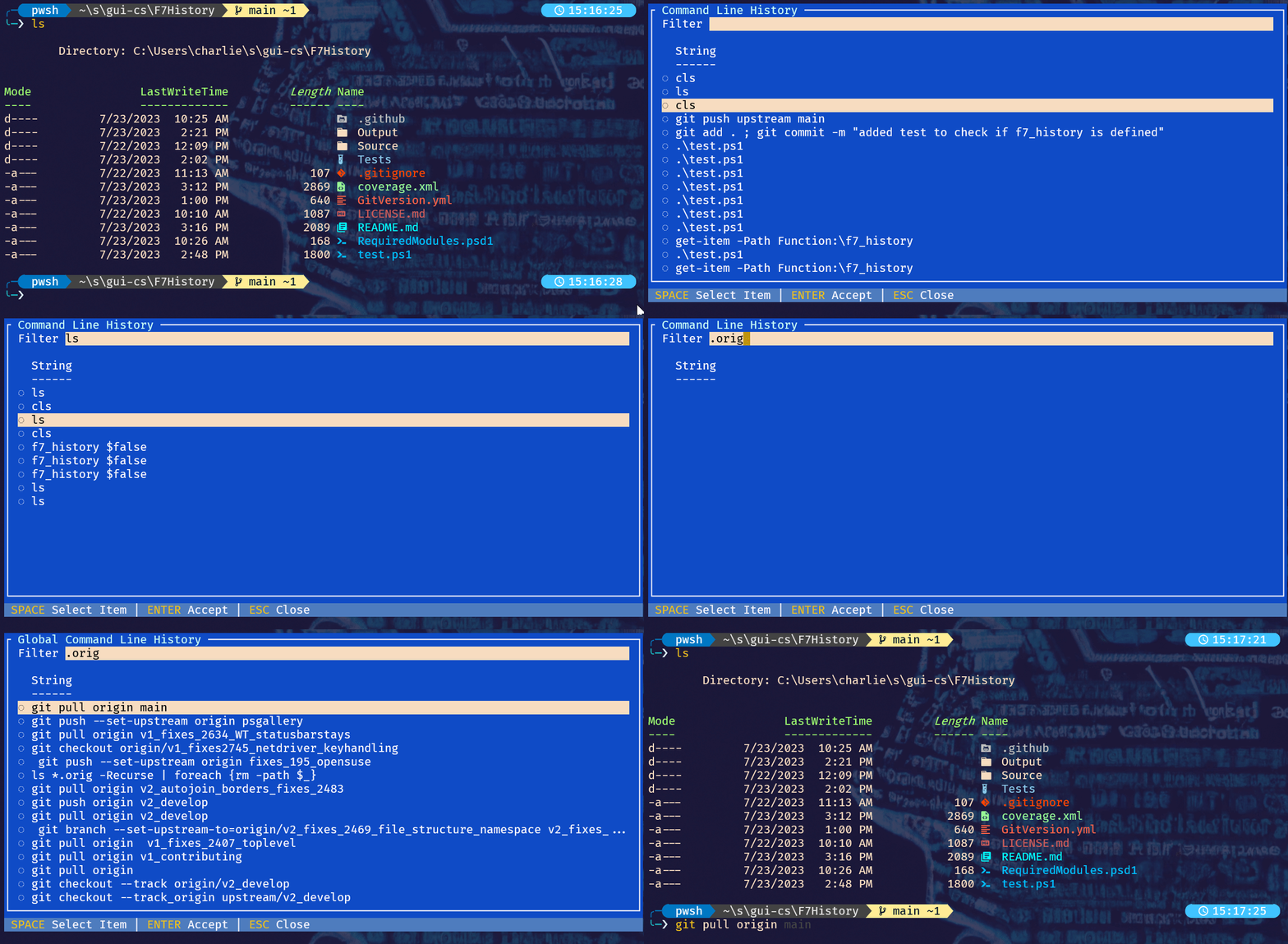


Setup and usage is as easy as...
- At a PowerShell prompt, use
Install-Moduleto installF7Historyfrom the PowerShell Gallery:
Install-Module -Name "F7History"- Import the module using
Import-Module; adding this command to your PowerShell$profilewill ensure theF7Historyis always available.
Import-Module -Name "F7History"- Press
F7orShift-F7to invoke.
For more details see the F7 History Documentation.