⏸ Development on hold
Retour 3 was a flawed release with a severe bug. Unfortunately, the release of Retour 4 is facing my lack of time and energy to actively uphold development at the moment. Kirby 3.6 will change some big ways of how Panel views are created. I will await the release of Kirby 3.6 to release Retour 4 built on top of these changes. Retour 4 will be a breakign change and a reset of the plugin in a way.Until then, use the plugin at your own risk - there are known issues.
Apologies from my side, COVID takes its toll on me as well. If you want to help, please get in touch.





Download, unzip and copy this repository to /site/plugins/retour.
Alternatively, you can install it with composer:
composer require distantnative/retour-for-kirbyMake backups of the redirects config and database.
/site/config/redirects.yml
/site/logs/retour.sqlite
After that, replace the /site/plugins/retour folder with the new version. Make sure to read the release notes for breaking changes.
Or if you installed the plugin via composer, run:
composer update distantnative/retour-for-kirbyRetour lets you manage redirect routes right from the Panel – all through a familiar UI.
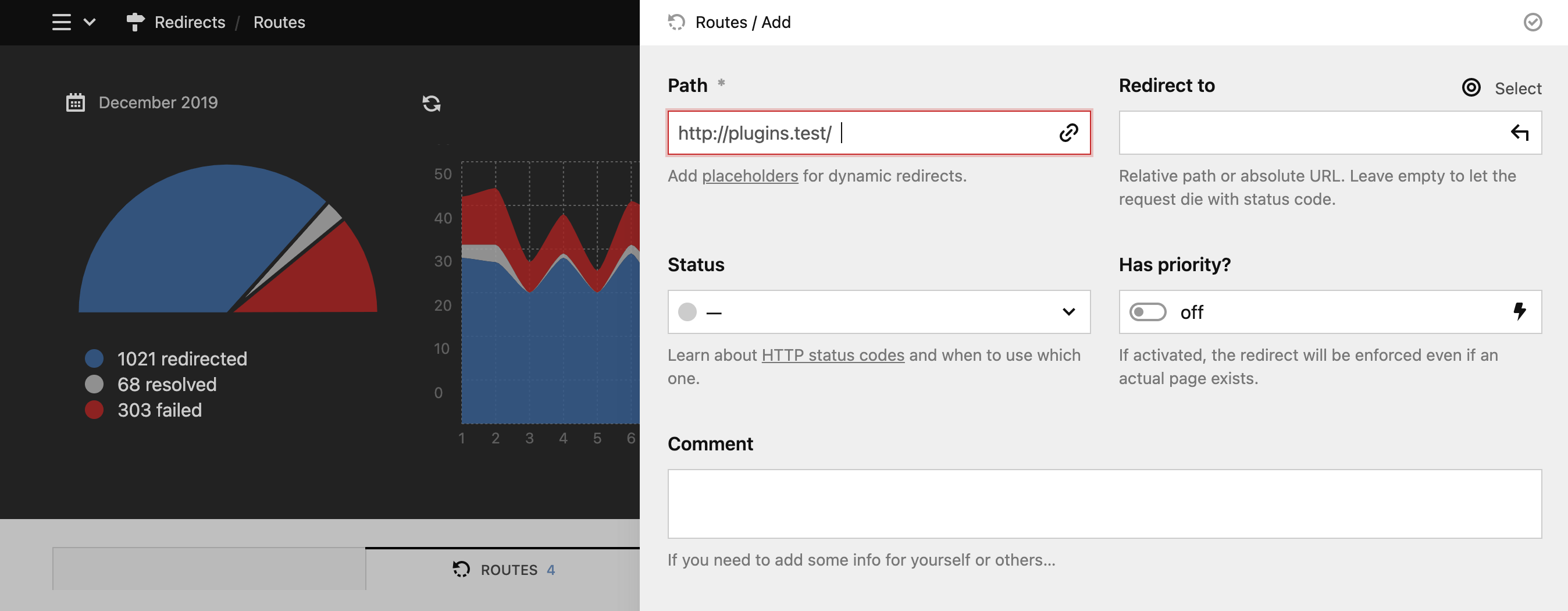
is the path after your site's URL that you would like to catch and redirect.
It can be a static path, e.g. team, or you can use placeholders to define dynamic redirects, e.g. blog/(:all).
Dynamic redirects use Kirby's route patterns as placholder.
Only paths without existing pages or custom routes can be redirected.
is the target of your redirect. There are four options what to enter in this field:
- relative path inside your site (e.g.
blog/2018/a-nice-story) - URL of an external website (e.g.
https://getkirby.com) errorto return the site's error page- leave the field empty to let the browser request fail (for HTTP status codes not in the
3xxrange)
project/(:any)/photos  =>  project/$1/gallery
blog/(:any)/(:all)     =>  notes/$1/entries/$2
refers to the HTTP status code the redirect will respond with.
- Only status codes in the
3xxrange will actually redirect the request to the new location (URL in browser actually changes). - All other status code options either return the target page at the specified path (URL stays the same); or the browser request fails with the selected HTTP status code (empty
Redirect tofield). - If you select the
disabledoption, the redirect is ignored.
If the priority flag is activated, the redirect route will overrule any actuaylly existing pages as well.
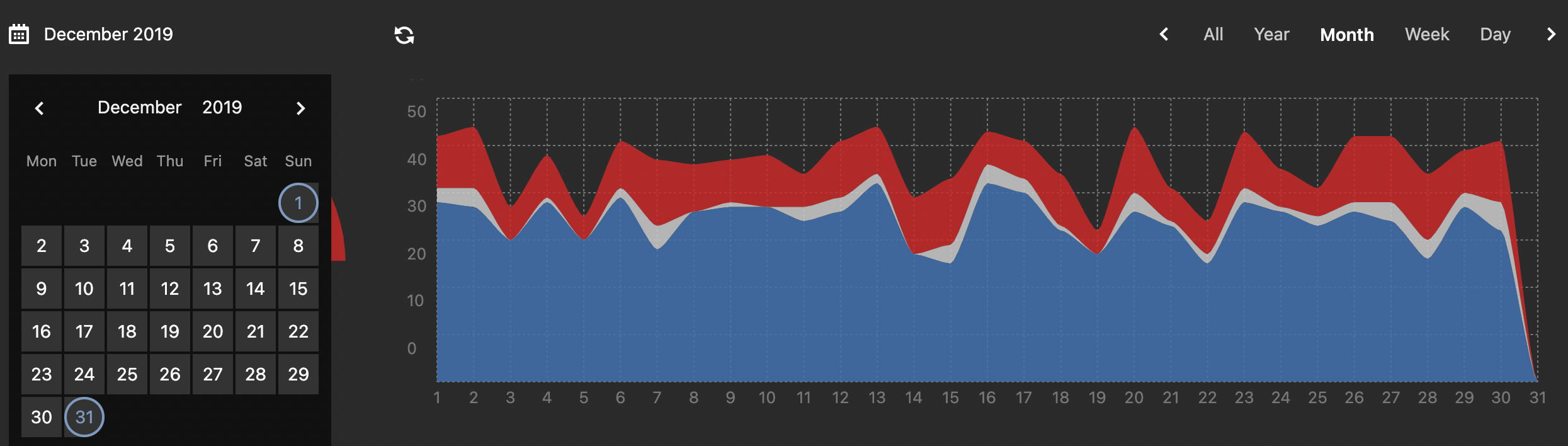
When you open up Retour, you will be shown the data of the current month. The selected timeframe not only applies to the graphs, but also the data displayed in the tables.
You can change the timeframe by clicking on the label on the left side and selecting a new date range in the calendar dropdown. You can also click on any of the options on the right side which will select the current year, month, week or day and navigate back/forward with the arrow buttons.
You can choose from the dropdown menu of a failure entry (three dots to the right), to create a new redirect route which will be pre-filled with the path to prevent any more failing requests in the future.
Once you save that new route, all failure entries for that path will also be marked as resolved in the stats.
Depending on your use case, you might want to clear the logs from time to time. This can be either done manually by clicking the button above the failures table:

Or automatically via the distantnative.retour.deleteAfter option.
The following config options are available:
// site/sonfig/config.php

'distantnative.retour' => [

  // En-/disable all logging (true/false)
  'logs' => true,

  // Array of paths to ignore as 404s
  'ignore' => [],

  // Number of months after which logs should be deleted automatically
  'deleteAfter' => false,

  // Absolut path for location of redirects config
  // Default: site/config/redirects.yml
  'config' => ...,

  // Absolut path for location of database
  // Default: $kirby->root('logs) + /retour/log.sqlite
  'database' => ...,
]Moreover, Retour obeys to the following user blueprint permissions:
title: Editor

permissions:
 access:
   retour: false
 site:
   update: false
Creating, updating and deleting redirects is tied to the site.update permission.
Retour has been translated into some more languages, thanks to the following contributors:
- English
- German
- French: sylvainjule
- Brazilian Portuguese: pedroborges
- Turkish: afbora
This plugin is provided "as is" with no guarantees. Use it at your own risk and always test it yourself before using it in a production environment. If you encounter any problem, please create an issue.
If you encounter this error message, it most likely means that SQLite is not installed, as mentioned in this issue (with example how to fix).
This plugin is completely free and published under the MIT license. However, development needs time and effort. If you are using it in a commercial project or just want to support me to keep this plugin alive, please make a donation of your choice.