

Home Assistant custom integration for Liquid-Check by SI-Elektronik.
Liquid-Check is a water level meter for cisterns. For device details, visit: https://liquid-check-info.si-elektronik.de/
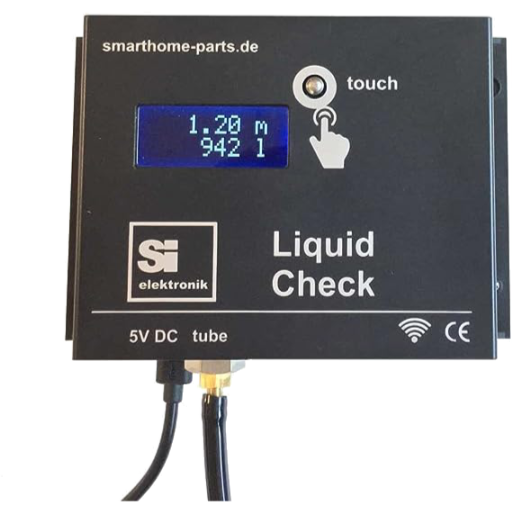

- Native Home Assistant integration (Config Flow)
- Configurable polling interval
- Multiple sensor entities for measurement and diagnostics
- Service to trigger a new measurement
- Button entity to trigger a measurement directly in the UI
- Translation-ready entity names (e.g. German/English)
Version 2.x requires Home Assistant 2026.6.0 or newer.
- Open HACS in Home Assistant.
- Click Explore & Download Repositories.
- Search for Liquid-Check.
- Download and restart Home Assistant.
If the repository is not listed in your HACS setup, add:
https://github.com/shivan/homeassistant-liquidcheck as Integration custom repository.
Copy this repository's integration folder to:
<config>/custom_components/liquid_check/
Then restart Home Assistant.
Upgrade from 1.x to 2.x may require re-installation due to major structural changes. If entities/devices do not migrate cleanly, remove and re-add the integration.
Set up the integration via Settings → Devices & Services → Add Integration.
During setup, you can configure:
- Host/IP of your Liquid-Check device
- Polling interval (
scan_interval, seconds)
After setup, you can change Host/IP and polling interval anytime via:
Settings → Devices & Services → Liquid-Check → Configure

Note: the example screenshot currently uses German labels in the Home Assistant UI.
The integration provides sensors such as:
- Level (%)
- Contents (L)
- Water level (m)
- Last measurement (duration)
- Error
- Firmware / hardware
- Tank max level
- System uptime
- Pump total runs / total runtime
- Wi-Fi RSSI / SSID
Some values are marked as diagnostic entities.
Service: liquid_check.start_measure
- Without
entry_id: triggers all configured Liquid-Check devices - With
entry_id: triggers only one configured device - After triggering, values are refreshed automatically after ~10 seconds
Example:
action:
	- service: liquid_check.start_measure
		data:
entry_id: "01J..."A button entity is created per device to start a measurement directly from the UI. After pressing the button, the integration waits ~10 seconds and then refreshes values.
LEGACY_SENSOR_NAMESfrom older implementations was intentionally not reintroduced.- The integration now uses translation keys and stable key-based entity naming for cleaner localization and long-term maintainability.
custom_components/liquid_check/__init__.py- integration setup/unload
- service registration (
liquid_check.start_measure) - delayed refresh after measurement trigger
custom_components/liquid_check/button.py- button entity (
start_measure) - delayed refresh after button press
- button entity (
custom_components/liquid_check/sensor.py- sensor entities and value mapping
custom_components/liquid_check/const.py- constants, platform list, sensor definitions
custom_components/liquid_check/translations/*.json- UI translations for entity names (DE/EN)
custom_components/liquid_check/manifest.json- integration metadata (
version, required Home Assistant version)
- integration metadata (
See info.md for an integration-focused summary.