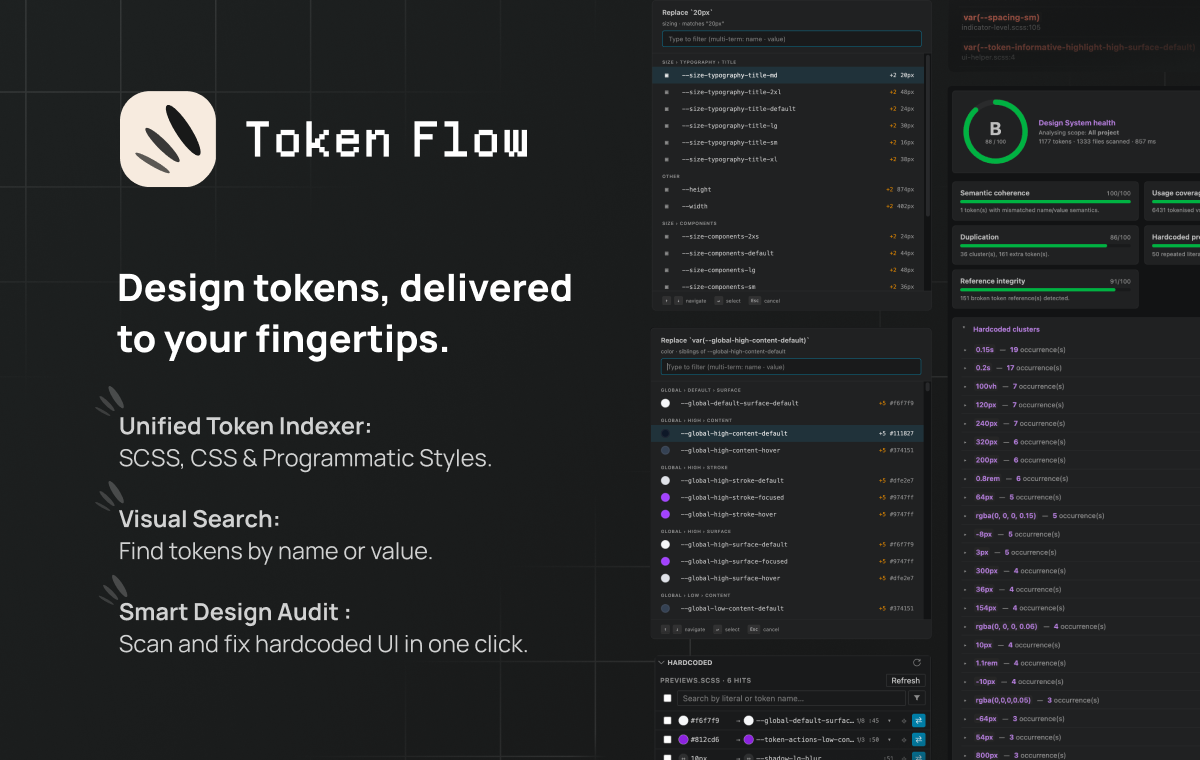
Find, insert, swap and audit design tokens (SCSS · CSS · TS/JS) from inside VSCode — without ever leaving your editor.



Make using your tokens intuitive. Token Flow helps you find the right variable and keep your styles flawless without ever leaving your VSCode editor.
Supported formats:
- SCSS variables (
$color-primary-500) - CSS Custom Properties (
--color-primary-500) - SCSS Maps (
("color-primary-500": #5d3fd3)) - TS/JS preset objects —
'{path.to.token}'
A dedicated Token Flow entry in the activity bar opens a rich
panel listing every indexed token, grouped by category. Inline color
swatches, two-line name + resolved-value previews, variant badges,
multi-term search ("informative content" finds
--token-informative-highlight-content-hover), category + kind filter
chips. Drag any row into the editor to insert the canonical
var(--x) / $x / '{path}' form at the drop position.
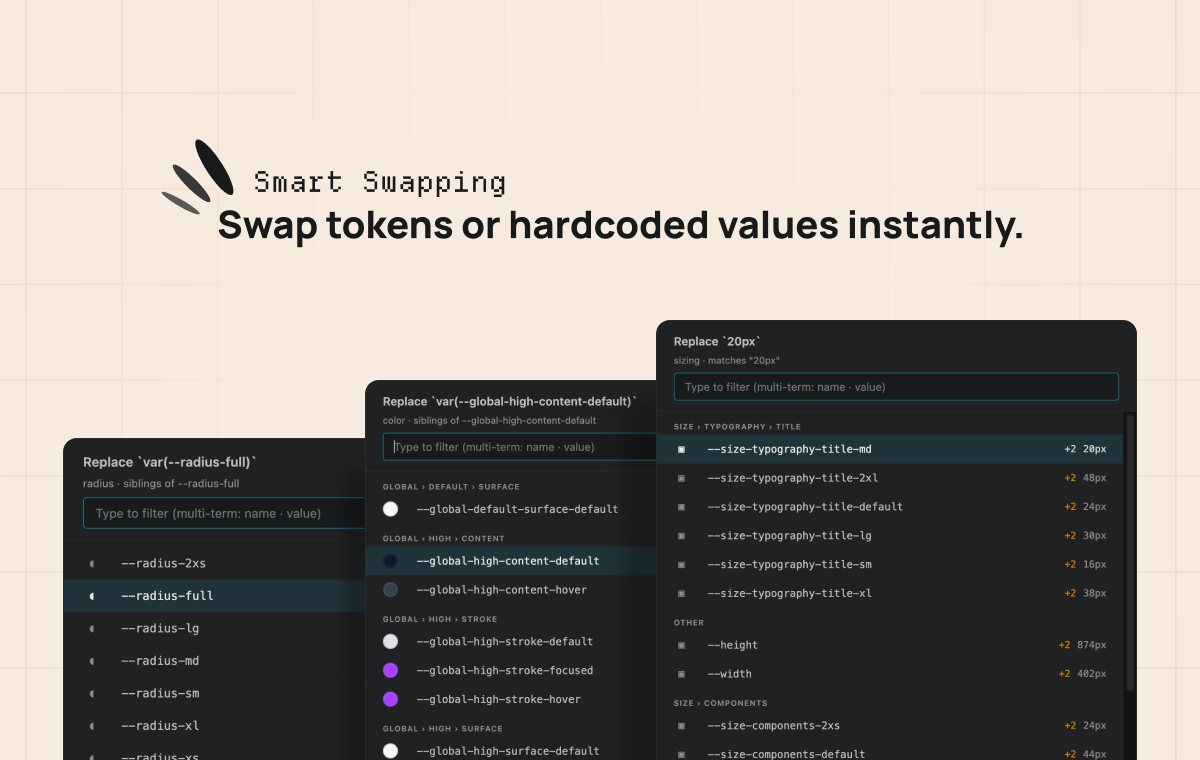
Pick a sibling token of the same category — swap a var(--…) for
another, or "tokenize" a hardcoded 14px literal in one keystroke.
A custom webview picker (not the native QuickPick) renders real CSS
color swatches, groups candidates by category, floats exact-value
matches to the top, and pre-selects the pivot on open. Keyboard or
mouse, your choice.
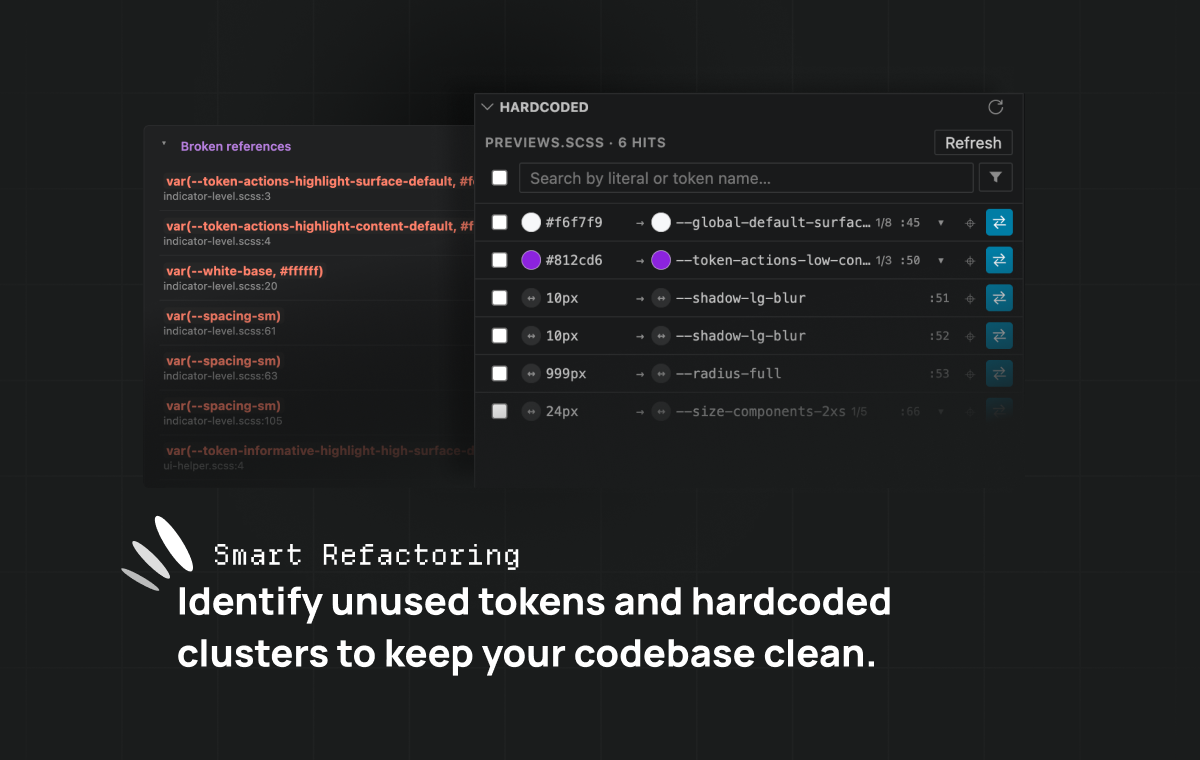
Literals that already exist as tokens (#fff, 14px, 200ms, …)
get a Hint-severity diagnostic with a lightbulb quick-fix that
replaces them with the canonical reference. A dedicated Hardcoded
panel follows the active editor and lists every match in the current
file, with inline swatches, alternative-candidate cycling, jump-to-source
and one-click replacement (workspace edit — undoable like any edit).
Aware of transparent wrappers like rem-calc(14px).
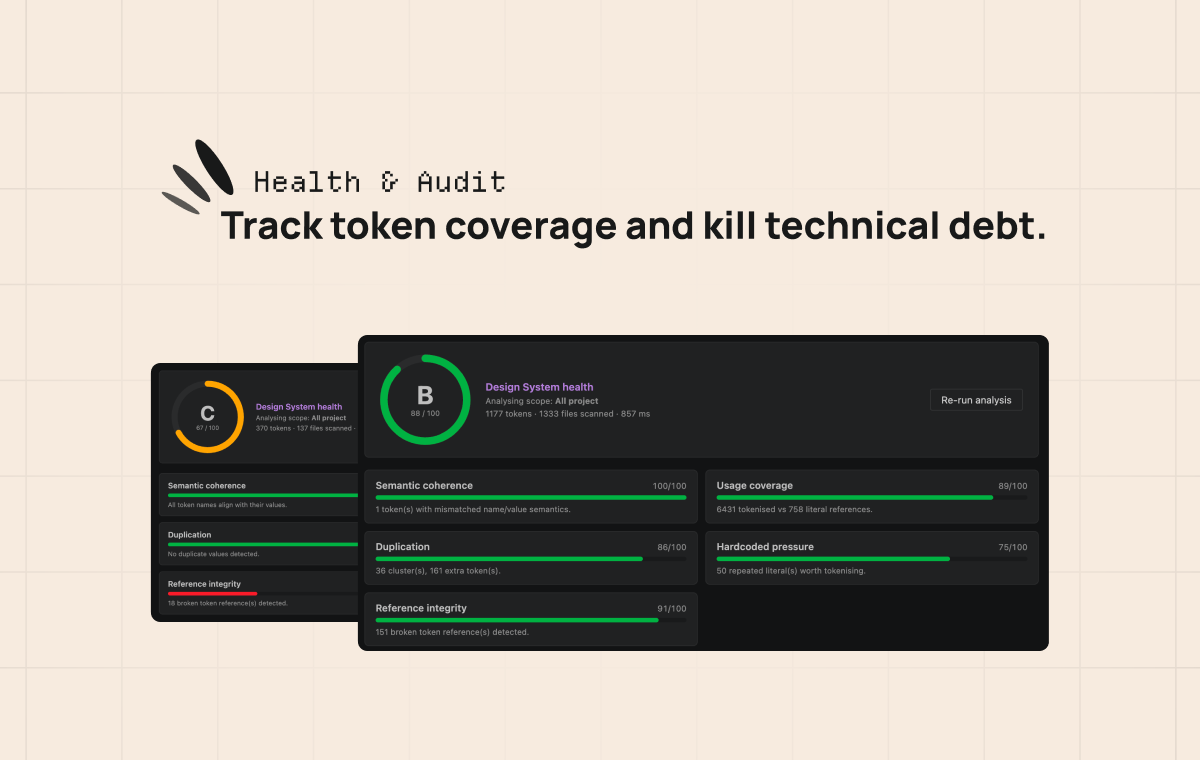
A full-tab Design System health report. Global score (A→F) on a circular gauge, five sub-axes (semantic coherence, usage coverage, duplication, hardcoded pressure, reference integrity), and accordion drilldowns for hardcoded clusters, broken refs, unused / duplicate / incoherent tokens, per-file coverage. Every row links straight to the source.
- Hover info — popup with resolved value & per-mode variants (light / dark / breakpoints) of the token under the caret. Multi-theme aware: nested SCSS maps render with theme-grouped column headers.
- Go to Token Declaration —
Ctrl+Click/F12/ Peek on anyvar(--x),--xor$xreference, via VSCode's native Definition flow. Works with stylesheets and TS/JS preset paths. - Code completion — triggered after
var(--or$, sorted alphabetically, filtered by VSCode's fuzzy matcher. - Named scopes — multi-UI projects (mobile / desktop / preset / common) supported via named scopes with their own root path, source paths, whitelists and excludes. A master-detail Settings webview ships with native folder/file pickers and saves directly to workspace settings — no JSON hand-editing needed.
- Migration — refactor a hardcoded codebase to design tokens, file by file.
- Multi-brand audit — keep a multi-brand or light/dark Design System aligned and free of dead tokens.
- Theme debugging — see how a token resolves in Dark vs Light mode via the hover popup.
- Preset iteration — work on a PrimeUIX / Style-Dictionary preset with instant feedback.
Built by Robin Lopez — designer & front-end engineer.
robinlopez.fr · LinkedIn · Bluesky · Bento
If Token Flow saves you time, you can support its development: