
DOM-Based Cross-Site Scripting (DOM XSS) is a type of XSS security vulnerability where client-side JavaScript processes data controlled by an attacker and writes it to the Document Object Model (DOM) using unsafe methods. The malicious script executes entirely within the victim's browser and is never processed or reflected by the server.
- Identify Attacker-Controlled Input: The attacker identifies data sources controlled by the client, such as URL parameters, URL fragments (location.hash), cookies, localStorage, sessionStorage, or other browser-controlled values.
- Inject Malicious Input: The attacker supplies harmful JavaScript through one of these client-side inputs.
- Unsafe DOM Manipulation: The application’s JavaScript inserts the attacker-controlled data into the DOM using unsafe methods like
innerHTML,outerHTML,document.write(), orinsertAdjacentHTML()without proper output encoding or sanitization. - Script Execution: The browser interprets the injected content as executable HTML or JavaScript and runs the attacker's code.
- Session Hijacking: Attackers may steal session identifiers or authentication tokens stored in the browser, allowing them to impersonate the victim.
- Sensitive Data Theft: Attackers can access sensitive information available in the browser, including personal data, application data, or information displayed on the page.
- Unauthorized Actions: Attackers can execute JavaScript in the victim's browser to perform actions with the victim's permissions, such as altering settings or submitting requests.
- Website Manipulation: Attackers can alter page content, inject fake forms, display misleading information, or redirect users to malicious websites.
- Use Safe DOM APIs: Utilize methods like
textContent,innerText, orcreateTextNode()instead of unsafe methods such asinnerHTML,outerHTML,document.write(), orinsertAdjacentHTML()when displaying untrusted data. - Treat Client-Side Input as Untrusted: Treat data from URL parameters, URL fragments (location.hash), cookies, localStorage, sessionStorage, and other browser-controlled sources as untrusted. Apply appropriate encoding or sanitization before inserting any data into the DOM.
- Avoid Dangerous JavaScript Functions: Steer clear of using
eval(),Function(),setTimeout()with string arguments,setInterval()with string arguments, and other APIs that execute dynamically generated code. - Implement Content Security Policy (CSP): Use CSP headers to restrict which sources can execute scripts and reduce the impact of any injected JavaScript.
- Use Modern Frameworks Safely: Utilize frameworks that automatically escape user input by default. Avoid bypassing built-in protections unless the content has been properly sanitized.
Clone this current repo recursively
git clone --recurse-submodules https://github.com/qeeqbox/dom-based-cross-site-scriptingRun the webapp using Python
python3 dom-based-cross-site-scripting/vulnerable-web-app/webapp.pyOpen the webapp in your browser 127.0.0.1:5142
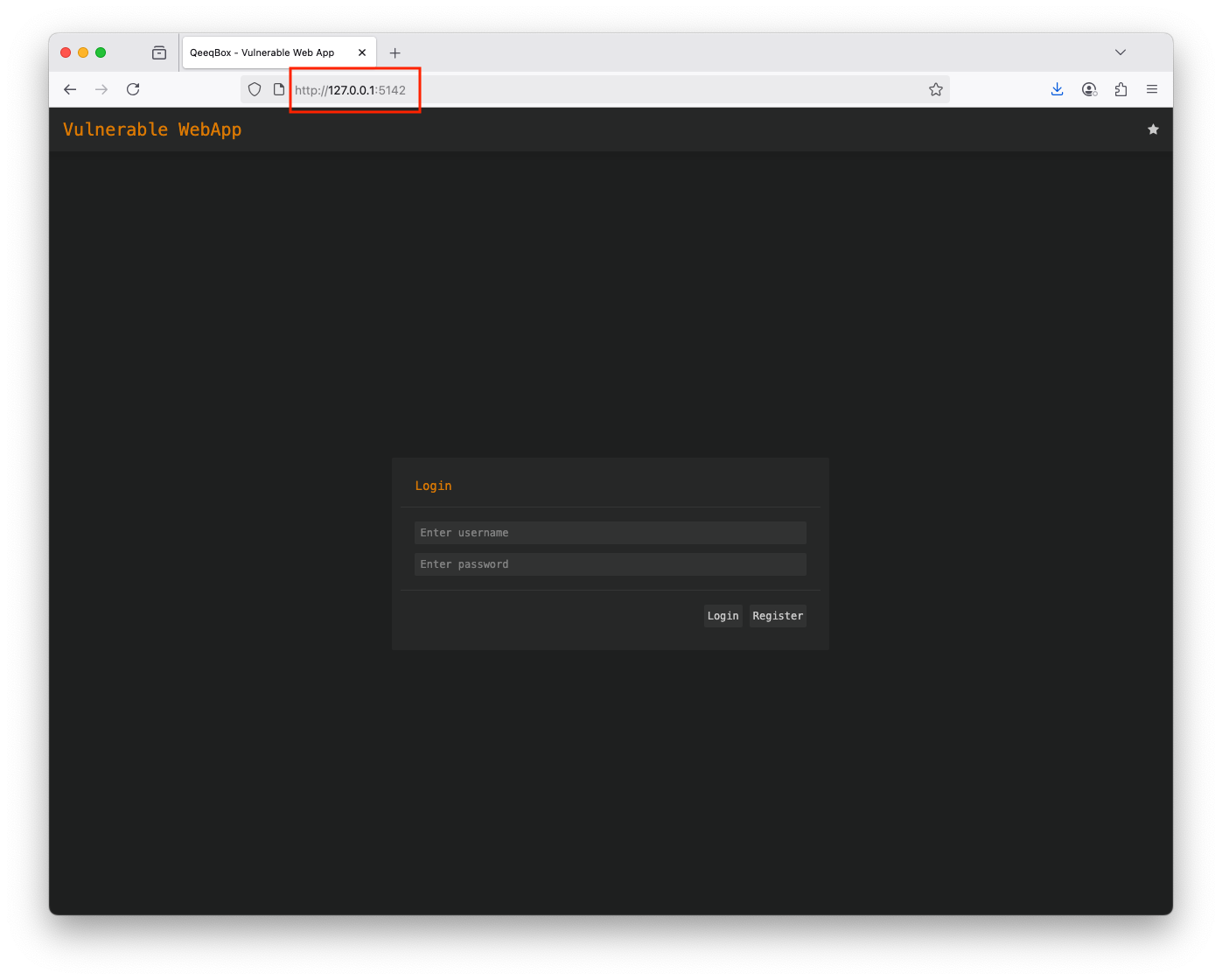
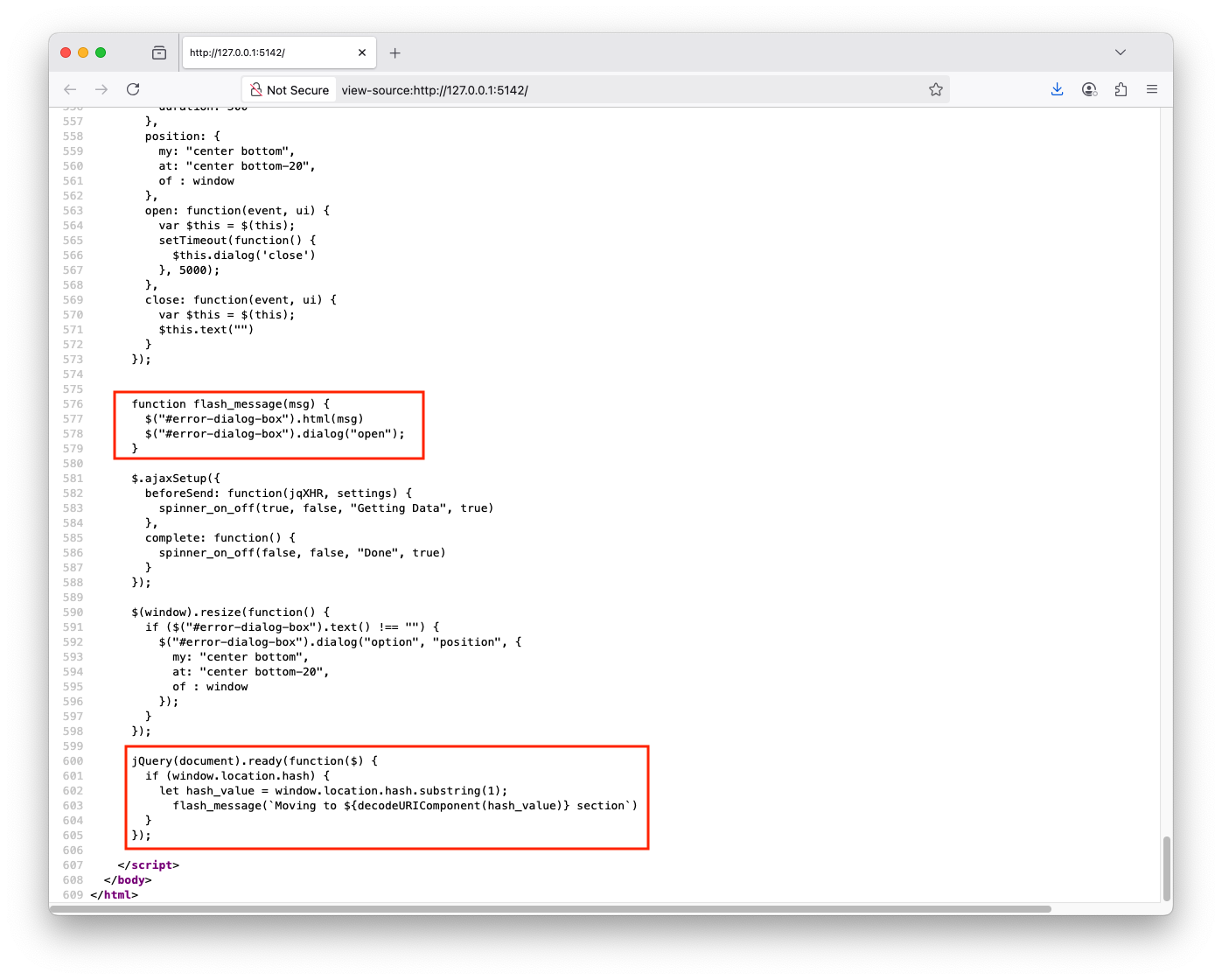
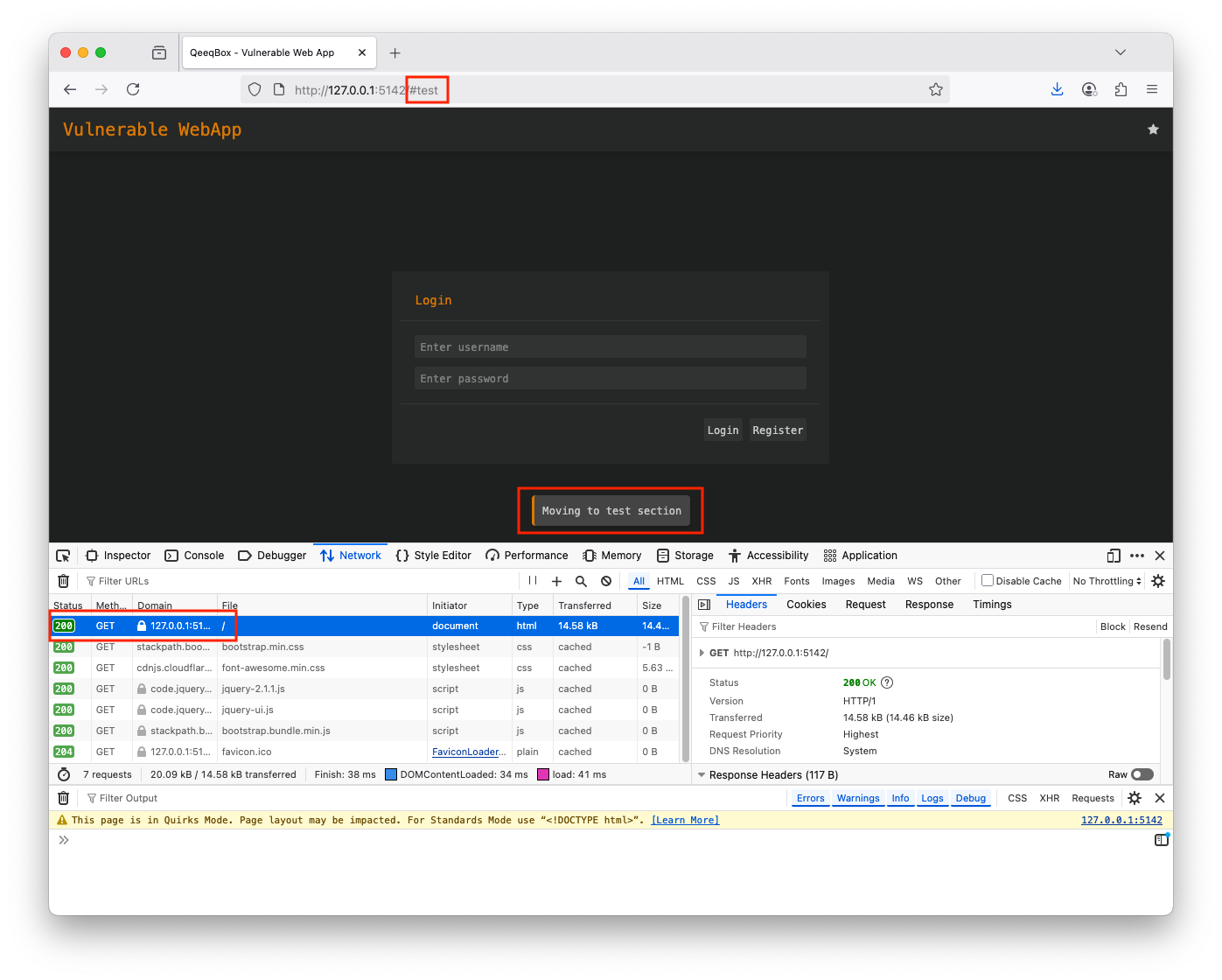
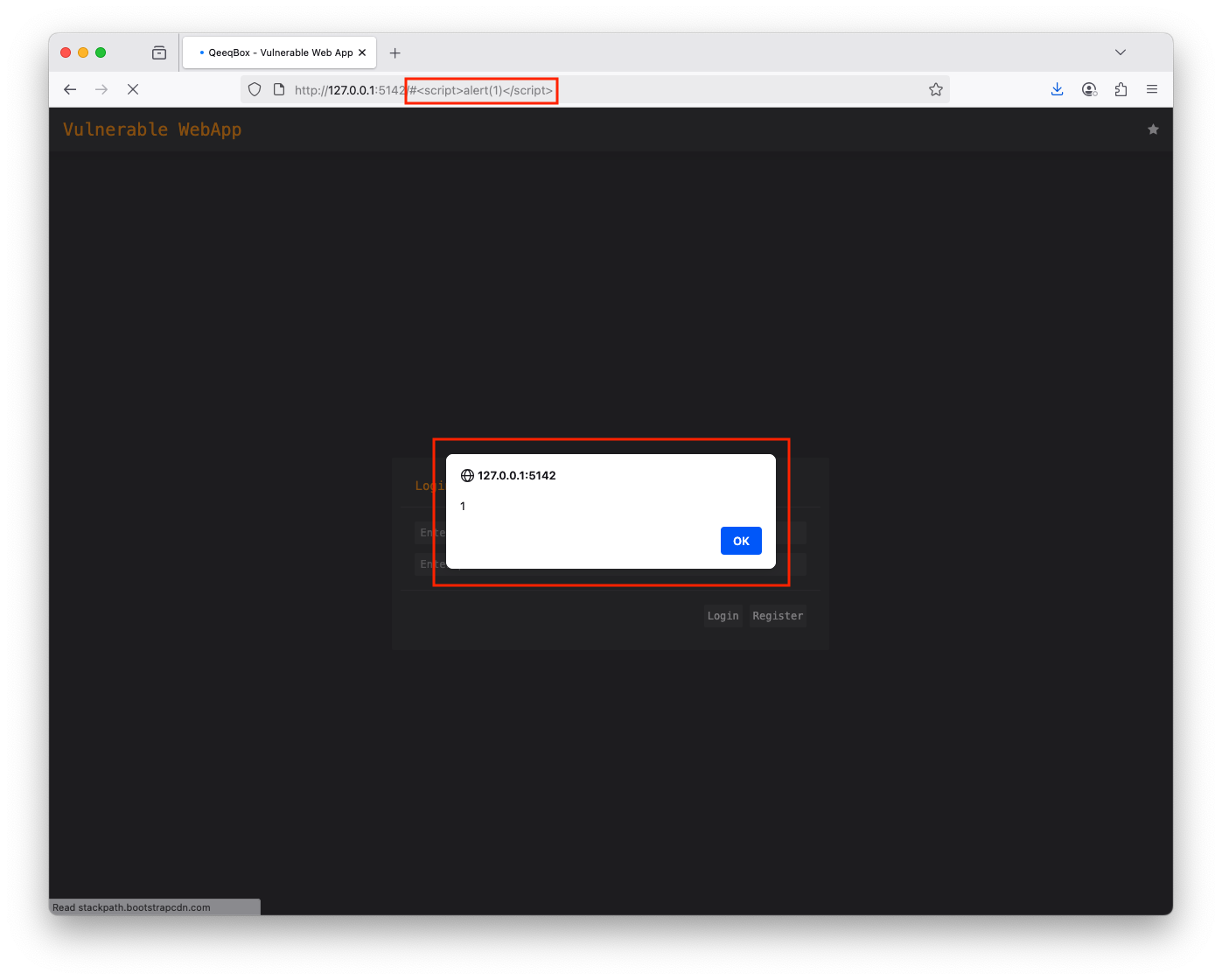
This logic will check the current URL for fragment identifiers. If # is part of the URL, it will pass it to the flash_message() function
jQuery(document).ready(function($) {
  if (window.location.hash) {
    let hash_value = window.location.hash.substring(1);
      flash_message(`Moving to ${decodeURIComponent(hash_value)} section`)
  }
});
The flash_message() function embeds the user-controlled input directly into a div box without sanitizing it
function flash_message(msg) {
  $("#error-dialog-box").html(msg)
  $("#error-dialog-box").dialog("open");
}