












Agrirental is a cutting-edge agri-tech marketplace designed to revolutionize agricultural operations across India. Our platform bridges the gap between farmers and premium equipment providers, making it easier than ever to rent tractors, harvesters, tillers, trucks, trailers, and hire skilled agricultural labor.

Indian farmers face critical challenges:
- 💰 High Equipment Costs: Purchasing machinery is unaffordable for small-scale farmers
- 👷 Unreliable Labor Access: Difficulty finding and hiring skilled agricultural workers
- 📉 Inefficient Rental Markets: Fragmented, offline processes lead to wasted time and resources
- 🌏 Limited Reach: Rural entrepreneurs struggle to connect with customers beyond their locality

Agrirental solves these problems by:
- 📈 Boosting Productivity: Instant access to modern equipment increases farm output
- 🌍 Promoting Sustainability: Shared equipment reduces waste and environmental impact
- 💵 Increasing Income: Providers earn from idle equipment; farmers save on ownership costs
- 🤝 Building Community: Connecting rural stakeholders in a trusted digital ecosystem
| 🎯 Feature | 📝 Description |
|---|---|
| 🚜 Equipment Rental Marketplace | Browse, search, and rent tractors, harvesters, tillers, trucks, and trailers with real-time availability |
| 👨🌾 Labor Hiring Platform | Find and hire skilled agricultural workers, operators, and service providers |
| 🔍 Advanced Search & Filters | Filter by location, equipment type, price range, ratings, and availability dates |
| ⚡ Instant Bookings | Reserve equipment and labor with one-click booking and automated confirmations |
| 🔐 Multi-Auth Support | Sign in via email/password, Google OAuth, or phone verification (OTP for Indian numbers) |
| 🔔 Real-Time Notifications | Get instant updates on bookings, messages, and availability via Supabase Realtime |
| 💬 In-App Chat | Direct messaging between renters and providers for seamless communication |
| ⭐ Reviews & Ratings | Build trust with verified user reviews and 5-star rating system |
| 👤 Role-Based Dashboards | Customized interfaces for renters, providers, laborers, and administrators |
| 📊 Analytics Insights | Track platform usage and user behavior with privacy-focused Umami analytics |
| 🖼️ Secure Media Uploads | Cloud-based storage via Supabase and Cloudinary for equipment photos and documents |
| 📱 Mobile-First Design | Fully responsive UI optimized for smartphones and tablets |
| 🗺️ Geospatial Search | Location-based equipment discovery powered by PostGIS |
| 🌙 Dark Mode Support | Eye-friendly dark theme for comfortable browsing |

|
Agrirental features a modern, colorful, and highly interactive user interface designed to delight users while maintaining professional aesthetics. |

|
- 🎨 Farm-Inspired Palette: Vibrant greens, blues, and earth tones create a natural, welcoming atmosphere
- 🌊 Framer Motion Integration: Smooth page transitions, interactive card hovers, animated loading states, and micro-interactions
- 🌙 Dark Mode: Automatically adapts to user preferences for comfortable viewing in any lighting
- 📱 Responsive Design: Seamless experience across desktop, tablet, and mobile devices
- ♿ Accessibility-First: Built with Radix UI primitives for keyboard navigation and screen reader support
- 🎭 Animated Components: Dynamic equipment cards, smooth modal transitions, and engaging call-to-action buttons














📂 Click to expand/collapse folder structure
📦 agrirental/
┣ 📂 src/
┃ ┣ 📂 app/
┃ ┃ ┣ 📄 page.tsx # 🏠 Homepage
┃ ┃ ┣ 📂 login/ # 🔐 Authentication pages
┃ ┃ ┣ 📂 phone-setup/ # 📱 Phone verification flow
┃ ┃ ┣ 📂 onboarding/ # 👋 User onboarding
┃ ┃ ┣ 📂 profile/ # 👤 User profile management
┃ ┃ ┣ 📂 provider/ # 🚜 Equipment provider dashboard
┃ ┃ ┣ 📂 renter/ # 👨🌾 Renter dashboard
┃ ┃ ┣ 📂 admin/ # 👑 Admin panel
┃ ┃ ┣ 📂 auth/ # 🔑 Auth callbacks
┃ ┃ ┗ 📄 layout.tsx # 🎨 Root layout
┃ ┣ 📂 components/
┃ ┃ ┣ 📂 ui/ # 🎯 Reusable UI components (Radix)
┃ ┃ ┣ 📂 layout/ # 📐 Header, Footer, Sidebar
┃ ┃ ┣ 📂 landing/ # 🌟 Homepage sections
┃ ┃ ┣ 📂 notifications/ # 🔔 Notification components
┃ ┃ ┗ 📂 messages/ # 💬 Chat/messaging UI
┃ ┣ 📂 lib/
┃ ┃ ┣ 📂 services/ # 🔌 API service layers
┃ ┃ ┣ 📂 auth/ # 🛡️ Authentication utilities
┃ ┃ ┣ 📂 store/ # 🗄️ Zustand stores
┃ ┃ ┣ 📂 supabase/ # 💚 Supabase client config
┃ ┃ ┣ 📂 types/ # 📝 TypeScript type definitions
┃ ┃ ┗ 📂 utils/ # 🛠️ Helper functions
┃ ┗ 📄 middleware.ts # 🚦 Next.js middleware (auth guards)
┣ 📂 supabase/
┃ ┗ 📂 migrations/ # 🗃️ Database migrations
┣ 📂 public/
┃ ┣ 📂 images/ # 🖼️ Static images
┃ ┗ 📂 assets/ # 🎬 Banners, logos (*.svg, *.mp4, *.gif)
┣ 📂 scripts/ # ⚙️ Build/deployment scripts
┣ 📂 docs/ # 📚 Documentation
┣ ⚙️ next.config.ts # 🔧 Next.js configuration
┣ 🎨 tailwind.config.js # 💅 Tailwind CSS configuration
┣ 📘 tsconfig.json # 📖 TypeScript configuration
┣ 📦 package.json # 📋 Dependencies (Bun)
┣ 🔒 .env.example # 🗝️ Environment variable template
┗ 📜 LICENSE # ⚖️ MIT License

|
|
📥 Step 1: Clone the Repository
git clone https://github.com/preetam-90/agrkserve.git
cd agrkserve
📦 Step 2: Install Dependencies
bun install🗄️ Step 3: Set Up Supabase
Create a new project on Supabase and run database migrations:
Option A: Via Supabase Dashboard
- Copy SQL from
supabase/migrations/ - Execute in SQL Editor
Option B: Via Supabase CLI (Recommended)
npx supabase link --project-ref your-project-ref
npx supabase db push
🔐 Step 4: Configure Environment Variables
- Copy
.env.exampleto.env.local - Fill in your Supabase credentials (see Environment Variables section below)

|
Create a # 💚 Supabase Configuration
NEXT_PUBLIC_SUPABASE_URL=https://your-project.supabase.co
NEXT_PUBLIC_SUPABASE_ANON_KEY=your-anon-key
# 🌐 Application URL
NEXT_PUBLIC_APP_URL=http://localhost:3000
# 📊 Umami Analytics
UMAMI_WEBSITE_ID=your-umami-website-id
UMAMI_API_URL=https://umami-analytics-pk.up.railway.app
# ☁️ Cloudinary (Optional - for media operations)
NEXT_PUBLIC_CLOUDINARY_CLOUD_NAME=your-cloud-name
CLOUDINARY_API_KEY=your-api-key
CLOUDINARY_API_SECRET=your-api-secret |
⚠️ Important: Never commit.env.localto version control. Use.env.exampleas a template.


| Command | Description | Usage |
| 🏗️ Build | Build for production | bun run build |
| 🚀 Start | Start production server | bun start |
| 🔍 Lint | Run linting | bun run lint |
| ✅ Type Check | TypeScript validation | bun run type-check |

🖼️ Click to view all screenshots
|
|
|
|
|
|
|
|
|
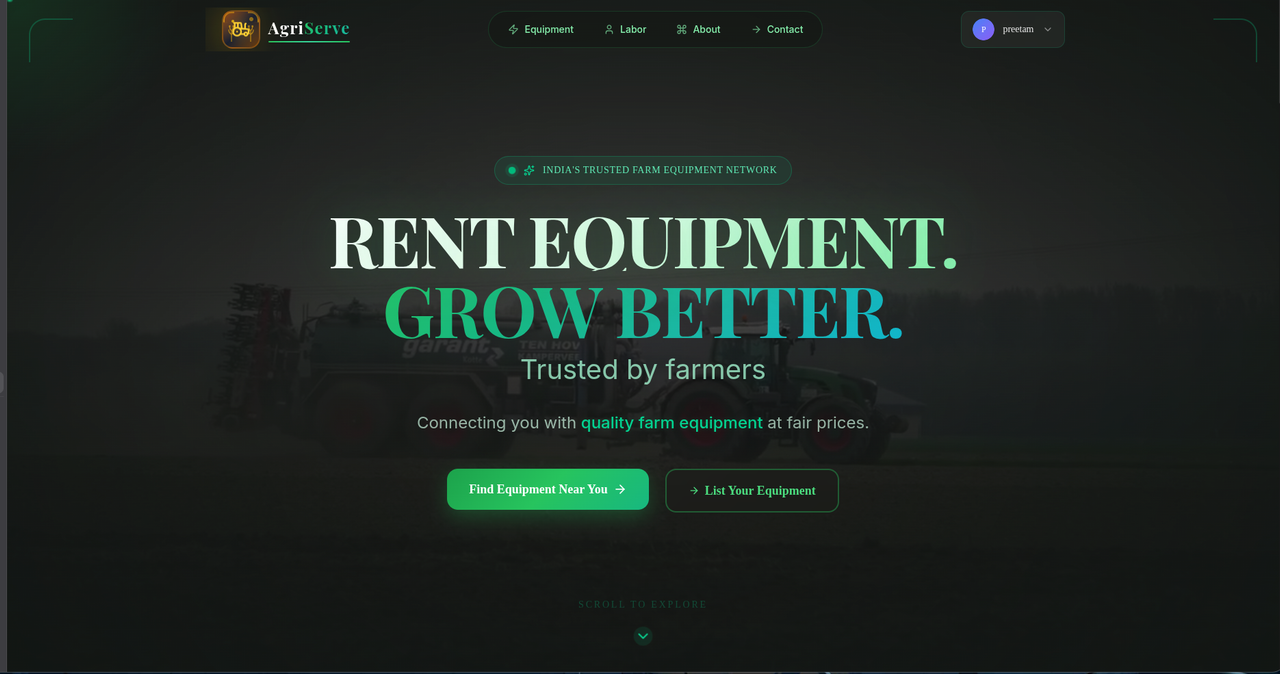
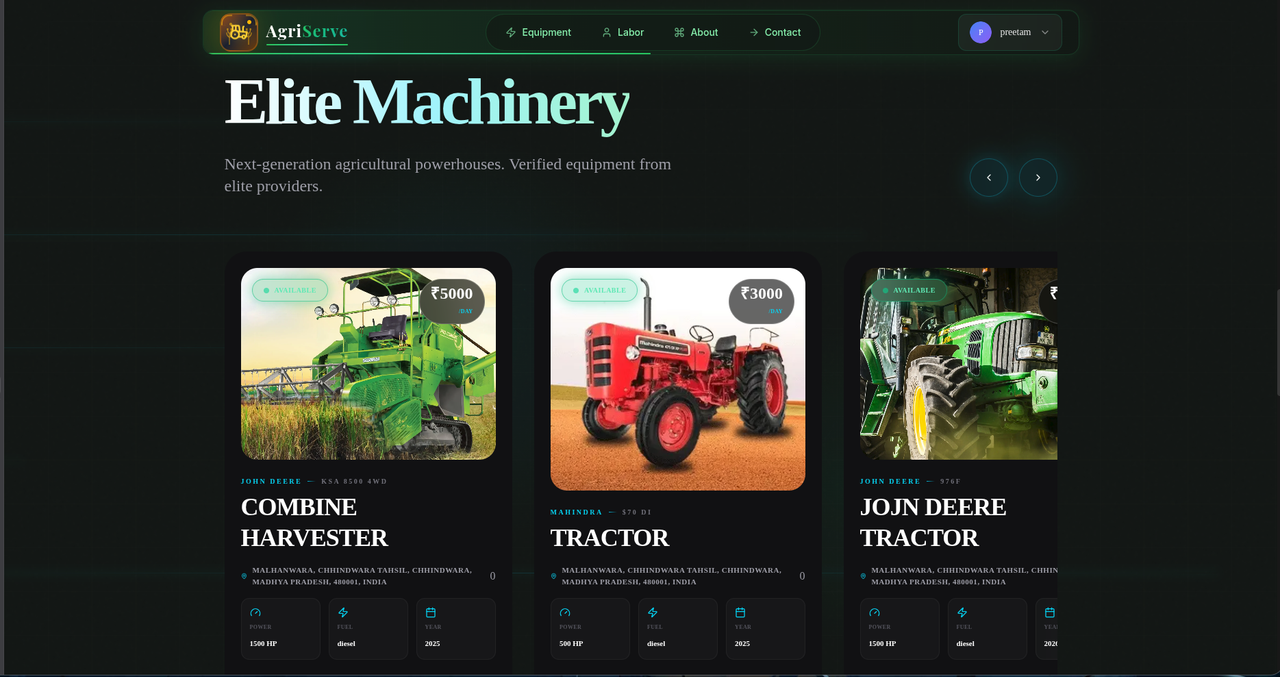
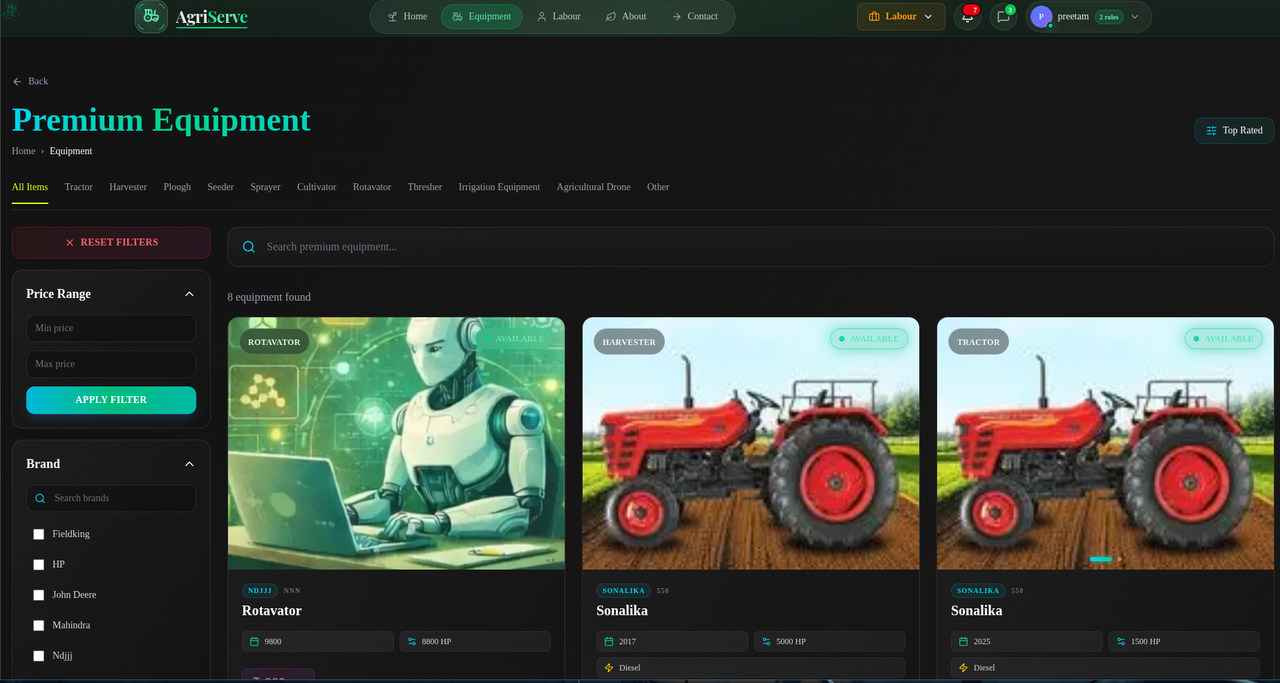
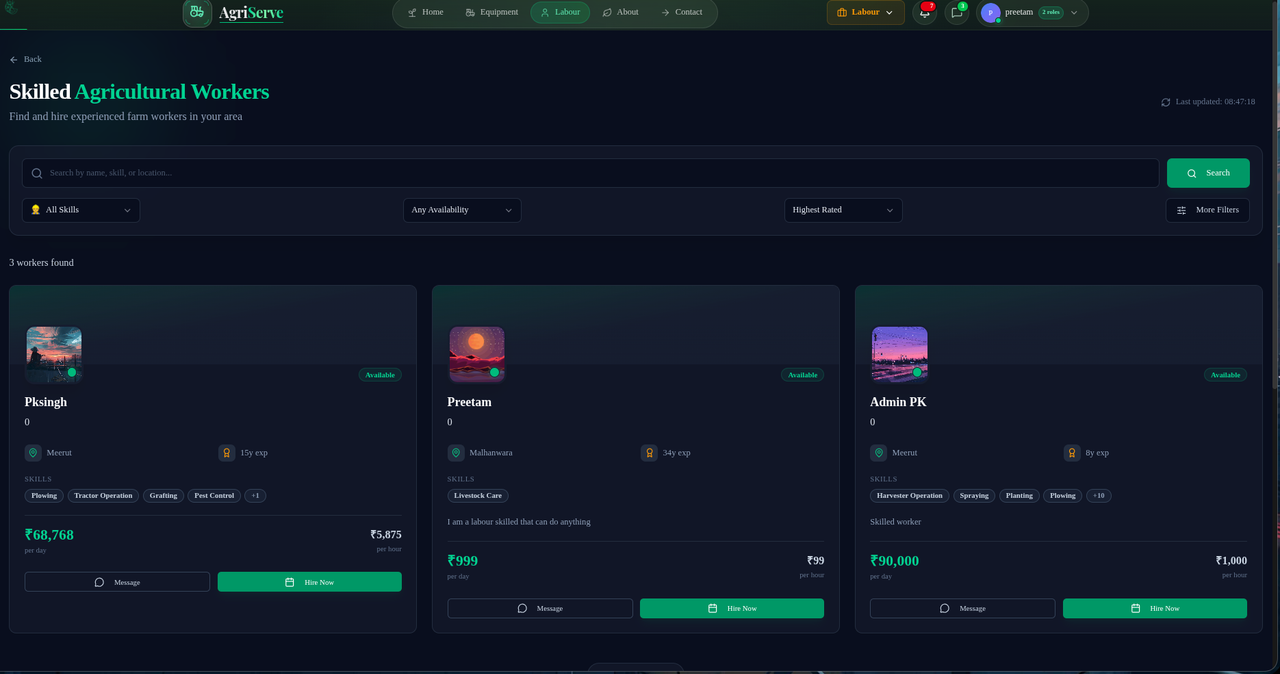
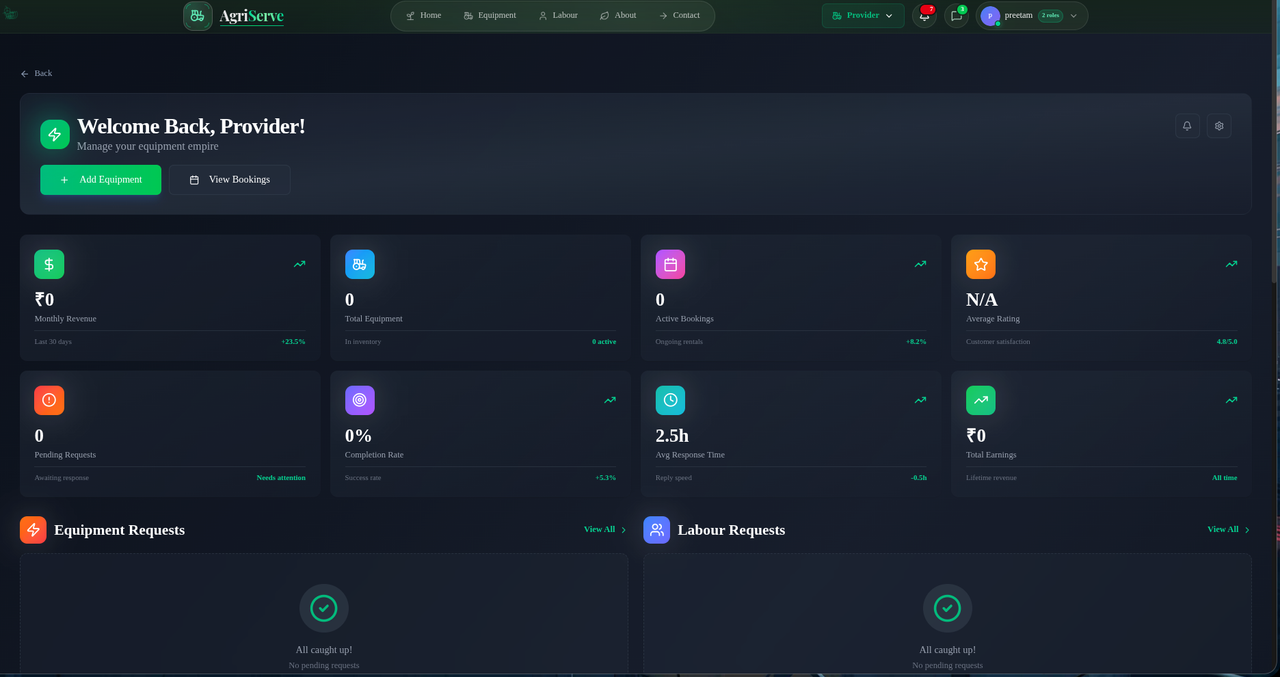
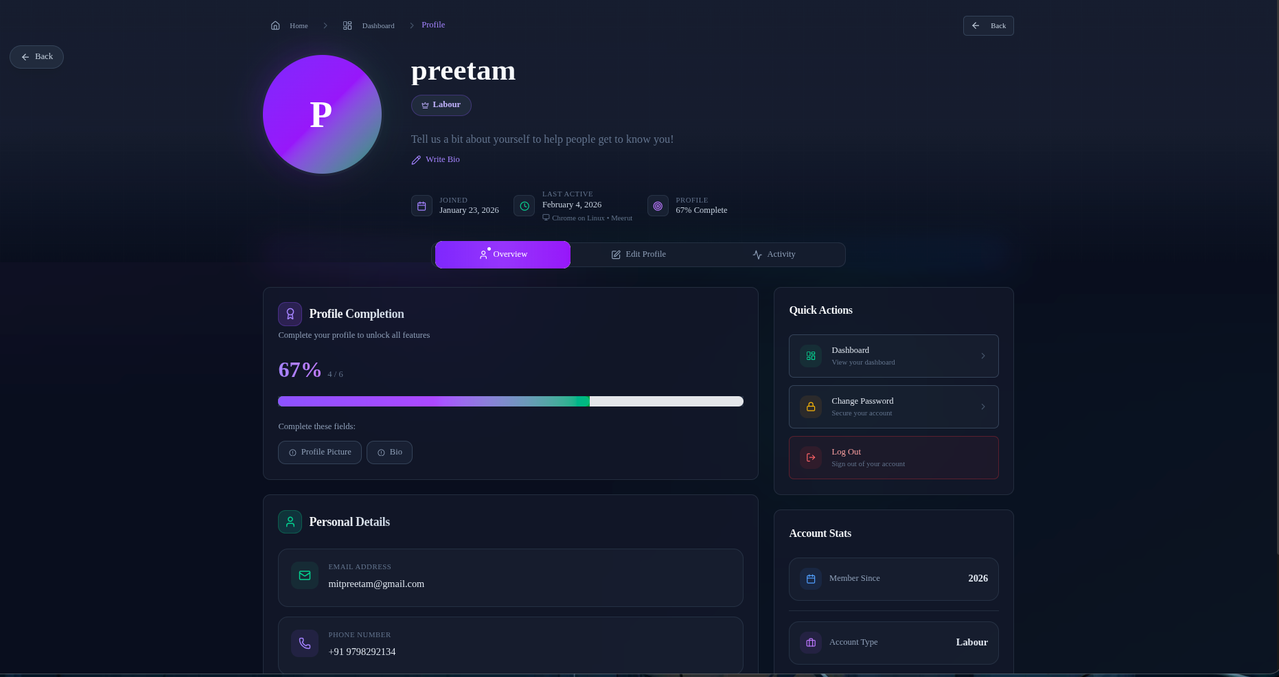

|
Agrirental uses Umami, a privacy-focused, open-source analytics platform that respects user privacy while providing valuable insights. Benefits:
|
|

- Add Umami script to
src/app/layout.tsx - Configure environment variables:
UMAMI_WEBSITE_IDandUMAMI_API_URL - Track custom events using Umami's JavaScript API:
window.umami?.track('equipment_booked', { type: 'tractor' });


| 1️⃣ |
Push to GitHub git add .
git commit -m "Initial commit"
git push origin main |
| 2️⃣ |
Import to Vercel
|
| 3️⃣ |
Configure Environment Variables
|
| 4️⃣ |
Deploy
|
| ⚡ | Enable Vercel Speed Insights for performance monitoring |
| 🌐 | Set up a custom domain in project settings |
| 📊 | Monitor deployment logs for errors |
| 🔗 | Update Supabase redirect URLs:
• Go to Supabase Dashboard → Authentication → URL Configuration • Add https://your-domain.vercel.app/** to allowed redirect URLs |

|
|
|
|



| 1️⃣ |
Fork the Repository git clone https://github.com/your-username/agrkserve.git
cd agrkserve |
| 2️⃣ |
Create a Feature Branch git checkout -b feat/your-feature-name |
| 3️⃣ |
Make Your Changes
|
| 4️⃣ |
Test Your Changes bun dev
bun lint # Run linting
bun type-check # TypeScript validation |
| 5️⃣ |
Submit a Pull Request
|
| ✅ | Keep PRs focused on a single feature or fix |
| ✅ | Update documentation for new features |
| ✅ | Ensure backward compatibility |
| ✅ | Respect the project's code of conduct |



|
📧 Email
|
🐛 Bug Reports
|
|
🌐 Live Website
|
📊 Analytics
|


**Next.js** The React Framework |

**Supabase** Open Source Backend |

**Tailwind CSS** Utility-First CSS |

**Framer Motion** Animation Library |

**Radix UI** UI Components |

**Lucide** Icon Library |

**Zustand** State Management |

**Umami** Privacy Analytics |
👨💻 Built with ❤️ by Preetam
📍 New Delhi, India 🇮🇳 • 📅 2026

|

|

|


