
Formerly PyniteGUI.
A desktop application for modeling and analyzing 2D/3D frames and axial-only trusses, built with Qt and the PyNite solver.
Documentation · Releases · Examples · Report an issue
Release candidate: 1.0.0rc4. See validation and publication status for the tested configurations and remaining checks before stable 1.0.
- Build a model: draw frames and trusses, edit tables, assign materials and sections, and define supports, springs, planar member releases and load combinations.
- Analyze: linear elastic analysis and restricted frame-only P-Delta, with progress, cancellation, self-weight and unit-aware inputs.
- Inspect results: 2D/3D force diagrams, signed colour maps, exact member station probes, combination comparisons, envelopes and explicit storey drift.
- Work comfortably: Model/Results workspaces, SI/Imperial units, light/dark themes, undo/redo, autosave recovery, CSV and printable reports.
- Learn and automate: categorized examples with previews, adapted official PyNite examples, and an optional MCP server for controlling the open editor.
Surface meshing, rectangular plate analysis and coupled rectangular Quad slabs are experimental. P-Delta keeps materials elastic and has model restrictions; plastic, modal and reinforced-concrete nonlinear workflows are not implemented. Read the engineering scope before relying on results.
RC4 plate limitation: Rect moment/shear recovery is corrected in development. Quad moments are available, but Quad transverse shear is unverified and disabled in development; see the plate guide.
Requires uv and Python 3.12+. uv can manage Python and the application's isolated environment.
From PyPI: install the release candidate in an isolated tool environment:
uv tool install --python 3.12 "brecon==1.0.0rc4"
brecon
If the command is not found, run uv tool update-shell and reopen your terminal.
With pip, use python -m pip install "brecon==1.0.0rc4" inside a Python
3.12+ virtual environment, then run brecon. The explicit version selects the
prerelease. Release wheels are also available on GitHub; standalone desktop
installers are not provided.
From this repository:
uv python install 3.12
uv sync --managed-python
uv run brecon
Open File > Examples to browse ready-to-analyze models, or choose
File > New 3D Frame. If 3D graphics fail to start, launch with
brecon --software-rendering (or uv run brecon --software-rendering).
The source checkout launches as brecon; pynitegui remains an alias. Existing
project formats, preferences and recovery snapshots stay compatible. Install in
a fresh environment, or uninstall the old PyniteGUI package/tool first because
both provide the compatibility command and import namespace.
Optional MCP: use uv run --extra mcp brecon from the checkout, or install
"brecon[mcp]==1.0.0rc4" with uv tool install --python 3.12.
Configure permissions, exclusive MCP mode and authentication in
Tools > Automation Server. See the MCP guide.
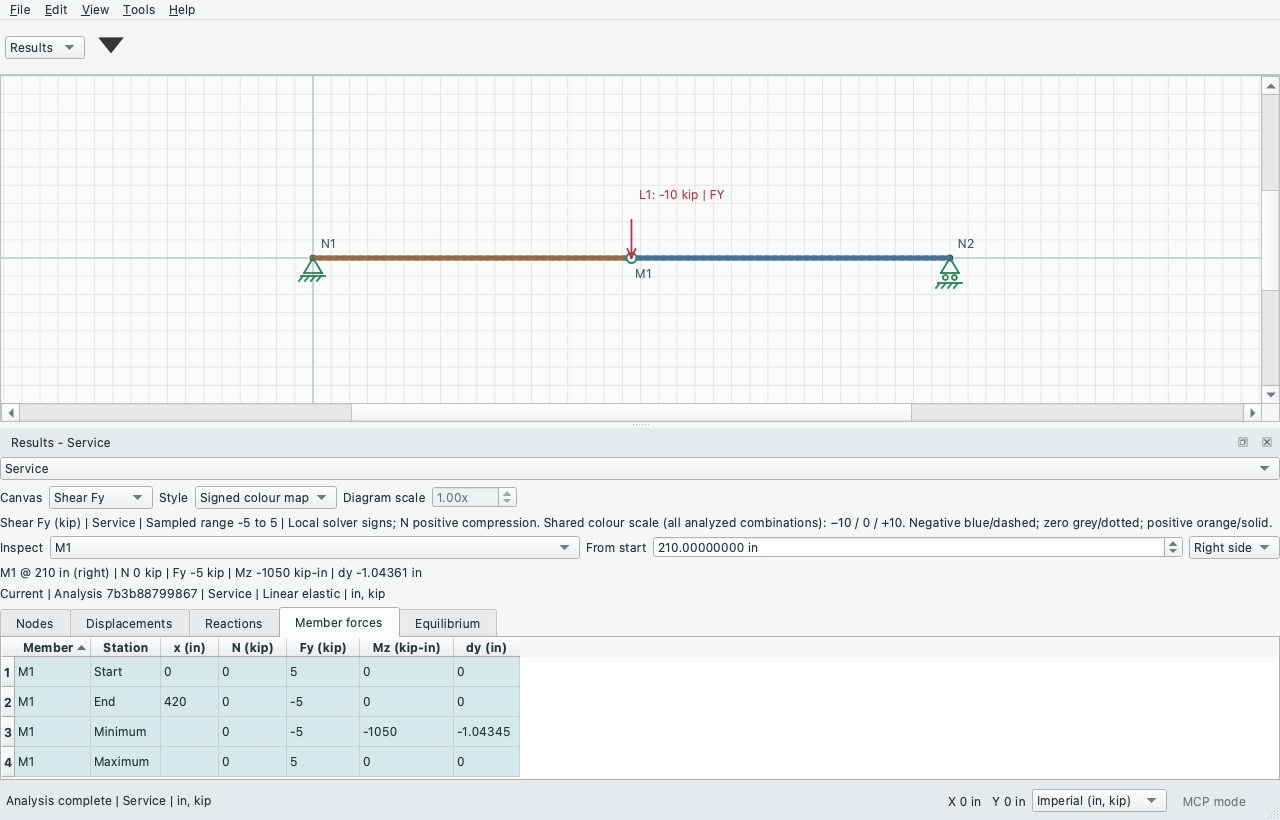
Main-canvas results with a signed shear map, exact station inspection and linked tables.
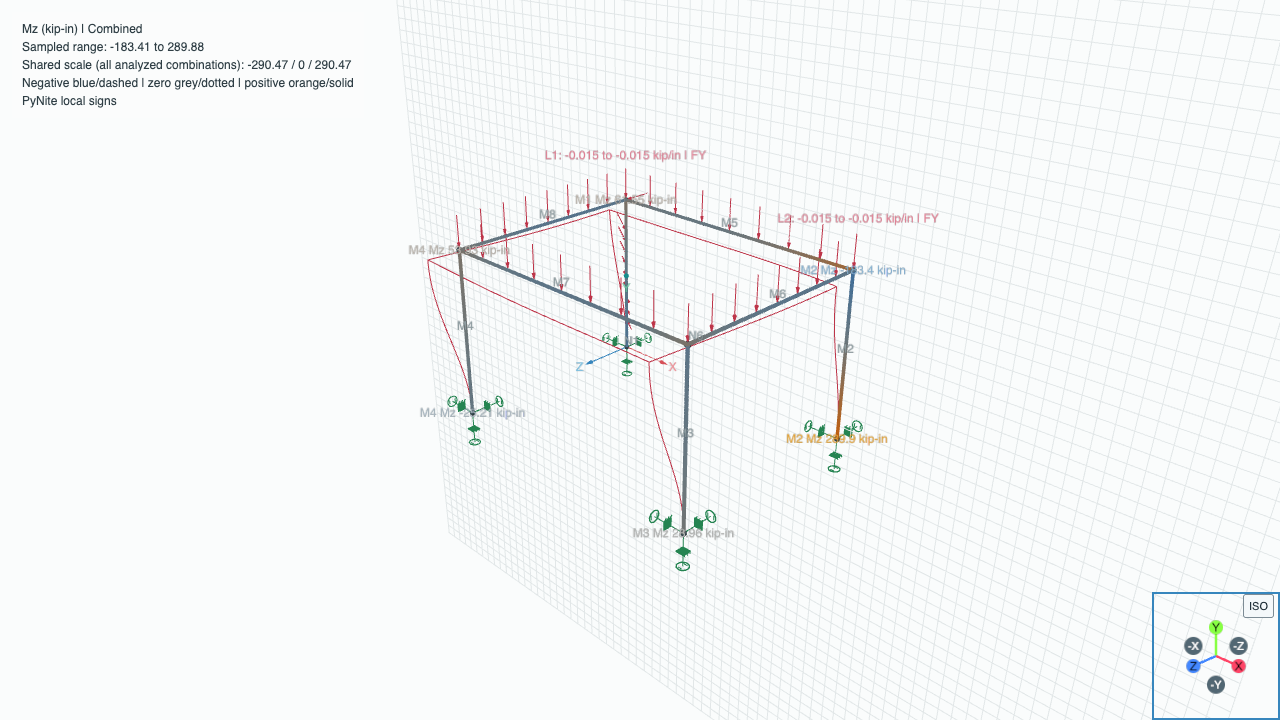
Spatial moment results with signed colours, units and member inspection.
- User and developer guide: workflows, limits, testing and documentation preview.
- Changelog, release checks and roadmap.
- Citation and AI-use acknowledgement: author/ORCID, development tools and release/commit citation.
- License: GNU AGPL v3. PyNite is a separate upstream solver.