HowTo: Contribute Code
Contributing code to a large codebase like this one is often difficult. To give you some help for your first tries, we created this guideline. In case of doubt, do not hesitate to get in touch. Any feedback is welcome and will be added to this guide to smoothen the process even further.
We organize the whole codebase in distinct sections: GUI, Kernel and some smaller folders
- GUI: contains classes and functions specific for the graphical user interface
- Kernel: contains classes and functions needed by the calculation core
- Common: contains some common functionalities, which are used especially by the GUI but sometimes also by the Kernel
- wxGrid: cintains patches for the wxGrid implementation of the compiler
- wxScintilla: contains patches and lexer for the Scintilla embedded within wxWidgets
For the moment, we only support a Code::Blocks project. The team is working on adding a possibility to use VS Code to develop, but we require newertheless that all changes are compilable within Code::Blocks. There's no plan to migrate completely to VS Code.
For possible ways of building the application, see this article.
We follow ANSI style with scoping braces in their own lines, but we also have an auto formatter, so you may follow your own conventions here. However, we require that you use whitespaces between operators and operands, which makes the code far more readable than without. We won't accept contributions, which are not readable.
We have kind of a naming convention with variable type prefixes, but we do not enforce that you follow this convention. It is far more important that you name your variables in a way that their purpose is kind of obvious.
Please add comments to your code (preferrably line comments in their own lines before the described section). We will not accept contributions adding code without any descriptive comments (fixing a typo does not need a comment, of course). Furthermore, each function added needs a Doxygen header following the TeX-like notation. Have a look into the codebase to get an impression how we implement that.
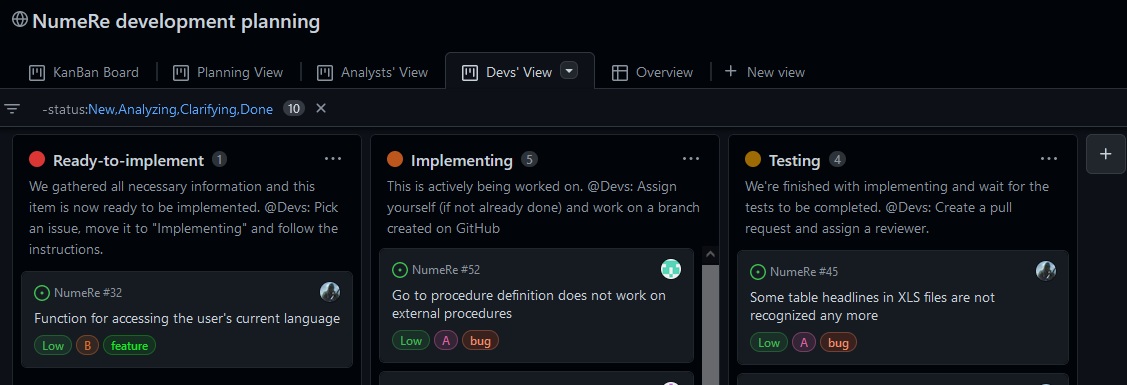
Go to our project, switch to Devs' View and then you'll see a KanBan board of issues, which an be picked ("Ready-to-implement"), have already been picked ("Implementing") or waiting for their Pull Request ("Testing"). If you do not already have an issue, pick one, move it to "Implementing" and follow the instructions mentioned in this column.
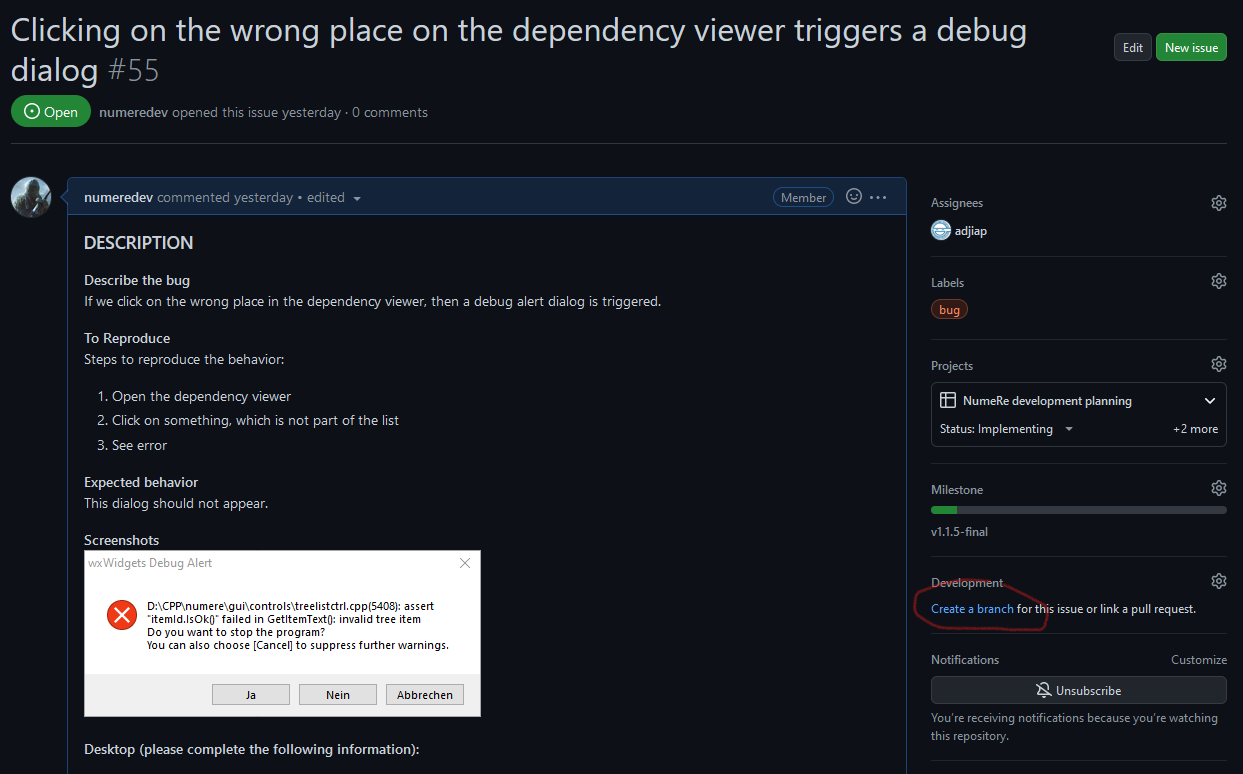
Start by creating a branch for the issue. Use the functionality of GitHub, so that your branch and the future pull request are both linked to the issue and will close that automatically, if your pull request is merged.
 GitHub will show the necessary command lines to invoke to you, but wrapped up, it's invoking
 git fetch origin and git checkout YOUR-BRANCH. If you use a GUI for that (TortoiseGit, SourceTree, etc.), it's easier to select the correct branch. Once you've done this, you're all set and can start working on your issue (the next larger section explains the tasks to be done). One thing---do not hesitate to commit/push often. You're working on a separate branch and can destroy nothing up to here 😉
Once you have the feeling that you're done with your issue and resolved all the task, you want to create a pull request. Again, use the functionalities here on GitHub to do that. GitHub will tell you that you can create a pull request, if you select the "Code" tab. Alternatively, you may also go to "Pull requests" and create it here.
You'll be presented a new pre-filled template. Fill out everything and assign @numere-org/maintainers as reviewers. Create the pull request and we'll review it for you. If we find something to be changed, we'll inform you. One thing, you need to do right now, is to move your issue into the "Testing" state as can be seen in the Devs' View.
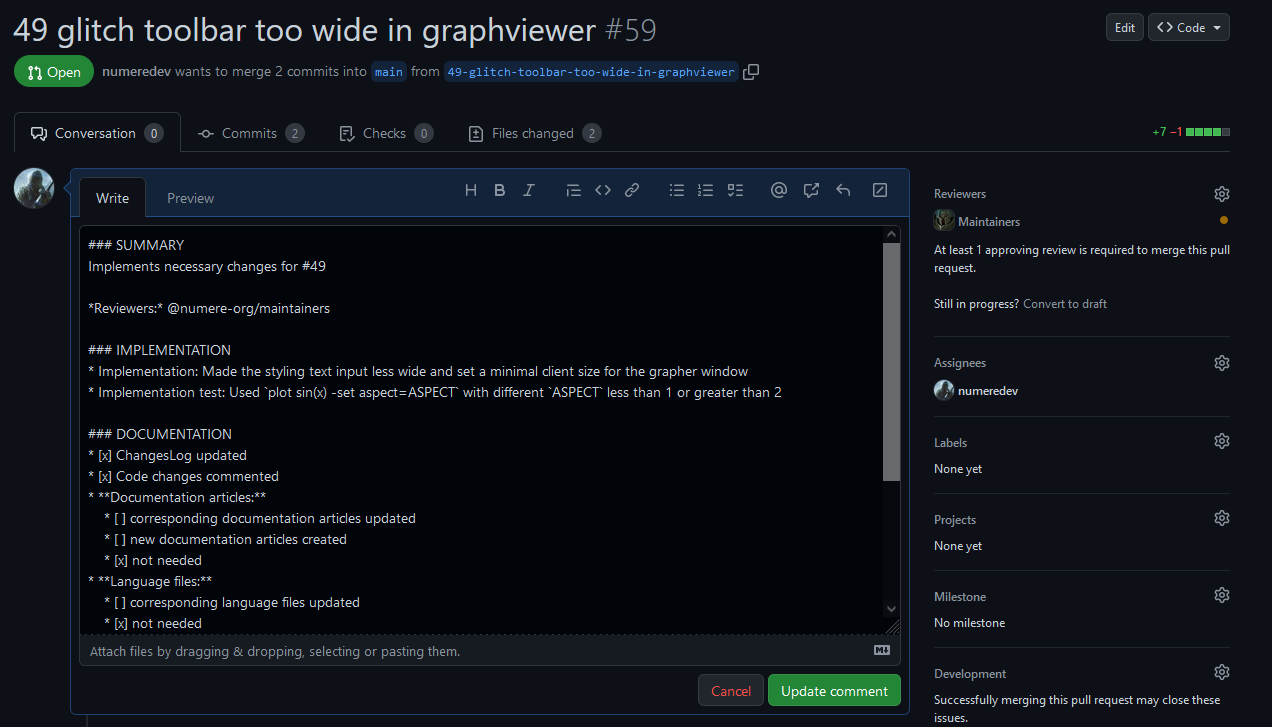
The issues here on github list the tasks you need to do while contributing changes. Please describe within the to be created pull request, what you've changed in an understandable manner and, for the implementation test, please list also, how you tested your change. Please add also a short summary of your change to the changes log.
Some changes do not need any changes in the documentation or the language files. That's fine, please select the corresponding option within the issue.