



Meet Algora — A personal AI companion for smarter, faster, and easier task automation.
From managing daily tasks to executing advanced commands, Algora listens to your voice and acts instantly.
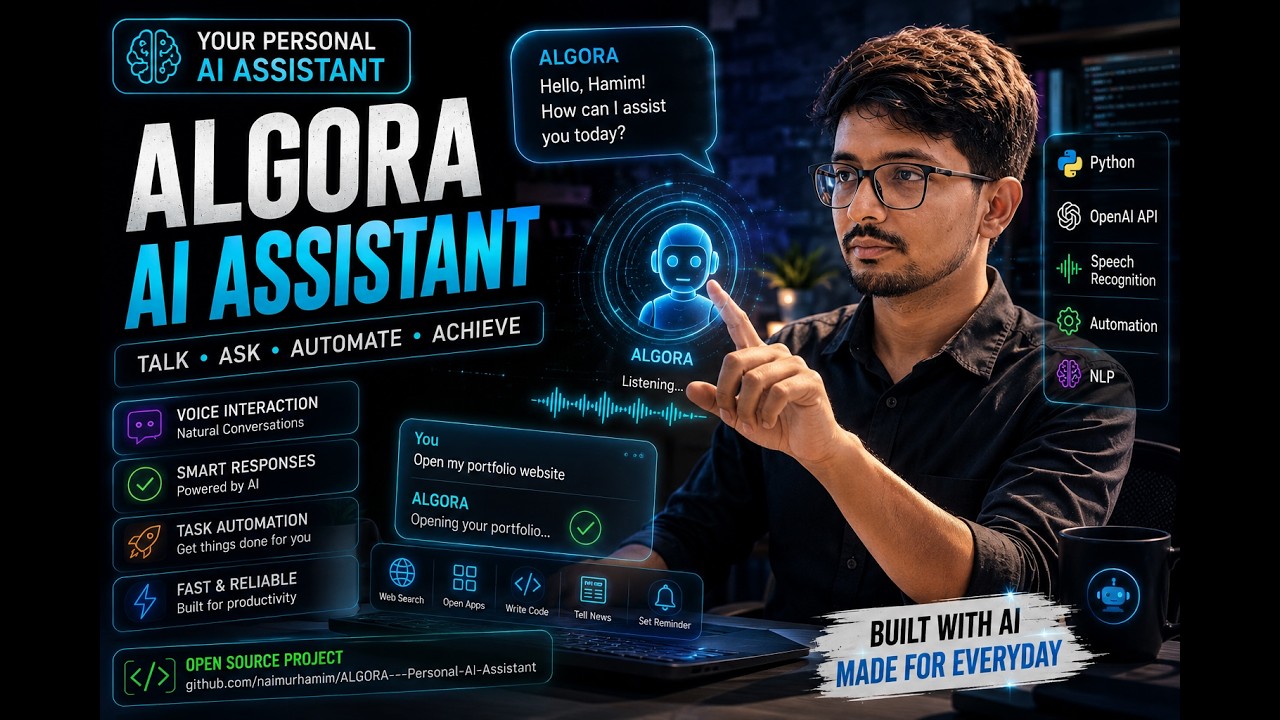
Algora AI Assistant is an intelligent desktop AI assistant built with Python. It is designed to understand voice commands and automate everyday tasks — from opening apps and searching the web, to translating text, sending WhatsApp messages, and generating AI images.
Whether you're a student, developer, or busy professional — Algora makes your workflow seamless and hands-free.
| Feature | Description |
|---|---|
| 🎙️ Voice Recognition | Listens to your voice commands in real-time |
| 🔊 Text to Speech | Responds back in natural-sounding voice |
| 🌐 Web Search | Searches the web on command |
| 📖 Dictionary | Looks up word meanings instantly |
| 🌍 Translator | Translates text between languages |
| 💬 WhatsApp Messaging | Sends WhatsApp messages automatically |
| 🖼️ AI Image Generator | Generates images using AI |
| 🤖 Conversational AI | Holds intelligent conversations |
| 🎵 Media Control | Plays music and controls media |
| ⚙️ System Automation | Opens apps, manages files, controls PC |
ALGORA---Personal-AI-Assistant/
│
├── Brain/                        # Core AI brain — conversation & NLP logic
├── Automation/                   # System automation scripts
├── TextToSpeech/                 # TTS engine modules
├── feature/                      # Feature-specific modules
├── uncensored image generator/   # AI image generation module
├── build/                        # Build output
├── myenv/                        # Virtual environment
│
├── main.py                       # 🚀 Main entry point
├── INTRO.py                      # Introduction screen
├── conv.py                       # Conversation handler
├── online.py                     # Online features (web search, wiki)
├── Dictapp.py                    # Dictionary feature
├── Translator.py                 # Translation feature
├── Whatsapp.py                   # WhatsApp automation
├── image_generator.py            # AI image generation
├── type.py                       # Typing automation
├── AI_visualization.gif          # Visual demo
├── requirements.txt              # Dependencies
└── README.md
| Technology | Purpose |
|---|---|
| Python 3.x | Core programming language |
| SpeechRecognition | Voice input processing |
| pyttsx3 / gTTS | Text-to-speech output |
| PyWhatKit | WhatsApp automation |
| googletrans | Language translation |
| Wikipedia API | Knowledge search |
| OpenAI / Image Gen | AI image generation |
| pyaudio | Microphone input |
git clone https://github.com/naimurhamim/ALGORA---Personal-AI-Assistant.git
cd ALGORA---Personal-AI-Assistantpython -m venv myenv
myenv\Scripts\activate # Windows
source myenv/bin/activate # Linux/Macpip install -r requirements.txtpython main.py- Run
main.pyto launch Algora - Wait for the greeting — Algora will introduce herself
- Speak your command clearly into the microphone
- Algora will process and respond with voice + action
"Hey Algora, search for machine learning on Google"
"Algora, what is the meaning of algorithm?"
"Translate hello to Spanish"
"Send a WhatsApp message to [name]"
"Generate an image of a futuristic city"
"Open YouTube"
"What time is it?"
- Wake word detection ("Hey Algora")
- GPT-4 integration for smarter conversations
- GUI dashboard with voice waveform visualization
- Emotion detection from voice tone
- Smart home / IoT device control
- Mobile app version (Android)
- Scheduled task automation
This project is licensed under the MIT License — see the LICENSE file for details.
MD Naimur Rashid
Department of Internet of Things and Robotics Engineering
University of Frontier Technology, Bangladesh (UFTB)

