This project demonstrates the design and deployment of a segmented AWS cloud network architecture using a VPC, public and private subnets, NAT Gateway, Internet Gateway, route tables, and Network ACL security controls.
The goal was to simulate a secure cloud environment where public-facing services are separated from internal resources while maintaining outbound connectivity.

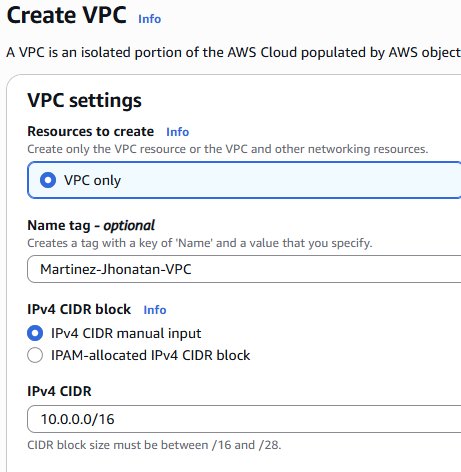
VPC CIDR: 10.0.0.0/16
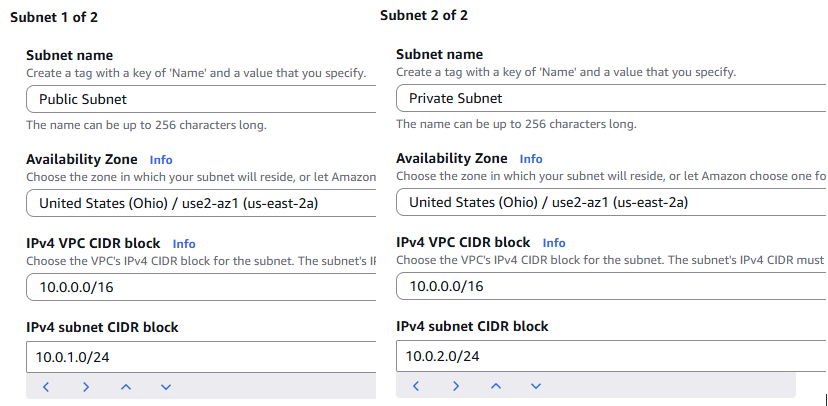
Public Subnet 10.0.1.0/24 Hosts public resources and NAT Gateway
Private Subnet 10.0.2.0/24 Hosts internal EC2 instances with no direct internet access
Internet Gateway Provides inbound and outbound internet connectivity for the public subnet
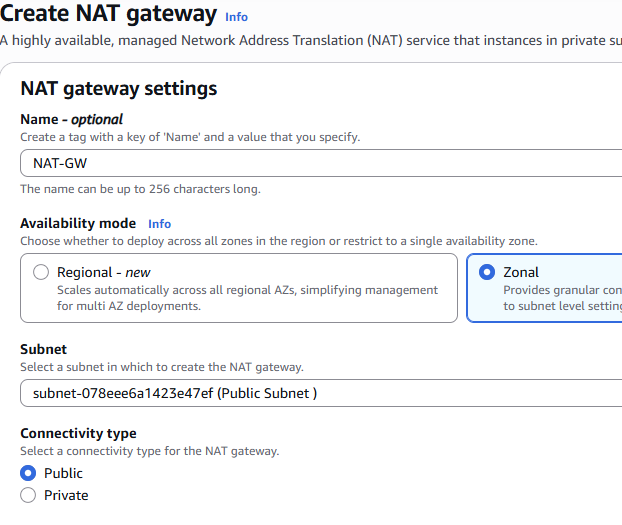
NAT Gateway Allows private subnet instances to access the internet securely
Route Tables Public subnet routes internet traffic to the Internet Gateway Private subnet routes internet traffic through the NAT Gateway
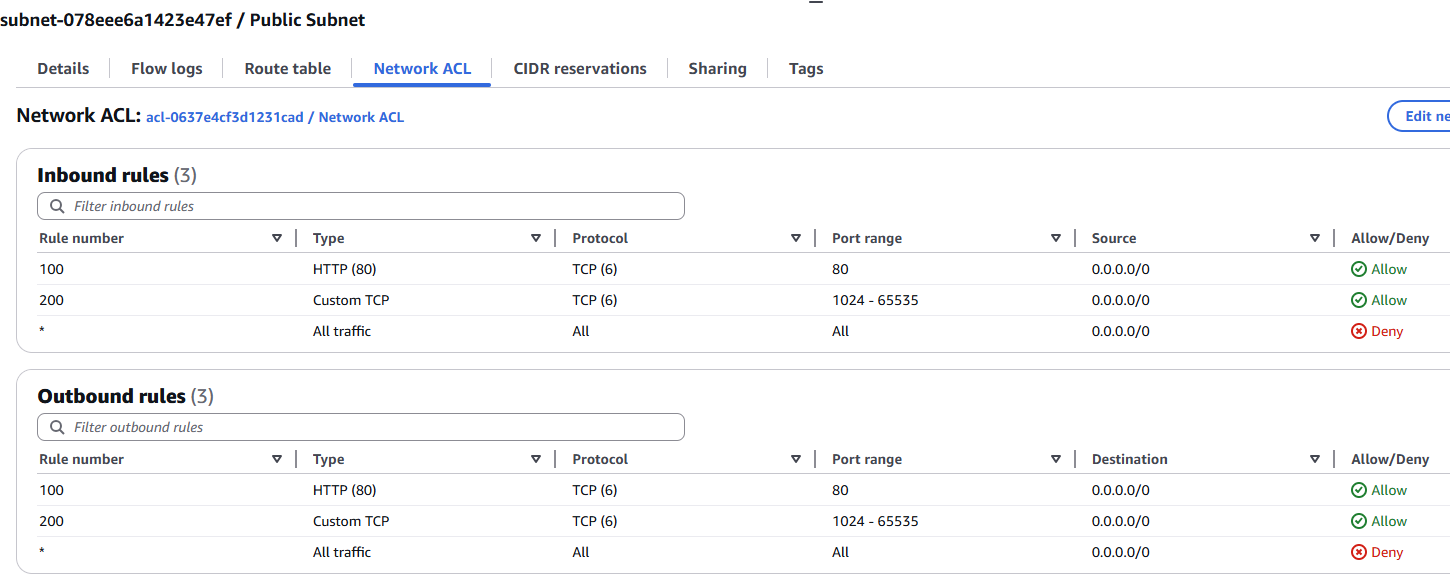
Network ACL Restricts inbound traffic to HTTP and ephemeral return traffic
- Created a VPC with CIDR block 10.0.0.0/16
- Created two subnets:
- Public Subnet: 10.0.1.0/24
- Private Subnet: 10.0.2.0/24
-
Attached an Internet Gateway to the VPC
-
Created a NAT Gateway in the public subnet
-
Configured route tables: Public Route Table 0.0.0.0/0 → Internet Gateway
Private Route Table 0.0.0.0/0 → NAT Gateway

- Configured Network ACL rules to allow HTTP traffic and ephemeral return ports
- Launched EC2 instances in both subnets for connectivity testing
Public EC2 Instance
- Verified inbound HTTP connectivity from internet
- Confirmed instance is reachable through Internet Gateway
Private EC2 Instance
- Confirmed instance cannot be accessed directly from the internet
- Verified outbound connectivity using NAT Gateway
Issue: Private EC2 instance could not access external websites.
Cause: Private subnet route table was missing NAT Gateway route.
Solution: Updated route table:
0.0.0.0/0 → NAT Gateway
Result: Outbound internet connectivity restored.