
norns.community is a collection of open source software for the monome norns sound computer.
this document serves as both the README.md for this repository and the 'about' page for this website.
first, take a fork of the community catalog, update community.json with your script's details, and make a pull request. after your pull request is accepted and merged it will automatically appear on norns.community. the website refreshes nightly at 00:00 UTC, on every merge to its main branch, or on demand by admins. this GitHub action has all the details.
for script authors, this means:
- your script will appear on the index page
- your author name will appear on the author page
- all of your community catalog scripts will appear under your author name
- your script will get its own page, like this
- your script's README will be displayed on the page
- your script's cover image will be displayed on the page
- your script will be available for discovery via any tags you added to its community catalog entry, like "grid"
- your script and its tags will appear on the explore page
- your script will appear in the new scripts and recently updated Atom feeds
- if you update your README or cover image in your repository, it will automatically refresh on norns.community within 24 hours
these conventions were designed to "just work" with how most scripts are structured today.
READMEs are individually cached from each script's repository in the below cascading sequence. simply add a README to your project at either of the following locations:
1. ./doc/index.md
2. ./README.md
to ensure maximum resilience, please use absolute URLs in your docs.
cover images (aka screenshots) are individually cached from each script's repository in the below cascading sequence. simply add a cover to your project at any of the following locations:
1. ./doc/cover.png
2. ./doc/<your_script_name>.png
3. ./doc/screenshot.png
4. ./cover.png
5. ./<your_script_name>.png
6. ./screenshot.png
if a cover image is not found in any of the above locations, we then try the local archive before finally using a default image:
7. ./archive/screenshots/<your_script_name>.png
8. dust.png
the local archive cache is from norns.community v1.0. it was archived in February, 2023.
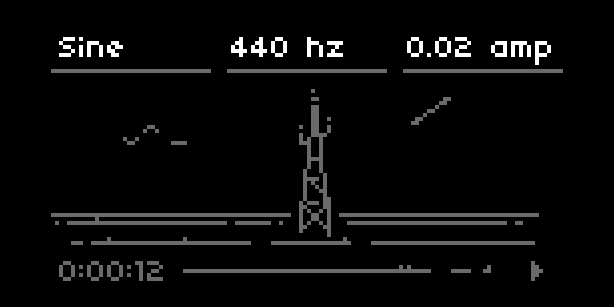
dronecaster is one of many possible examples of what a compatible script structure might look like:
./doc/dronecaster.png (this cover will be used)
./engine
./lib
./.gitignore
./LICENSE
./README.md (this README will be used)
./dronecaster.luaplease open an issue on GitHub.
this site is built with Zensical, a static site generator. the project is organized into three directories:
src/— hand-maintained source files: static assets (CSS, JS, images, icons, favicons), MiniJinja templates, and TypeScript source. this is what you edit.dist/— assembled content directory for Zensical. the build script copiessrc/assets here, then generates markdown pages (project pages, tag pages, explore, index, etc.) fromcommunity.json. this directory is ephemeral and not committed.site/— final HTML output. Zensical compiles everything indist/into static HTML here. this is what gets deployed to GitHub Pages.
the build pipeline:
01-curl.sh— fetchescommunity.jsonfrom the community catalog02-build.py— copiessrc/todist/, fetches cover images and READMEs from GitHub, generates markdown pages indist/03-zensical.sh— runszensical buildto compiledist/intosite/
additionally, these raw resources are available:
- https://norns.community/community.json
- https://norns.community/covers/dronecaster.png (using
dronecasteras example) - https://norns.community/feed-new.xml — scripts as they are added to the index
- https://norns.community/feed-updated.xml — recent upstream activity
if you want to help maintain this website, you can run it locally and test your changes before submitting a pull request.
- clone repository to your computer
- install Python (3.10+)
- create a virtual environment:
python3 -m venv .venv && source .venv/bin/activate - install dependencies:
pip install zensical aiohttp aiofiles
- fetch community data and build pages:
./01-curl.sh && ./02-build.py - build the site:
./03-zensical.sh - preview locally:
zensical serve - visit http://127.0.0.1:8000 in your browser
tip: see package.json for shortcuts. npm run ncb runs nuke + curl + build. npm run dev starts the dev server.
there is a single TypeScript file (src/javascript/script.ts) that is used to enable filtering on the "explore" page. it compiles to src/javascript/script.js in the same directory.
install TypeScript and watch the file with:
npm inpm run tsc
the build process assumes the transpiled JavaScript is already in src/javascript/ (it gets copied to dist/ during the build). perform all the npm actions locally.
the architecture and technology of this site was inspired by permacomputing concepts.