
Atlassian Suite (Complete) Dockered (from source) Atlassian (Authentic) Jira Software, Jira Service Management, Confluence, Fisheye, Crowd, Bitbucket and Bamboo with latest Postgres DB's
Simply modify the variables and copy and paste them into your terminal, or save as a script file and execute it in your CLI by clicking on the link below.
#	▄▀█ ▀█▀ █░░ ▄▀█ █▀ █▀ █ ▄▀█ █▄░█   █▀ █░█ █ ▀█▀ █▀▀ ▀
#	█▀█ ░█░ █▄▄ █▀█ ▄█ ▄█ █ █▀█ █░▀█   ▄█ █▄█ █ ░█░ ██▄ ▄
#	█▄─▄▄▀█─▄▄─█─▄▄▄─█▄─█─▄█▄─▄▄─█▄─▄▄▀█▄─▄▄─█▄─▄▄▀█
#	██─██─█─██─█─███▀██─▄▀███─▄█▀██─▄─▄██─▄█▀██─██─█
#	▀▄▄▄▄▀▀▄▄▄▄▀▄▄▄▄▄▀▄▄▀▄▄▀▄▄▄▄▄▀▄▄▀▄▄▀▄▄▄▄▄▀▄▄▄▄▀▀

#	 GLOBALS:

	PASSWORD="changeme"
	NETWORK="jira_fastlane"
	RESTART="always"

	docker network create -d bridge $NETWORK

#	  .--.      .-'
#	:::::.\::::::::
#	░░█ █ █▀█ ▄▀█ ▀
#	█▄█ █ █▀▄ █▀█ ▄
#	:::::.\::::::::
#	'      `--'

#	READY?

	host="jira"
	port="8080"
	image="atlassian/jira-software"
	password=$PASSWORD
	network=$NETWORK
	restart=$RESTART

	echo "host: ${host} | port: ${host} | image: ${image} | password: ${password} | network: ${network} | restart: ${restart}"

#	SET

	volume="${host}_volume"
	dbvolume="${host}_db_volume"
	dbhost="${host}_db"
	database="{host}_db"
	dbuser="{host}_db_user"
	dbimage="postgres"
	port="${port}:8080"

	echo "volume: ${volume} | dbvolume: ${dbvolume} | dbhost: ${dbhost} | database: ${database} | dbuser: ${dbuser} | dbimage: ${dbimage} | port: ${port}"

#	GO

	docker volume create --name $dbvolume
	docker run -v $dbvolume:/var/lib/postgresql/data --name $dbhost -d -e 'POSTGRES_DB=$database' -e 'POSTGRES_USER=$dbuser' -e 'POSTGRES_PASSWORD=$password' --network=$network --restart=$restart $dbimage
	docker run -v $volume:/var/atlassian/application-data/jira --name=$host --network=$network --restart=$restart -d -p $port $image

#	🏁 FINISHED

#	  .--.      .-'.      .-
#	:::::.\::::::::.\:::::::
#	█▀ █▀▀ █▀█ █░█ █ █▀▀ █▀▀ ▀
#	▄█ ██▄ █▀▄ ▀▄▀ █ █▄▄ ██▄ ▄
#	:::::.\::::::::.\:::::::
#	'     `--'      `.-'

#	READY?

	host="service"
	port="8080"
	image="atlassian/service-software"
	password=$PASSWORD
	network=$NETWORK
	restart=$RESTART

	echo "host: ${host} | port: ${host} | image: ${image} | password: ${password} | network: ${network} | restart: ${restart}"

#	SET

	volume="${host}_volume"
	dbvolume="${host}_db_volume"
	dbhost="${host}_db"
	database="{host}_db"
	dbuser="{host}_db_user"
	dbimage="postgres"
	port="${port}:8080"

	echo "volume: ${volume} | dbvolume: ${dbvolume} | dbhost: ${dbhost} | database: ${database} | dbuser: ${dbuser} | dbimage: ${dbimage} | port: ${port}"

#	GO

	docker volume create --name $dbvolume
	docker run -v $dbvolume:/var/lib/postgresql/data --name $dbhost -d -e 'POSTGRES_DB=$database' -e 'POSTGRES_USER=$dbuser' -e 'POSTGRES_PASSWORD=$password' --network=$network --restart=$restart $dbimage
	docker run -v $volume:/var/atlassian/application-data/jira --name=$host --network=$network --restart=$restart -d -p $port $image

#	🏁 FINISHED

#	  .--.      .-'.      .-.      .-'.      .-
#	:::::.\::::::::.\:::::::.\::::::::.\::::::
#	█▀▀ █▀█ █▄░█ █▀▀ █░░ █░█ █▀▀ █▄░█ █▀▀ █▀▀ ▀
#	█▄▄ █▄█ █░▀█ █▀░ █▄▄ █▄█ ██▄ █░▀█ █▄▄ ██▄ ▄
#	:::::.\::::::::.\:::::::.\::::::::.\:::::::
#	'      `--'      `.-'     `--'      `.-'

#	READY?

	host="confluence"
	port="8080"
	image="atlassian/confluence-server"
	password=$PASSWORD
	network=$NETWORK
	restart=$RESTART

	echo "host: ${host} | port: ${host} | image: ${image} | password: ${password} | network: ${network} | restart: ${restart}"

#	SET

	volume="${host}_volume"
	dbvolume="${host}_db_volume"
	dbhost="${host}_db"
	database="{host}_db"
	dbuser="{host}_db_user"
	dbimage="postgres"
	port="${port}:8080"

	echo "volume: ${volume} | dbvolume: ${dbvolume} | dbhost: ${dbhost} | database: ${database} | dbuser: ${dbuser} | dbimage: ${dbimage} | port: ${port}"

#	GO

	docker volume create --name $dbvolume
	docker run -v $dbvolume:/var/lib/postgresql/data --name $dbhost -d -e 'POSTGRES_DB=$database' -e 'POSTGRES_USER=$dbuser' -e 'POSTGRES_PASSWORD=$password' --network=$network --restart=$restart $dbimage
	docker run -v $volume:/var/atlassian/application-data/confluence --name=$host --network=$network --restart=$restart -d -p $port $image

#	FINISHED

#	  .--.      .-'.      .
#	:::::.\::::::::.\::::::
#	█▀▀ █ █▀ █░█ █▀▀ █▄█ █▀▀ ▀
#	█▀░ █ ▄█ █▀█ ██▄ ░█░ ██▄ ▄
#	:::::.\::::::::.\::::::
#	'      `--'      `.-'

#	READY?

	host="fisheye"
	port="8080"
	image="atlassian/fisheye"
	password=$PASSWORD
	network=$NETWORK
	restart=$RESTART

	echo "host: ${host} | port: ${host} | image: ${image} | password: ${password} | network: ${network} | restart: ${restart}"

#	SET

	volume="${host}_volume"
	dbvolume="${host}_db_volume"
	dbhost="${host}_db"
	database="{host}_db"
	dbuser="{host}_db_user"
	dbimage="postgres"
	port="${port}:8080"

	echo "volume: ${volume} | dbvolume: ${dbvolume} | dbhost: ${dbhost} | database: ${database} | dbuser: ${dbuser} | dbimage: ${dbimage} | port: ${port}"

#	GO

	docker volume create --name $dbvolume
	docker run -v $dbvolume:/var/lib/postgresql/data --name $dbhost -d -e 'POSTGRES_DB=$database' -e 'POSTGRES_USER=$dbuser' -e 'POSTGRES_PASSWORD=$password' --network=$network --restart=$restart $dbimage
	docker run -v $volume:/atlassian/data/fisheye --name=$host --network=$network --restart=$restart -d -p $port $image

#	FINISHED

#	  .--.      .-'.      .
#	:::::.\::::::::.\::::::
#	█▀▀ █▀█ █▀█ █░█░█ █▀▄ ▀
#	█▄▄ █▀▄ █▄█ ▀▄▀▄▀ █▄▀ ▄
#	:::::.\::::::::.\::::::
#	'      `--'      `.-'

#	READY?

	host="crowd"
	port="8080"
	image="atlassian/crowd"
	password=$PASSWORD
	network=$NETWORK
	restart=$RESTART

	echo "host: ${host} | port: ${host} | image: ${image} | password: ${password} | network: ${network} | restart: ${restart}"

#	SET

	volume="${host}_volume"
	dbvolume="${host}_db_volume"
	dbhost="${host}_db"
	database="{host}_db"
	dbuser="{host}_db_user"
	dbimage="postgres"
	port="${port}:8080"

	echo "volume: ${volume} | dbvolume: ${dbvolume} | dbhost: ${dbhost} | database: ${database} | dbuser: ${dbuser} | dbimage: ${dbimage} | port: ${port}"

#	GO

	docker volume create --name $dbvolume
	docker run -v $dbvolume:/var/lib/postgresql/data --name $dbhost -d -e 'POSTGRES_DB=$database' -e 'POSTGRES_USER=$dbuser' -e 'POSTGRES_PASSWORD=$password' --network=$network --restart=$restart $dbimage
	docker run -v $volume:/var/atlassian/application-data/crowd --name=$host --network=$network --restart=$restart -d -p $port $image

#	FINISHED

#	  .--.      .-'.      .-.      .-'.
#	:::::.\::::::::.\:::::::.\::::::::.
#	█▄▄ █ ▀█▀ █▄▄ █░█ █▀▀ █▄▀ █▀▀ ▀█▀ ▀
#	█▄█ █ ░█░ █▄█ █▄█ █▄▄ █░█ ██▄ ░█░ ▄
#	:::::.\::::::::.\:::::::.\::::::::.
#	'      `--'      `.-'     `--'

#	READY?

	host="bitbucket"
	port="7990"
	image="atlassian/bitbucket-server"
	password=$PASSWORD
	network=$NETWORK
	restart=$RESTART

	echo "host: ${host} | port: ${host} | image: ${image} | password: ${password} | network: ${network} | restart: ${restart}"

#	SET

	volume="${host}_volume"
	dbvolume="${host}_db_volume"
	dbhost="${host}_db"
	database="{host}_db"
	dbuser="{host}_db_user"
	dbimage="postgres"
	port="${port}:7990"

	echo "volume: ${volume} | dbvolume: ${dbvolume} | dbhost: ${dbhost} | database: ${database} | dbuser: ${dbuser} | dbimage: ${dbimage} | port: ${port}"

#	GO

	docker volume create --name $dbvolume
	docker run -v $dbvolume:/var/lib/postgresql/data --name $dbhost -d -e 'POSTGRES_DB=$database' -e 'POSTGRES_USER=$dbuser' -e 'POSTGRES_PASSWORD=$password' --network=$network --restart=$restart $dbimage
	docker run -v $volume:/var/atlassian/application-data/bitbucket --name=$host --network=$network --restart=$restart -d -p $port $image

#	FINISHED

#	  .--.      .-'.      .-.
#	:::::.\::::::::.\:::::::.\:
#	█▄▄ ▄▀█ █▀▄▀█ █▄▄ █▀█ █▀█ ▀
#	█▄█ █▀█ █░▀░█ █▄█ █▄█ █▄█ ▄
#	:::::.\::::::::.\:::::::.\:
#	'      `--'      `.-'     `

#	READY?

	host="bamboo"
	port="8085"
	image="atlassian/bamboo-server"
	password=$PASSWORD
	network=$NETWORK
	restart=$RESTART

	echo "host: ${host} | port: ${host} | image: ${image} | password: ${password} | network: ${network} | restart: ${restart}"

#	SET

	volume="${host}_volume"
	dbvolume="${host}_db_volume"
	dbhost="${host}_db"
	database="{host}_db"
	dbuser="{host}_db_user"
	dbimage="postgres"
	port="${port}:8085"

	echo "volume: ${volume} | dbvolume: ${dbvolume} | dbhost: ${dbhost} | database: ${database} | dbuser: ${dbuser} | dbimage: ${dbimage} | port: ${port}"

#	GO

	docker volume create --name $dbvolume
	docker run -v $dbvolume:/var/lib/postgresql/data --name $dbhost -d -e 'POSTGRES_DB=$database' -e 'POSTGRES_USER=$dbuser' -e 'POSTGRES_PASSWORD=$password' --network=$network --restart=$restart $dbimage
	docker run -v $volume:/var/atlassian/application-data/bamboo  --name=$host --network=$network --restart=$restart -d -p $port $image

[ whereis my head at!
(The installation script is supplied in the preceding section; simply click on it to get started.)
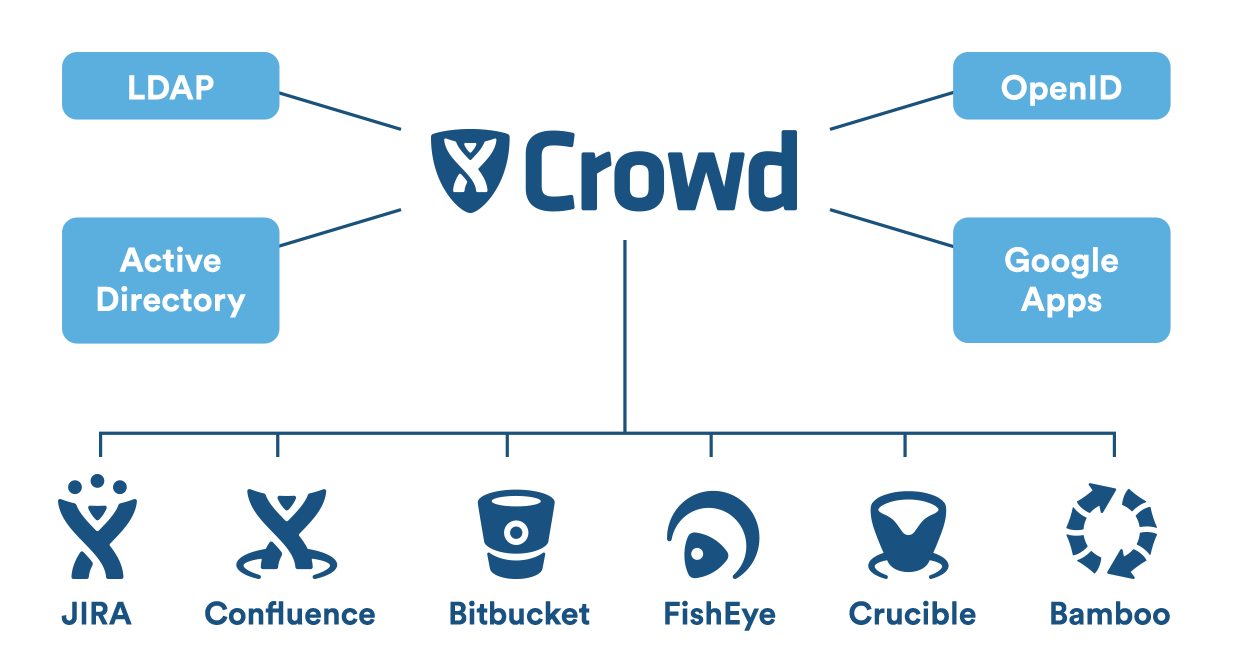
By following the link provided below, you may obtain a thorough description of all of the products contained in the installation script.
| Jira Software | Jira Service Management |
|---|---|
| The addition of new features to assist administrators, teams, and your organization in scaling Jira Software allows your team to fully leverage the benefits of agile and kanban by providing them with the tools they need to develop and estimate stories quickly and efficiently, build a sprint backlog, identify team commitments and velocity, visualize team activity, and report on their progress. The accompanying guide has two courses that demonstrate a basic agile workflow at a small software company and may be used to take your team on a project tour. This tour will take you through some of the most commonly used features and will follow the Teams in Space development team as they seek to improve their next-generation space travel software. It is written in simple English. | Ensure that your organization's systems are always up and running, allowing people to respond to emergencies as fast as feasible. Paying a premium speeds up the procedure. Bugs and requests are submitted to the Jira Service Desk by other teams and customers. Other staff members may make hardware requests. It can, for example, accept complaints via a website or email. Users can send tickets to the Jira Service Desk for review and resolution. Unlike Jira, where everyone is required to be licensed, just your agents must be licensed. Please read the links below for some basic documentation and instructions on how to use the system. Accepting issues from others while allowing your teams to use the Jira platform is a fantastic approach to accept issues from others. |
| Confluence | Bitbucket |
| Confluence is a collaboration wiki that makes it easier for teams to interact and share knowledge. It serves as your document collaboration and repository since it keeps a complete record of which documents have been edited, when they have been modified, and by whom, allowing you to keep a "audit trail." Team members can create, share, and contribute on material. The integration of Confluence and Jira Service Desk allows for the establishment of a rich knowledge base for service teams. Confluence interfaces with Jira Software and Jira Core to deliver powerful tools for project documentation, team knowledge management, requirement collecting, and more. | Bitbucket is much more than a repository management system for Git repositories. Bitbucket is a project management tool that also allows for code collaboration, testing, and deployment. Bitbucket Server is a Git repository management solution for enterprise organizations, hosted on the server of their network. It makes it simple for everyone in your company to collaborate on your Git repositories. |
| Bamboo | Crowd |
| Bamboo Data Center is a continuous delivery pipeline with scalability, resilience, and dependability. Everything is done in real time, from development to deployment. A team of Meeples working on software development Work process automation Automated processes from code to deployment enable agile development. Disaster recovery software is pre-installed. To stay on pace, teams must be resilient. Scale your business with confidence, expanding capacity while preserving performance. Bamboo, Bitbucket, and Jira Software are all inextricably linked and give complete traceability from feature request to deployment. Producing a decent, independent of deployment type, connect Bamboo to Bitbucket and Jira with ease. Continual supply You can quickly release your finished product using Docker and AWS CodeDeploy. Integrate Opsgenie to give your incident response teams the tools they need to perform quick investigations. | IdM's headquarters Application authentication privileges are managed by a large number of administrators. LDAP, OpenLDAP, and Azure AD are a few examples. SSS (Single Sign-On) A single login and password are required for all programs. Single sign-on is required for Jira, Confluence, and Bitbucket (SSO). They are owned by SSO. Combine directories. With a single piece of software, you can simplify user administration. A unified authentication process is feasible. Connectors for LDAP, Azure Active Directory, and Novell eDirectory. Custom connectors are an option. Collective liberties. What exactly is it? LDAP is used to manage users and their rights. Time is saved by forcing new users to join particular groups. Rebuild your system. When possible, use built-in connections such as Microsoft Azure AD or Google Apps. To construct unique connectors, developers' LDAPv3 experience must be removed. Affects how programs are executed. Norms and guidelines The Crowd audit log records modifications and provides additional protection. The REST API allows external apps to connect to Crowd. This will provide you a complete list of all company changes. |
| Jira and Confluence | Bamboo and Jira |
| Data-driven decision-making is encouraged by Confluence. A single tool can assist any team. Workflow engine in JIRA That is, Jira excels at task storage and tracking. Jira custom fields can be used to track looming deadlines in the case of a lifetime contract. With Jira and Confluence, yes. A contract can be linked to a Jira task. Your reporting tool now includes data on the status of contracts, their areas, deadlines, and reminders. A dashboard can also provide information on completed or ongoing contracts. Confluence and Jira were created to work in tandem. Confluence gives you the ability to view and create Jira issues. Acquire a working knowledge of how to generate Jira issues in Confluence. Jira and Confluence compliment each other like bacon and eggs. They're all wonderful on their own, but collectively, they're magnificent! | Bamboo can exchange data with a Jira application to retrieve essential development data such as build and deployment results. The Development Panel compiles all of this information. This panel highlights all work on an issue and can help you figure out where a build fails or has been supplied. The combination of Bamboo and Atlassian's Jira applications provides a single view of your software development project. Simply create a two-way communication application link between the Bamboo and Jira apps. Remember that application connections have no effect on using a Jira application as a Bamboo user directory; the two configurations are compatible. Refer to the section on application linking for more information. |
| Fisheye | PostgreSQL |
| Keep track of, search for, and visualize code changes. Begin with nothing. Improve decision-making while minimizing market time. Search for commits, files, revisions, or teammates in SVN, Git, Mercurial, CVS, and Perforce repositories. Coding with the aid of a fisheye lens Compare In Jira Software, rebuild issues by including links to individual diffs, changesets, or the entire source repository. Visualize You can view a visual audit trail of changes as well as a report on the lines of code that have been modified over time with Source Explorer. Track Activity Streams allow you to keep track of your team's commits, Jira Software issues, and Crucible review activity at any time. Search You can quickly locate code by using file names, commit messages, authors, content, and even earlier versions. | Object-relational database that is open source. More information can be found in the PostgreSQL manual. This neighborhood provides a variety of educational and job-searching resources. Involve indigenous people. It is a relational database management system that is free and open source. POSTGRES was established in 1986. PostgreSQL is well-known for its proven design and data integrity. PostgreSQL, like PostGIS, is an ACID-compliant database. As a result, it is well-known. PostgreSQL allows administrators to ensure data integrity while allowing users to work with data of any size. PostgreSQL is a database management system that is free and open source. To add additional data types, methods, or code, compilation is necessary! PostgreSQL respects SQL unless other features or design decisions clash. This is not a foregone conclusion. Gradually homogenize the mixture. It supports 170 of the 179 SQL:2016 Core features. At the present, none of them match the requirements. |
(The product details are supplied in the preceding section; simply click on it to get started.)
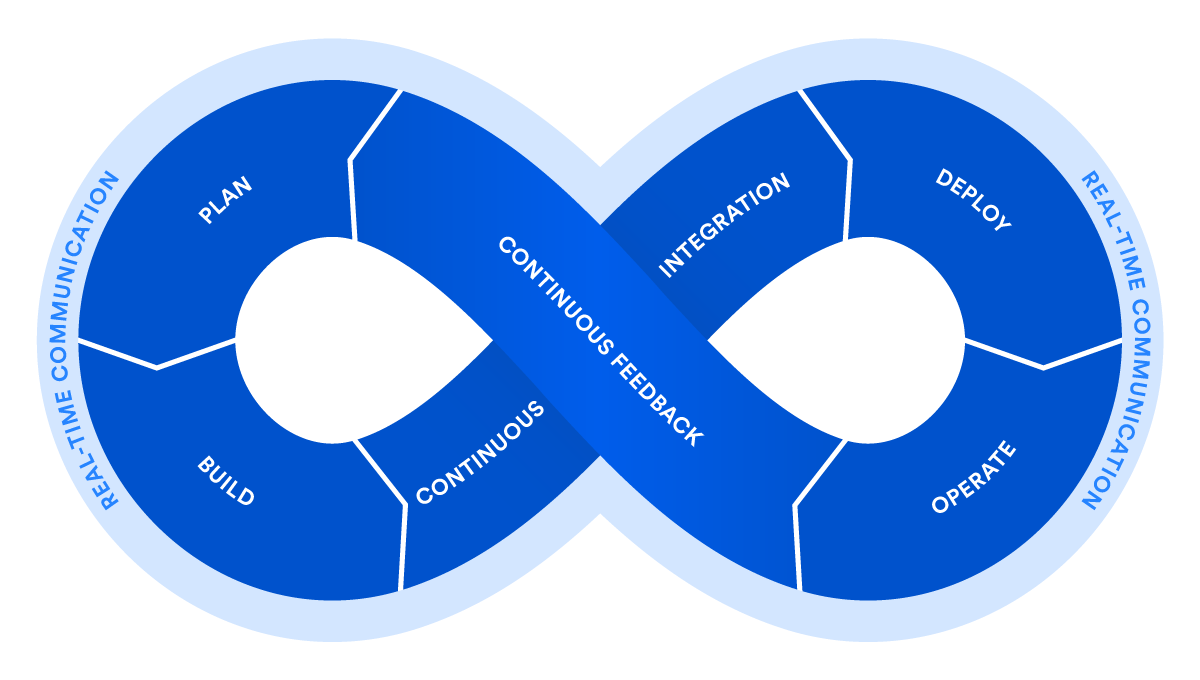
Jira Software Data Center enables the world's most successful agile teams to plan, track, and release high-quality software at scale.
Visit atlassian/jira-Docker software's Hub page.
For more information on Jira Software, please visit https://www.atlassian.com/software/jira.
Jira Service Management Data Center is a high-availability enterprise ITSM solution that satisfies your security and regulatory requirements, ensuring that no request gets unanswered.
On Docker Hub, look for atlassian/jira-servicemanagement.
Visit https://www.atlassian.com/software/jira/service-management to learn more about Jira Service Management.
Jira Core is a business-focused project and task management tool.
Visit atlassian/jira-Docker core's Hub page.
For more information about Jira Core, please visit https://www.atlassian.com/software/jira/core.
This Docker image is intended to be changed in the context of its environment; the data provided is used to generate application configuration files from templates. This permits the production and destruction of containers on-the-fly in a repeatable way, as sophisticated cluster topologies need. This method can be used to configure the majority of the deployment's configuration parameters; the required environment variables are specified below. If these parameters do not cover your specific deployment scenario, you can override them; see the section Advanced Configuration below.
If you need to override Jira's default memory allocation, you can control the minimum heap (Xms) and maximum heap (Xmx) via the below environment variables.
-
JVM_MINIMUM_MEMORY (default: 384m)
- The minimum heap size of the JVM
-
JVM_MAXIMUM_MEMORY (default: 768m)
- The maximum heap size of the JVM
-
JVM_RESERVED_CODE_CACHE_SIZE (default: 512m)
- The reserved code cache size of the JVM
This Docker image is intended to be used in conjunction with a clustered Data Center environment. Rather of manually constructing a cluster, you may launch Jira as a Data Center node by specifying the following attributes. a file that contains properties, For more information about each property and the configurations available, see Installing Jira Data Center.
Jira Software and Jira Service Management only
CLUSTERED (default: false)
Set to 'true' to enable the use of clustering configuration. This will produce a cluster.properties file in the $JIRA HOME directory of the container.
JIRA_NODE_ID (default: jira_node_
The node's unique identifier. This includes a randomly generated unique identifier for each container by default, but can be modified with a custom value.
JIRA_SHARED_HOME (default: $JIRA_HOME/shared)
The location of the Jira nodes' common home directory. Nota bene: This must be a genuine shared filesystem mounted within the container. Additionally, refer to the section on UIDs.
EHCACHE_PEER_DISCOVERY (default: default)
Describes how nodes find each other.
EHCACHE_LISTENER_HOSTNAME (default: NONE)
The current node's hostname for cache communication. If the parameter is not set, Jira Data Center will resolve this internally.
EHCACHE_LISTENER_PORT (default: 40001)
The port on which the node will listen. This port may need to be exposed and published depending on your container deployment approach.
EHCACHE_OBJECT_PORT (default: dynamic)
The port number on which the registry-bound remote objects receive calls. If not given, this defaults to a free port. This port may require exposure and publication.
EHCACHE_LISTENER_SOCKETTIMEOUTMILLIS (default: 2000)
The Ehcache listener's default timeout.
EHCACHE_MULTICAST_ADDRESS (default: NONE)
An address that is valid for a multicast group. When EHCACHE PEER DISCOVERY is set to 'automatic' rather than 'default', this parameter is required.
EHCACHE_MULTICAST_PORT (default: NONE)
The dedicated heartbeat port for multicast traffic. When EHCACHE PEER DISCOVERY is set to 'automatic' rather than 'default', this parameter is required. This port may need to be exposed and published depending on your container deployment approach.
EHCACHE_MULTICAST_TIMETOLIVE (default: NONE)
A value between 0 and 255 that specifies the maximum distance over which packets will propagate. When EHCACHE PEER DISCOVERY is set to 'automatic' rather than 'default', this parameter is required.
EHCACHE_MULTICAST_HOSTNAME (default: NONE)
The interface's hostname or IP address for transmitting and receiving multicast packets. When EHCACHE PEER DISCOVERY is set to 'automatic' rather than 'default', this parameter is required.
SET_PERMISSIONS (default: true)
Specify whether or not the home directory's permissions are configured on startup. To disable this behavior, set it to false.
As previously stated, upon container initialization, the environment parameters are used to create the application configuration. However, in some cases, you may wish to alter the settings in ways that the environment variables described above do not allow. In this case, you can modify the main templates to incorporate your customized configuration. There are three basic methods for accomplishing this: by updating our repository to contain your own image, by building a new image from an existing one, or by supplying new startup templates. We will describe these tactics briefly here, but their implementation will vary according to your unique circumstances.
If your container will be persistent, you can create it, alter the templates installed in /opt/atlassian/etc/, and then launch it.
Alternatively, you can create a volume containing your custom templates and use the —volume my-config:/opt/atlassian/etc/ option to mount it over the given templates at runtime.
By default, Jira logs are stored within the container, under the directory $JIRA HOME/logs/. If you want to expose this directory outside the container (for example, to be aggregated by the logging system), you can use a data volume or bind mount. Additionally, Tomcat logs are written to the directory /opt/atlassian/jira/logs/.
To upgrade to a more recent version of Jira, simply stop the jira container and restart it with a more recent image:
docker stop jira
docker rm jira
docker run ... (See above)
Because your data is kept in the host's data volume directory, it will remain accessible following the upgrade.
Please ensure that you do not use the -v option to remove the jira container and its volumes by accident.
You can conduct evaluations using the built-in database, which will save its files in the Jira home directory. Creating a backup archive of the docker volume is adequate in this case.
If you're using an external database, you may configure Jira to automatically perform nightly backups. This will archive the current state of the jiraVolume docker volume, including the database. Alternatively, you can backup the database separately of the Jira Home directory and continue backing up the Jira Home directory using a docker volume backup archive.
Read more about data recovery and backups: https://confluence.atlassian.com/adminjiraserver071/backing-up-data-802592964.html
Jira may require a brief period of time to complete any ongoing activities before quitting, depending on your settings. The —time flag should be used to account for this when sending a docker stop.
Alternatively, the provided script /shutdown-wait.sh will do a clean shutdown and wait for the process to complete. This is the ideal method of shutting down in environments that support orderly shutdown, such as Kubernetes via the preStop hook.
For product support, go to:
https://support.atlassian.com/jira-software-server/ https://support.atlassian.com/jira-service-management-server/ https://support.atlassian.com/jira-core-server/
Additionally, you may visit the Atlassian Data Center on Kubernetes forum to explore containerizing Atlassian Data Center products.
For information on configuring a development environment and conducting tests, see Development.
2020 Atlassian Corporation Pty Ltd, Copyright 2020 Atlassian Corporation Pty Ltd, Copyright 2019 Atlassian Corporation Pty Ltd, Copyright The Apache License, Version 2.0, is used to license this work.