In order to install them, open Blender and go to
User Preferences...
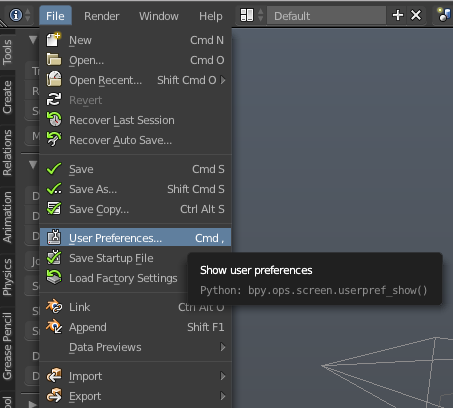
Click the File tab
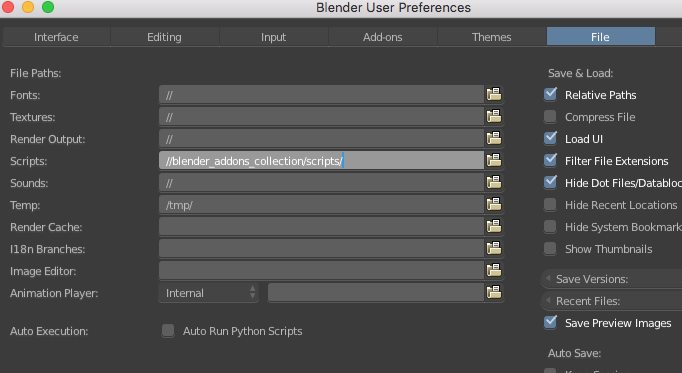
and change the location of the scripts to the new location of your scripts folder.
After you have done this, restart Blender, reopen User Preferences and search for the add-on you wish to enable.
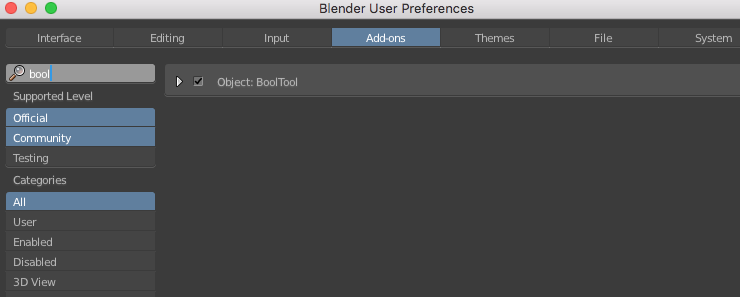
Ticking the radio button will enable the addon.
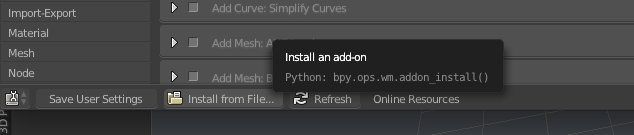
If you don't see the add-on, make sure that you have entered the right location under the File tab. If the location is correct but you still don't see the add-on, you might have to install it manually by clicking Install from File...
manorius/blender_addons_collection
Folders and files
| Name | Name | Last commit date | ||
|---|---|---|---|---|