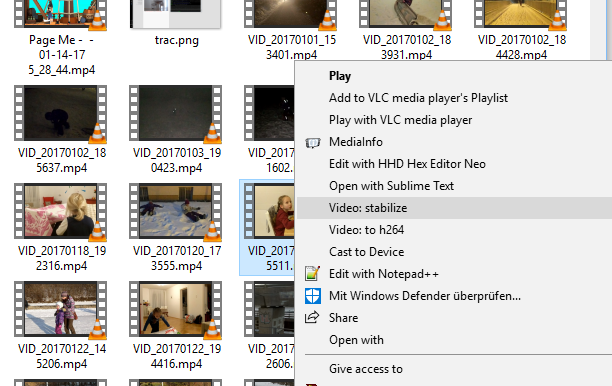
Stabilize a shaky video or convert to H264 with a single Windows Explorer context menu click.
- Make sure you have ffmpeg installed and added to PATH, so that typing
ffmpeginto the Command Line works. - Download https://github.com/kachurovskiy/VideoContextMenu into
C:\VideoContextMenu - Execute
all.reg
You should now have the video stabilization and converting shortcuts for all file types.
Edit the BAT files locally to best fit your needs or add more shortcuts to your liking by adding more BAT files (don't forget .reg corresponding changes). Pull requests are welcome. Enjoy!
Stabilization: in the same folder with _stabilized suffix and .MP4 extension e.g. C:\Media\1.FLV is stabilized into C:\Media\1_stabilized.MP4.
Conversion: in the same folder with .mp4 extension. If such file already exists then -h264 suffix is added to the output file name.
To delete these menu items, start Windows regedit tool and remove corresponding items from HKEY_CLASSES_ROOT\*\shell