







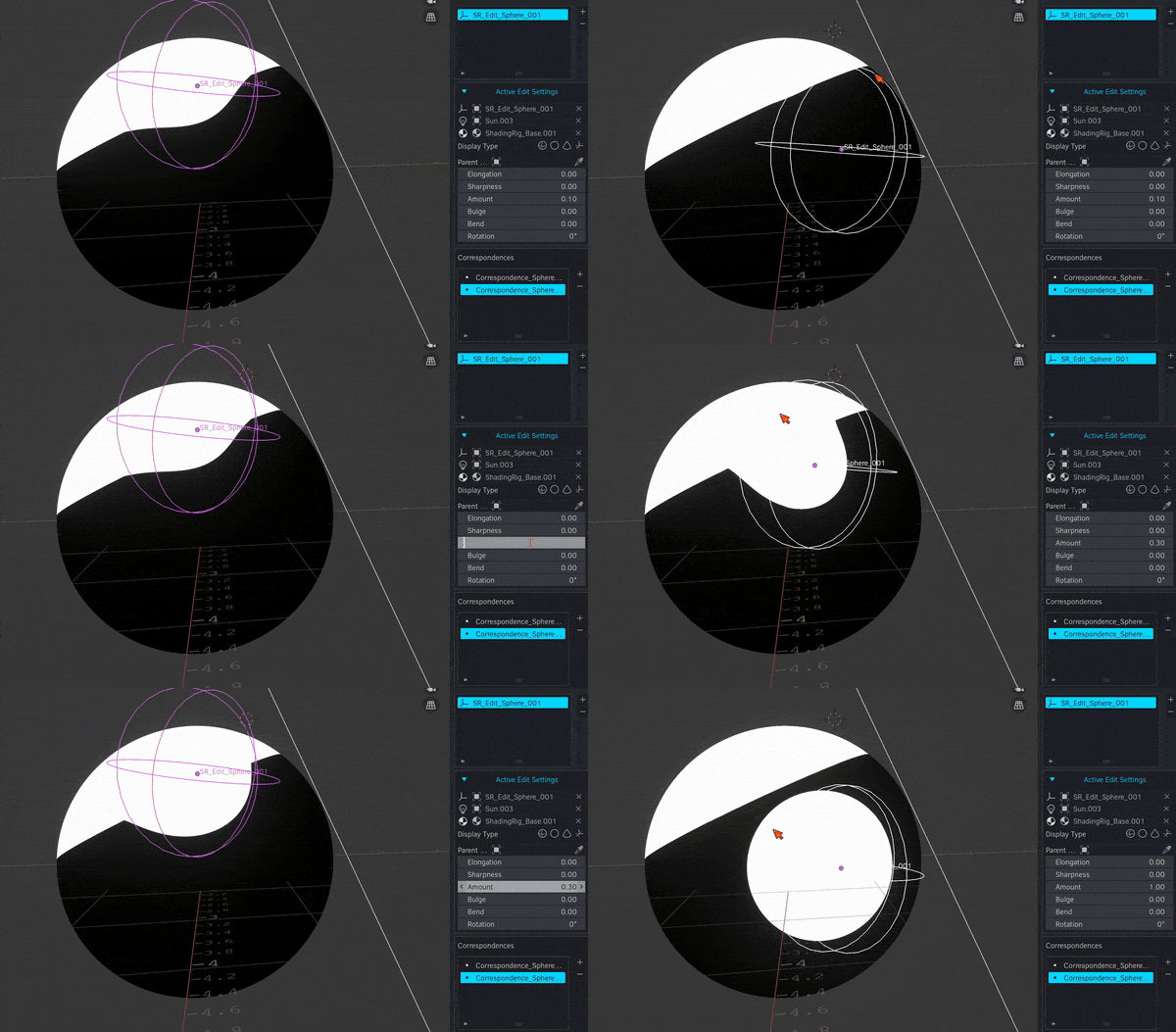
Shading Rig is a new framework for art-directing dynamic 3D toon shading. It lets artists add illustrative details and animate how they respond to lighting changes in real time... we achieve this with a "rig" of shadow editing primitives designed based on fundamental artistic shading principles. These primitives can be animated to achieve highly stylised shading under dynamic lighting.

At Real-Time Live! SIGGRAPH 2021, Lohit Petikam and his team presented a shader rig for cel shaded characters. However, this presentation was almost entirely theory and lacked technical or practical implementation. A functional implementation has never been made until now. I've both implemented and improved the original ideas presented in the paper, approaching it from an art-direction perspective and coming up with creative solutions to make sure it is production-usable. Much of the math in the paper didn't end up working outside of specific test cases, so I've significantly reworked major portions. The final result is wholly unique and extremely powerful.
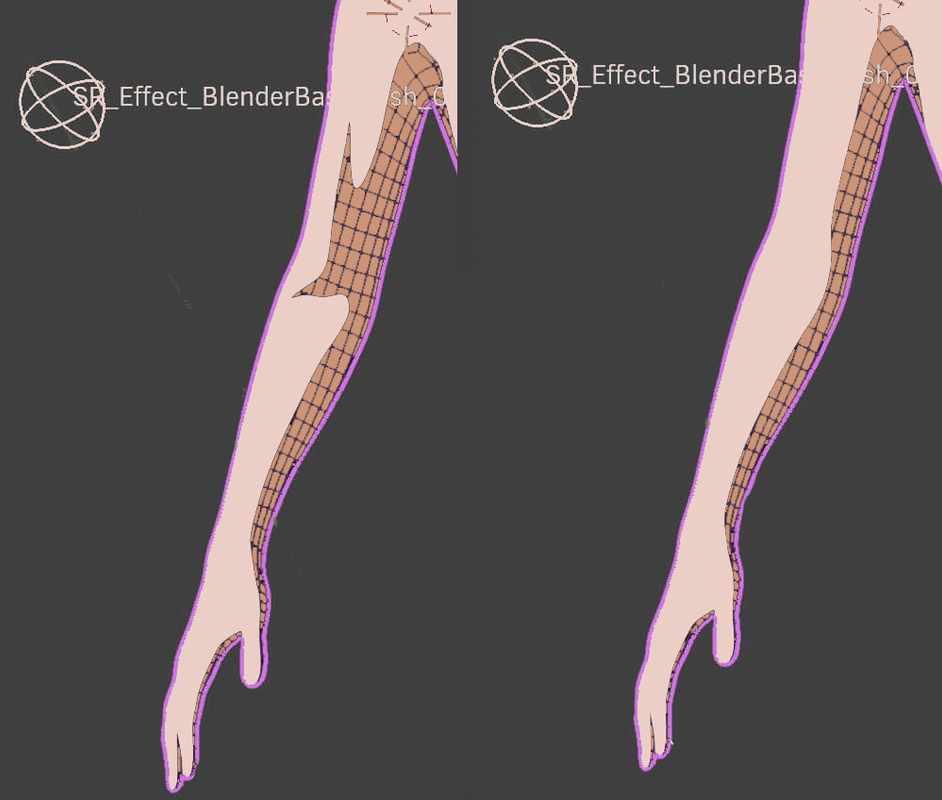
Interpolate cloth simulation with a stepped interpolation. You control the stepping range. Animate cloth in a way that looks like traditional animation.
MultiKey allows you to manipulate shapekeys on multiple objects at once. If you have a face with separate eyebrow objects, for example, you can adjust a "Blink" shapekey on the face and eyebrows at the same time.
Studio or professional users must purchase seat licenses of Shading Rig + Cel Character Tools. Licensing terms below.
Used with NVIDIA Audio2Face; adds a A2F JSON file as a NLA track (or animation layer) in Blender.
As written, replaces the default deletion behavior, instead deleting the children of a parent when deleting the parent. I don't use it, but apparently it's a Maya thing, made it for a co-worker
Makes corrective blendshapes based on the angle or distance between two bone transform values- essentially a quick and dirty RBF node setup
Plays a sound of your choosing when a rendering is complete
Allows to filter and select vertex groups by name; an incredibly useful function that should be built in
Select objects by UV map name
Adds a silhouette toggle to the shading header
Transfers shape keys between objects of identical topologies
Aside from Shading Rig + Cel Character Tools, these are offered free and as is; they may or may not work with any given version of Blender. I build and test on Blender 4.1 where they work. Anything beyond that is untested (and won't be, I offer these for free instead of offering support). You're welcome to modify them to work as needed.
I take no liability for any effect these addons may have on your work in Blender, your installation of Blender, or your hardware running Blender. You use these addons at your own discretion and risk.
Shading Rig + Cel Character Tools can be used by hobbyists for free. Studio or professional users must purchase seat licenses of Shading Rig + Cel Character Tools. Any individual, team, company, or other entity bringing in more than $99,000 USD in gross revenue annually, as payment, gratuity, or compensation for work done in Blender, wholly or in part, is a professional user and must purchase seat licensing. You accept these terms when you download Shading Rig + Cel Character Tools. Unlicensed professional usage (based on the previous conditions) is prohibited.
I take no liability for any effect these addons may have on your work in Blender, your installation of Blender, or your hardware running Blender. You use these addons at your own discretion and risk.
- "Annually" is understood to mean the last 12 months up to the current day when Shading Rig + Cel Character Tools is used.
- "Gross revenue" is understood to mean revenue before any deductions, including but not limited to: payroll, overhead, taxes, or other licensing fees.
- A "seat" is a single user. A user may have multiple machines or computers. A user may not share their seat with another user. In the case that a machine is shared between users, both users must purchase a seat.
A professional license includes support. Hobbyist licenses do not include support.
Details for getting support will be provided to you on purchase of a professional seat license.
- TapTapSwap isn't solely mine, I've made changes to the original (https://github.com/Pullusb/TapTapSwap)
- ShotDial, my (arguably) most useful addon, is a unique repository- find it here: (https://github.com/josephclaytonhansen/blender-shotdial)