The most efficient, reliable, and developer-friendly way to use the Google Hotels API.
Actor page: apify.com/johnvc/google-hotels-search-scraper Input schema: apify.com/johnvc/google-hotels-search-scraper/input-schema
The Google Hotels API searches Google Hotels and returns clean, structured JSON: hotel and vacation-rental listings with nightly and total prices, deals, star class and property type, ratings and review counts, amenities, images, descriptions, addresses and GPS coordinates, and check-in/check-out times. Search by location query or fetch one property by token. Supports advanced filters, vacation rentals, localization (country, language, currency), and multi-page pagination.

- Python 3.11 or higher
- An Apify account and API key (get a free key here)
-
Clone the repository
git clone https://github.com/johnisanerd/Apify-Google-Hotels-API.git cd Apify-Google-Hotels-API -
Install dependencies with UV
# Install UV if you do not have it:
curl -LsSf https://astral.sh/uv/install.sh | sh

# Install project dependencies:
uv sync
-
Configure your API key
cp .env.example .env
# Edit .env and add your Apify API key
# Get your free API key at: https://apify.com?fpr=9n7kx3
-
Run the example
uv run python google-hotels-api.py
export APIFY_API_TOKEN="your_api_key_here"
uv run python google-hotels-api.pyRich property data. Each result includes nightly and total prices, deals, ratings and review counts, amenities, images, descriptions, GPS coordinates, and check-in/check-out times, so you can compare properties directly.
Two retrieval modes. Search by a location query, or pass a property_token from a prior result to fetch full details for one specific property.
Powerful filters. Constrain by price range, star class, guest rating, amenities, and property type, and switch to vacation rentals with bedroom and bathroom filters.
Predictable, pay-per-use pricing. Per run plus per page processed, with no subscription. You control cost with the page limit.
Easy to automate. Call it from Python in a few lines, or load it as an MCP tool so assistants like Claude and Cursor can search hotels for you on demand.
- Location-query search or single-property lookup by token
- Localization by country, language, and currency
- Advanced filters: price range, star class, guest rating, amenities, property type
- Vacation-rental mode with bedroom and bathroom filters
- Multi-page pagination with a configurable page cap
- Nightly and total rates with pre-tax figures and deal flags
- Ratings, reviews, amenities, and images per property
- GPS coordinates and addresses for mapping
- Consistent JSON shape across every query
- Per-page dataset items for accurate billing
{
  "q": "hotels in Paris",
  "check_in_date": "2026-06-29",
  "check_out_date": "2026-07-01",
  "adults": 2,
  "max_pages": 1
}{
"q": "hotels in New York",
"check_in_date": "2026-06-29",
"check_out_date": "2026-07-01",
"adults": 2,
"min_price": "100",
"max_price": "300",
"hotel_class": "4,5",
"currency": "USD",
"max_pages": 1
}{
"q": "vacation rentals in Miami",
"check_in_date": "2026-06-29",
"check_out_date": "2026-07-03",
"adults": 4,
"vacation_rentals": true,
"bedrooms": 2,
"bathrooms": 2,
"max_pages": 1
}Either q (search query) or property_token is required.
| Parameter | Type | Required | Default | Description |
|---|---|---|---|---|
q |
string |
Yes* | - | Search query, e.g. hotels in Paris, vacation rentals in Miami. |
property_token |
string |
Yes* | - | Token for a single property (from a prior result). Returns detailed property info. |
gl |
string |
No | us |
Country code (ISO 3166-1 alpha-2). |
hl |
string |
No | en |
Language code (ISO 639-1). |
currency |
string |
No | (by country) | Currency code (ISO 4217), e.g. USD, EUR. |
check_in_date |
string |
No | - | Check-in date, YYYY-MM-DD (recommended with a query). |
check_out_date |
string |
No | - | Check-out date, YYYY-MM-DD. |
adults |
integer |
No | 2 |
Number of adult guests. |
children |
integer |
No | 0 |
Number of child guests (children_ages required if > 0). |
min_price / max_price |
string |
No | 0.00 |
Price range filter in the chosen currency. |
stars |
string |
No | - | Comma-separated star ratings, e.g. 4,5. |
hotel_class |
string |
No | - | Comma-separated class levels 2-5. |
guest_rating |
string |
No | 0.0 |
Minimum guest rating (0.0 to 5.0). |
vacation_rentals |
boolean |
No | false |
Include vacation rentals (enables bedrooms/bathrooms). |
max_pages |
integer |
No | 1 |
Maximum pages to fetch (0 = no limit). |
output_file |
string |
No | - | Optional filename to save results. |
Additional filters (amenities, property_type, rental_type) accept Google's integer IDs; see the Actor page for the full reference.
A real result for hotels in Paris (one item per page; the properties array is trimmed to one entry for readability).
{
  "search_parameters": {
    "q": "hotels in Paris",
    "gl": "us",
    "hl": "en",
    "currency": "USD",
    "check_in_date": "2026-06-29",
    "check_out_date": "2026-07-01",
    "adults": 2,
    "max_pages": 1
  },
  "search_metadata": {
    "total_results": 15000,
    "properties_count": 20,
    "ads_count": 0,
    "pages_processed": 1,
    "max_pages_set": 1,
    "pagination_limit_reached": true
  },
  "page_number": 1,
  "properties": [
    {
      "type": "hotel",
      "name": "The Originals Boutique, Hôtel Maison Montmartre, Paris",
      "description": "Hip hotel featuring a sophisticated restaurant & a cool rooftop eatery/bar with a terrace.",
      "link": "https://www.hotelmaisonmontmartre.com/",
      "property_token": "ChoI_uTZsvz1i6-bARoNL2cvMTFmZHB6eDEwMxAB",
      "gps_coordinates": { "latitude": 48.900537, "longitude": 2.336269 },
      "check_in_time": "3:00 PM",
      "check_out_time": "12:00 PM",
      "rate_per_night": { "lowest": "$144", "extracted_lowest": 144, "before_taxes_fees": "$120" },
      "total_rate": { "lowest": "$287", "extracted_lowest": 287 }
    }
  ],
  "ads": [],
  "filters": [],
  "refine_by": []
}You can load the Google Hotels API as an MCP tool so assistants call it for you. The MCP server URL preloads just this one Actor:
https://mcp.apify.com/?tools=actors,docs,johnvc/google-hotels-search-scraper
Authenticate with OAuth in the browser when offered, or with your Apify API token (the same APIFY_API_TOKEN used by the Python example). Get a token at https://console.apify.com/settings/integrations and a free Apify account at https://apify.com?fpr=9n7kx3 .
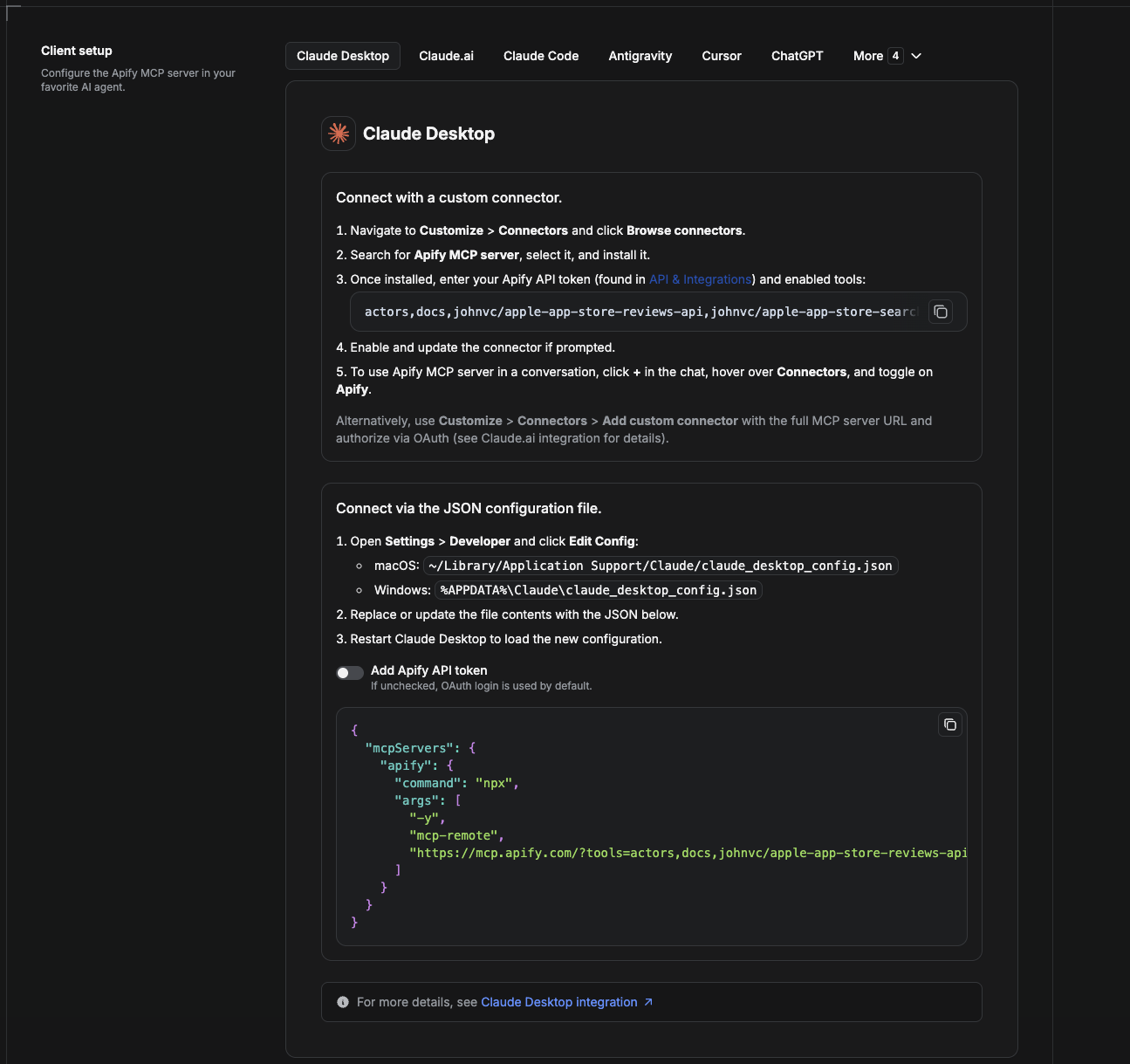
Cowork is the desktop app's automation mode. To give it the Google Hotels API as a tool, add the Apify MCP server as a connector.
- Open the Claude desktop app and go to Settings → Connectors (or Settings → Developer → Edit Config to edit
claude_desktop_config.jsondirectly).- macOS:
~/Library/Application Support/Claude/claude_desktop_config.json - Windows:
%APPDATA%\Claude\claude_desktop_config.json
- macOS:
- Add the Apify MCP server, preloaded with only this Actor:
{
  "mcpServers": {
    "apify": {
      "command": "npx",
      "args": [
        "-y",
        "mcp-remote",
        "https://mcp.apify.com/?tools=actors,docs,johnvc/google-hotels-search-scraper"
      ]
    }
  }
}- Restart the app. When Cowork first calls the tool, complete the OAuth prompt in your browser, or add your Apify API token in the connector settings to skip OAuth.
- In a Cowork chat, confirm the tool is available and ask it to run the Google Hotels API.
Download the desktop app and start a free trial: https://claude.ai/referral/uIlpa7nPLg More help: https://docs.apify.com/platform/integrations/claude-desktop
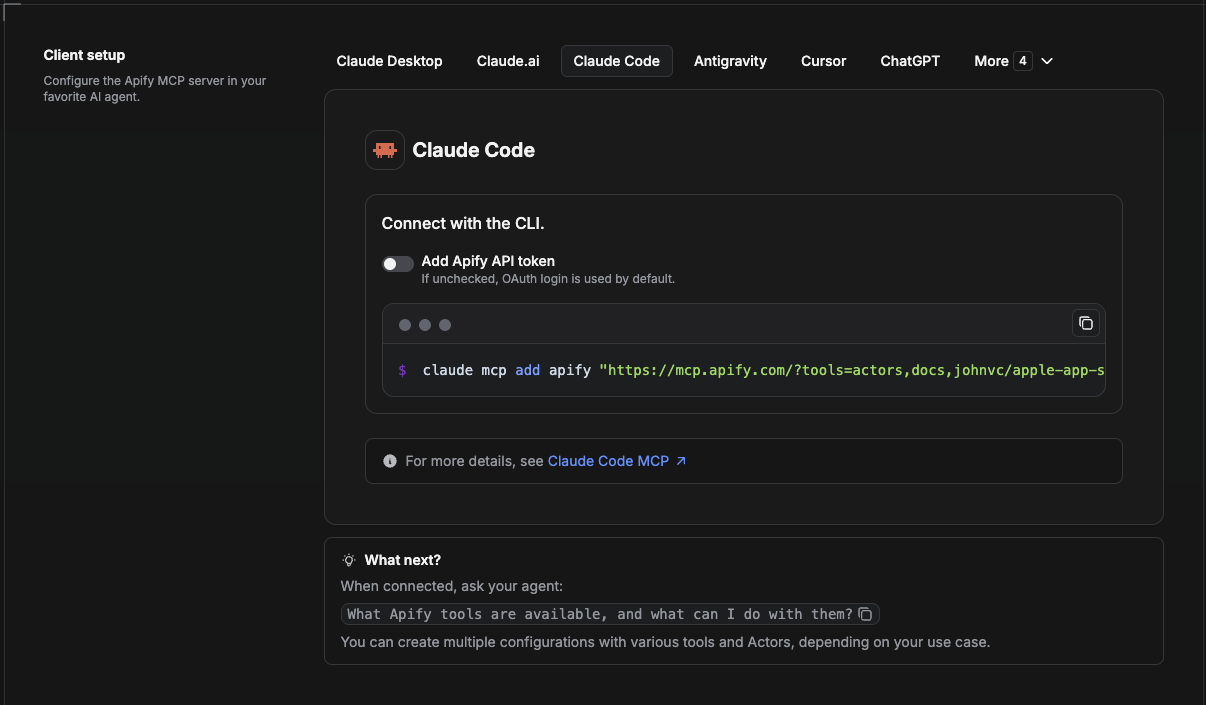
Claude Code is the command-line tool. Add the Actor's MCP server with one command:
claude mcp add --transport http apify \
  "https://mcp.apify.com/?tools=actors,docs,johnvc/google-hotels-search-scraper"
To use a token instead of browser OAuth:
claude mcp add --transport http apify \
  "https://mcp.apify.com/?tools=actors,docs,johnvc/google-hotels-search-scraper" \
  --header "Authorization: Bearer YOUR_APIFY_TOKEN"
Then verify with claude mcp list, or run /mcp inside a session. Ask Claude Code to call the Google Hotels API.
Try Claude Code free: https://claude.ai/referral/uIlpa7nPLg Claude Code MCP docs: https://code.claude.com/docs/en/mcp
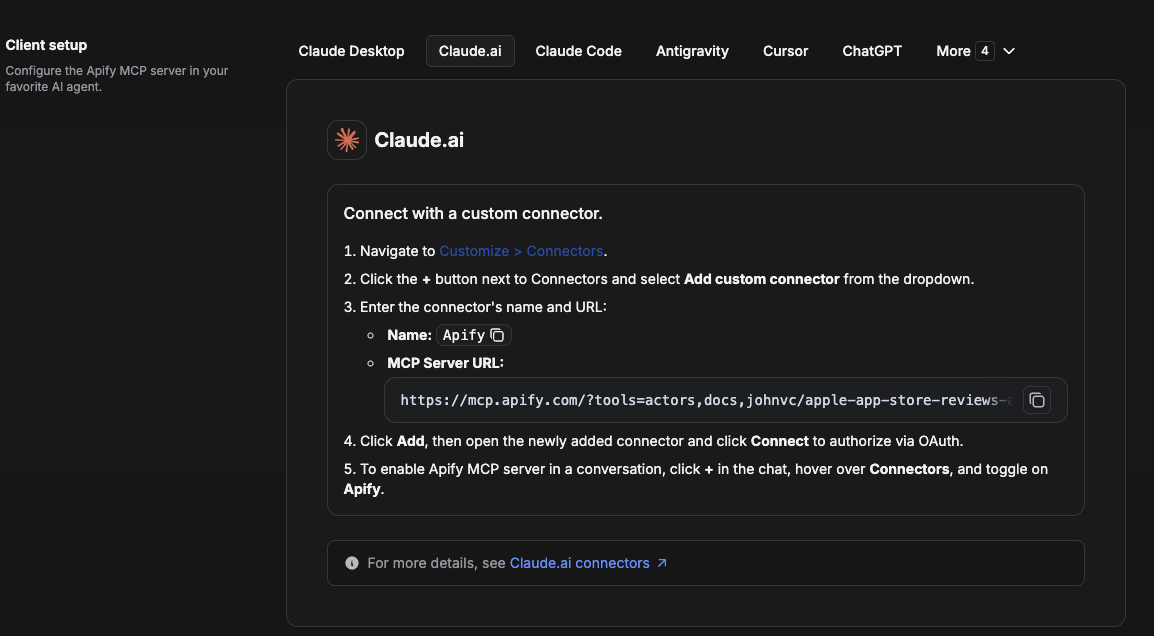
On claude.ai you add Apify as a connector, then enable just this Actor's tool.
- Go to Settings → Connectors → Browse connectors and search for Apify MCP server. Install it (enable or update if prompted).
- When connecting, authenticate with your Apify API token, and enable the tool
johnvc/google-hotels-search-scraper. - In any chat, open + → Connectors and turn on Apify.
- Alternatively, choose Add custom connector and paste the full MCP URL
https://mcp.apify.com/?tools=actors,docs,johnvc/google-hotels-search-scraper, using OAuth when prompted. - Ask Claude to run the Google Hotels API.
Open Claude on the web: https://claude.ai
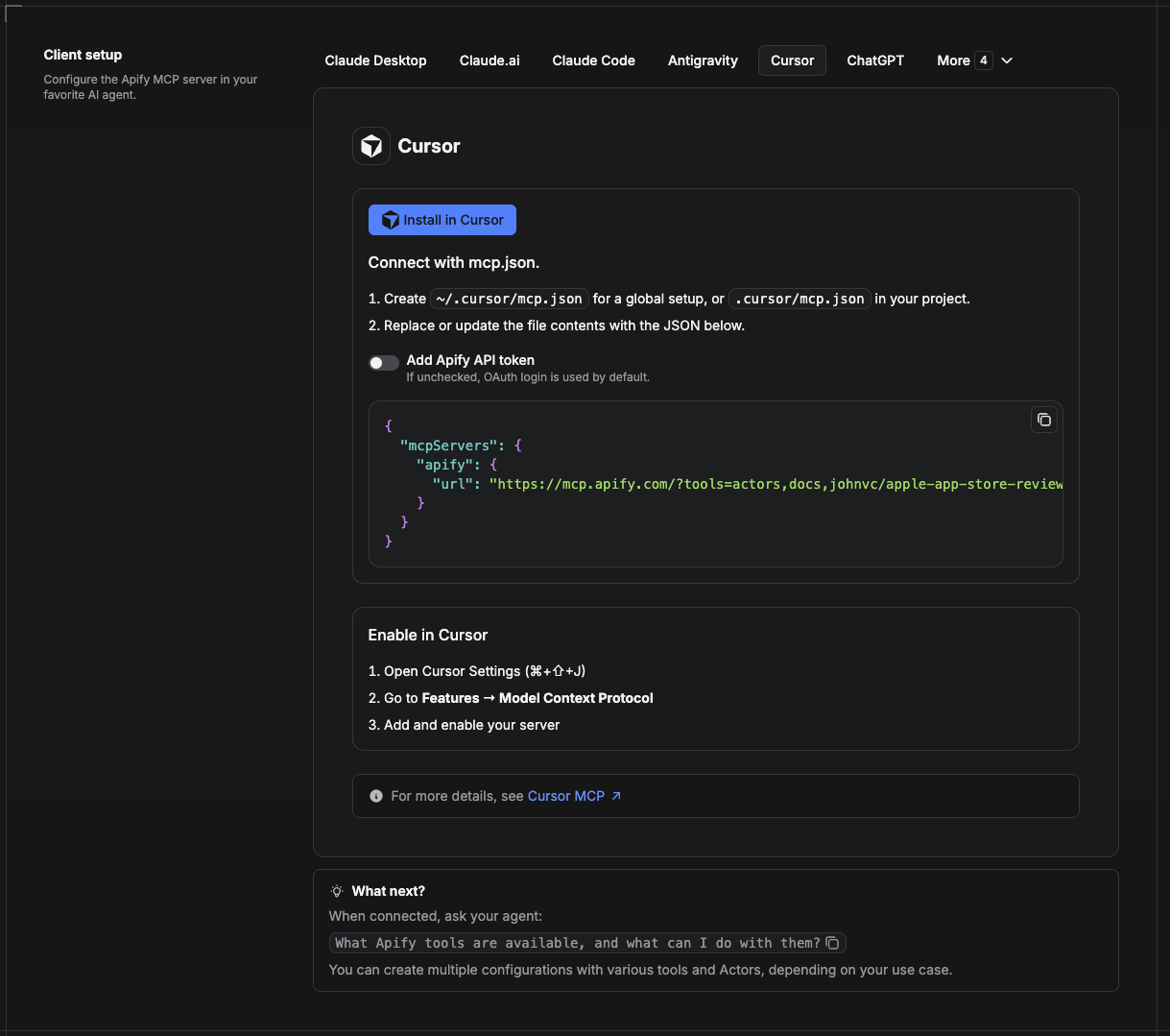
Cursor reads MCP servers from a project file at .cursor/mcp.json.
- In your project, create
.cursor/mcp.json:
{
  "mcpServers": {
    "apify": {
      "url": "https://mcp.apify.com/?tools=actors,docs,johnvc/google-hotels-search-scraper"
    }
  }
}- If you prefer token auth over browser OAuth, add a header:
{
  "mcpServers": {
    "apify": {
      "url": "https://mcp.apify.com/?tools=actors,docs,johnvc/google-hotels-search-scraper",
      "headers": { "Authorization": "Bearer YOUR_APIFY_TOKEN" }
    }
  }
}- Open Cursor → Settings → MCP and confirm the apify server is connected (green dot).
- In Composer or Chat, ask Cursor to call the Google Hotels API.
New to Cursor? Get it here: https://cursor.com/referral?code=XQP4VBLI3NNX
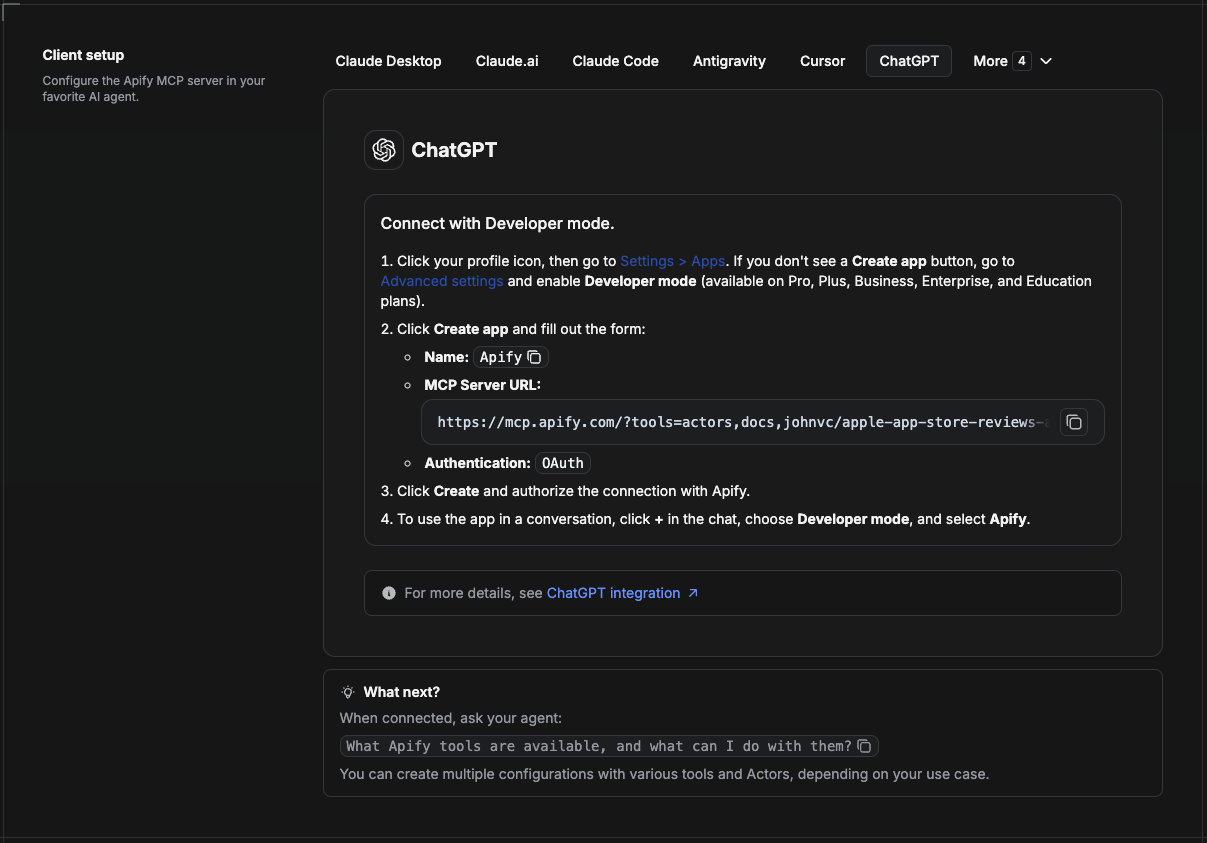
ChatGPT connects to the Apify MCP server through Developer mode (available on ChatGPT Pro, Plus, Business, Enterprise, and Education plans).
- Click your profile icon, then go to Settings > Apps. If you do not see a Create app button, open Advanced settings and enable Developer mode.
- Click Create app and fill out the form:
- Name: Apify
- MCP Server URL:
https://mcp.apify.com/?tools=actors,docs,johnvc/google-hotels-search-scraper - Authentication: OAuth
- Click Create and authorize the connection with Apify.
- To use the app in a conversation, click + in the chat, choose Developer mode, and select Apify.
More help: https://docs.apify.com/platform/integrations/mcp
Use the Google Hotels API to power price monitoring, travel apps, and market research with reliable, structured results.
Last Updated: 2026.06.09