Solve differential equations with Physics-Informed Neural Networks.
Modular. Training-agnostic. Inverse-problem-first.


Most PINN libraries make you wire up every loss term, collocation grid, and training loop by hand before you see a single result. AnyPINN gives you a working experiment in one command and then lets you peel back every layer when you're ready.
demo.mp4
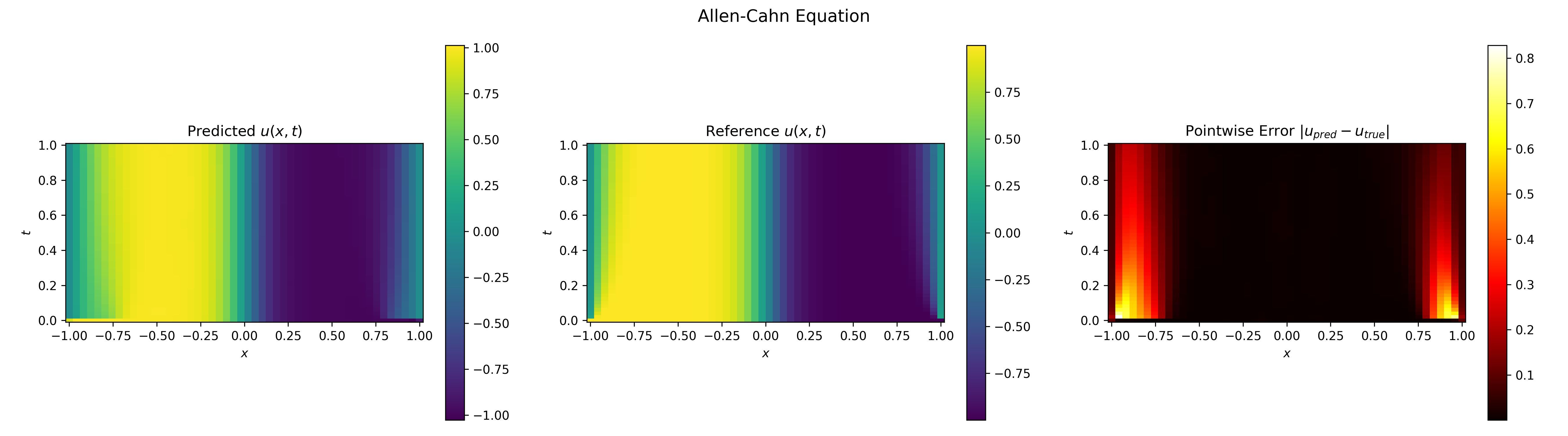
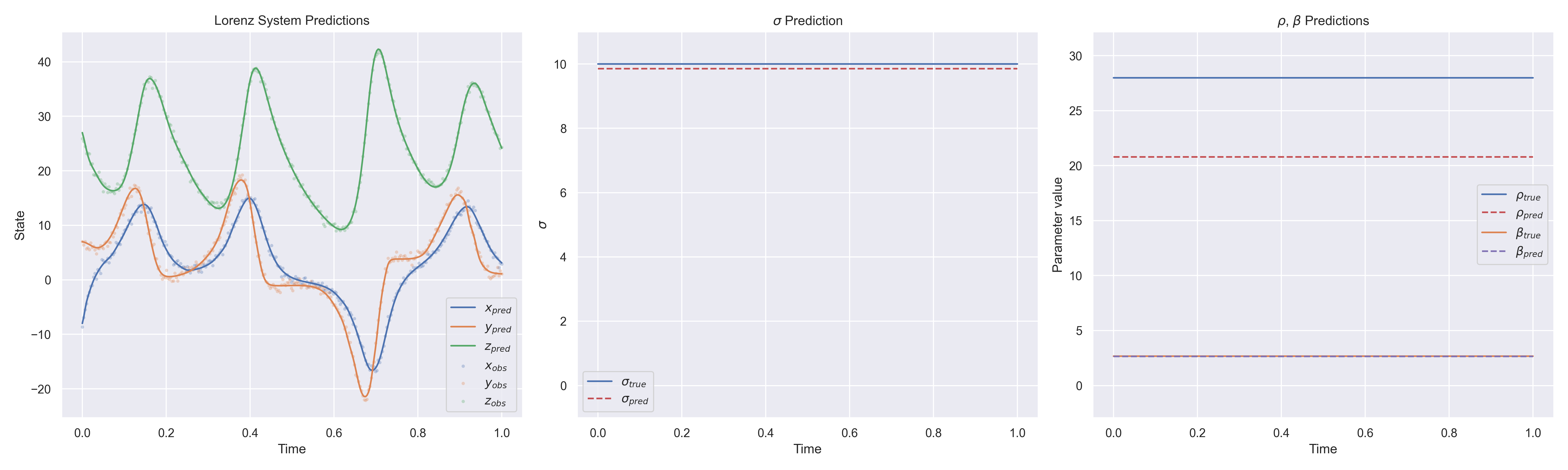
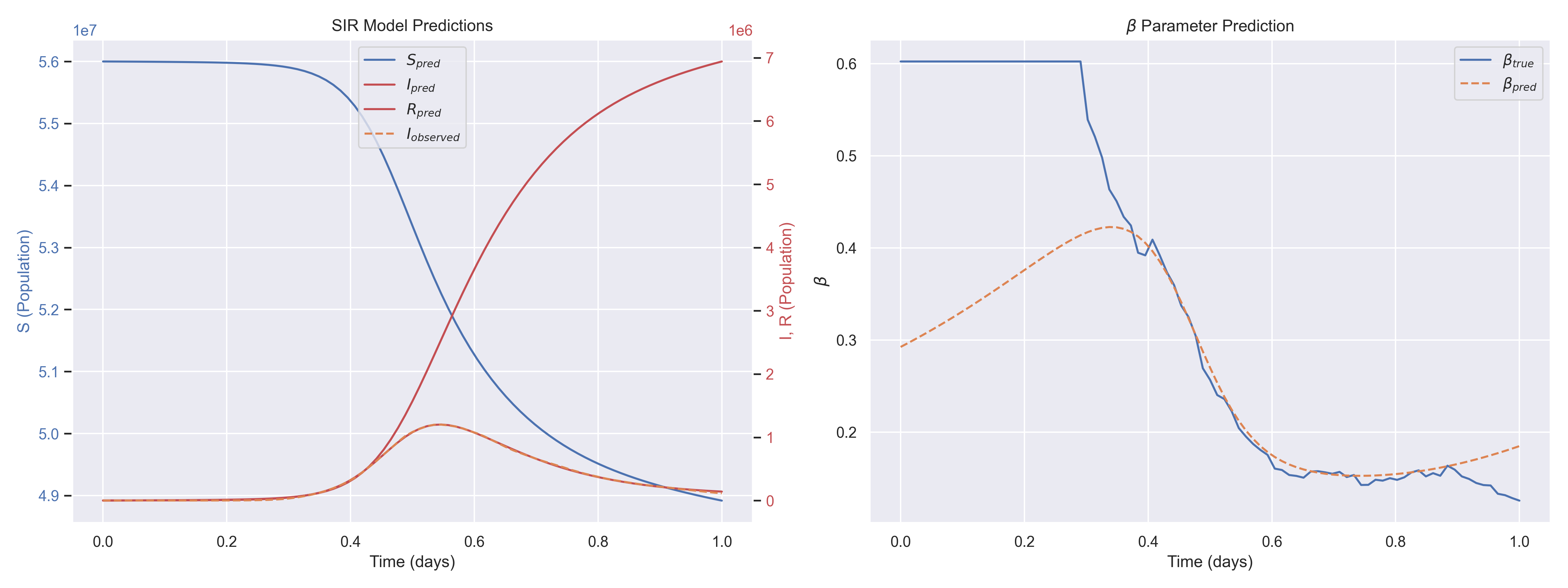
The fastest way to start is from the terminal. The command below generates a complete, runnable project interactively, no manual setup needed. uvx lets you run it without installing anything permanently:
uvx anypinn create my-projectpipx works the same way:
pipx run anypinn create my-projectRun anypinn create --help to see all available flags and templates. For a full walkthrough covering project structure, configuration, training, and next steps, see the Getting Started guide.
AnyPINN is built around progressive complexity. Start simple, go deeper only when you need to.
| User | Goal | How |
|---|---|---|
| Experimenter | Run a known problem, tweak parameters, see results | Pick a built-in template, change config, press start |
| Researcher | Define new physics or custom constraints | Subclass Constraint and Problem, use the provided training engine |
| Framework builder | Custom training loops, novel architectures | Use anypinn.core directly, no Lightning required |
The examples/ directory has ready-made, self-contained scripts covering epidemic models, oscillators, predator-prey dynamics, and more, from a minimal ~80-line core-only script to full Lightning stacks. They're a great source of inspiration when defining your own problem.
If you want to go beyond the built-in templates, here is the full workflow for defining a custom inverse problem. The example below uses an ODE; PDEs follow the same pattern with different building blocks (PDEResidualConstraint, DirichletBCConstraint, etc.).
Write a function that returns derivatives given the current state and parameters:
from torch import Tensor
from anypinn.core import ArgsRegistry

def my_ode(x: Tensor, y: Tensor, args: ArgsRegistry) -> Tensor:
    k = args["k"](x)        # learnable or fixed parameter
return -k * y # simple exponential decayfrom dataclasses import dataclass
from anypinn.problems import ODEHyperparameters
@dataclass(frozen=True, kw_only=True)
class MyHyperparameters(ODEHyperparameters):
pde_weight: float = 1.0
ic_weight: float = 10.0
data_weight: float = 5.0from anypinn.problems import ODEInverseProblem, ODEProperties
props = ODEProperties(ode=my_ode, args={"k": param}, y0=y0)
problem = ODEInverseProblem(
ode_props=props,
fields={"u": field},
params={"k": param},
hp=hp,
)import pytorch_lightning as pl
from anypinn.lightning import PINNModule
# With Lightning (batteries included)
module = PINNModule(problem, hp)
trainer = pl.Trainer(max_epochs=50_000)
trainer.fit(module, datamodule=dm)
# Or with your own training loop (core only, no Lightning)
optimizer = torch.optim.Adam(problem.parameters(), lr=1e-3)
for batch in dataloader:
optimizer.zero_grad()
loss = problem.training_loss(batch, log=my_log_fn)
loss.backward()
optimizer.step()For complete walkthroughs, see the custom ODE guide and the PDE forward problems guide.
Four layers with a strict dependency direction: outer layers depend on inner ones, never the reverse.
graph TD
    EXP["Your Experiment / Generated Project"]

    EXP --> CAT
    EXP --> LIT

    subgraph CAT["anypinn.catalog"]
        direction LR
        CA1[SIR / SEIR]
        CA2[DampedOscillator]
        CA3[LotkaVolterra]
    end

    subgraph LIT["anypinn.lightning (optional)"]
        direction LR
        L1[PINNModule]
        L2[Callbacks]
        L3[PINNDataModule]
    end

    subgraph PROB["anypinn.problems"]
        direction LR
        P1[ResidualsConstraint]
        P2[ICConstraint]
        P3[DataConstraint]
        P4[ODEInverseProblem]
        P5[PDEResidualConstraint]
        P6[DirichletBC · NeumannBC]
    end

    subgraph CORE["anypinn.core (pure PyTorch)"]
        direction LR
        C1[Problem · Constraint]
        C2[Field · Parameter]
        C3[Config · Context]
    end

    CAT -->|depends on| PROB
    CAT -->|depends on| CORE
    LIT -->|depends on| CORE
    PROB -->|depends on| CORE
For a detailed breakdown of each layer, see the Architecture guide.
See CONTRIBUTING.md for setup instructions, code style guidelines, and the pull request workflow.