It consists on an image searcher based on user input. The applications is able to search for images that match the query. The resulting images will be shown in rank order, with the ranking calculated using the cosine similarity.
Video:
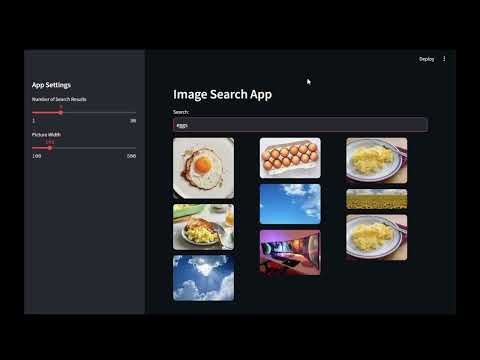
-
Install conda
-
Create the environment:
conda create -n clip_image_search python=3.12 -
Activate environment:
source activate clip_image_searchor
conda activate clip_image_searchif the previous one fails. -
Install pip:
conda install pipThis ensures that the requirements will be installed inside the environment directory. -
(Optional) Run
where pipand verify that pip command comes from the current environment. -
Install requirements:
pip install -r requirements.txt
- Generate the embeddings:
python -m src.get_embeddings
It will create a binary with the embeddings in the root directory called embeddings.pkl
-
Start the streamlit application:
python -m streamlit run src/app.py -
Feel free to add more images to enrich the application. I only collected a few.
Ruff commands:
ruff format .ruff check . --fix
Explore more of my work on Medium
I regularly share insights, tutorials, and reflections on tech, AI, and more. Your feedback and thoughts are always welcome!