Gitifact keeps the requirements, designs, and reasons for changes that emerge from conversations with AI agents alongside code in a Git repository. It quietly helps maintain those records as you develop, without asking you to adopt a separate documentation process.
Agents can use requirements, designs, and past decisions as context for their work. Users can explore those documents and their history in the browser viewer built into the CLI. Project-wide knowledge such as development rules and architecture decisions lives in per-task project instructions, organized to fit how you or your team work.
Give this prompt to the agent you use in your project:
Install Gitifact with npm install -g gitifact and run gitifact init in this project.
If the install is blocked, don't hand it to me: show me the exact command and ask for my approval.
Read the GITIFACT block that init adds to AGENTS.md or the relevant agent instructions file, and follow it from this session onward.
Once setup is complete, keep working as usual: describe the feature you want to build or the behavior you want to change. Ask “Open the Gitifact browser” to see the documents and change history.
When a newer version is out, gitifact commands say so and your agent asks whether to update. To run commands yourself, see the CLI guide.
While developing with agents, I found it helpful to keep track of what I wanted to build and why I made particular changes.
At work, most of my projects involved maintaining a substantial set of project documents. In personal projects, I used only what an agent needed to develop the product, such as a short PRD or a design document. The gap between those two settings left me thinking about how to manage requirements and documentation. Even where the basic document formats were similar, teams and individuals wrote and maintained them differently.
I was unsure whether those established documentation practices would fit development with agents. I also did not feel ready to define a new approach and present it as the answer. Gitifact therefore draws on well-known spec-driven development tools, organizing requirements and designs together by feature.
I wanted Gitifact to stay in the background: to help keep records within the flow of a project, without putting a methodology or process first.
If you want to manage requirements closely, you can refine them through conversations with your agent. If you would rather focus on building the product, that should work too. The aim is to have the requirements ready when you eventually ask, “What does this product actually do now?”
Git tracks changes to files and lines. Requirements describe product behavior and rules, so their identity does not always follow file boundaries.
When a document is reorganized, a heading changes, or a section moves to another file, a diff can show it as a deletion and an addition. An agent then has to infer where the requirement went from the conversation and the diff. I wanted code to preserve that continuity instead of relying on the agent to reconstruct it each time.
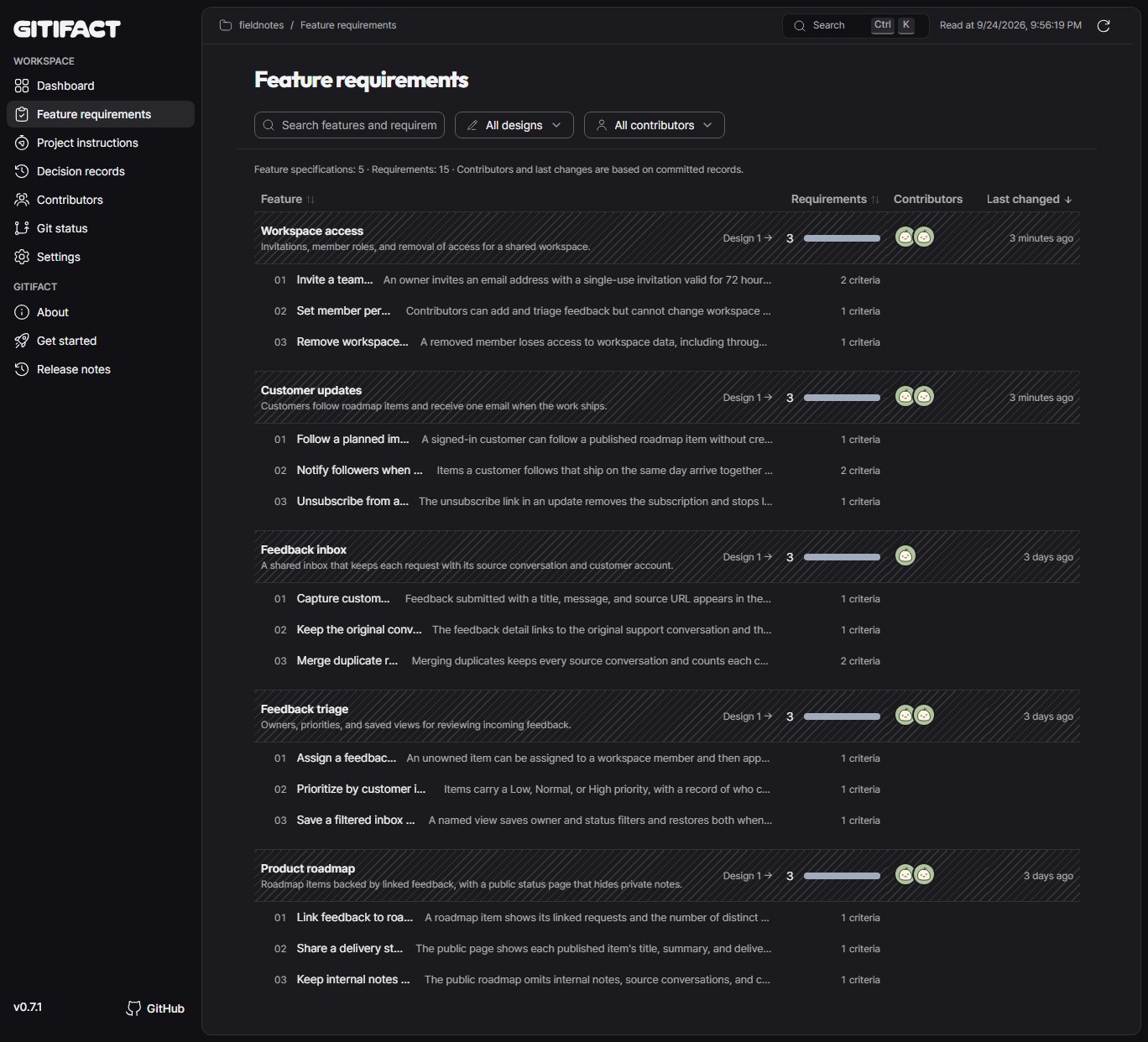
Gitifact pairs requirements with designs for each feature. Each requirement is its own file, and a design is split into files by concern. Every document carries an ID issued by the CLI, so it is tracked as the same document when its title changes or its file moves to another feature.
- Requirements (
requirements/) describe the behavior and rules the product should provide, in a form people can read and review. - Designs (
design/) give agents the technical context needed to implement a feature. They cover details and processing flows that do not belong in a project-wide architecture decision record, along with the project instructions and external documents that informed the design.
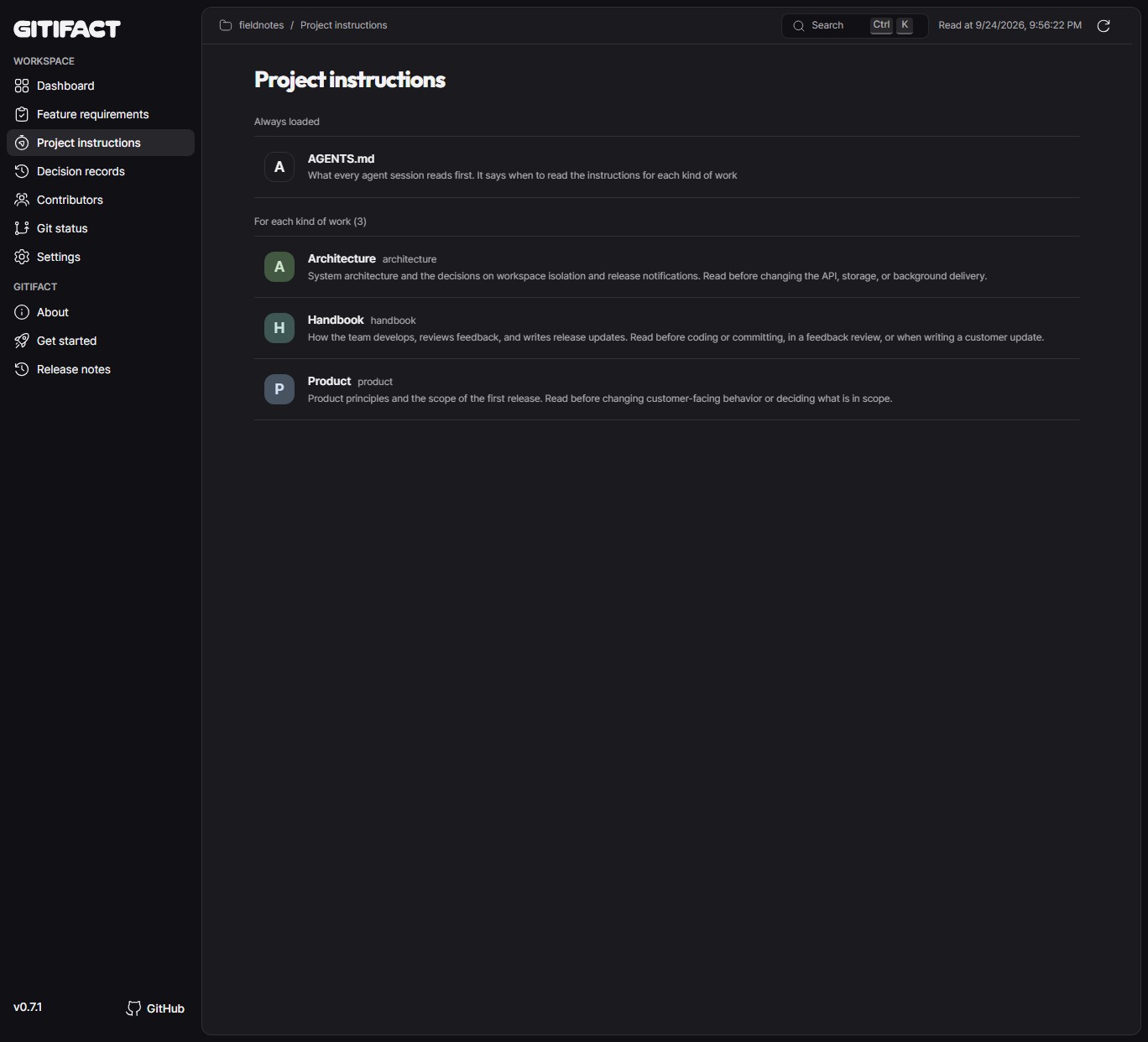
Feature specifications say what to build. Project instructions (.gitifact/instructions/) say how work is done in this project: architecture rules, decisions that span features, writing style, verification steps. Knowledge that used to live in people's heads is split into instructions, one per kind of task.
- Only what the task needs. Each instruction is a folder with an
index.mdand optionalreferences/for longer material. AGENTS.md, which the agent reads in every session, only lists which instruction to read for which work. The agent reads the CLI instruction when changing CLI code and the verification instruction before a commit. - Your own structure. Your project decides which instructions to keep and how to split them. Gitifact handles IDs, format checks, and history, and does not impose a document template.
- Links in one direction. Instructions span features, so they do not point at specific specifications. A design instead lists the instructions it followed, so instructions do not go stale when a specification changes.
Instructions keep their ID when renamed or moved, and the agent records the reason with each commit. The "Project instructions" page in the browser shows AGENTS.md and the per-task instructions together.
Not every small request in a conversation needs a requirements revision.
I often develop by looking at a screen, asking for a change, trying it, and adjusting it again. Recording every intermediate attempt as a requirements change made it harder to see which behavior I ultimately wanted.
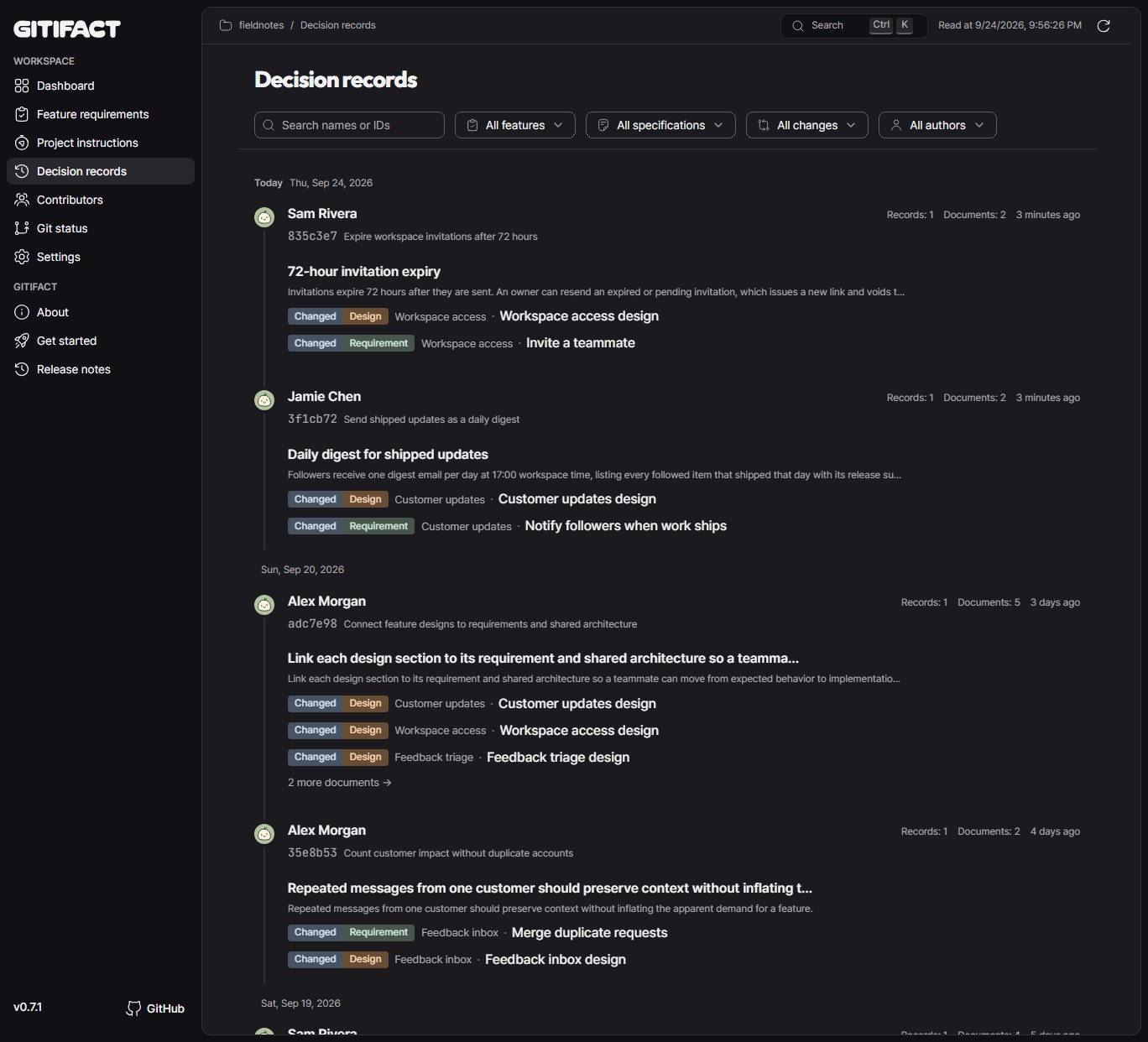
With Gitifact, the agent prepares a requirements draft and refines it as the conversation develops. At commit time, it records the final requirements changes and their decision records together with the code.
You do not need to write a separate explanation or remember recording commands. When an existing requirement changes or one of several options is chosen, the agent turns the conversation into a decision record: a title and a few short sections (context and decision, plus alternatives considered when there were any). Records gather by document, so you can later read in order why a document looks the way it does. When the intended behavior is unclear, it asks for clarification.
In an existing project, you can start recording from the point of adoption. Document the areas you maintain or extend as you work on them; there is no need to reconstruct the project's entire history first.
You can also ask your agent to review the existing code and documents and prepare an initial set of requirements and designs. Refine that draft as actual changes reveal what needs more detail.
For a new project, start with a conversation about the idea. As you describe the product, the agent can organize requirements and designs and ask about unclear behavior.
Gitifact is designed for a product developed within one Git repository, whether a single project or a monorepo. Managing relationships across repositories would add complexity to both the tool and its use, so that is outside its scope.
Gitifact connects Markdown requirements, designs, and decision records to Git commits. The browser viewer shows decision records, requirements, and contributors. Ask your agent to “Open the Gitifact browser.”
Find the latest published version on npm and version-by-version changes in the release notes.
This document describes the product's purpose, principles, and scope. Feature requirements and designs live in the specifications.
MIT.