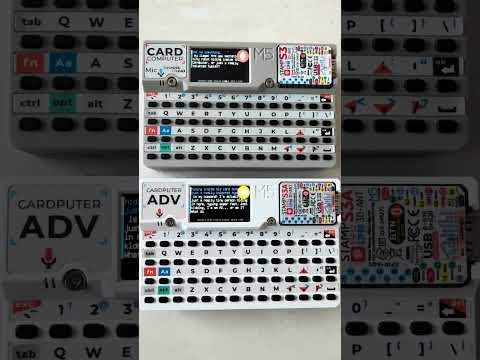
M5Gemini is a voice-driven AI assistant for the ESP32-S3 powered M5 Cardputer mini PC. It uses Google Gemini's Live API for real-time Speech-to-Speech (S2S) conversation over a single WebSocket connection. The application uses the M5 Cardputer's built-in microphone and speaker for hands-free interaction.
- Real-time voice conversation powered by Google Gemini Live API (Speech-to-Speech).
- Half-duplex audio: microphone and speaker alternate automatically via server-side VAD.
- Streaming text transcription displayed during playback.
- Configurable model, voice, and system instructions.
- Automatic session reconnection on transient errors; error dialogs for critical failures.
- Settings management compatible with M5Apps installer.
- ESP-IDF v5.4 or later
- M5 Cardputer hardware
- WiFi internet connection (2.4GHz) for API access
- Google AI API Key (https://aistudio.google.com/apikey)
git clone https://github.com/d4rkmen/M5Gemini.git
cd M5GeminiConfiguration settings (WiFi credentials, API keys) are compatible with M5Apps.
-
Configuration Methods:
- Manual Configuration on Device:
- Press
ESCto enter Settings menu - Navigate using arrow keys and Enter to select
- Configure WiFi, API key, model, voice, and other settings
- Settings are automatically saved to NVS storage and persist across reinstalls
- Press
- Import Configuration File: - Create a
settings.txtfile with your configuration - Examplesettings.txt:
  wifi-enabled=true
  wifi-ssid=YOUR_WIFI_SSID
  wifi-pass=YOUR_WIFI_PASS
  wifi-static_ip=false
  wifi-ip=192.168.88.101
  wifi-mask=255.255.255.0
  wifi-gw=192.168.1.1
  wifi-dns=8.8.8.8
  system-brightness=100
  system-volume=70
  system-boot_sound=true
  gemini-api_key=YOUR_GEMINI_API_KEY
  gemini-model=gemini-2.0-flash-live-001
  gemini-voice=Kore
  gemini-volume=255
  gemini-rules=you are conversational AI assistant running on M5 CardPuter. give short direct and a quite funny answer.
- Copy file to SD card root as
/sdcard/settings.txt - In Settings menu select:
Import (SD card)
- Manual Configuration on Device:
idf.py buildConnect your M5 Cardputer via USB and run:
idf.py -p [Your-Serial-Port] flash monitor(Replace [Your-Serial-Port] with the correct port, e.g., COM3 on Windows or /dev/ttyUSB0 on Linux).
- From the start screen press
ESCto enter Settings orENTERto start a voice session. - During a session the keyboard is used for control:
ENTER— interrupt (skip playback or send during listening)ESC— stop session and return to start screen- Arrow keys — scroll chat history

Contributions are welcome! Please feel free to submit pull requests or open issues.
This project is licensed under the GNU General Public License
- Google AI (Gemini Live API)
- M5Stack (M5Unified library)
- LovyanGFX (Display)
- mjson (Embedded JSON parser)