This repository contains the MATLAB codebase for the coregistration tool developed to process and overlay Optical Ultrasound (OpUS) and fluorescence imaging data. The tool is designed for research applications in oesophageal imaging, specifically targeting Barrett’s Oesophagus (BE) to detect dysplastic tissue using multi-modal image coregistration.
The project introduces a MATLAB-based application that enables the coregistration of OpUS and fluorescence data. The application supports preprocessing, depth correction of fluorescence data, and overlaying this data onto OpUS images to visualize potential dysplasia sites within BE. This tool could eventually be used in endoscopic procedures to monitor BE and detect early signs of oesophageal adenocarcinoma.
- Data Input/Output Pipeline: Handles multi-modal OpUS and fluorescence image data.
- Surface Detection Algorithm: Detects and extracts surface depth information from OpUS data.
- Fluorescence Depth Correction: Corrects fluorescence data based on OpUS-derived depth information.
- Coregistration & Visualization: Overlays fluorescence data on OpUS images without compromising anatomical context.
- Graphical User Interface (GUI): A MATLAB-based GUI enables easy configuration and visualization of coregistered images.
MATLAB Requirements: The code is compatible with MATLAB R2023b or later.
Required toolboxes: Image Processing Toolbox, Signal Processing Toolbox. Dependencies: Install the k-Wave toolbox in MATLAB for ultrasound image reconstruction.
Clone Repository:
git clone https://github.com/d-eniz/fl-us-coreg.git
cd fl-us-coreg
Sample Data: Download and unzip the sample_data/ directory to test the tool with sample fluorescence and OpUS data.
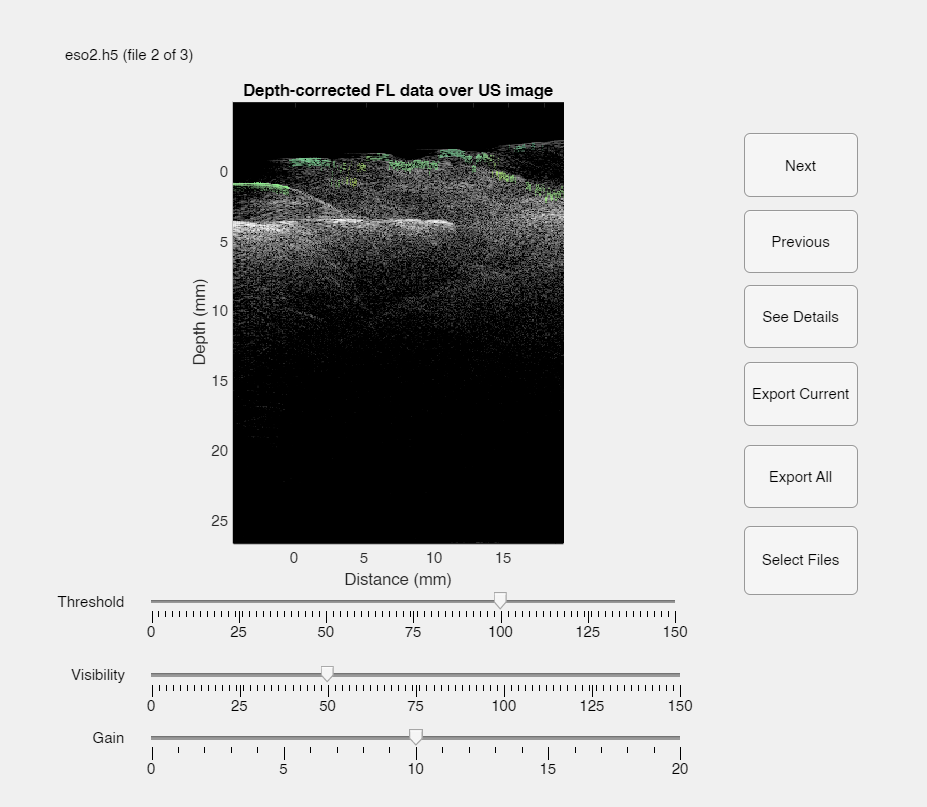
Run the App: Open MATLAB and navigate to the repository directory. Launch the app by running:
main_app/OpUS_Fluorescence_App.mUsing the GUI:
- Load Data: Click Select Files to load OpUS and fluorescence datasets.
- Adjust Threshold, Gain, and Visibility: Use sliders to adjust surface detection threshold, gain for fluorescence data, and visibility for the overlay.
- View Coregistered Image: The GUI will automatically update the coregistered image as you adjust settings.
- Export Data: Export images for further analysis or publication-ready outputs.
The coregistration tool workflow involves the following key steps:
- Preprocessing: Applies Butterworth and crosstalk filtering, time-gain compensation, and Hilbert transformation to prepare OpUS data.
- Surface Detection: Extracts surface information from OpUS images by using thresholding and visibility settings.
- Depth Correction: Corrects fluorescence data for depth using a custom model based on OpUS surface information.
- Visualization: Overlays depth-corrected fluorescence data on OpUS images for a clear display of dysplastic regions.

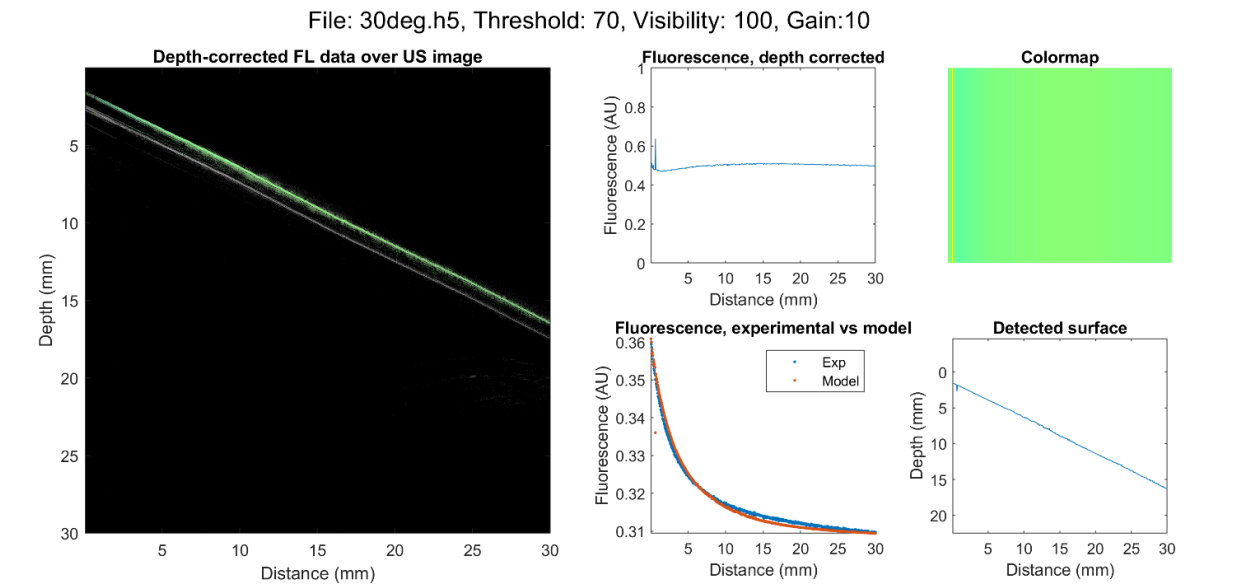
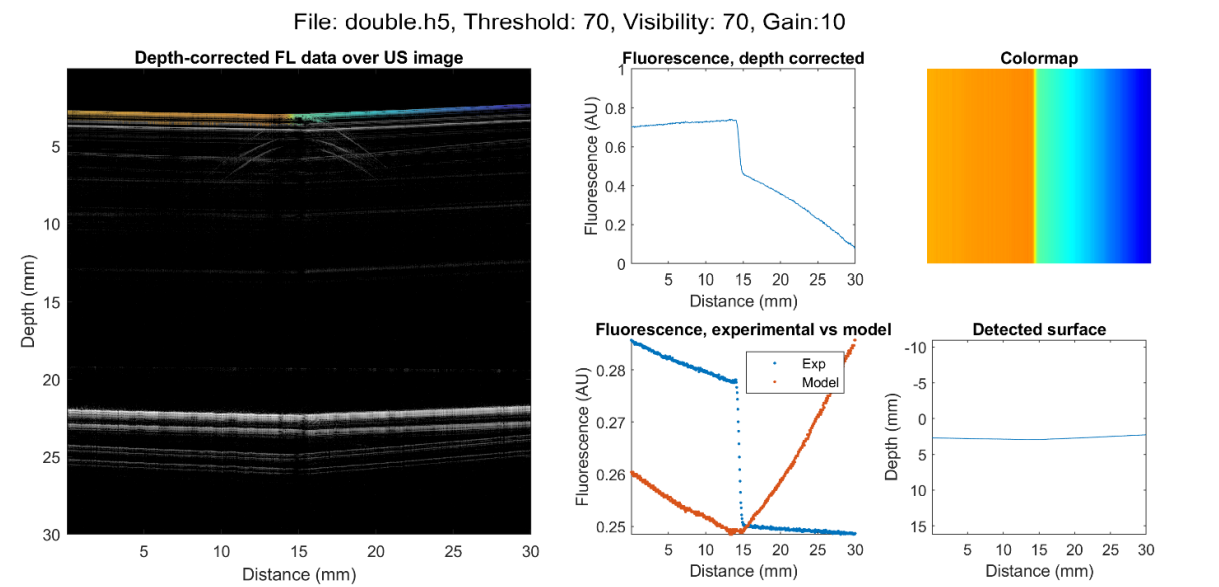
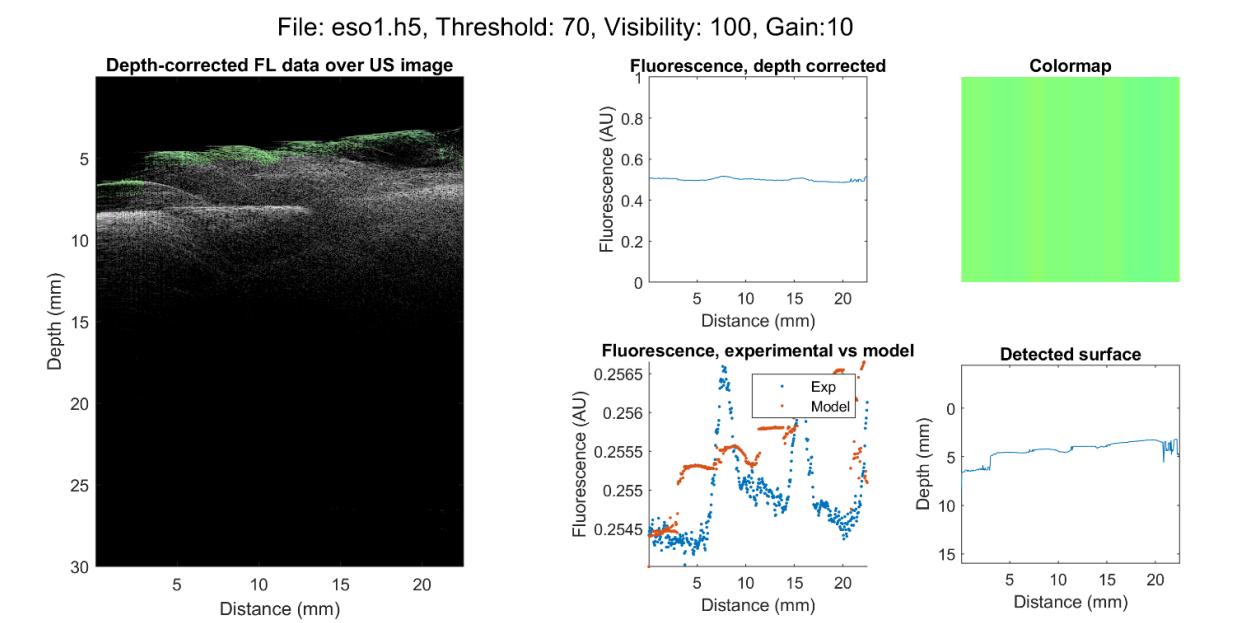
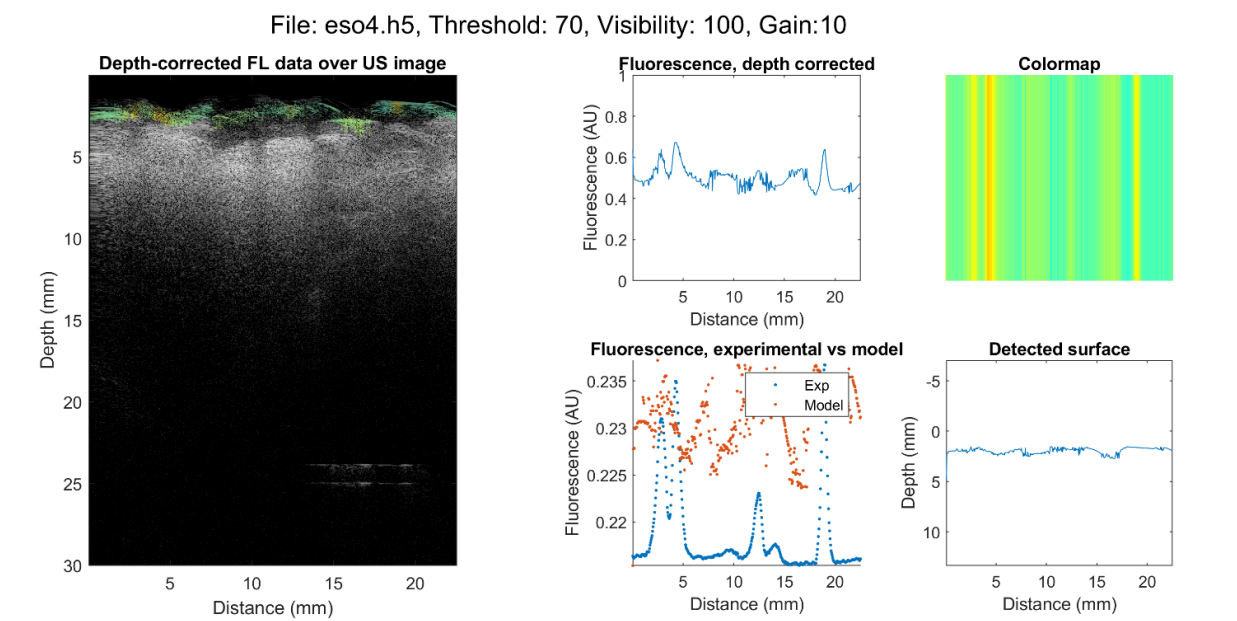
Here is an example of coregistered OpUS/fluorescence images from the tool:
Simple geometric targets (e.g., angled fluorescent plates)
Complex biological targets (e.g., swine oesophagus with fluorescent markers)
This project is shared strictly for showcasing and informational purposes. Use of the code, modification, or distribution without explicit permission from the author is not allowed.
Special thanks to Dr. Richard J Colchester and India Lewis-Thompson at UCL for their invaluable support and guidance throughout the project.