Repository navigation
Redesign: QR code creation process #22
Description

@lenzai I'm looking for thoughts and criticisms.
For the QR codes, why don't we have the UUIDs created in the spreadsheets? I found an add-on that'll generate them easily.
We could then pull that information with app.js, process the UUIDs into a QR and render a page.
An intern could easily access the QR codes and just as easily print them.
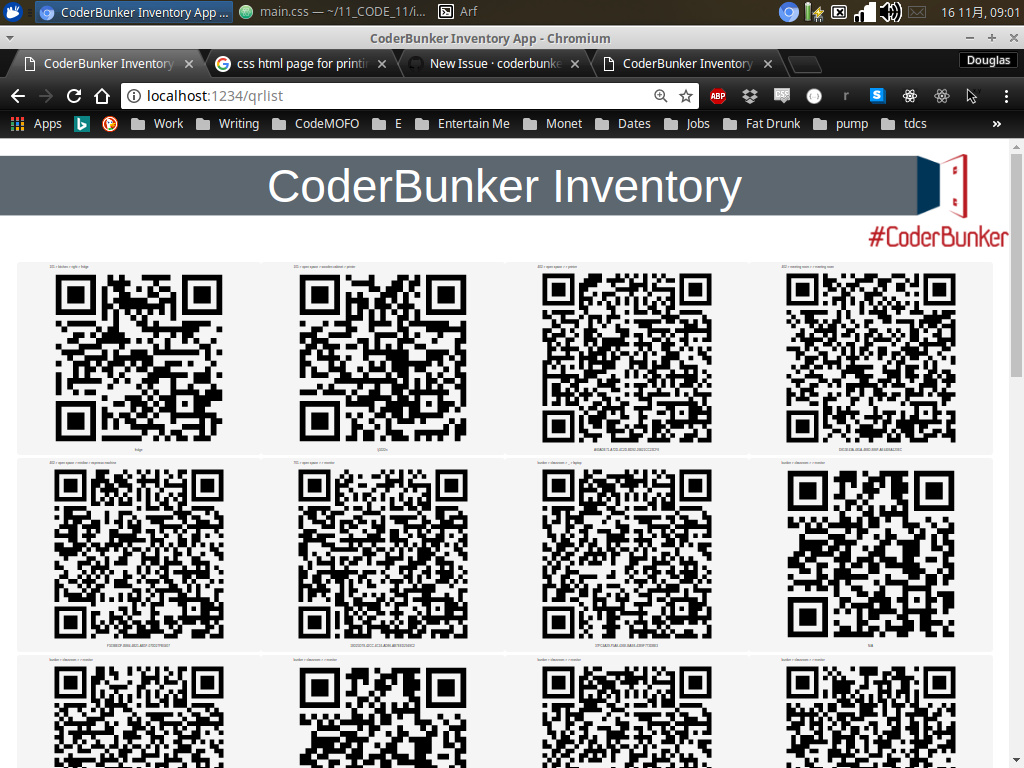
Here's an img of my rough version running locally:
Activity
lenzai commentedon Nov 16, 2017
Well, printing good quality QR code sticker is not easy to implement in office without a specialised printer. Typically we want to print them as a batch.
Then the question becomes: what is the easiest process for checking in new equipment?
Meanwhile, replacing bash with javascript for QR code generation is fine if it helps. At least there's no obligation to develop new generations using bash.
Spazcool commentedon Nov 16, 2017
If the new equipment is added to the spreadsheet first, it would be a simple matter of using the same search function we've already made for the search template in this list.
Then we could print a whole sheet of stickers that have been filtered down to a specific type of item (eg all monitors) or for all of the items in a room.
lenzai commentedon Nov 16, 2017
New pieces of equipment are being added to space on a weekly basis. Typically 5-10 per month, we want them to be registered on day 1.
1- blue-collar staff, set up and test equipment add the sticker and eventually a few extra operation (but only with a mobile phone, no English fluency required). e.g. scanning QR, shooting a picture.
2- white collar staff writes instructions and documentation about equipment.
3- white collar eventually make an announcement to members via WeChat groups.
Spazcool commentedon Nov 17, 2017
So, if I follow correctly, the issue is that you'll need to print just a couple of QRs at any one time. And, those QRs are often not going to be for similar items. Thus, our current filter search is not going to work very well for printing multiple QRs.
What if the QR list page was more interactive? The user selecting which QRs to be added to a print list?
mpsido commentedon Nov 17, 2017
personnally i suggest that when the guy scans a never seen before qr code instead of accessing a page that says "not found" he has a page that prompts him some description of the equipement he just scanned.
the we have another page lets say ''admin' that list recently scanned qr code with the description the first guy entered.
n the admin manually enter the other information we need on the spreadsheet
Spazcool commentedon Nov 17, 2017
@mpsido but wouldn't that require getting write access to the spreadsheets and introduce more potential for mishap?
mpsido commentedon Nov 17, 2017
the description from firstt guy dont go to the spreatsheet. it stays in server memory. it is just a quck hint in case they scan many qr code. lets say 5. the guy who enters the equipement detail has a tag ensuring he is not confusing which one it is
mpsido commentedon Nov 17, 2017
about the second guy when I say "manually enter" I dont mean he accesses spreadsheet directily. he can enter everything using a custom GUI inside the webapp
lenzai commentedon Nov 19, 2017
as discussed yesterday, let's finish the /recent page and test if that should be enough to make the process smooth.
Spazcool commentedon Nov 19, 2017
on it boss-man