

Live demos and docs: borisyankov.github.io/react-sparklines/

npm install react-sparklines --save
npm install
npm start
http://localhost:8080
Import the Sparklines components that you need; for example to generate a simple chart:

import React from 'react';
import { Sparklines } from 'react-sparklines';
...
<Sparklines data={[5, 10, 5, 20, 8, 15]} limit={5} width={100} height={20} margin={5}>
</Sparklines>
Sparklines component is a container with the following properties:
data - the data set used to build the sparkline
limit - optional, how many data points to display at once
width, height - dimensions of the generated sparkline in the SVG viewbox. This will be automatically scaled (i.e. responsive) inside the parent container by default.
svgWidth, svgHeight - If you want absolute dimensions instead of a responsive component set these attributes.
preserveAspectRatio - default: 'none', set this to modify how the sparkline should scale
margin - optional, offset the chart
min, max - optional, bound the chart
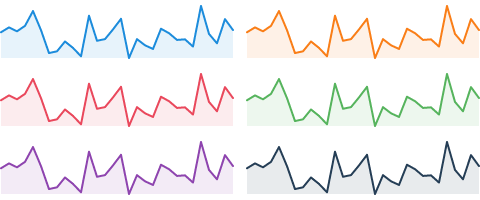
import React from 'react';
import { Sparklines, SparklinesLine } from 'react-sparklines';
...
<Sparklines data={[5, 10, 5, 20]}>
  <SparklinesLine color="blue" />
</Sparklines>

import React from 'react';
import { Sparklines, SparklinesBars } from 'react-sparklines';
...
<Sparklines data={[5, 10, 5, 20]}>
  <SparklinesBars />
</Sparklines>

import React from 'react';
import { Sparklines, SparklinesLine, SparklinesSpots } from 'react-sparklines';
...
<Sparklines data={sampleData}>
    <SparklinesLine style={{ fill: "none" }} />
    <SparklinesSpots />
</Sparklines>
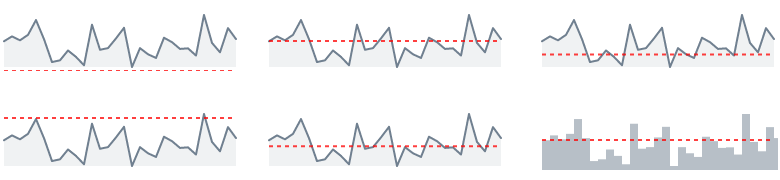
import React from 'react';
import { Sparklines, SparklinesLine, SparklinesReferenceLine } from 'react-sparklines';
...
<Sparklines data={sampleData}>
    <SparklinesLine />
    <SparklinesReferenceLine type="mean" />
</Sparklines>

import React from 'react';
import { Sparklines, SparklinesLine, SparklinesNormalBand } from 'react-sparklines';
...
<Sparklines data={sampleData}>
    <SparklinesLine style={{ fill: "none" }}/>
    <SparklinesNormalBand />
</Sparklines>