Scan your project. Forecast costs. Protect profit.


Margin Guard is a standalone local-first project scanner that estimates whether a software product is likely to keep healthy margins as usage grows. It ships as:
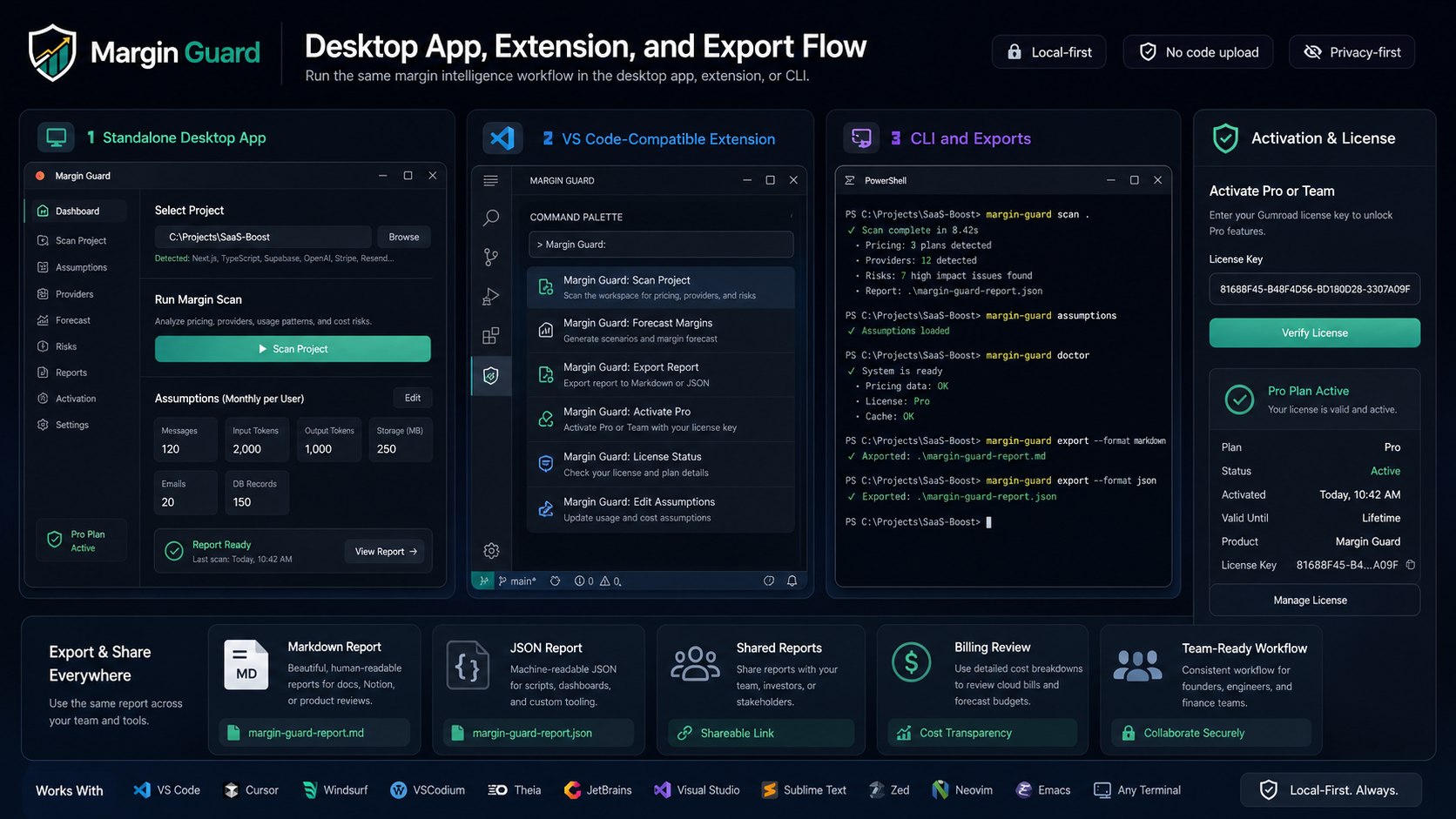
- a standalone desktop app
- a VS Code-compatible extension for VS Code, Cursor, Windsurf, VSCodium, and Theia
- a CLI for terminal users and editors that do not run VS Code extensions directly
- a small activation layer for Pro and Team licensing
Margin Guard helps technical teams answer the business question that often appears too late:
If this project gets users, will it make money or burn money?
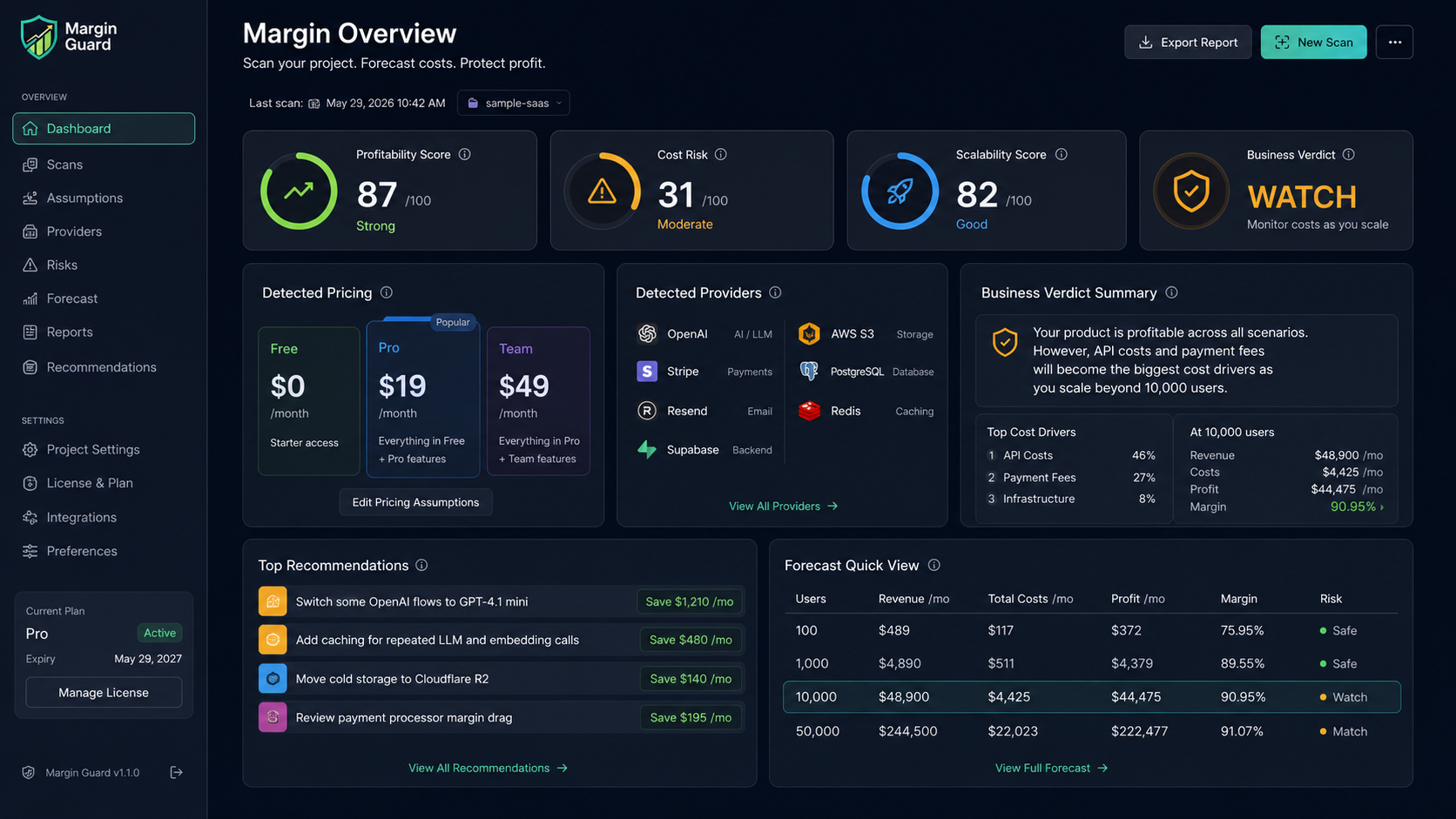
It reads the codebase, pricing files, billing clues, provider usage, storage flows, and scaling patterns to estimate how revenue, costs, profit, and margin may behave as the product grows.
Margin Guard is built for searches and use cases such as:
- SaaS margin analysis
- software profitability forecast
- API cost estimation
- infrastructure cost forecast
- hosting cost comparison
- storage cost forecasting
- database cost growth analysis
- payment fee comparison
- pricing model detection
- unit economics analysis for software products
- Detects pricing and revenue signals from project files
- Detects API, AI, infra, storage, database, email, SMS, and payment providers
- Separates active provider usage from configured-only integrations and loose references to reduce false positives
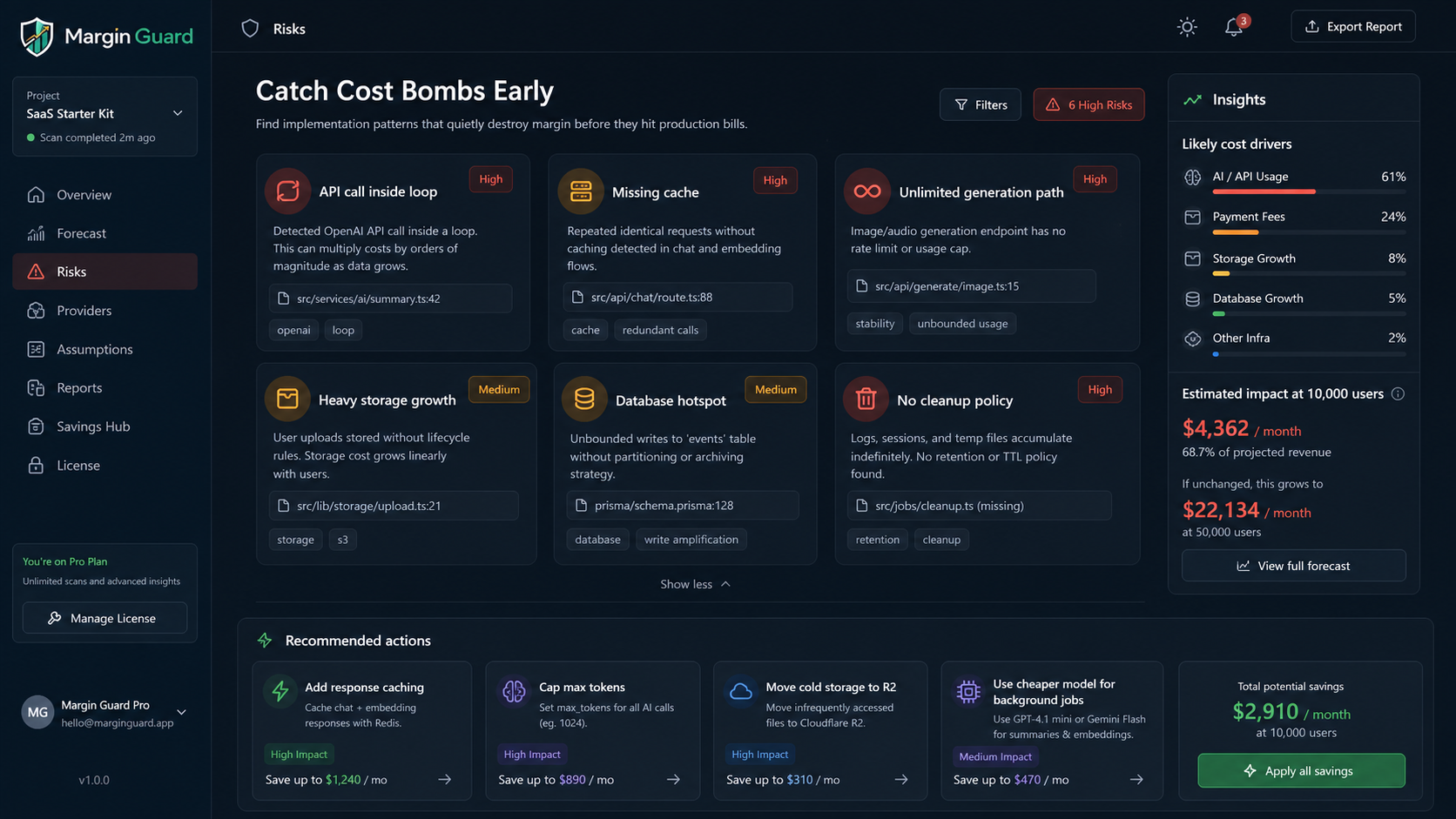
- Flags common cost-risk patterns such as API calls inside loops, missing cache, and unlimited token usage
- Forecasts revenue, cost, profit, and margin across growth scenarios
- Breaks total cost into API, storage, database, email/SMS, payment fee, and infrastructure buckets
- Compares the detected provider stack against lower-cost alternatives across AI, storage, database, messaging, payments, and hosting
- Generates JSON and Markdown reports
- Suggests savings ideas and cheaper provider/model alternatives
- VS Code
- Cursor
- Windsurf
- VSCodium
- Theia
- JetBrains workflows through the CLI
- Visual Studio terminal workflows
- Sublime terminal workflows
- Zed terminal workflows
- Neovim terminal workflows
- Emacs terminal workflows
- direct terminal usage
- Windows x64
- Windows ARM64
- macOS Intel
- macOS Apple Silicon
- Linux x64
- Linux ARM64



packages/margin-guard-core: shared scanner, forecaster, export helpers, license clientpackages/margin-guard-desktop: standalone Electron desktop apppackages/margin-guard-cli: command-line interfacepackages/margin-guard-vscode: VS Code-compatible extensionpackages/margin-guard-activation: local activation service used during paid-plan verificationservices/margin-guard-license-api: private verification service assets kept out of normal user workflowsfixtures/: sample projects used for smoke testingdocs/: public docs, benchmarks, and public-facing product material
The repository includes public proof material that can be shared safely:
docs/CASE_STUDIES.mddocs/BENCHMARKS.mddocs/ROI_EXAMPLES.mddocs/TRUST_AND_ACCURACY.md
npm install
npm run build
node packages/margin-guard-cli/dist/index.js scan .Run the standalone app from the project root:
npm run desktopOr launch:
C:\Users\balka\Desktop\Margin Guard\Start Margin Guard App.bat
margin-guard scan .
margin-guard assumptions
margin-guard doctor
margin-guard activate
margin-guard license status
margin-guard export --format markdown
margin-guard export --format jsonMargin Guard: Scan ProjectMargin Guard: Edit AssumptionsMargin Guard: Forecast MarginsMargin Guard: Export ReportMargin Guard: Activate ProMargin Guard: License Status
Margin Guard v1 is local-first. It scans the local project using deterministic rules and local pricing tables. It does not upload project code to any AI service.
Margin Guard is designed to cover the questions developers and founders commonly search for:
- "will my SaaS make money"
- "estimate API costs from codebase"
- "compare Stripe vs LemonSqueezy fees"
- "hosting cost comparison for a web app"
- "OpenAI cost forecast"
- "database cost forecast"
- "storage cost forecast"
- "unit economics tool for SaaS"
- "gross margin calculator for software"
- "local-first cost analysis extension"
Margin Guard supports Pro and Team activation through the local app, CLI, and VS Code-compatible extension.
Product IDs, billing wiring, deployment notes, and private sales material are intentionally kept out of the public project surface.
Build the extension and package a VSIX:
npm install
npm run build
npm run package:vsix
Packaging and publishing workflows are maintained internally.