Friendly front-end for querying OSM features around Guyana from the Overpass API and extracting as a Shapefile.
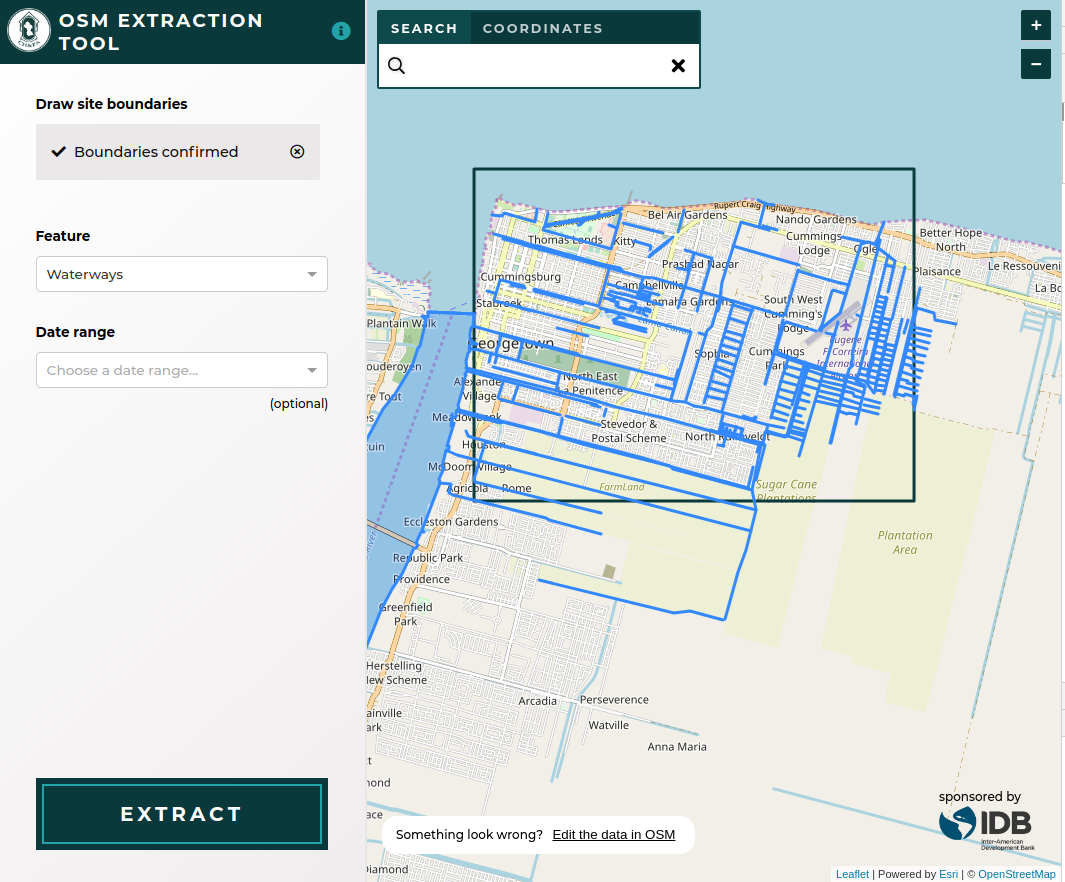
The development environment is completely encapsulated in the
Vagrant, Ansible, and Docker files contained in this respository.
All management scripts can be found in the ./scripts directory.
- Vagrant 1.8+
- VirtualBox 4.3
- Ansible 2.1+
Install the application and all required dependencies.
./scripts/setupRebuild Docker images and run application.
vagrant up
vagrant ssh
./scripts/update
./scripts/server| Service | Port |
|---|---|
| Webpack Dev Server | 4567 |
./scripts/test
| Name | Description |
|---|---|
cibuild |
Build project for CI |
clean |
Free disk space by cleaning up dangling Docker images |
console |
Run interactive shell inside application container |
lint |
Lint source code |
server |
Run Docker Compose services |
setup |
Provision Vagrant VM and run update |
test |
Run unit tests |
update |
Build Docker images |
To add a new NPM package to the project:
- Manually add the package to the project's
package.jsonfile, ensuring that you pin it to a specific version. - Run
./scripts/updatein the VM. - Commit the changes to the following files to git:
package.jsonyarn.lock
- We usually pin packages to a specific version to minimize build errors.
This project uses git flow for releases. You can find the latest version of
git-flow to install here.
Once it's installed, you'll need to enable git flow in your local version of
the repo by typing:
git flow initUse the default values provided; master for the current release, develop for
the next release. Since the release process entails pulling changes from
develop into a release, then merging that into master, you should ensure
that develop builds successfully on Travis before commencing a release.
After you've enabled git flow, you can use the following commands to make a
release, replacing "1.2.3" with the version you're releasing and updating the
CHANGELOG.md and package.json to match that version.
git flow release start 1.2.3
vim CHANGELOG.md
vim src/package.json
git add CHANGELOG.md src/package.json
git commit -m "1.2.3"
git flow release publish 1.2.3
git flow release finish 1.2.3
After you've completed the git flow steps, you'll need to push the changes
from your local master and develop branches back to the main repository and
push the release tags to finalize the release:
git push origin master:master
git push origin develop:develop
git push --tags
Once you've pushed the tags, the new release will appear in the project's "Releases" tab in GitHub. There you can edit the tagged release to add release notes.
OSM tags are grouped into high level features in the config file. The configuration can take all values of a tag, only certain keys of a tag, and multiple tags. A comprehensive example of a feature configuration is:
{
        label: 'Shop/Business',
        entities: [
            { tag: 'shop' },
            { tag: 'craft' },
            { tag: 'office' },
            {
                tag: 'building',
                values: ['office'],
            },
            {
                tag: 'amenity',
                values: ['restaurant', 'cafe', 'internet_cafe', 'bar', 'biergarten', 'fast_food', 'marketplace', 'fuel'],
            },
        ],
    },
The OSM tags will be converted to an Overpass API query and fetched from that service.
For full list see Contributors
The Documentation of Support and Use of the software is licensed under Creative Commons IGO 3.0 Attribution-NonCommercial-NoDerivative (CC-IGO 3.0 BY-NC-ND)
The codebase of this repo uses AM-331-A3 Software License.
The IDB is not responsible, under any circumstance, for damage or compensation, moral or patrimonial; direct or indirect; accessory or special; or by way of consequence, foreseen or unforeseen, that could arise:
I. Under any concept of intellectual property, negligence or detriment of another part theory; I
ii. Following the use of the Digital Tool, including, but not limited to defects in the Digital Tool, or the loss or inaccuracy of data of any kind. The foregoing includes expenses or damages associated with communication failures and / or malfunctions of computers, linked to the use of the Digital Tool.