
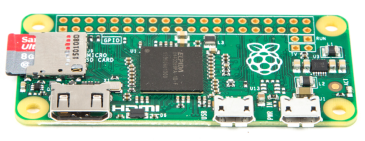
Use the commands below to install node in the Raspberry Pi Zero.
They are re-runnable so you can upgrade or downgrade just by running the command for each version.
$ wget -O - https://raw.githubusercontent.com/sdesalas/node-pi-zero/master/install-node-v4.0.0.sh | bash$ wget -O - https://raw.githubusercontent.com/sdesalas/node-pi-zero/master/install-node-v4.4.1.sh | bash$ wget -O - https://raw.githubusercontent.com/sdesalas/node-pi-zero/master/install-node-v4.7.0.sh | bash$ wget -O - https://raw.githubusercontent.com/sdesalas/node-pi-zero/master/install-node-v5.0.0.sh | bash$ wget -O - https://raw.githubusercontent.com/sdesalas/node-pi-zero/master/install-node-v5.12.0.sh | bash$ wget -O - https://raw.githubusercontent.com/sdesalas/node-pi-zero/master/install-node-v6.0.0.sh | bash$ wget -O - https://raw.githubusercontent.com/sdesalas/node-pi-zero/master/install-node-v6.4.0.sh | bash$ wget -O - https://raw.githubusercontent.com/sdesalas/node-pi-zero/master/install-node-v6.9.1.sh | bash$ wget -O - https://raw.githubusercontent.com/sdesalas/node-pi-zero/master/install-node-v7.2.1.sh | bash$ wget -O - https://raw.githubusercontent.com/sdesalas/node-pi-zero/master/install-node-v7.7.1.sh | bashWhen finished just check the node and npm versions.
$ node -v
$ npm -v
And remember, friends dont let friends pipe to sh.