You signed in with another tab or window. Reload to refresh your session.You signed out in another tab or window. Reload to refresh your session.You switched accounts on another tab or window. Reload to refresh your session.Dismiss alert
Create a folder C:\Program Files (x86)\AIMP\Plugins\Remote Control\Web\widget and extract the archive here.
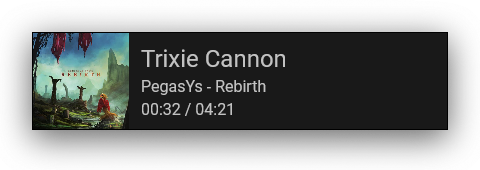
Launch AIMP and in OBS Studio add the widget http://localhost:3333/widget/index.html.
If you have Protect connect activated you need to use http://<username>:<password>@localhost:3333/widget/index.html (For example: http://someone:12341234@localhost:3333/widget/index.html).
Set up width and height in properties. Recommended Resolution - 480x170 px.
Створіть папку C:\Program Files (x86)\AIMP\Plugins\Remote Control\Web\widget та розпакуйте в неї вміст архіву.
Запустіть AIMP і в OBS Studio додайте віджет http://localhost:3333/widget/index.html.
Якщо у вас активовано Protect connect, то необхідно використовувати http://<username>:<password>@localhost:3333/widget/index.html (Наприклад: http://someone:12341234@localhost:3333/widget/index.html).
У властивостях вкажіть висоту та ширину об'єкта. Рекомендований розмір – 480x170 px.
Создайте папку C:\Program Files (x86)\AIMP\Plugins\Remote Control\Web\widget и распакуйте в неё содержимое архива.
Запустите AIMP и в OBS Studio добавьте виджет http://localhost:3333/widget/index.html.
Если у вас активирован Protect connect, то необходимо использовать http://<username>:<password>@localhost:3333/widget/index.html (Например: http://someone:12341234@localhost:3333/widget/index.html).
В свойствах укажите высоту и ширину объекта. Рекомендуемый размер - 480x170 px.