نرم افزار دستیار صوتی برای ویندوز | Comprehensive Voice Assistant Software For Windows





🇮🇷 فارسی
روزگار یک برنامهی دستیار صوتی مدرن برای ویندوز است که با استفاده از فناوری Vosk برای تشخیص گفتار و رابط کاربری قدرتمند WinUI 3 توسعه داده شده. این برنامه توانایی درک گفتار به زبانهای فارسی و انگلیسی را دارد و میتواند متن تشخیص دادهشده را تایپ کند، فرمانهای صوتی را اجرا نماید و نشانهگذاری را بر اساس گفتار انجام دهد.
- 🎤 تشخیص گفتار در لحظه با پشتیبانی از زبان فارسی و انگلیسی
- ✍️ تایپ هوشمند خودکار متنهای شنیدهشده در هر نرمافزاری
- 🧠 فرمانهای صوتی سفارشیپذیر (مثلاً: اجرای برنامه، باز کردن لینک، تایپ متن خاص)
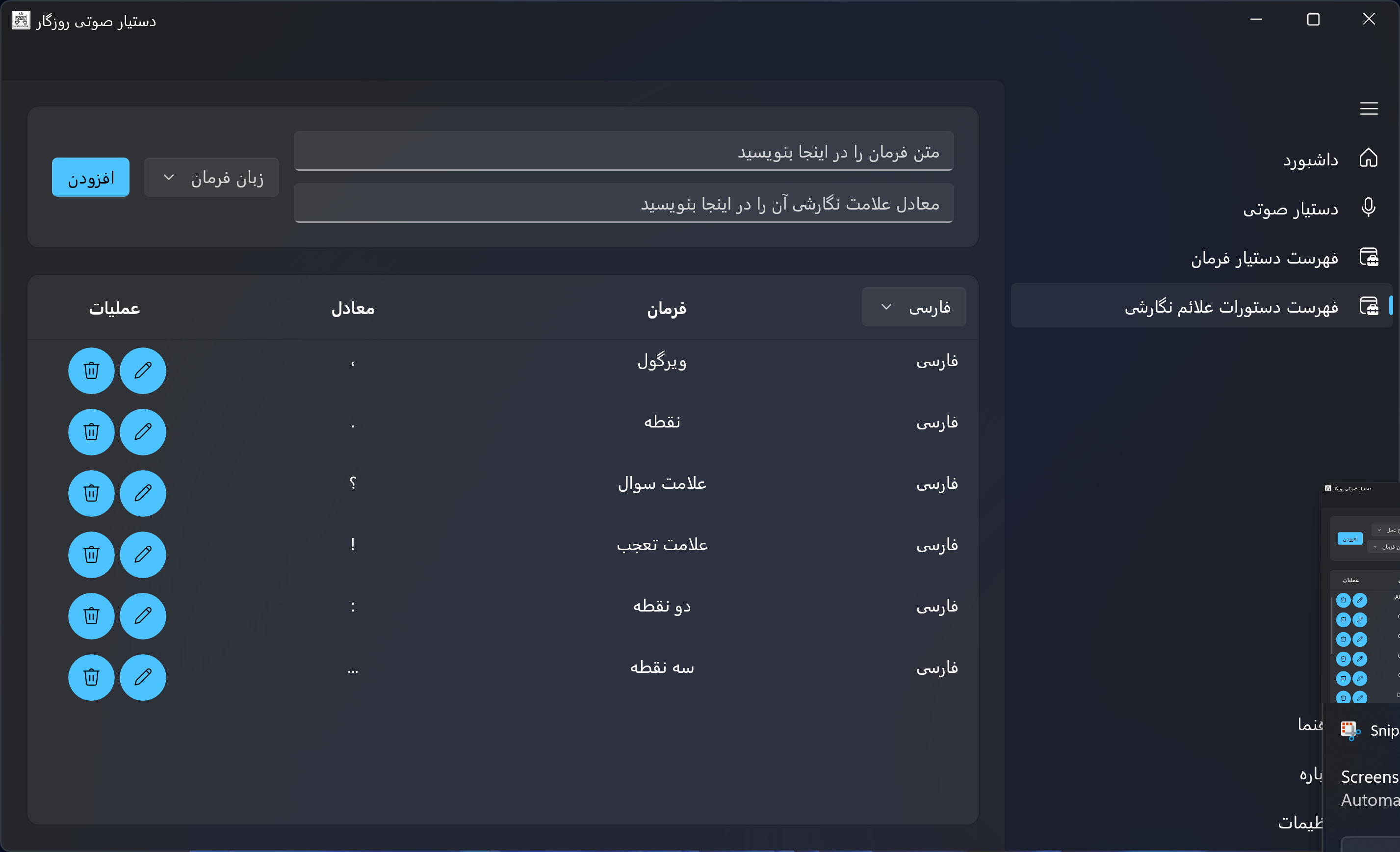
- 🔤 تشخیص و اجرای نشانهگذاری صوتی (مثل «نقطه»، «ویرگول»، «علامت سوال»)
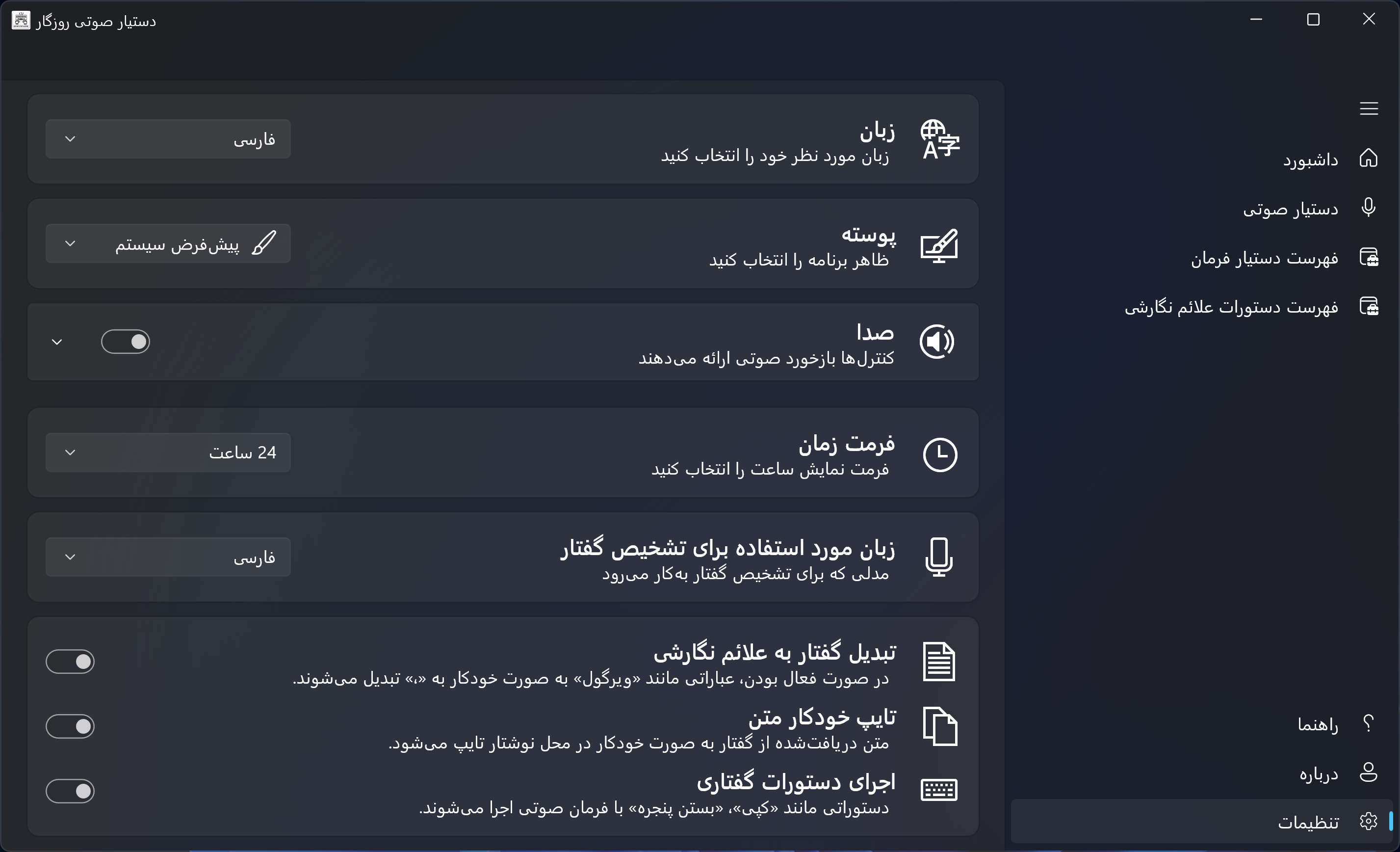
- 🎚️ تنظیمات کامل برای انتخاب زبان، تم گرافیکی، حالت صوت، فرمت ساعت و...
- 📋 قابلیت کپی و پاککردن سریع متنهای تشخیصدادهشده
- 🪟 طراحی مدرن و روان با WinUI 3 در محیط ویندوز ۱۰ و ۱۱
- Windows 10/11
- .NET 6 SDK یا بالاتر
- میکروفون فعال و مجاز برای برنامه
- فایلهای مدل Vosk برای زبانهای:
- فارسی:
VoskFA - انگلیسی:
VoskEN
- فارسی:
نسخههای کامپایل شده را از قسمت منتشر شدهها دانلود کنید.
- برنامه را اجرا کنید.
- در اولین اجرا، دسترسی به میکروفون را فعال نمایید.
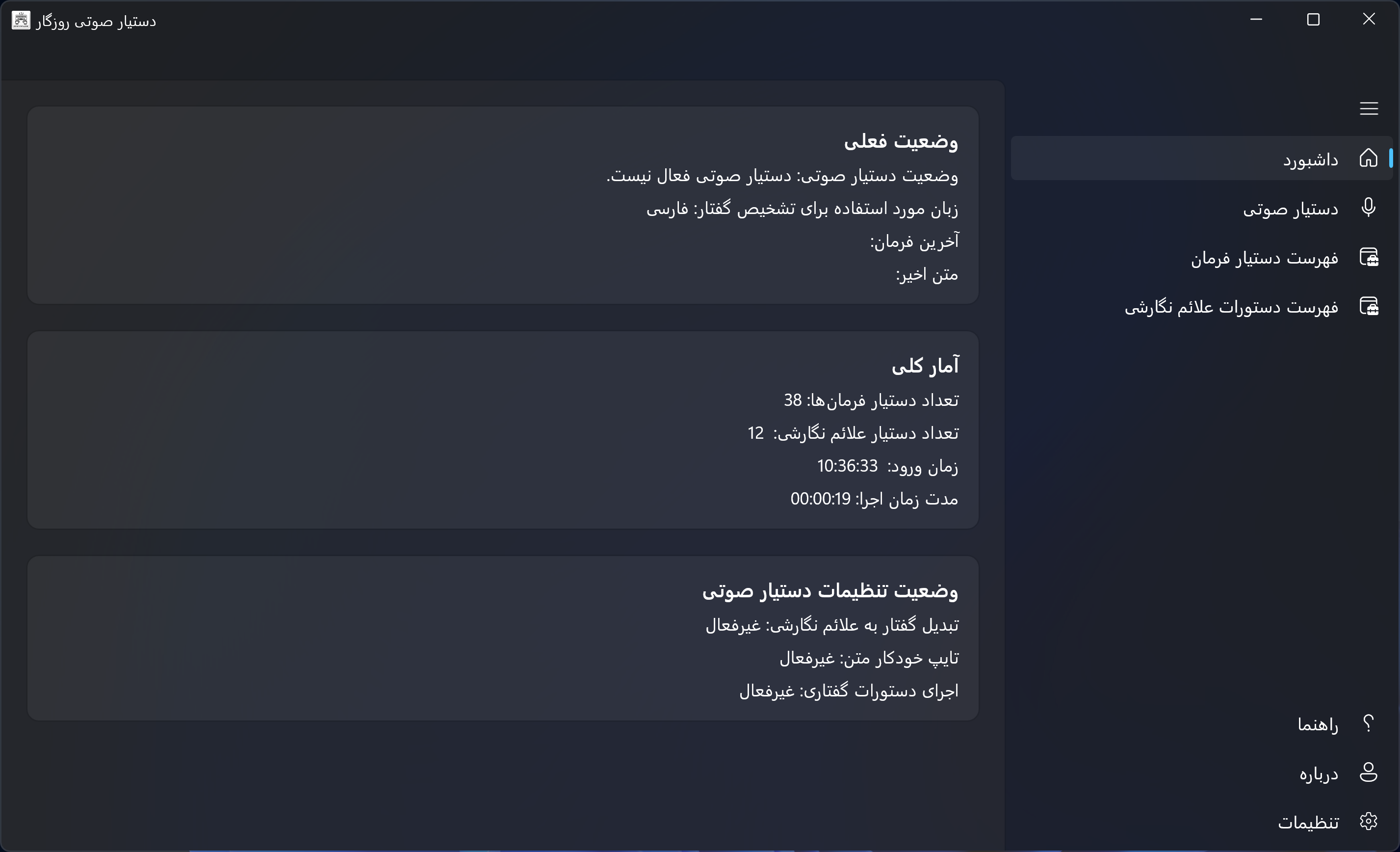
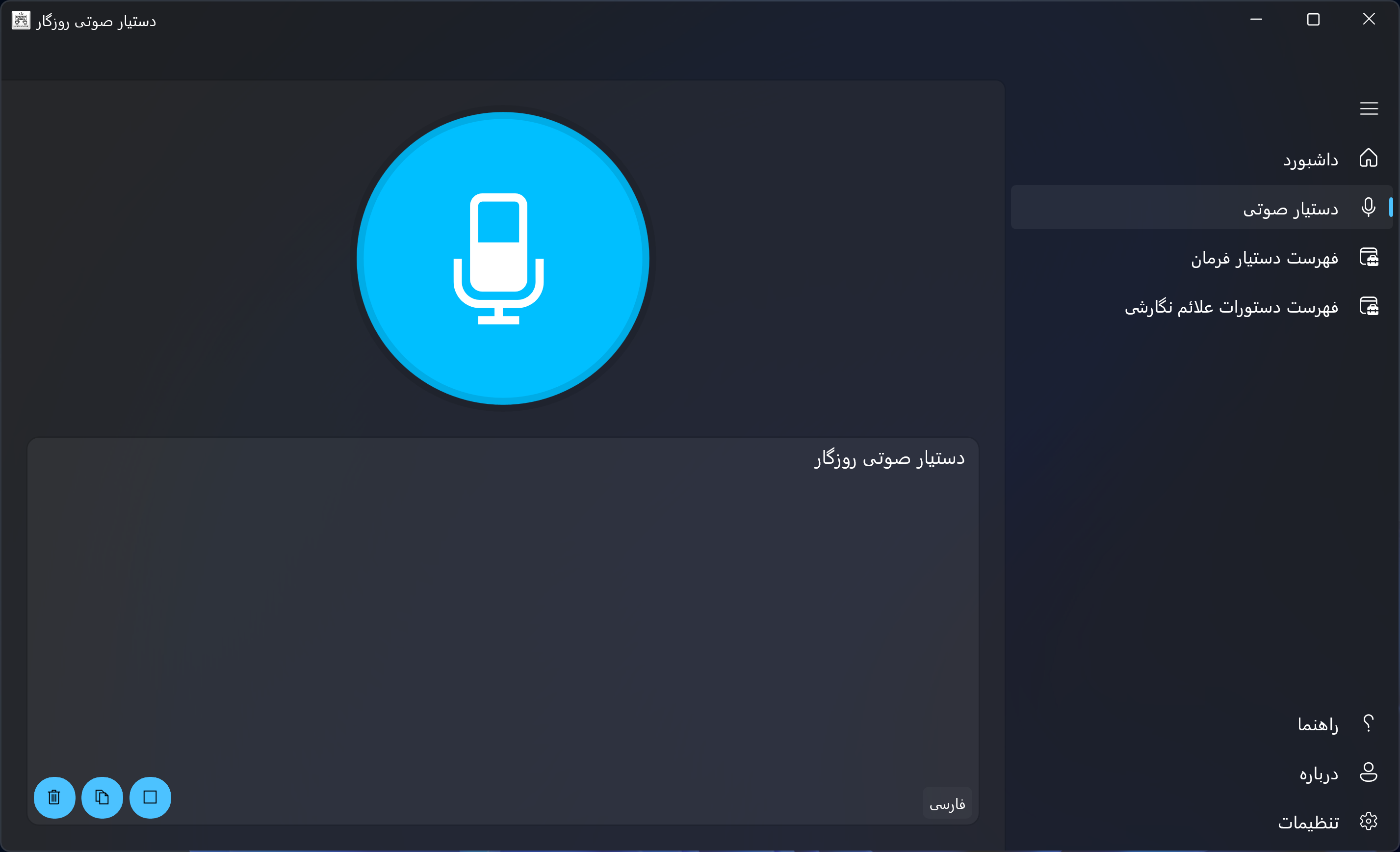
- با زدن دکمه میکروفون، فرایند شنود آغاز میشود.
- میتوانید فرمانهای صوتی تعریفشده یا نشانهگذاری را امتحان کنید.
- به کمک صفحه تنظیمات، زبان و تم دلخواه خود را انتخاب نمایید.
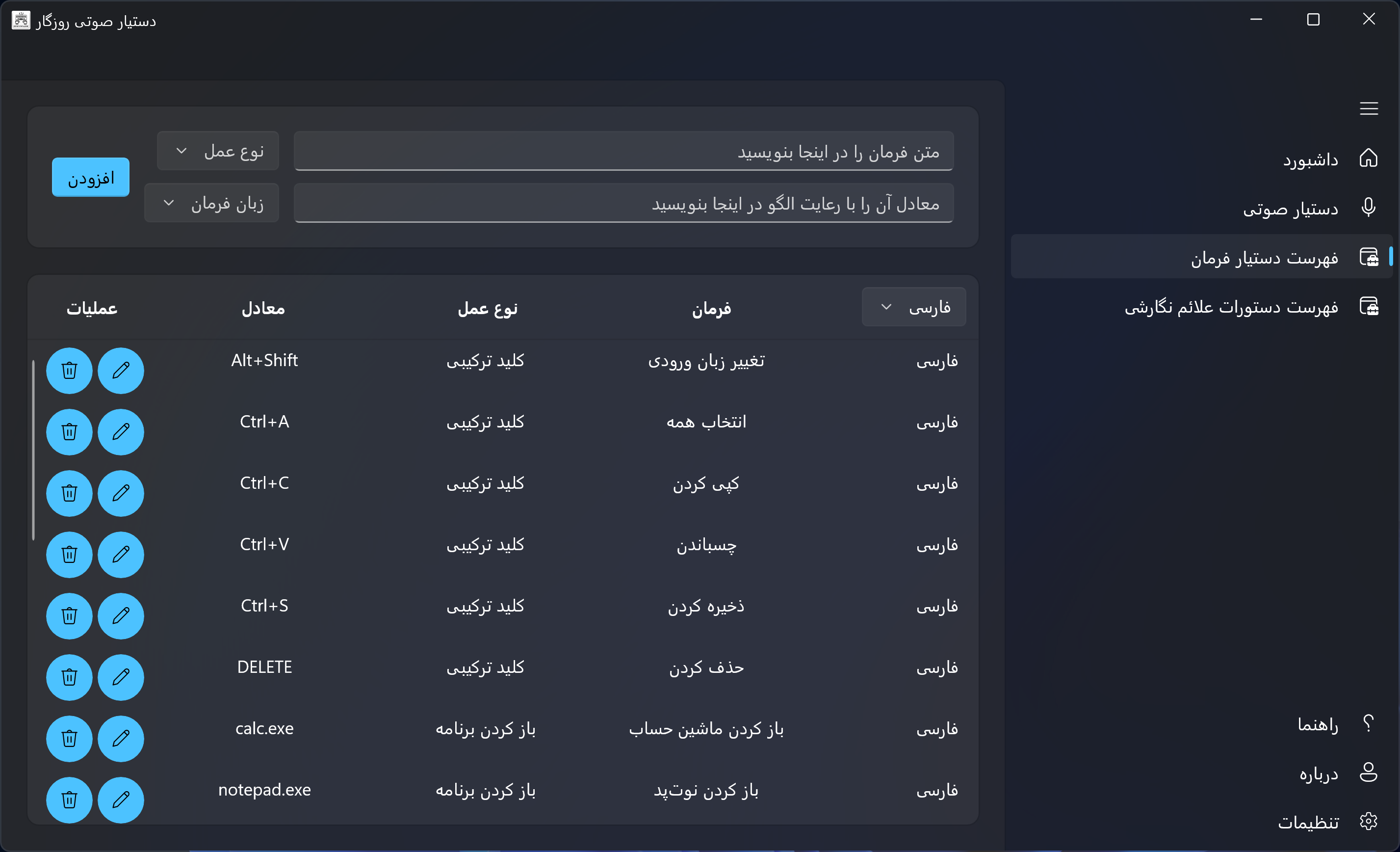
- با مراجعه به لیست فرمانها و نشانهگذاریها، دستورات جدید اضافه یا ویرایش کنید.
کاربر میتواند برای هر زبان (فارسی یا انگلیسی) فرمانهایی سفارشی تعریف کند. هر فرمان شامل:
- متن ماشه (Trigger)
- نوع عملکرد (مثل تایپ متن، اجرای فایل، باز کردن لینک)
- مقدار عملکرد (متن مورد تایپ، مسیر فایل یا آدرس اینترنتی)
مثلاً اگر بگویید «ویرگول» یا «نقطه»، برنامه بهطور خودکار ، یا . را درج میکند. این فرمانها نیز قابل ویرایش و تعریف توسط کاربر هستند.
| -------------- | -------------- | -------------- | -------------- | -------------- |
|---|---|---|---|---|
 |
 |
 |
 |
 |
ساختار موردنیاز برای مدلهای Vosk به این شکل است:
RoozegaarVoiceAssistant/
└── Assets/
└── Models/
├── VoskFA/
└── VoskEN/
مجوز نرمافزار رایگان – تقویم روزگار
کپیرایت © ۲۰۲۵ MEHDIMYADI
کلیه حقوق محفوظ است.
این نرمافزار بهصورت رایگان و فقط برای استفاده شخصی و غیرتجاری ارائه میشود.
کد منبع این نرمافزار در دسترس عموم قرار ندارد.
- نرمافزار را برای استفاده شخصی یا غیرتجاری دانلود و نصب کنید.
- نصبکننده اصلی و بدون تغییر نرمافزار را بهصورت آزادانه به اشتراک بگذارید.
- نرمافزار را مهندسی معکوس، دیکامپایل یا تغییر دهید.
- نرمافزار را برای مقاصد تجاری بفروشید، مجوز دهید یا توزیع کنید.
- مالکیت یا نویسندگی نرمافزار را ادعا کنید.
سلب مسئولیت:
این نرمافزار «همانگونه که هست» (AS IS) و بدون هیچگونه ضمانتی، صریح یا ضمنی، ارائه میشود.
استفاده از آن با مسئولیت خود شما خواهد بود.
🇬🇧 English
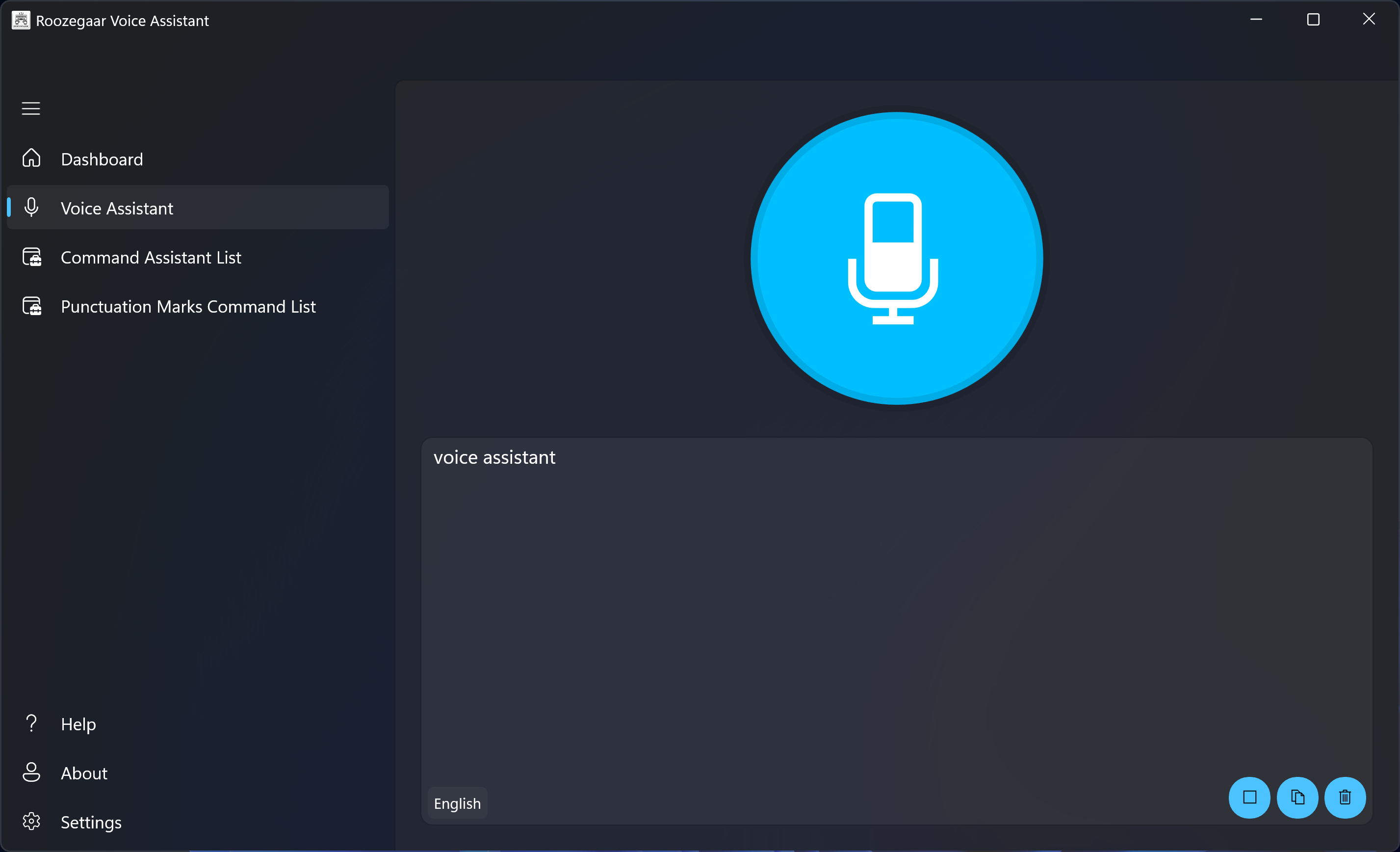
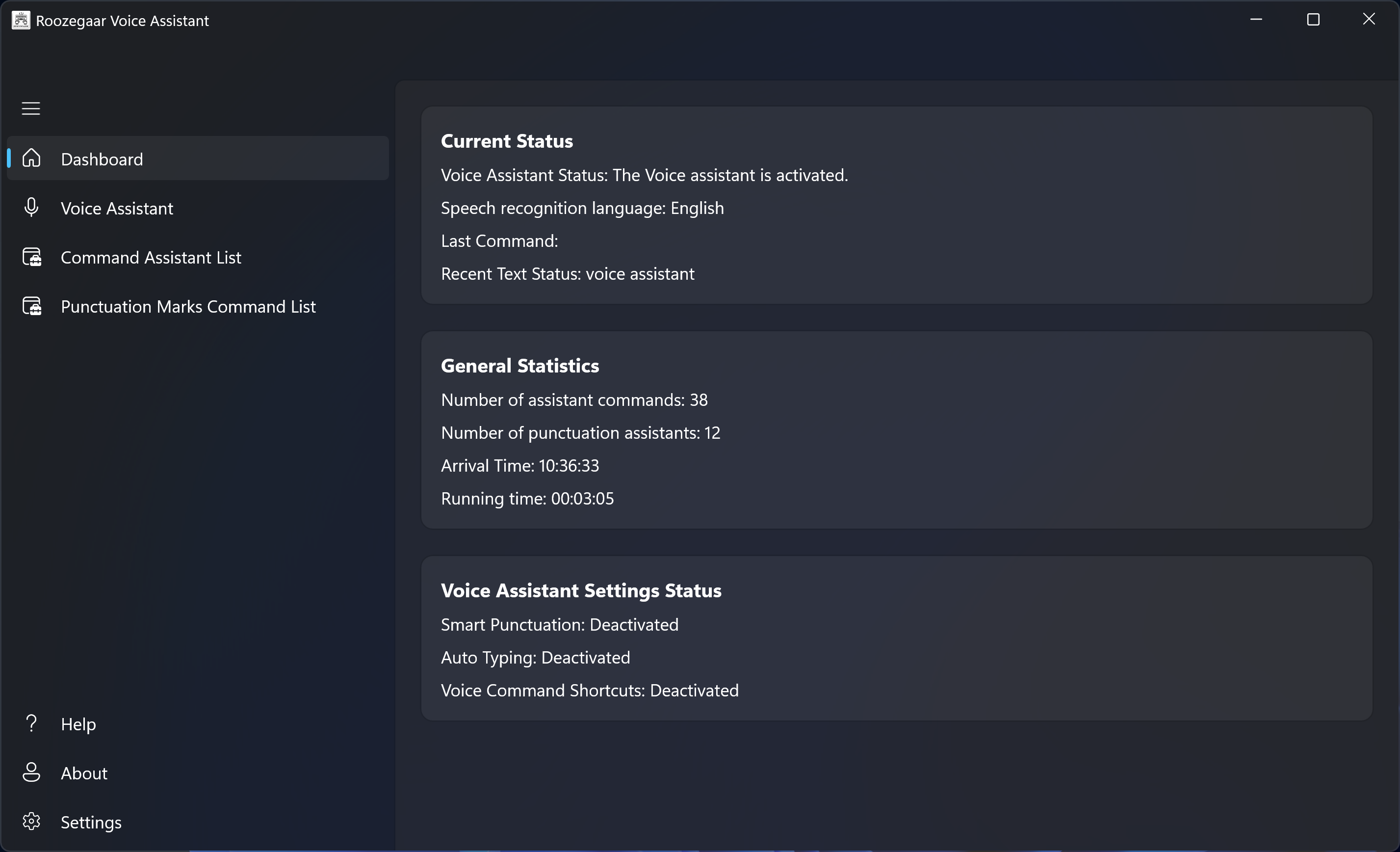
Roozegaar is a modern voice assistant for Windows built with WinUI 3 and powered by the Vosk speech recognition engine. It supports real-time speech-to-text, custom voice commands, and spoken punctuation, all within a clean, responsive user interface.
- 🗣️ Live speech recognition in Persian (
fa-IR) and English (en-US) - 📝 Smart auto-typing of recognized text in any app
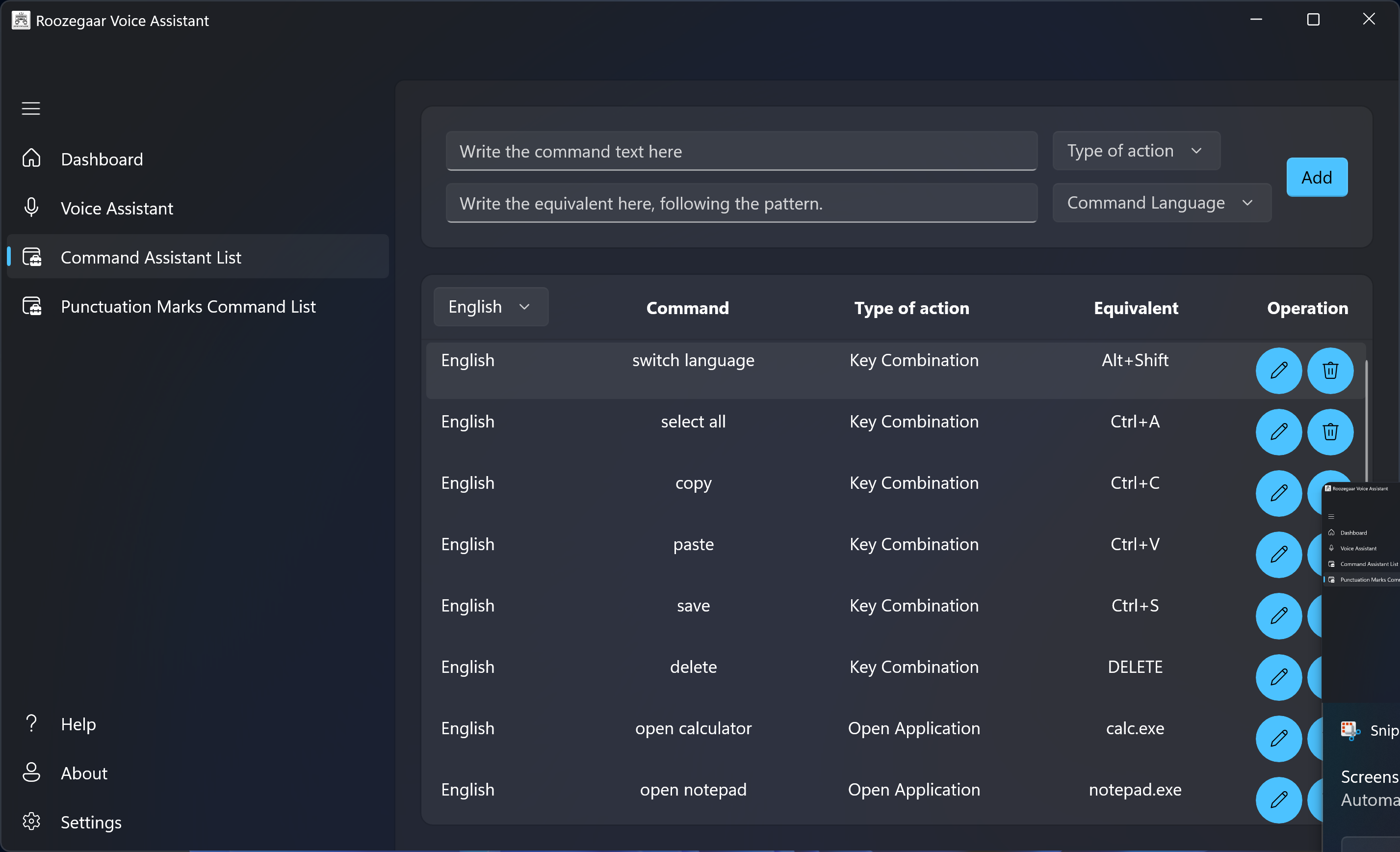
- 💡 Custom voice commands (e.g., open file, type text, launch app)
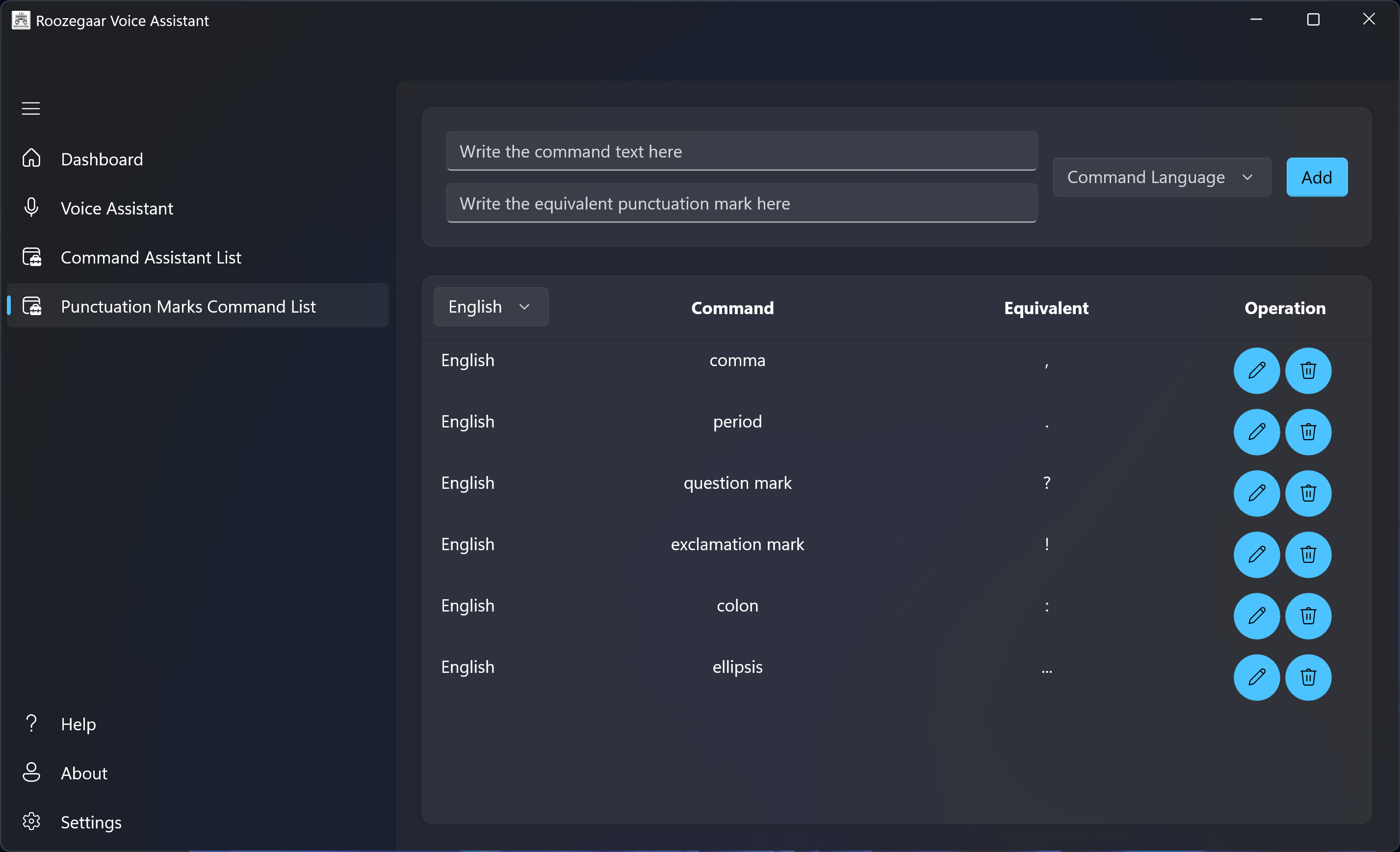
- ❗ Speech-based punctuation (say “comma”, “dot”, etc.)
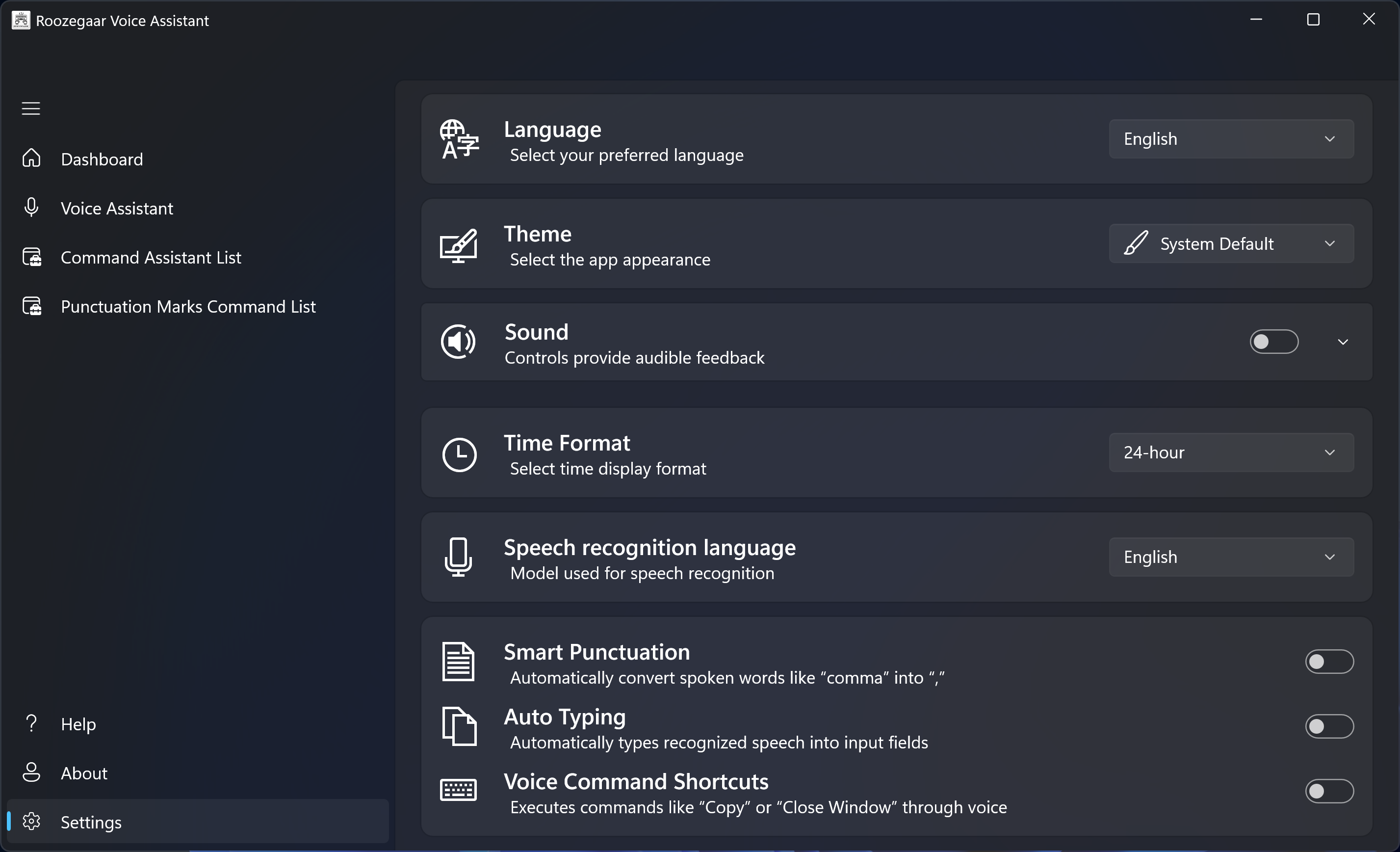
- 🎨 User preferences for theme, language, audio feedback, and time format
- 📋 Easy copy or clear functionality for recognized text
- 🖥️ Seamless native Windows integration with WinUI 3
- Windows 10/11
- .NET 6 SDK
- Microphone access enabled
- Downloaded Vosk models:
VoskFAfor PersianVoskENfor English
You can download the compiled versions from the Releases section.
- Launch the app.
- Grant microphone permission if prompted.
- Press the mic button to start recognition.
- Use smart text mode or command mode as needed.
- Customize settings in the “Settings” page.
- Add/edit commands or punctuation rules as needed.
Users can define voice triggers that perform specific actions such as:
- Typing predefined text
- Opening files or folders
- Launching applications
- Opening URLs
Each command can be language-specific.
Saying words like “comma”, “period”, or “question mark” will insert the appropriate symbol in the text output. You can add or edit these as well.
| -------------- | -------------- | -------------- | -------------- | -------------- |
|---|---|---|---|---|
 |
 |
 |
 |
 |
Make sure the Vosk model directories are placed as follows:
RoozegaarVoiceAssistant/
└── Assets/
└── Models/
├── VoskFA/
└── VoskEN/
Freeware License – Roozegaar Calendar
Copyright © 2025 MEHDIMYADI
All rights reserved.
This software is provided free of charge for personal and non-commercial use only.
The source code is not publicly available.
You are allowed to:
- Download and install the software for personal or non-commercial use.
- Share the original, unmodified installer freely.
You are not allowed to:
- Reverse-engineer, decompile, or modify the software.
- Sell, license, or distribute the software for commercial purposes.
- Claim ownership or authorship of the software or any part thereof.
Disclaimer:
This software is provided "AS IS", without warranty of any kind, express or implied.
Use it at your own risk.
Visit www.roozegaar.ir for more details.