


Live, on-device text recognition for Flutter. Apple Vision on iOS, ML Kit on Android. Like
mobile_scanner, but for text instead of barcodes.
 Android · ML Kit |
 iOS · Apple Vision |
iOS gives every line the same confidence, so the tier colours are off there. See API at a glance.
- Why text_sight?
- A quick taste
- API at a glance
- Platform support
- Install
- The recognition model
- Performance
- Upgrading to 1.0
- Going deeper
Most cross-platform OCR plugins run Google ML Kit on both platforms, which quietly drags
GoogleMLKit into your iOS build. text_sight doesn't.
| No ML framework in your iOS app | iOS recognition is Apple Vision, which is already part of the OS. No GoogleMLKit, nothing third-party to ship, so your iOS build stays smaller. CI fails the moment one sneaks in. |
| Android fetches its model on demand | The ML Kit model stays unbundled by default, so your APK carries a ~260 KB stub instead of the whole thing. Want it baked in? One line of Gradle. |
fast or accurate, per call |
Switch mid-session. On one live page accurate read 15 lines where fast got 9, for roughly 4x the time. iOS only, since ML Kit's Latin recognizer has no such knob. |
| No permission package | requestCameraPermission() goes straight to AVFoundation and the Android permission flow. Already using permission_handler? That still works. |
| The same boxes everywhere | Every box is normalized [0, 1] from the top-left on both platforms, so your overlay never branches on Platform. |
| Camera optional | One-shot recognition reads bytes or a file path. No camera, no permission, runs anywhere. |
Nothing recognition-related ever reaches your pubspec.yaml, so the two platforms can't bleed into
each other.
Point the camera at some text:
final controller = TextSightController();

TextSightView(
  controller: controller,
  onResult: (capture) => capture.lines.forEach((line) => print(line.text)),
  overlayBuilder: (context, capture, constraints) => /* paint line.boundingBox */,
);

await controller.requestCameraPermission(); // prompts via the OS
await controller.start();No camera, no permission, works on a simulator:
final capture = await TextSight.recognizeImage(bytes); // or .recognizePath('/photo.jpg')Hand the controller a region of interest to scan just a scan-box. Everything Apple Vision alone
can do sits under darwin, so a setting Android ignores can't be reached without naming the
platform.
final controller = TextSightController(
  options: TextSightOptions(
    roi: Rect.fromLTWH(0.1, 0.4, 0.8, 0.2),
    darwin: DarwinOptions(
      recognitionLevel: RecognitionLevel.accurate,
      usesLanguageCorrection: false,
    ),
  ),
);
usesLanguageCorrection is on by default. It helps prose, mangles serials and part numbers, and
roughly doubles the time on iOS, so scanning codes wants it off on both counts.
updateOptions swaps the whole set at once, so read options first when you only mean to change
one thing. The torch is its own call, since a still image has no such concept.
await controller.updateOptions(
  TextSightOptions(darwin: controller.options.darwin), // roi back to the whole frame
);
await controller.updateTorchEnabled(enabled: true);
Scanning small print? Turn the camera up. Set once, unlike the knobs above.
TextSightController(resolution: CaptureResolution.high);minimumTextHeight is the iOS half, and it is already 0, so nothing is being skipped for you to
turn back on. That leaves pixels as the only lever, and text small enough still comes back empty.
The plugin pauses the session when the app backgrounds and resumes it on return, and the OS can
take the camera away or fail it. None of that shows in the frame stream, so sessionState does:
ListenableBuilder(
  listenable: controller,
  builder: (context, _) => switch (controller.sessionState) {
    SessionIdle() => const Text('Not started'),
    SessionActive() => const Text('Scanning'),
    SessionPaused(:final reason) => Text('Paused: ${reason.name}'),
    SessionFailed(:final details) => Text('Camera failed: $details'),
  },
);- Your own calls throw at the call site. Whatever happens to the session afterwards arrives as a
state, and
SessionFailedstays parked until you callstart()again. - Active means the camera runs. Frames are recognized only while
isRecognizingis on and something listens tocaptures. Camera up but no work?pauseRecognition(). - One live controller at a time.
- A backgrounded app may only see
SessionPausedonce it's back, and after a hot restart the controller saysSessionIdleuntil youstart(). Render from the value and neither shows.
One Android thing worth knowing up front: the model downloads on first use, so give it a head start when the user opens your scanner, or that first scan comes back empty.
The example/ app is the place to look next. Live overlay, torch, region-of-interest,
permissions, and the one-shot screen, all wired up and ready to crib from.
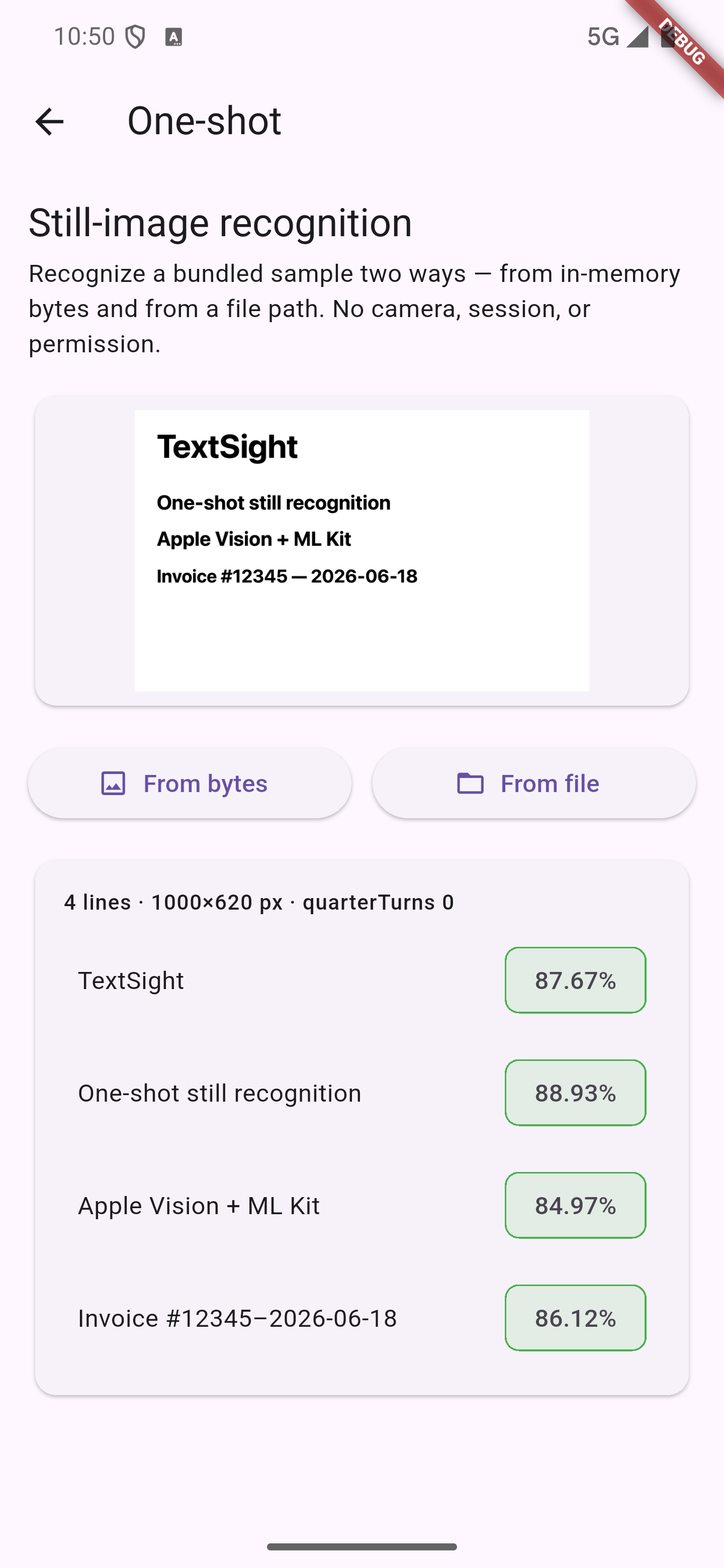 Android · ML Kit |
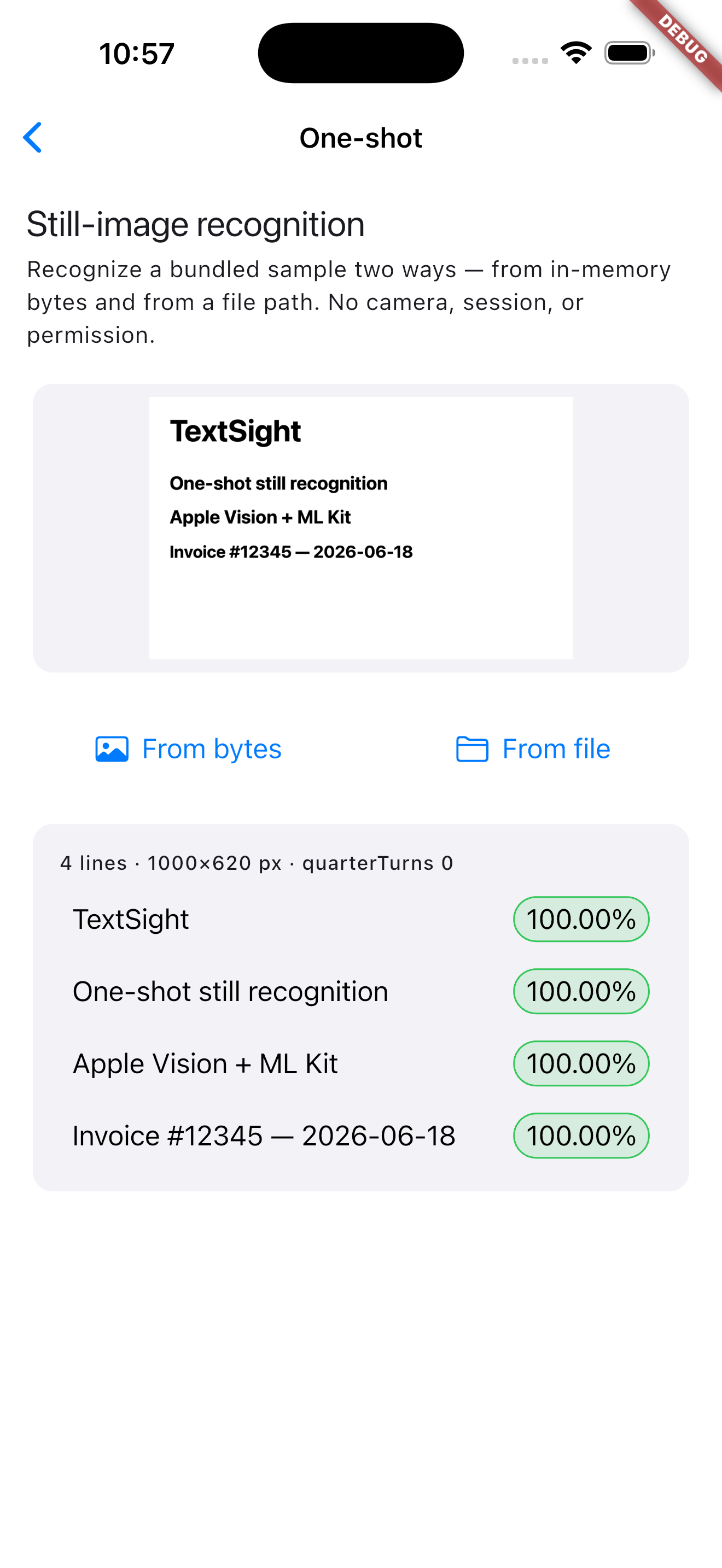 iOS · Apple Vision |
One import gets you everything: package:text_sight/text_sight.dart.
| Type | What it's for |
|---|---|
TextSightView + TextSightController |
the live camera path |
TextSight |
the static one-shot, on bytes or a file path |
TextSightOptions |
region of interest, plus a darwin group of Vision-only knobs |
TextSightCapture and RecognizedLine |
results: text, normalized box, confidence |
TextSightSessionState |
what the camera session is doing: idle, active, paused, failed |
TextSightEngine |
what this device's engine is like, e.g. confidenceScale |
ConfidenceScale |
what a confidence number means here, and whether it ranks |
TextSightModel |
Android model readiness, ensureReady() plus a stream |
DarwinOptions |
recognitionLevel, usesLanguageCorrection, preferredLanguages, minimumTextHeight. iOS and macOS only |
RecognitionLevel |
fast or accurate, inside DarwinOptions |
CaptureResolution |
how many pixels the camera feeds the recognizer |
CameraPermissionStatus |
granted, denied, permanently denied |
RecognizedElement |
reserved. Always null in v1, word-level results come later |
| Platform | Minimum | Engine |
|---|---|---|
| iOS | 15.0 | Apple Vision. RecognizeTextRequest on 18+, VNRecognizeTextRequest on 15 to 17 |
| Android | API 24 | ML Kit Text Recognition v2 (Latin) |
The right Vision API is picked for you. Android reads Latin script only for now. Live scanning needs a real device, since the iOS Simulator has no camera, but the one-shot runs anywhere.
Those minimums are what your users need. Building the iOS side needs Xcode 26 or newer,
because the plugin names an AVCaptureSession interruption reason that Apple added in the iOS 26
SDK. Your own deployment target still goes as low as 15.0.
⚠️ iOS 15 and 16: the preview and recognition don't follow device rotation. Those versions predateAVCaptureDevice.RotationCoordinator, so live capture isn't rotated to match how the phone is held. iOS 17+ is fine, and one-shot recognition is fine everywhere (it reads the image's own orientation). It's a deliberate trade-off for a device population we don't expect to see. If it affects you, open an issue and a proper fallback will follow.
Hosting Flutter inside a native iOS app?
Call controller.dispose() a step ahead of releasing the FlutterEngine or dismissing its
FlutterViewController, not in the same breath. dispose() hands the native side a teardown
request and returns before it finishes, so it isn't a barrier. The plugin also releases the camera
on engine detach, which covers the usual routes, but a host that keeps the engine alive forever gets
neither, and a live session that outlives its FlutterViewController can crash the app.
Plain Flutter apps need none of this.
flutter pub add text_sightAdd a camera-usage string to ios/Runner/Info.plist. This is required, because iOS kills the
app the moment the camera is requested without it.
<key>NSCameraUsageDescription</key>
<string>Used to recognize text from the camera.</string>
Then call controller.requestCameraPermission() before controller.start(), or
checkCameraPermission() if you want a priming screen first.
Nothing to do. The manifest already has what it needs.
iOS is free here, Vision ships with the OS. Android pulls its ML Kit model from Play Services on
first use, so your APK carries a ~260 KB stub instead of the whole thing. Warm it up with
TextSightModel.ensureReady() when your scanner opens, or bundle it:
doc/android-model.md.
Both engines keep up with a live preview, and on iOS fast runs several times quicker than
accurate. Getting results from native to Dart costs microseconds a frame, so the recognizer is
what sets the pace. Numbers, charts and method:
doc/performance.md.
Coming from 0.2? stop() is now pauseRecognition(), the three update* setters are one
updateOptions(), and the Vision-only settings moved under darwin. Full table, plus the two
behaviour changes the compiler won't catch: doc/upgrading.md.
Coordinate handling, the per-line confidence contract, the session state model, how
region-of-interest differs across platforms, and what's next: all in APPENDIX.md.
The longer guides live in doc/.