Created by Fu-Yao (Jefferson) Yu. Winter 2021 Personal Project.
Web app to ease creation of Spotify playlists by importing from other streaming applications or users' playlists.
This project began as a CS50x final project. It is difficult to import playlists and songs from external applications into Spotify, as well as to copy other users' playlists into a personal library to make modifications. As a result, this project was built to alleviate that difficulty.
After the course, the site functionality was improved, such as by adding the option to import to existing playlists, allowing real-time front-end updates for the status of importing, etc. Additioanlly, the project was deployed via Heroku to https://importify.herokuapp.com.
Currently, importify is awaiting approval from Spotify for a quota extension request. Once approved, importify will be accessible to all public Spotify users. Until then, you may sign up for importify access here. (The webpage is openly viewable without signup, but the importing functionality will not work.)
Using importify, users can log in to their Spotify accounts to import playlists by pasting track names into a text box, or by providing a Spotify playlist link to copy.
For instance,
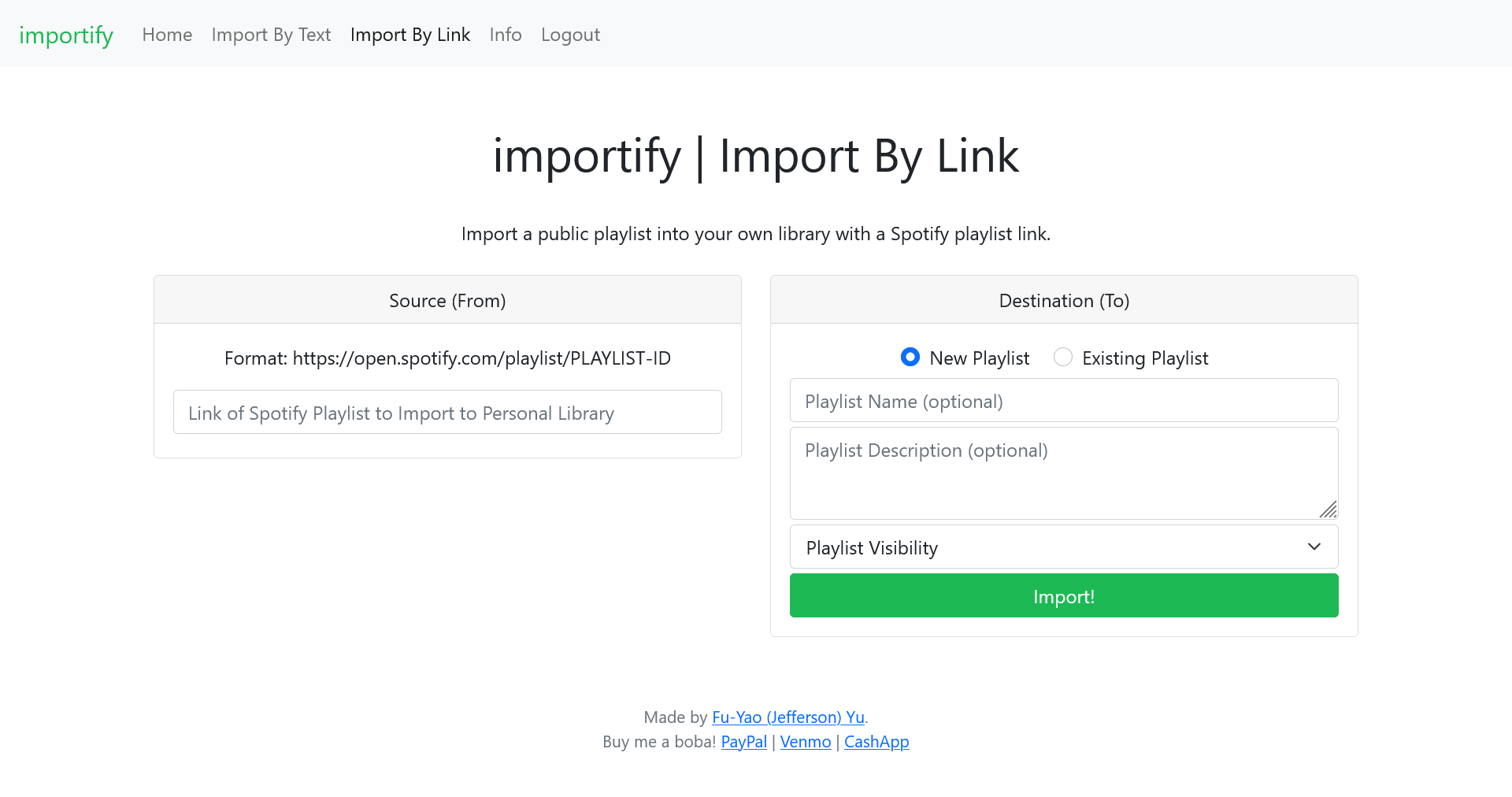
and
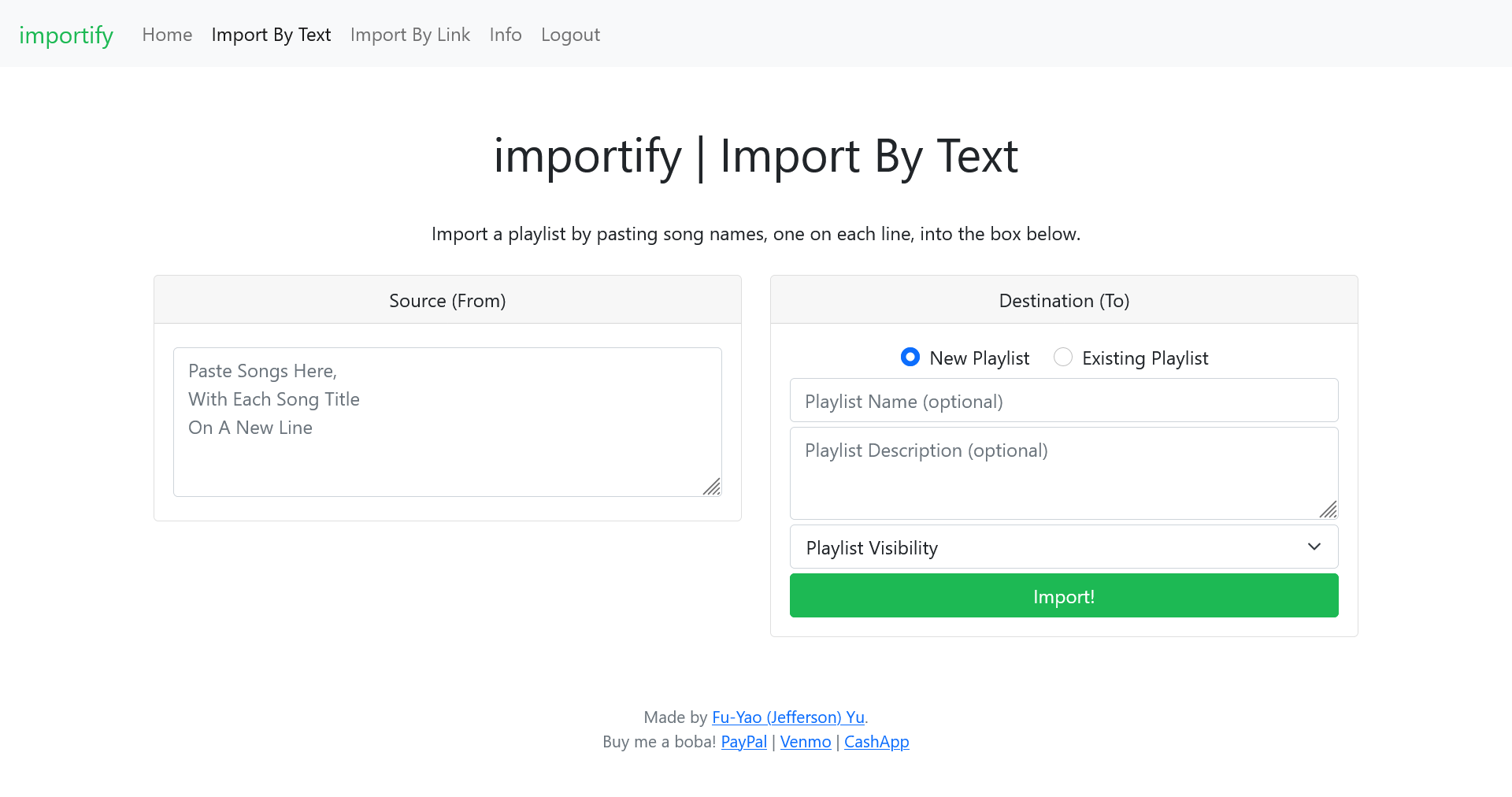
Version 1.0 Video Demo: https://www.youtube.com/watch?v=PoNl7INLp-E
- This project was built using the VSCode IDE. At first, I considered using the CS50 IDE because of my familiarity with it, but I wanted to challenge myself and explore the an industry-standard environment.
- I first set up VSCode by downloading and installing extensions for the languages I would be programming in, such as Python, HTML, and CSS. I then installed Python and set up a virtual environment for the project.
- From there, I installed dependencies from pip such as Flask. I tested Flask by creating a sample index.html page and having a basic redirect if a GET request was made.
- The "importspotify" folder is dedicated for the virtual environment setup.
- The "static" folder holds static files for webpage display, including the JS and CSS files that are linked. "style.css" was implemented by me, while the other files. such as "bootstrap.min.css" or "jquery-3.6.0.min.js", are downloaded from the internet.
- The "templates" folder holds template files for webpages. All of the other .html files are extended from the layout.html template, as there are many shared elements, such as the Navbar and Footer, that are common across all pages of the site.
- "app.py" holds the Python code for responses to the GET and POST requests from the user. These methods determine the functionality of the site when a link is clicked or a form is submitted.
- "requirements.txt" lists the dependencies needed for "app.py" so that others can easily install at a later time.
- Jefferson Yu - fu.yao.yu at hotmail dot com
- Project Repo: https://github.com/JeffersonYu1/importify
- Live: https://importify.herokuapp.com
- CS50x
- Spotipy (Python library for Spotify Web API)
- Spotify Authorization Flow Guide
- Spotify API provided by Spotify for Developers