| English | 中文 |
|---|
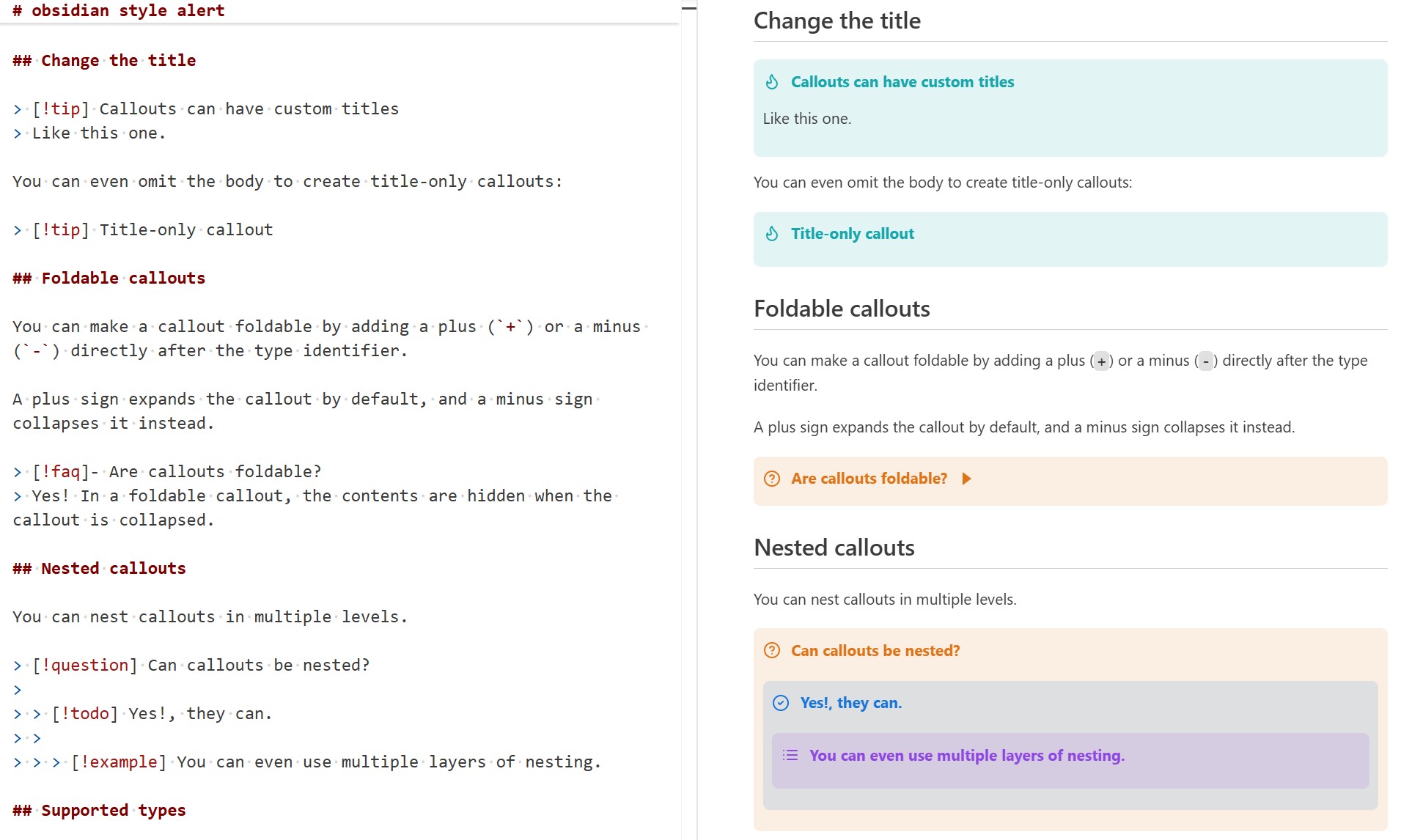
Support for Obsidian-style callouts in Markdown previews, including Jupyter Notebook previews.
Render beautiful Obsidian-style admonition blocks with simple syntax:
- Basic:
> [!KEYWORD] - With custom title:
> [!KEYWORD] Your Title Here
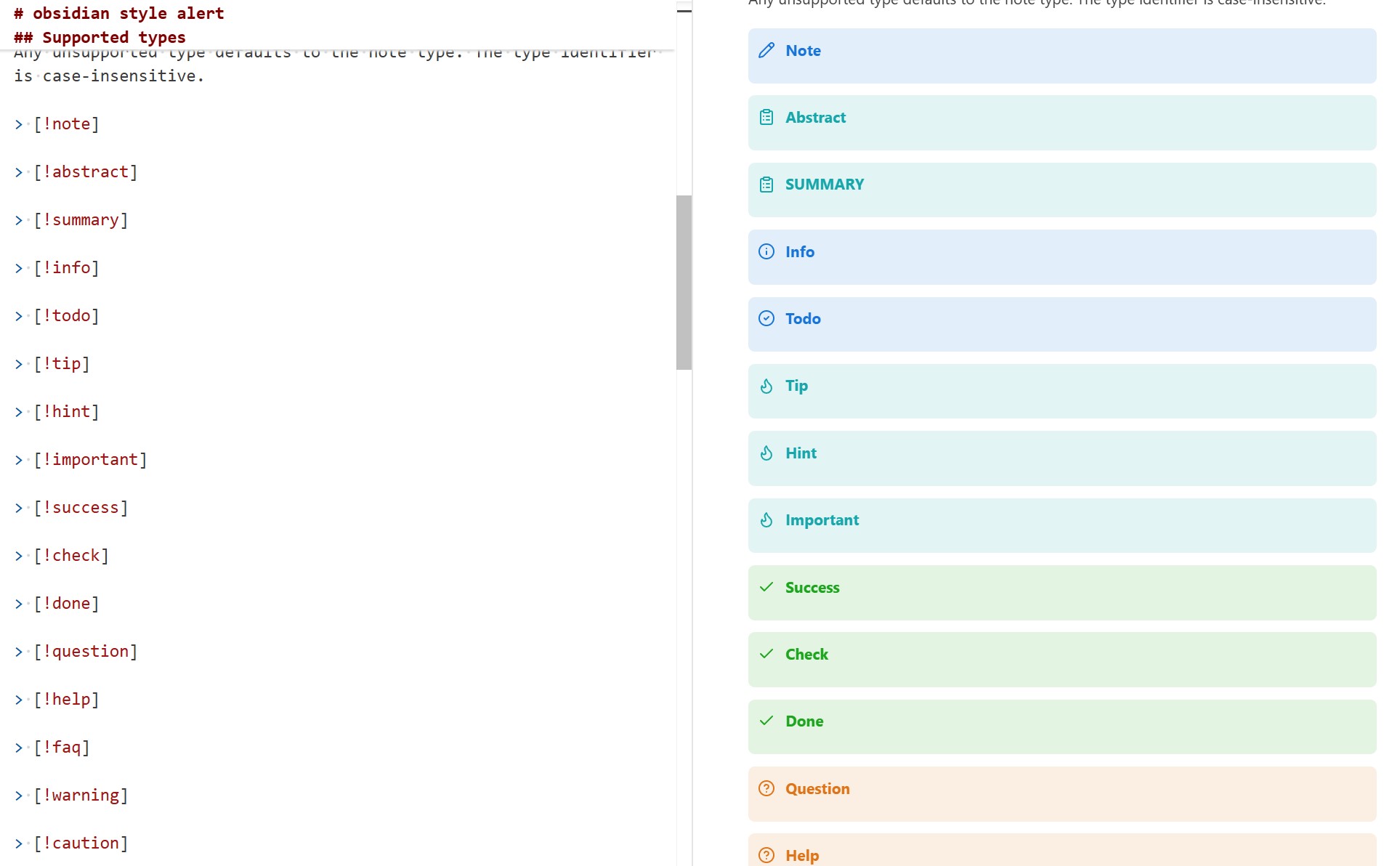
Supported keywords (case-insensitive):
NOTE,ABSTRACT,SUMMARY,INFO,TODOTIP,HINT,IMPORTANT,SUCCESS,CHECK,DONEQUESTION,HELP,FAQ,WARNING,CAUTION,ATTENTIONFAILURE,FAIL,MISSING,DANGER,ERROR,BUGEXAMPLE,QUOTE,CITE,PDF,BORDER
Professional typesetting for mathematical documents with automatic numbering and flexible customization:
| Environment | Keyword |
|---|---|
| Theorem | THM |
| Definition | DEF |
| Lemma | LEM |
| Proposition | PRP |
| Corollary | COR |
| Claim | CLM |
| Assumption | ASM |
| Example | EXM |
| Exercise | EXR |
| Hypothesis | HYP |
| Remark | RMK |
| Axiom | AXM |
| Conjecture | CNJ |
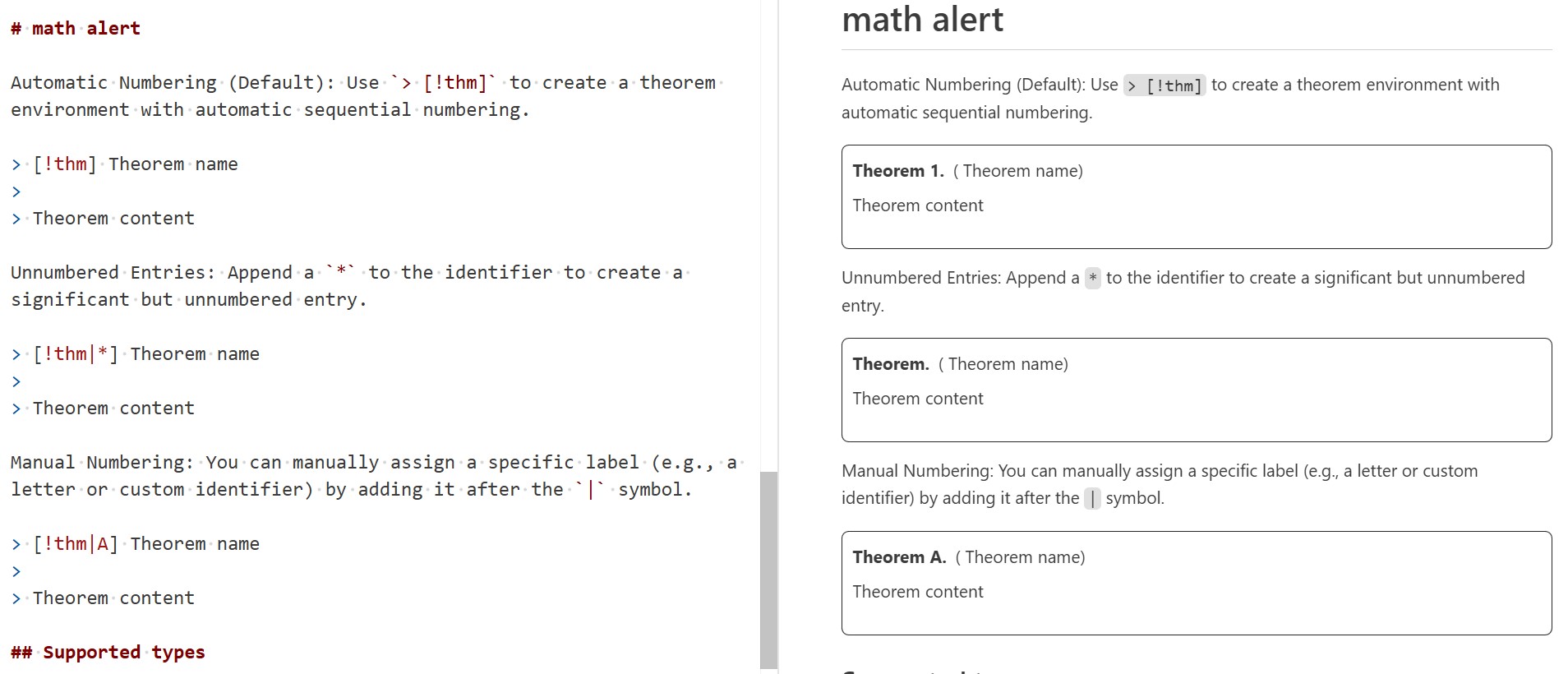
Theorem features:
- Automatic numbering:
> [!THM](Theorem 1, Theorem 2, ...) - Unnumbered:
> [!THM|*] - Manual numbering:
> [!THM|A](Theorem A)
Create interactive, collapsible callouts:
- Expandable:
> [!NOTE]+or> [!NOTE]+ Your Title - Collapsed:
> [!NOTE]-or> [!NOTE]- Your Title
- Unsupported keywords gracefully fall back to
NOTEstyle - Case-insensitive keyword recognition
- Seamless integration with existing Markdown workflows
> [!NOTE]
> This is a simple note callout

> [!WARNING] Important Security Notice
> Remember to update your passwords regularly

> [!THM]
> Every finite integral domain is a field

> [!THM|*]
> Pythagorean Theorem

> [!THM|A]
> This theorem has custom numbering

> [!TIP]+ Click to expand
> This tip is hidden until you click on it
- Install from VS Code Marketplace
- Start using Obsidian-style callouts in your Markdown files
- Enjoy enhanced mathematical typesetting for theorems and proofs
Check out test.md for comprehensive examples and usage patterns.
You can customize callout styles using CSS. Here are the steps:
- Open VS Code settings (
Ctrl + ,) and search formarkdown.styles; - Add the path to your custom CSS file, for example:
"markdown.styles": ["./custom.css"]; - Define your callout styles in the CSS file, for example, for a border style:
div[data-callout="border"].callout {
  background-color: transparent;
  border: 1px solid;
  border-color: black;
}
div[data-callout="border"].callout > .callout-title {
  border-bottom: 1px solid;
}
div[data-callout="border"].callout > .callout-title > .callout-icon {
  display: none;
}
Theoretically, you can use Obsidian snippets to achieve more complex styles.
Transform your Markdown documents with beautiful, functional callouts and professional mathematical formatting!