Hello everyone, we are the chiabee team from China.
We are currently working on an offline wallet for Chia. The biggest feature of this wallet is that multiple accounts can be managed with the same set of mnemonic phrases and can be used offline.
Because all our energy is currently devoted to development, this document is temporarily translated by google. Feedback is welcome, thank you!
Chiabee Wallet [0.1.3526.220203]
The source code would available later. This app is in ALPHA stage, don't use in PRODUCTION.
- The initial creation is a 12-digit mnemonic, and the 12-digit mnemonic can be converted into a 24-digit mnemonic and imported into the Chia official full node wallet and light wallet.
- Chia's 24-digit mnemonic can be imported.
- Multi-wallet management under the same mnemonic (similar to metamask)
- Support offline wallets, that is, neither the private key nor the password leaves the user's device.
- The private key is stored encrypted, only your login password can decrypt it
- Assets that can receive XCH and CATs. (The currently added CATs are BSH\SBX\CH21)
- Ability to create shadow wallets. That is: the same mnemonic, encrypted and unencrypted will be two different private keys (wallets). This function is suitable for professionals.
- Currently does not support sending assets
- temporarily unable to read assets on variable addresses
- Lack of prompt function (such as deletion prompt, password error prompt, etc.)
-
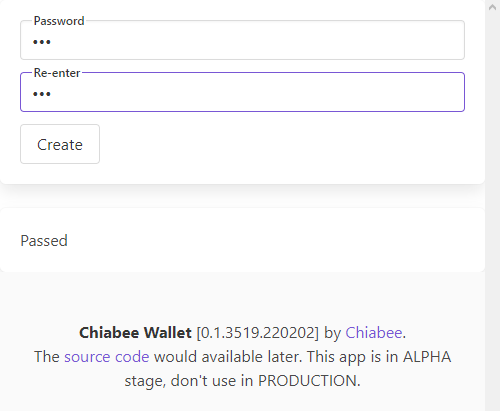
Create your wallet password.
-
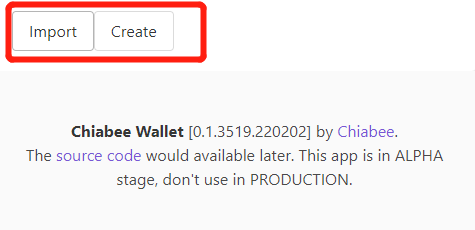
You can choose to import a mnemonic, or create a new mnemonic.
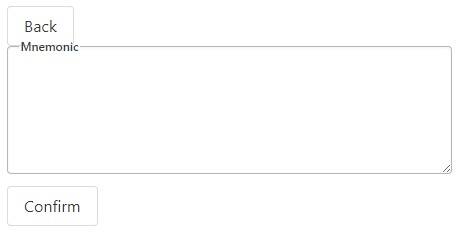
- Import: can import the 12-digit mnemonic created by this wallet, or the 24-digit mnemonic of the Chia client
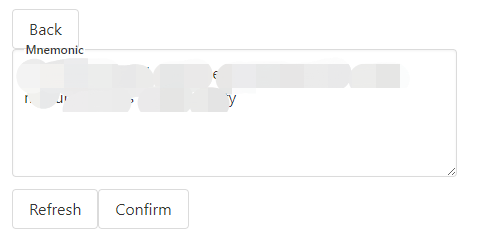
- Create: A 12-bit mnemonic can be created (this mnemonic can generate a 24-bit mnemonic recognized by the Chia client, which will be mentioned later)
-
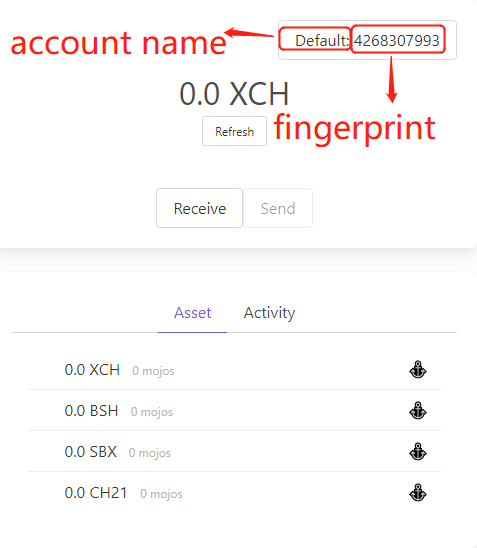
Click confirm to enter the wallet homepage
-
The wallet name and fingerprint will be displayed in the upper right corner. Click here to view wallet information
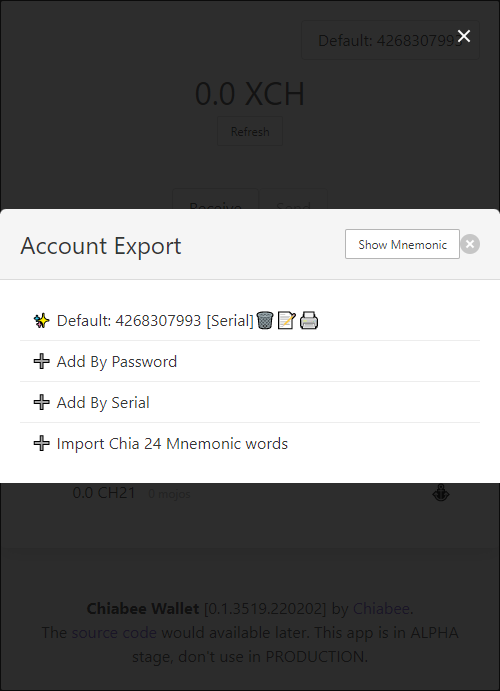
-
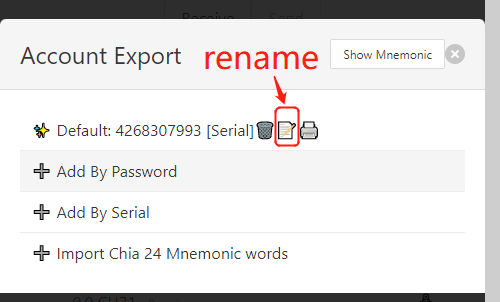
Modify wallet name
-
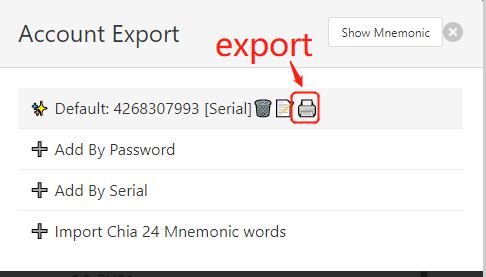
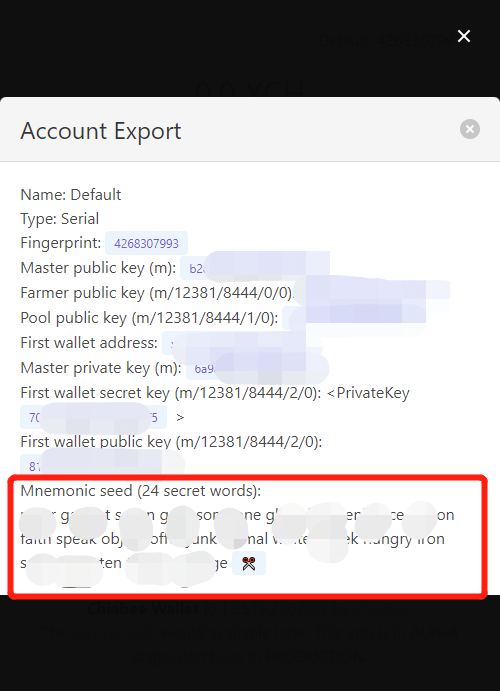
Export basic wallet information, including 24-bit mnemonic information that can be used by Chia client.
-
-
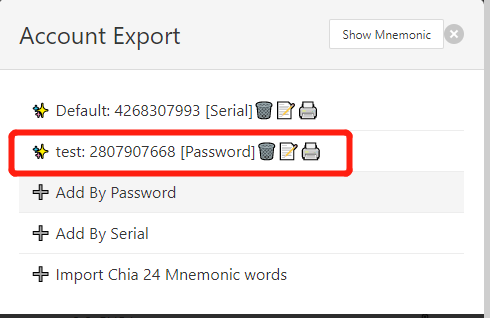
Add By Password: Create a shadow wallet with a password. [It is recommended for professionals to use, and will be explained in detail later]
-
Add By Serial: You can create a common serial wallet. Sequence wallets are created in order. If the sequence wallet is deleted, the original sequence wallet will be restored when it is re-created.
-
Shadow wallet is a mnemonic wallet with a password.
-
The same mnemonic, without password and with password, corresponds to different private keys (wallets).
-
Therefore, for some professionals, using the same set of mnemonic phrases, it is possible to choose to store a small amount of money in a normal wallet, and use a shadow wallet to store more important assets. In this way, even if the mnemonic is accidentally leaked, the shadow wallet is difficult to be discovered, thus protecting the user's assets. (This also means that the assets should be transferred to a new secure wallet!)
-
The shadow wallet of Chiabee wallet is created by password and sequence. If you accidentally delete the wallet, you can restore the deleted shadow wallet as long as you enter the previous password when re-creating it.
-
** Special emphasis: If you use the shadow wallet function, in addition to the mnemonic phrase, you also need to remember the corresponding shadow wallet password, otherwise the assets in the shadow wallet will be completely impossible to retrieve! **
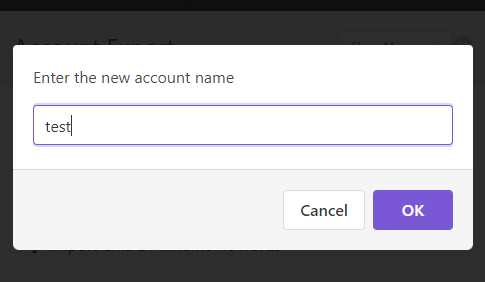
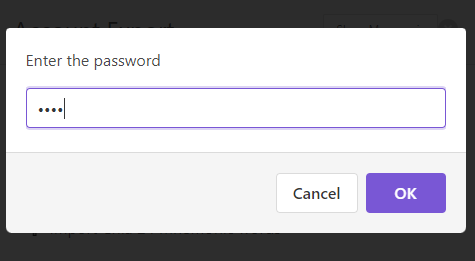
- You will be prompted to create a password when using it for the first time. If you forget the password later, you can only restore the wallet through the mnemonic phrase.
- If you use the shadow wallet function, in addition to the mnemonic phrase, you also need to remember the corresponding shadow wallet password, otherwise the assets in the shadow wallet will be completely irretrievable.
源代码将在之后提供。 此应用程序处于内测阶段,请勿用于正式用途。
Chiabee Wallet [0.1.3526.220203]
- 初始创建为12位的助记词,并可将这12位助记词转成24位助记词导入Chia官方全节点钱包和轻钱包。
- 可导入Chia的24位助记词。
- 同一助记词下的多钱包管理(类似metamask)
- 支持离线钱包,即私钥和密码都不离开使用者的设备。
- 私钥为加密存储,只有你的登录密码能将它解密
- 可接收XCH和CATs的资产。(目前已添加的CATs有BSH\SBX\CH21)
- 可创建影子钱包。即:同样的助记词,加密码和不加密码将是两个不同的私钥(钱包)。本功能适合专业人士使用。
- 暂不支持发送资产
- 暂时无法读取可变地址上的资产
- 缺少提示功能(如删除提示、密码错误提示等)
-
创建你的钱包密码。
-
可以选择导入助记词,或创建新的助记词。
- Import:可导入本钱包创建的12位助记词,或Chia客户端的24位助记词
- Create:可创建一个12位助记词(该助记词可生成被Chia客户端识别的24位助记词,后面会再提到)
-
点击confirm后即进入钱包主页
-
右上角会显示钱包名称和指纹。点击此处可查看钱包信息
-
修改钱包名字
-
导出钱包基本信息,包括可被用于Chia客户端的24位助记词信息。
-
-
Add By Password:可创建带密码的影子钱包。【建议专业人士使用,后文会详细说明】
-
Add By Serial:可创建普通序列钱包。序列钱包是按顺序创建的,如果序列钱包被删除,重新创建时将恢复原本的序列钱包。
- 影子钱包是一个带密码的助记词钱包。
- 同样的助记词,不带密码和带密码,对应的是不同的私钥(钱包)。
- 因此,对于一些专业人士而言,使用同一套助记词的情况下,可以选择用普通钱包存放少量钱,而用影子钱包存放更重要的资产。这样,哪怕助记词不小心被泄露,影子钱包也很难被人发现,从而保护使用者的资产。(此时也意味着应该将资产转移到一个新的安全钱包当中了!)
- Chiabee wallet的影子钱包是按密码及序列创建的。如果不小心将该钱包删除,只要在重新创建时输入之前的密码,就可将被删掉的影子钱包恢复出来。
- 特别强调:若使用影子钱包功能,除助记词外,还需要记住对应的影子钱包密码,否则影子钱包内的资产将彻底无法找回!
- 初次使用会提示要创建密码。如之后忘记密码,则只能通过助记词来恢复钱包。
- 若使用影子钱包功能,除助记词外,还需要记住对应的影子钱包密码,否则影子钱包内的资产将彻底无法找回。