A free, open-source, self-hosted toolkit for running NIST Cybersecurity Framework (CSF) 2.0 profile assessments — a lightweight alternative to commercial GRC platforms. Track outcomes, assign ownership, document observations and findings, score current and target states, and export for visualization. All locally, with your data staying on your machine.
🚀 Try the Live Demo — no install required. Explore a populated assessment of the fictional company "Alma Security" in seconds.
Building your GRC portfolio artifact for a Simply Cyber Academy course? Here's the whole arc:
- Open the app — csf-profile-app.pages.dev (no install), or pick another door below.
- Explore the sample — a comprehensive CSF 2.0 assessment for fictional "Alma Security" is pre-loaded; check the Dashboard radar to see where you're headed.
- Score your scope — pick your subcategories and score current vs. target state using the built-in 0-10 scoring legend.
- Document observations and findings — record what you examined, who you interviewed, what you tested, and link evidence artifacts.
- Export and report — export your CSV workpapers and write up results; use the example audit report as your template. That deliverable is your portfolio piece.

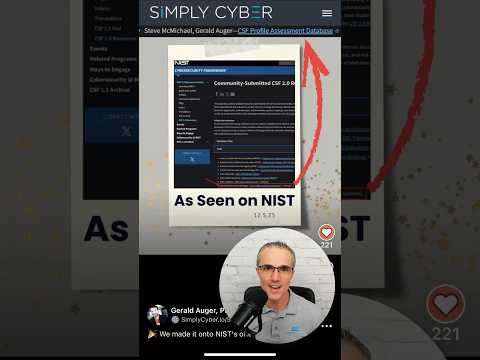
👆 Click the image above to view a short explainer video.
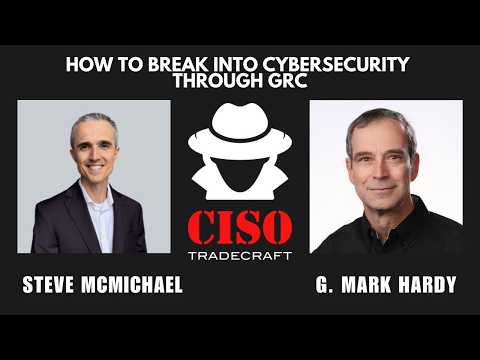
👆 Watch the overview with G Mark Hardy.

👆 Click the image above to check out the walkthrough on Excalidraw.
 NIST CSF Overview |
 Community Submitted Resource |
 GitHub Repo |
 Assessment Catalog |
 Notion & Excel Templates |
 Scoring Legend |
 Dashboard & Radar |
 Priority Gaps |
More Screenshots - See the application in action
The same NIST CSF 2.0 guidance, flattened into proper tables, ships in four formats. Pick the one that fits how you work — you don't need to install the app to get value from this repo:
| Door | Best for | Start here |
|---|---|---|
| 📊 Spreadsheets | Excel / Power Query users; feeding your AI assistant; zero-tooling quick start | GET_THE_SPREADSHEETS/ |
| 📝 Notion template | Individuals and small teams who want a free, dynamic CSF database — no GRC tool budget needed | GET_THE_NOTION_TEMPLATE/ |
| 💻 React app | Consultants and analysts who want a guided assessment workflow (or just try the demo) | INSTALL_THE_APP/ or Installation below |
| 🎓 Practice case study | Career-changers building a GRC portfolio — run a full assessment of fictional "Alma Security" | ASSESSMENT_CATALOG/ |
This project is intentionally a first-contribution-friendly repo for GRC practitioners and career-changers — including contributions that require no code at all (test procedures, assessment artifacts, case-study findings, documentation). Coders are equally welcome: features, bug squashes, and UI improvements are labeled in Issues.
👉 Start with CONTRIBUTING.md — it has two tracks: Contribute Without Code and Contribute Code. Filter issues by good first issue to find a starting point, and add your name to CONTRIBUTORS.md with your first merged PR.
Find in depth videos for CSF profile assessments and this tool in Simply Cyber Academy here: https://academy.simplycyber.io/p/accrp
macOS typically comes with Git pre-installed. You only need to install Node.js:
-
Download and install Node.js from nodejs.org (LTS version recommended)
-
Verify installation by opening Terminal and running:
node --version
npm --version
-
Install Git first: Download and install Git from git-scm.com
- During installation, you can accept the default options
-
Install Node.js: Download the MSI installer from nodejs.org (LTS version recommended)
- Run the MSI installer and follow the prompts
-
Open PowerShell to run the installation commands below
- Press
Win + Xand select "Windows PowerShell" or search for "PowerShell" in the Start menu
- Press
-
Update your package manager and install Node.js:
sudo apt update
sudo apt install nodejs npm git
-
Clone the repository
git clone https://github.com/CPAtoCybersecurity/csf_profile cd csf_profile -
Install dependencies
npm install -
Start the development server
npm start -
Access the application Open your browser and navigate to http://localhost:3000
Some exports support optional password protection. If you provide a password, the downloaded file will be named like:
assessments_YYYY-MM-DD.enc.csv
This is an encrypted file format intended for secure backup/storage. It will not open directly in Excel/VS Code.
Use the provided Node script to decrypt an encrypted export back into a regular CSV:
Note: The script works on modern Node versions (Node 18+ recommended). On Node 22+ globalThis.crypto is read-only; the script handles this internally.
node scripts/decrypt-export.mjs --in <input.enc.csv> --out <output.csv>Example:
node scripts/decrypt-export.mjs --in assessments_2026-01-19.enc.csv --out assessments_2026-01-19.csvIf the password is wrong (or the file is modified), decryption will fail.
Security note: Passing --password on the command line may save it in your shell history. If needed for automation, you can still provide --password "...".
The application uses an optional .env file for backend configuration. The only credential the app uses is the Claude AI Assistant key (server-side). Copy .env.example to .env to get started:
cp .env.example .envThe AI Assistant's Claude integration is configured on the backend only — the browser never sees or stores the API key:
CLAUDE_API_KEY- Your Anthropic API key (used by the backend proxy at/api/ai/claude)CLAUDE_MODEL- Optional model override (defaults toclaude-sonnet-4-20250514)
Set these in the backend environment (or .env) and restart the server. The frontend shows a "Ready" badge when the key is configured (via GET /api/ai/status, which returns a boolean only). Without a key, Claude requests return a mock response so local development still works.
Recommended: Using a .env file (All platforms)
The easiest approach for all platforms is to use a .env file in the project root:
- Copy
.env.exampleto.env - Edit
.envand fill in your values - The
.envfile is automatically excluded from version control - Run
npm startas normal
Important Security Notes:
- Never commit your
.envfile to version control - Never share your API tokens publicly
- Rotate tokens periodically for security
- The
.envfile is already listed in.gitignoreto prevent accidental commits
If you encounter issues with react-scripts not installing correctly on Kali Linux:
-
Delete node_modules and reinstall:
cd csf_profile rm -rf node_modules rm package-lock.json npm install -
If issues persist, try installing with the
--legacy-peer-depsflag:npm install --legacy-peer-deps
-
Verify react-scripts is installed:
ls node_modules/.bin/ | grep react-scripts
Docker support is planned for a future release. Draft Docker files are available in _future/docker/ for reference. These require updates for production use with the new backend integration.
Contributed by @SecBurg
File-based exports run entirely in the browser — no backend required:
- CSV Export: Import into Excel, Google Sheets, or any spreadsheet tool
- JSON Export: Import into Jira via the Jira Importers plugin, or use with other tools
The Export CSV function allows you to:
- Export your entire assessment database to a CSV file
- Include all control details, observations, scores, and action plans
- Generate date-stamped files for version control
- Add it to the companion Excel template for reporting
To export your data, click the "Export CSV" button in the controls view. The file will be automatically downloaded with a filename that includes the current date.
The Import CSV function allows you to:
- Import assessment data from a CSV file
- Update your assessment with data from external sources
- Restore from a previous export
- Collaborate by sharing and merging assessment files
Important Note: Importing a CSV will overwrite all data currently in the database. Make sure to export your current data first if you want to preserve it. CSV files are particularly useful for creating charts and visualizations in Excel or other spreadsheet applications.
The application includes several key sections:
- Subcategories: View and manage all CSF controls
- Dashboard: Visualize assessment data and progress
- Scoring: Reference the scoring legend and methodology
- Artifacts: Audit artifacts with links, to map to CSF subcategories for "test once - assure many" efficiencies
- User Management: Manage users involved in the assessment
The tool uses a scoring system from 0-10 to assess the current and desired state of each control. It comes from the Mastering Cyber Resilience textbook by AKYLADE.
- 0-1.9: Insecurity - Organization rarely or never implements this control
- 2.0-4.9: Some Security - Organization sometimes implements this control, but unreliably
- 5.0-5.9: Minimally Acceptable Security - Organization consistently implements this control with minor flaws
- 6.1-6.9: Optimized Security - Organization consistently implements this control with great effectiveness
- 7.0-7.9: Fully Optimized Security - Organization implements this control with fully optimized effectiveness
- 8.1-10.0: Too Much Security - Organization implements this control at excessive financial cost
Thank you to our amazing contributors! See CONTRIBUTORS.md for the full list.
CSF Profile Assessment Database v2.2, from the Simply Cyber Academy community.
This is an open source project, and improvement ideas to drive cyber risk reduction with CSF assessments are welcome from the Simply Cyber and other awesome communities.
This tool is based on the NIST Cybersecurity Framework (CSF), developed by the National Institute of Standards and Technology. The framework and implementation examples that make up the basis of this assessment are sourced from NIST.gov. We acknowledge and appreciate NIST's work in creating this valuable resource for improving cybersecurity risk management.
As a demonstration of how to conduct CSF profile assessment, fictional company "Alma Security" is used, inspired by Daniel Miessler's open source Telos project here: https://github.com/danielmiessler/Telos/blob/main/corporate_telos.md
The source code of this project is provided under the MIT License. https://github.com/CPAtoCybersecurity/csf_profile/blob/main/LICENSE
Scope: the MIT grant covers the code. Files under src/data/ and vendor/ carry their own licenses — generated data banks and vendored third-party content are governed by per-record license metadata, documented in THIRD-PARTY-NOTICES.md. A fork inherits those obligations along with the content.
By using this tool, you agree to the following:
THE SOFTWARE IS PROVIDED "AS IS", WITHOUT WARRANTY OF ANY KIND, EXPRESS OR
IMPLIED, INCLUDING BUT NOT LIMITED TO THE WARRANTIES OF MERCHANTABILITY,
FITNESS FOR A PARTICULAR PURPOSE AND NONINFRINGEMENT. IN NO EVENT SHALL THE
AUTHORS OR COPYRIGHT HOLDERS BE LIABLE FOR ANY CLAIM, DAMAGES OR OTHER
LIABILITY, WHETHER IN AN ACTION OF CONTRACT, TORT OR OTHERWISE, ARISING FROM,
OUT OF OR IN CONNECTION WITH THE SOFTWARE OR THE USE OR OTHER DEALINGS IN THE
SOFTWARE.
The CSF Profile Assessment Database is intended for educational and informational purposes only. While efforts have been made to ensure accuracy and functionality, this tool does not guarantee compliance with any regulatory requirements or complete protection against cybersecurity threats. Users implement this software at their own risk.
The creator and contributors of this project cannot be held liable for any damages, data loss, or security incidents that may occur through the use of this tool. Organizations should verify all assessment findings independently and consult with qualified cybersecurity professionals when making security decisions.
By downloading, installing, or using this tool, you acknowledge that you understand these risks and accept full responsibility for any outcomes resulting from its use.