
Tip
If the setup does not start, add the folder to the allowed list or pause protection for a few minutes.
Caution
Some security systems may block the installation. Only download from the official repository.
git clone https://github.com/ApparitionEmperor/ForzaRoadFinder-405.git
cd ForzaRoadFinder-405
npm install
npm start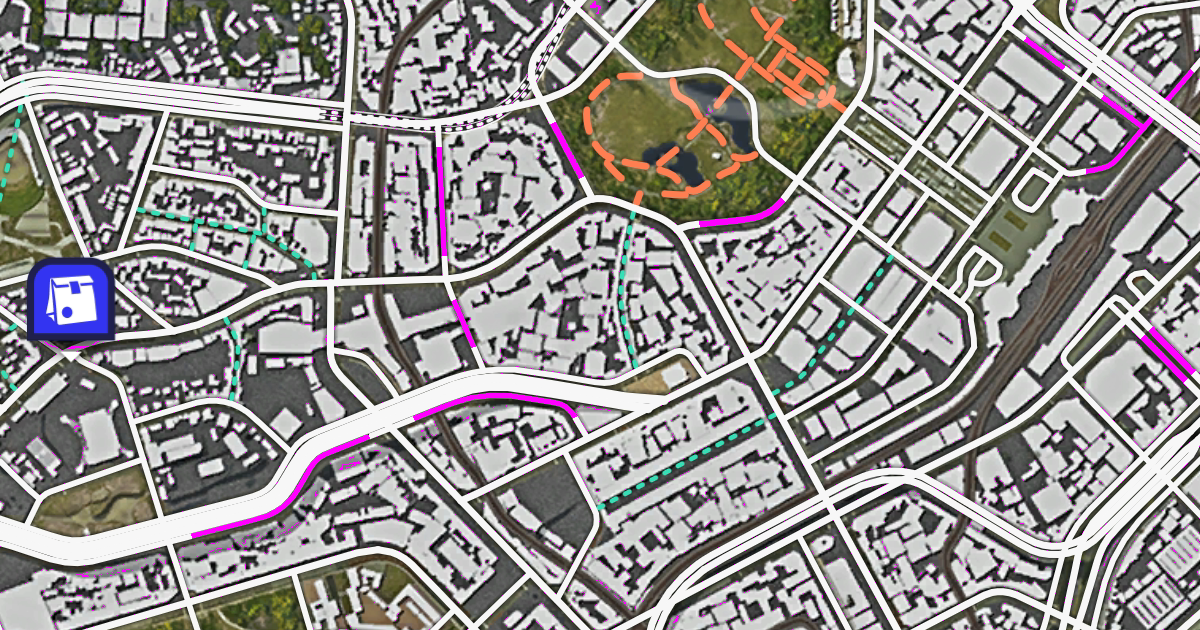
A lightweight browser tool for locating undiscovered roads in Forza Horizon 6.
Undiscovered roads render in a distinct grey (#808080). This page captures your screen via the browser's Screen Share API and replaces that colour with bright magenta (#FF00FF) in real time, making unvisited roads immediately visible on the in-game map.
Note: If you're reading this in the in-app Help panel, the app is already running — you can skip the Building and Running section below.
Building and Running
Install dependencies, then start a local dev server with live reload:
Build the app, then serve the dist/ directory with any static file server:
| Control | Description |
|---|---|
| Share Screen | Requests screen-capture permission and starts processing |
| Pause / Resume | Freezes the frame loop without stopping the stream |
| Stop | Ends the capture and releases the stream |
| Save Image | Exports the current processed frame as a full-resolution timestamped PNG |
| 100% Scale / Fit to Window | Toggles between native resolution (scrollable) and scaled-to-fit view |
| ⓘ Help | Opens this readme |
| Find color | The colour to search for in each frame (default #808080) |
| Replace color | The colour to substitute in (default #FF00FF) |
| FPS (0.1 – 30) | Frame rate of the processing loop (default 1 FPS) |
| Tolerance (0 – 40) | Per-channel colour tolerance to account for capture compression (default 5) |
| Greyscale checkbox | When checked, converts all non-matched pixels to greyscale so the replacement colour stands out clearly (default on) |
All screen capture and image processing happens entirely in your browser. No video, pixel data, or any other information is ever sent to a server or third party.
The app installs as a Progressive Web App and works fully offline after the first visit, with no runtime dependency on any CDN or external network.
- The canvas context is created with
willReadFrequently: trueto keep pixel data in CPU memory and avoid GPU readback on every frame. - At tolerance = 0 a fast
Uint32Arraypath is used (one comparison per pixel). - At tolerance > 0 each channel is compared individually with
Math.abs. - Colour values are parsed once on change and cached;
processFramedoes no string parsing. - Frames are scheduled with
setTimeoutrather thanrequestAnimationFrameso the low FPS limit is respected precisely. - Up to 1440p (2560×1440) capture resolution is requested from the browser.
Any modern Chromium-based browser (Chrome, Edge) or Firefox that supports the Screen Capture API.