An API to navigate scenes and subscenes that has been configured in a mididings script



- A web-based interface
- Alternative of the legacy
livedings UI, which was based on Tkinter 🪓
- Alternative of the legacy
- A HTTP layer that facilitates control and navigation allowing the abstraction of OSC subcalls
- An OpenAPI specification making possible to generate a client SDK in multiple language with a code generator like Kiota making possible to use the API in .NET, Go, Java, PHP, Python, Ruby and TypeScript.
run section of your mididings script is required to work correctly, check the run function documentation for more information on how to structure your patch.
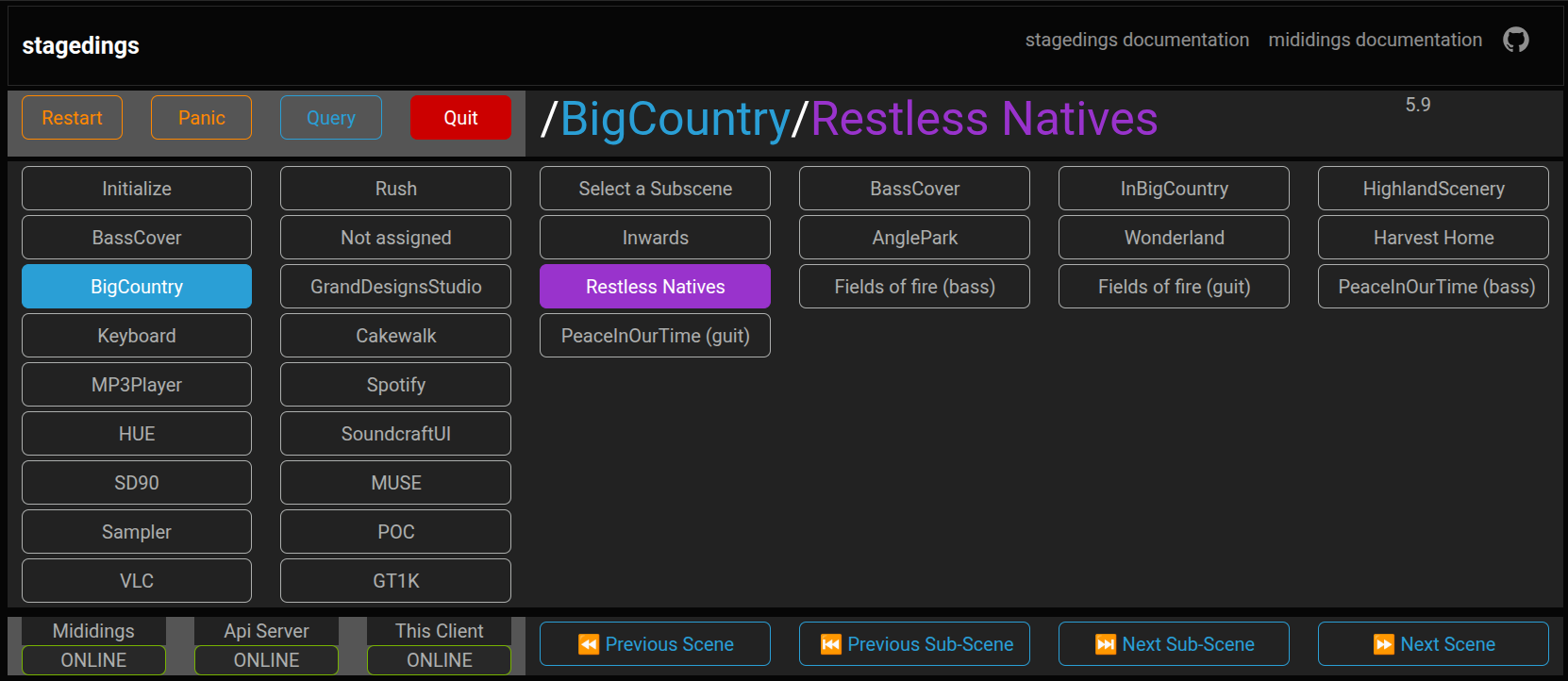
- Web UI with real-time scene/subscene updates
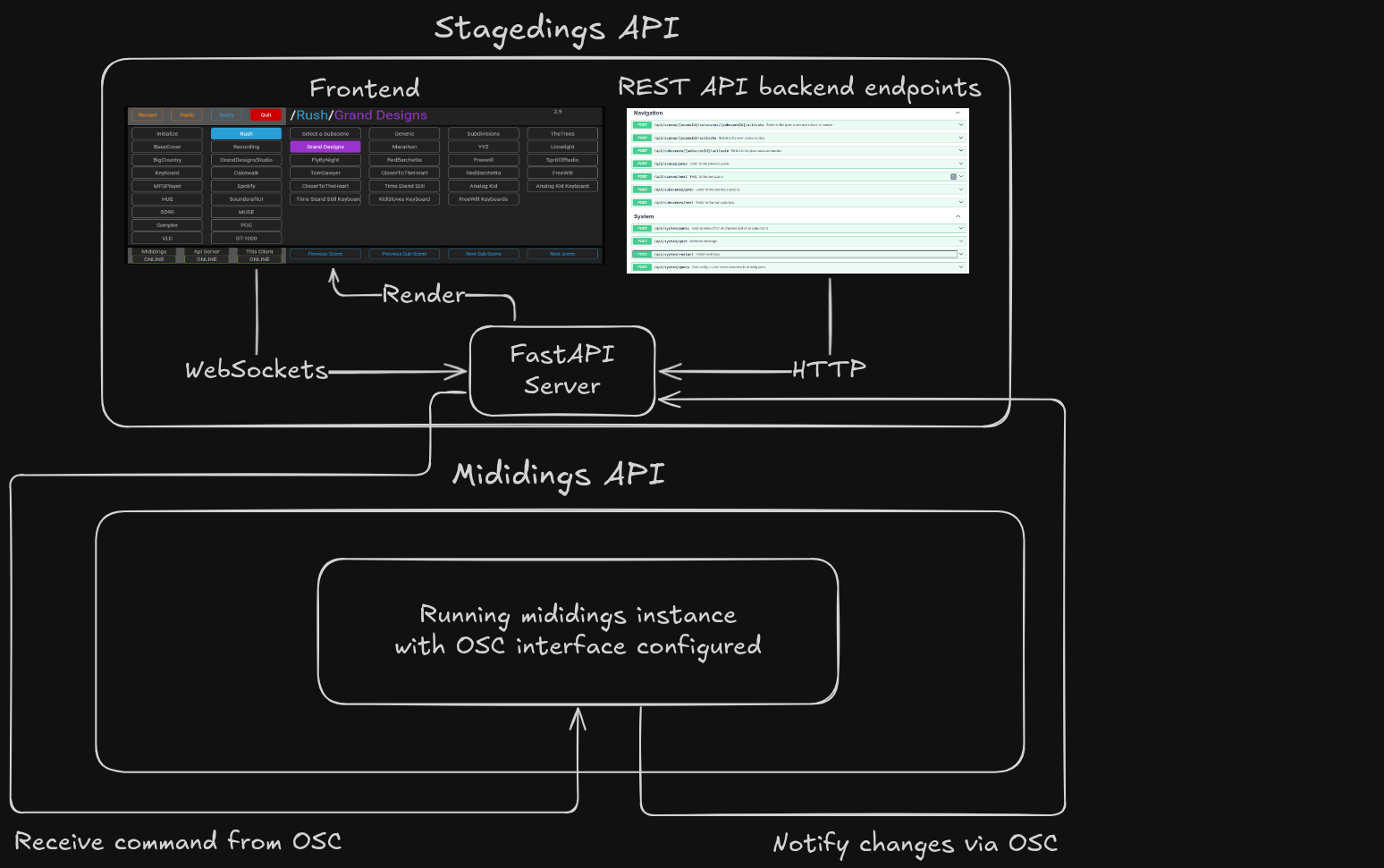
- FastAPI backend with full REST and WebSocket support
- Multiple clients supported
- Use the mididings OSC interface
- It exposes a fully compliant OpenAPI spec for easy generation of SDK clients in any language, enabling flexible remote control of mididings
- Direct navigation through scenes and subscenes
- Exposes the Restart, Panic, Query and Quit commands
- Endpoints for direct navigation through scenes and subscenes
- Endpoints to the Restart, Panic, Query and Quit commands
- Restart will restart mididings process
- Panic send note off to all ports and all channels
- Quit stop mididings, be carefull
- Query is used by the backend but does nothing in the frontend at the moment.
NOTE: This will also install mididings with OSC and AutoRestart support allowing a full working stack.
# Create a Python virtual environment
$ python3 -m venv .venv
$ source .venv/bin/activate

# Install stagedings including mididings as a dependency
$ pip install stagedings$ stagedings [--host HOST] [--port PORT] [--control-port CONTROL_PORT] [--listen-port LISTEN_PORT]- --host
- FastAPI server bind address
- Default: localhost
- Use 0.0.0.0 to allow network access or the server IP address
- FastAPI server bind address
- --port
- FastAPI + WebSocket server port
- Default: 5000
- FastAPI + WebSocket server port
- --control-port
- OSC port where mididings listens for commands.
- Default: 56418
- OSC port where mididings listens for commands.
- --listen-port
- OSC port where stagedings listens for notifications from mididings.
- Default: 56419
- OSC port where stagedings listens for notifications from mididings.
$ stagedingsThis runs everything locally on:
http://localhost:5000 by defaultWhen clients access the server from other machines, you must expose the backend:
$ stagedings --host 0.0.0.0or:
$ stagedings --host 192.168.1.100$ python scripts/run_cli.py [--host HOST] [--port PORT]This runs everything locally on:
http://localhost:5000 by defaultOnce running, open in a browser:
http://your-hostname:5000or:
http://192.168.1.100:5000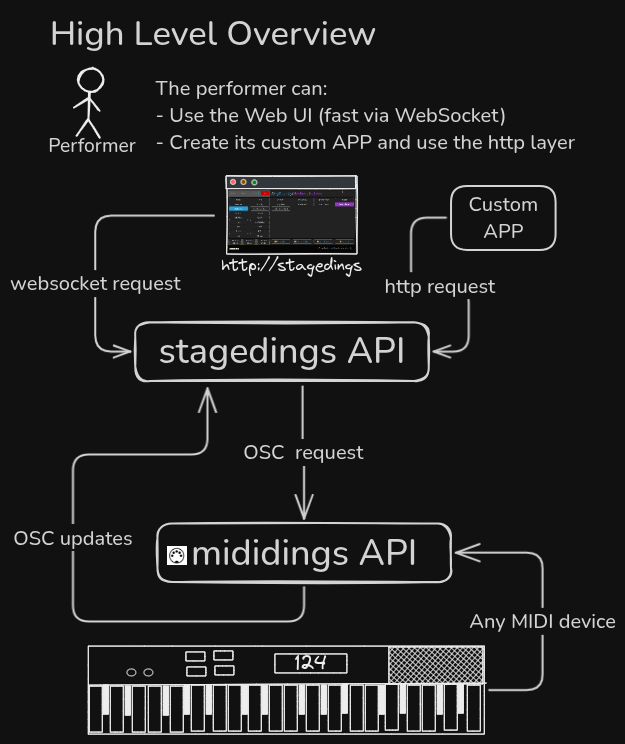
We welcome bug reports, feature ideas, and contributions! Please open an issue or discussion
All files in this repository are released under the terms of the GNU General Public License as published by the Free Software Foundation; either version 2 or later of the License.
Made in Québec 🇨🇦