## Description The size of the elements should be at least 48dp*48dp. Some elements don't respect the size of the touch target. ## How to reproduce the error 1. Activate the app [Accessibility Scanner](https://play.google.com/store/apps/details?id=com.google.android.apps.accessibility.auditor&hl=it&gl=US) 2. Open the app [Ringdroid](https://play.google.com/store/apps/details?id=com.ringdroid.cutter.maker.ringtone&hl=it&gl=US) 3. Activate the registration from the Accessibility Scanner and use the Ringdroid app. 4. After using the app, stop the recording. ## Screenshot The results will show the errors found in the app. For example: 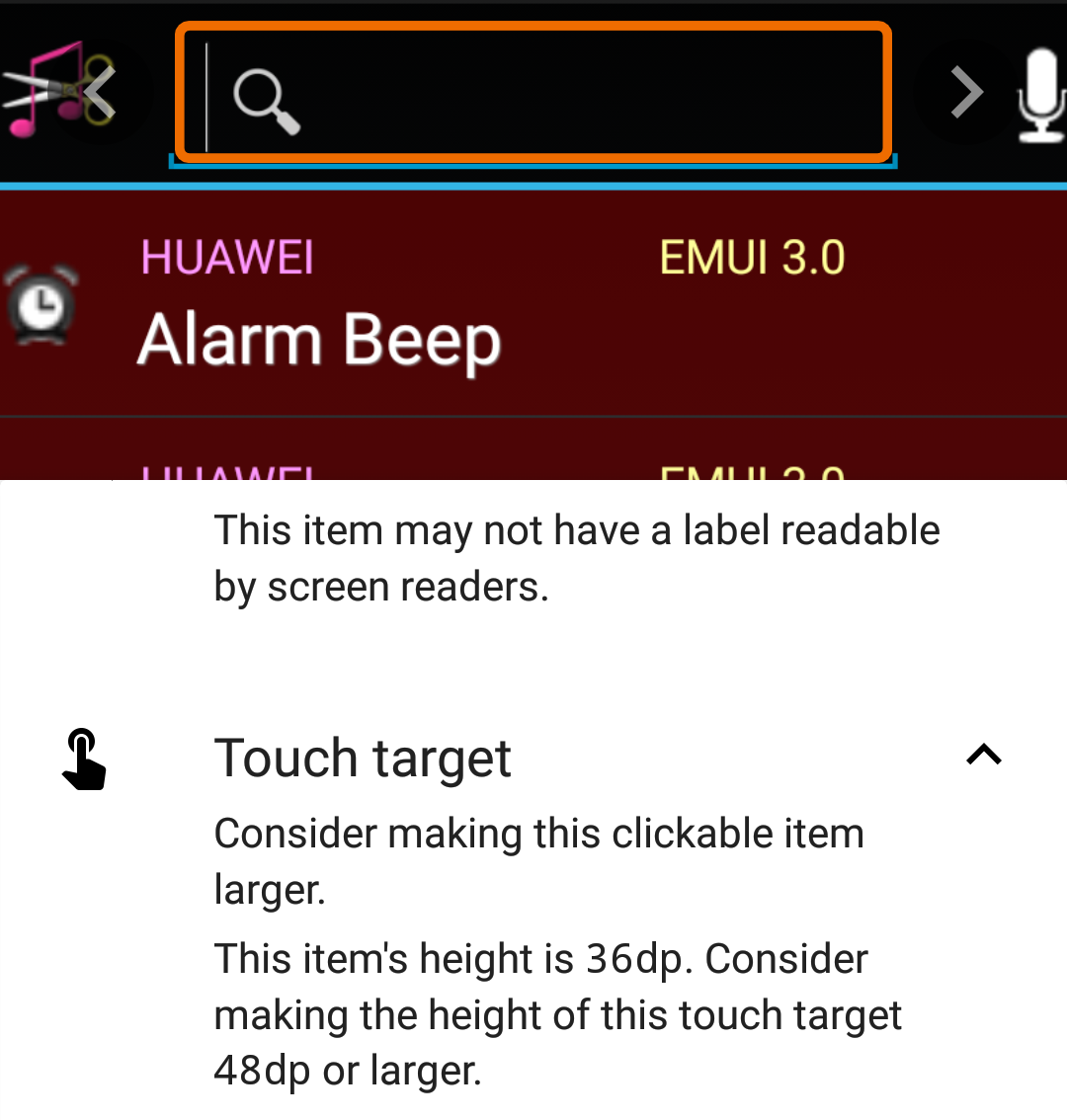
Description
The size of the elements should be at least 48dp*48dp. Some elements don't respect the size of the touch target.
How to reproduce the error
Screenshot
The results will show the errors found in the app. For example: