

| Linux | PyQt5 | PyQt6 | PySide6 |
|---|---|---|---|
| Python 3.10 | 
|

|

|
| Python 3.11 | 
|

|

|
| Python 3.12 | 
|

|

|
| Python 3.13 | 
|

|

|
| Windows | PyQt5 | PyQt6 | PySide6 |
|---|---|---|---|
| Python 3.10 | 
|

|

|
| Python 3.11 | 
|

|

|
| Python 3.12 | 
|

|

|
| Python 3.13 | 
|

|

|
PyMoDAQ, Modular Data Acquisition with Python, is a set of python modules used to interface any kind of experiments. It simplifies the interaction with detector and actuator hardware to go straight to the data acquisition of interest.
PyMoDAQ GUI is a set of utilities (constants, methods and classes) and graphical components based on the Qt framework that are used to create high level user interfaces.
It contains both simple components to create GUI but also high level ones, for instance to display data objects such as the one generated using the pymodaq_data package.
For instance, you'll find data viewers available out of the box:
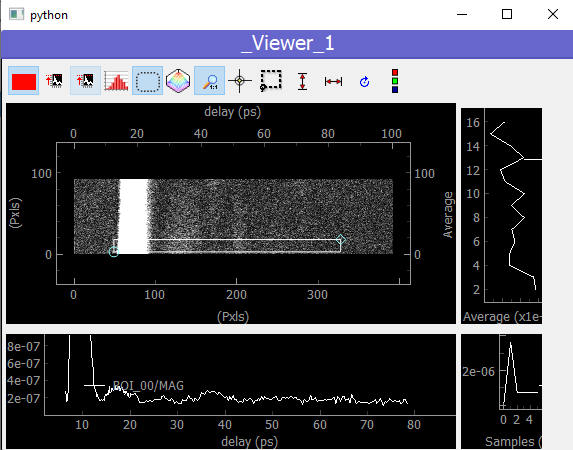
Specific GUI component to view and manipulate 2D data.
Published under the MIT FREE SOFTWARE LICENSE
GitHub repo: https://github.com/PyMoDAQ
Documentation: http://pymodaq.cnrs.fr/