AI-powered tool to generate personalized financial aid application answers for Coursera courses.
Get-EasyAid helps students and professionals apply for financial aid on Coursera by generating AI-powered, personalized responses to financial aid application questions. Users can search for a desired course, provide their background details, and instantly receive ready-to-use answers tailored to their profile.
-
🔍 Course Search: Search Coursera courses by course name or offering university
-
⚡ Debounced Search: Optimized search with debouncing to reduce unnecessary API calls and improve performance
-
📝 Personalized Forms: Provide academic or professional details to tailor responses
-
🤖 AI-Generated Answers: Generates two contextual responses:
- Why you are applying for financial aid
- How the course supports your academic or career goals
-
🔁 Regenerate Responses: Instantly regenerate alternative responses if needed
-
📋 One-Click Copy: Easily copy generated answers to the clipboard
-
📱 Fully Responsive: Seamless experience across desktop, tablet, and mobile devices
-
🧹 Clean Codebase: Well-structured and maintainable React application using modern hooks and patterns
- Node.js (v16 or higher)
- npm or yarn
- Clone the repository:
git clone https://github.com/VoyagerX21/get-easyAid-client
cd get-easyAid-client- Install dependencies:
npm install- Start the development server:
npm run dev- Open your browser and navigate to
http://localhost:5173
npm run build- React 19 — UI framework
- React Router — Client-side routing
- Vite — Fast build and development tool
- Responsive Design: Adaptive layout for all screen sizes
- User Experience: Smooth interactions, loaders, and keyboard-friendly navigation
- Performance: Debounced search and efficient state management to minimize network overhead
- Code Quality: Modular components, clear separation of concerns, and reusable logic
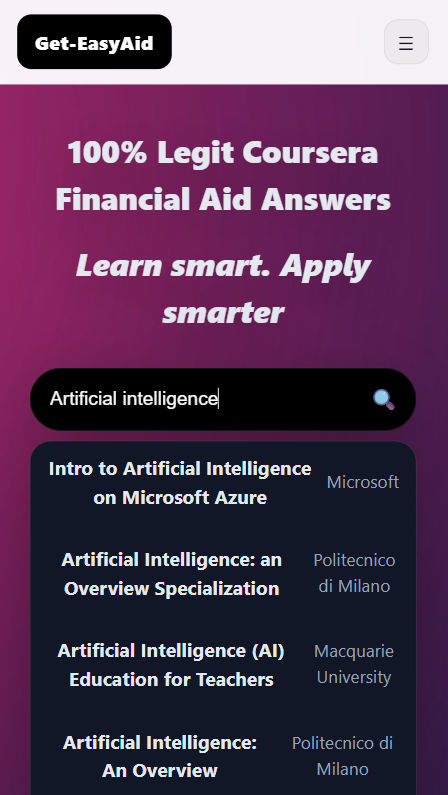
Home Page |
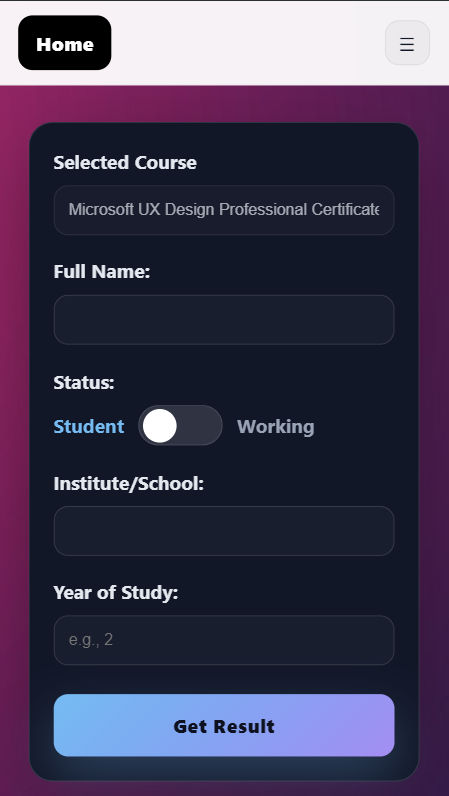
Course Search |
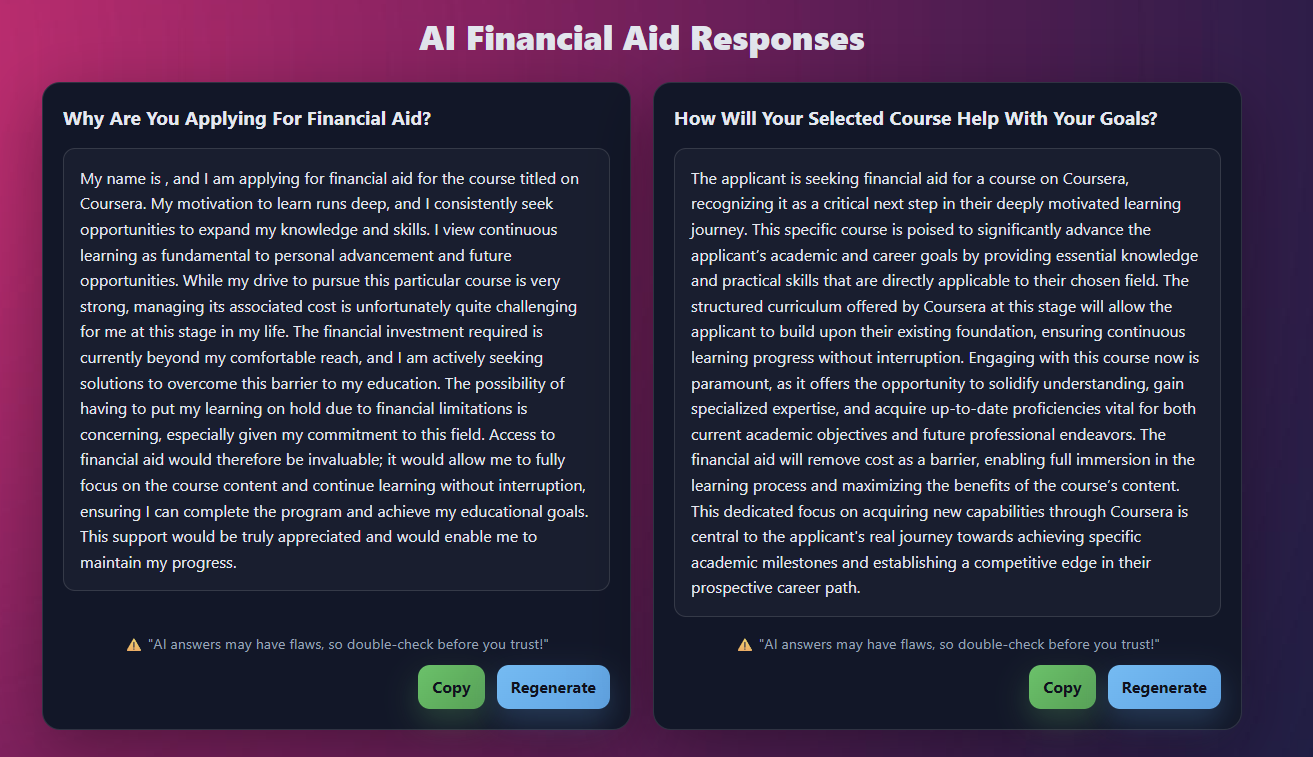
Results Page |
|
- Search: Type a course name or university into the search bar
- Select: Choose the desired course from the dropdown suggestions
- Fill Details: Enter academic or professional background information
- Generate: Click Get Result to generate financial aid responses
- Copy / Regenerate: Copy responses or regenerate alternatives instantly
AI-generated responses may contain inaccuracies. Users are encouraged to review and customize answers before submitting official financial aid applications.
A big thank you to Ayush for crafting the clean and responsive UI/UX for this project.
His contribution includes:
- ✨ Modern and visually appealing interface
- 📱 Pixel-perfect responsiveness across devices
- 🎯 Attention to UI details, animations, and interactions
- 💎 Professional polish that enhances overall usability
This project is open source and available for educational purposes.
Made with ❤️ for students seeking financial aid on Coursera