


A sophisticated Streamlit application that performs comprehensive image analysis using multiple vision models and engages users in natural conversation about visual content.
- Dual Model Image Analysis: Leverages both BLIP and ViT-GPT2 models to provide comprehensive and diverse perspectives on image content
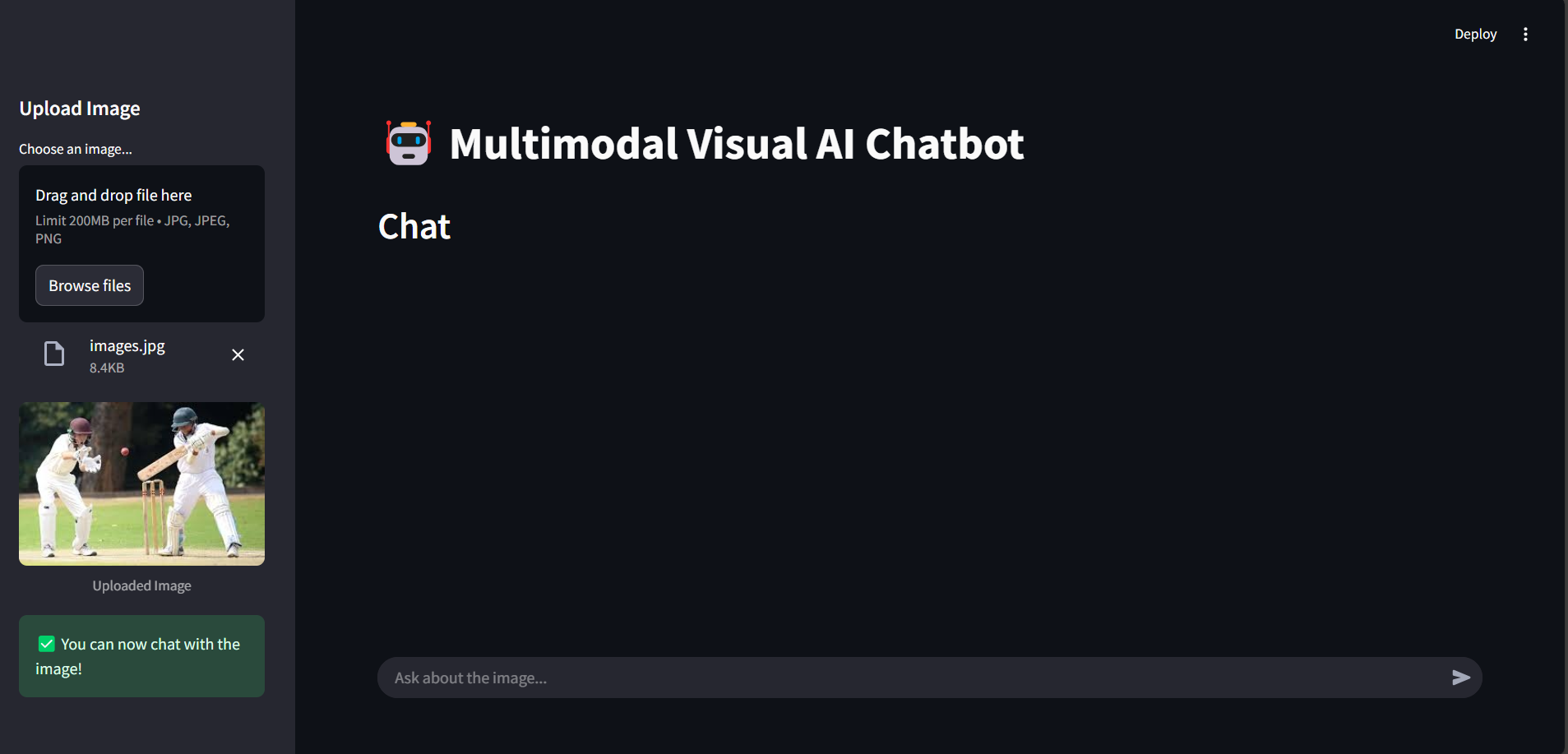
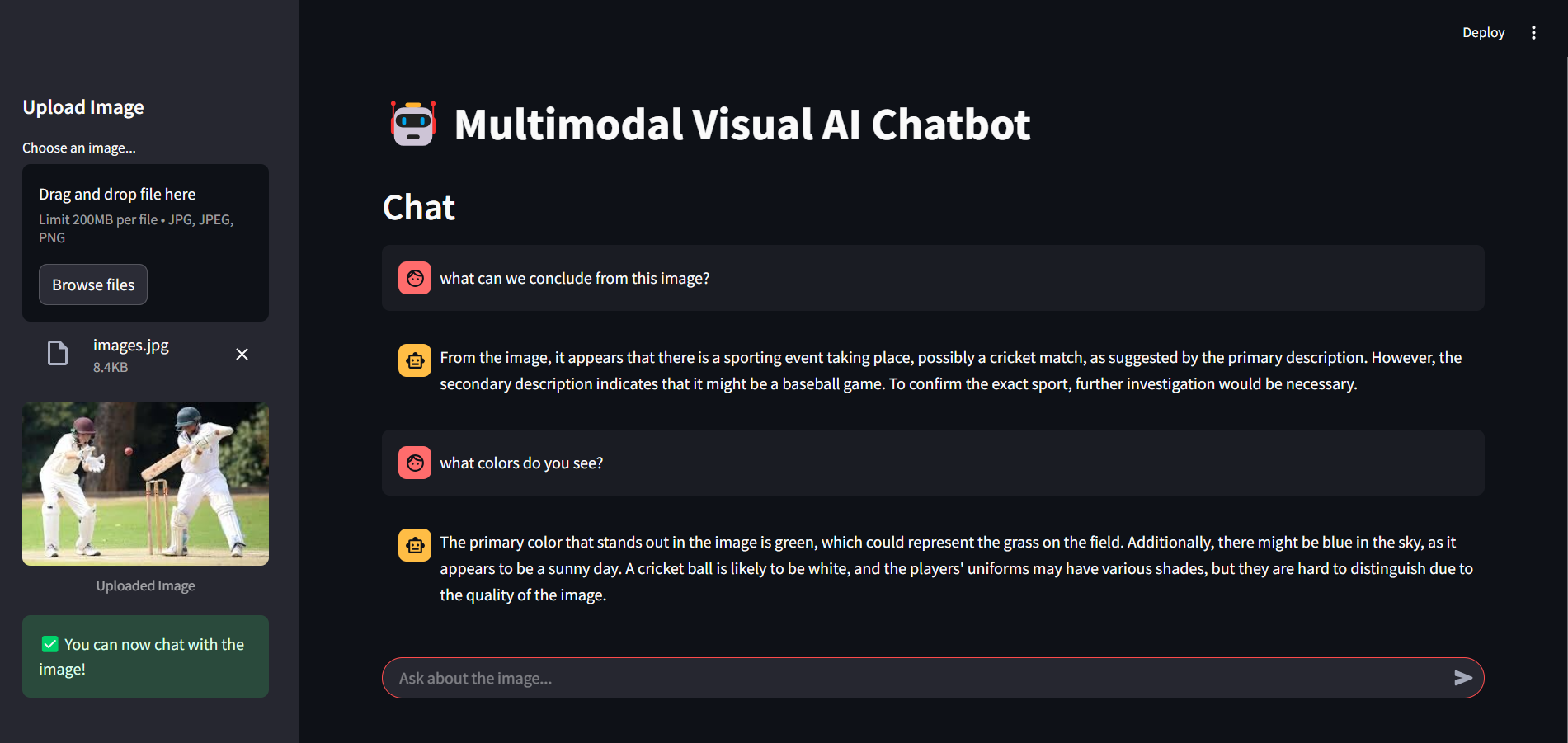
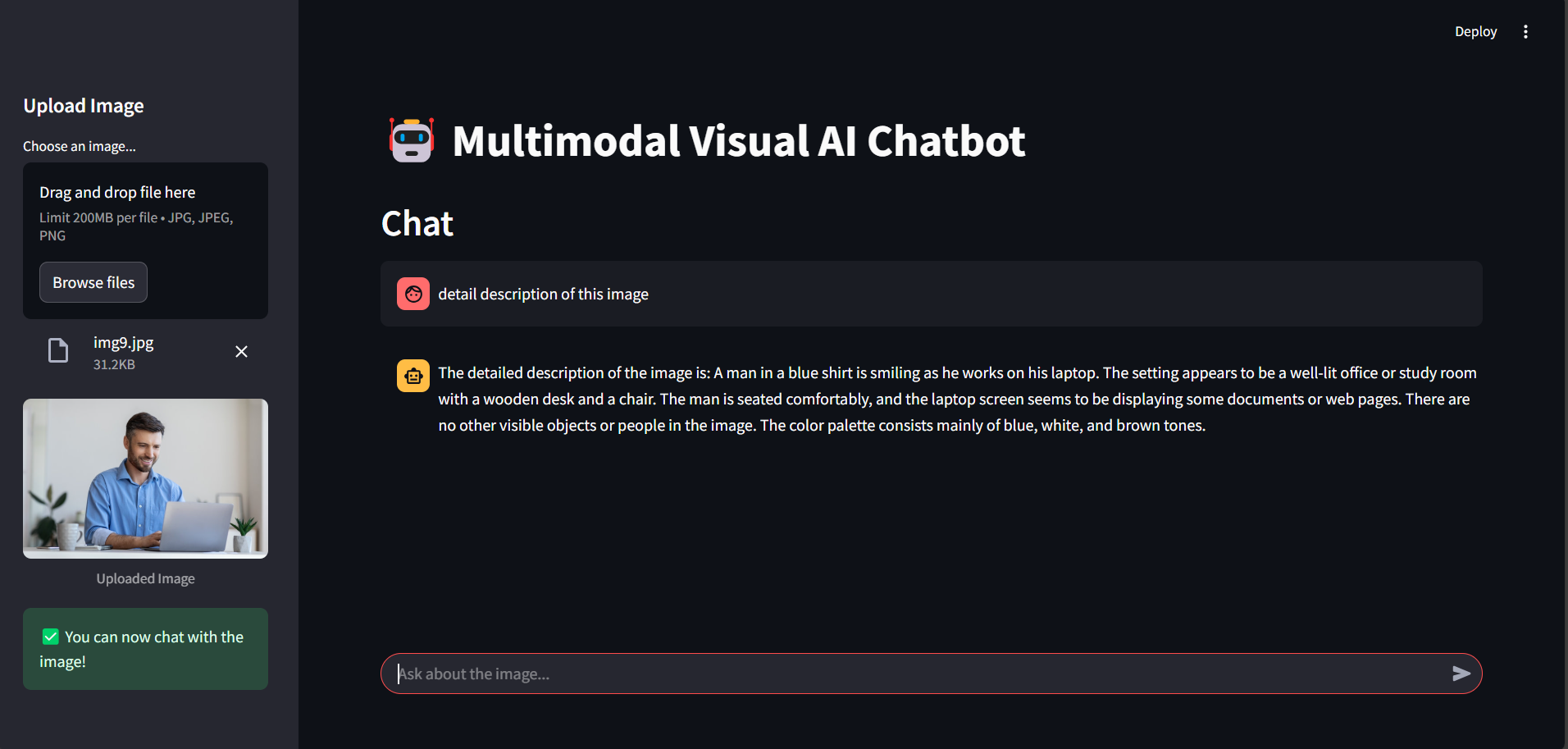
- Interactive Chat Experience: Engage in natural conversation about the visual content of uploaded images
- In-depth Visual Understanding: Automatically extracts key information through a set of predefined analytical questions
- GPU Acceleration: Utilizes CUDA when available for significantly faster processing
- LLM-powered Responses: Generates human-like, contextually relevant responses using Together AI's Mistral model
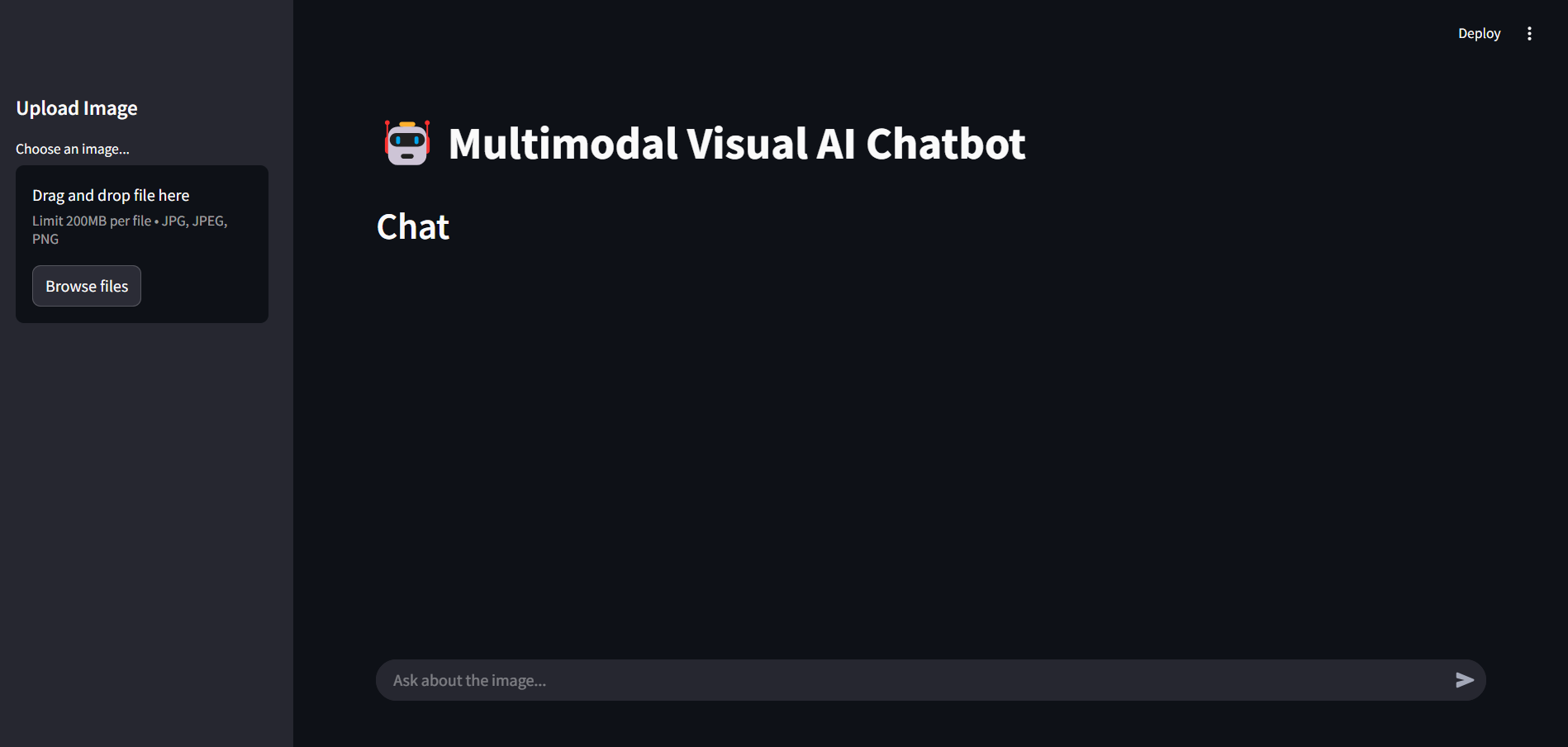
- User-friendly Interface: Clean Streamlit UI with separate areas for image upload and conversation
 |
 |
 |
 |
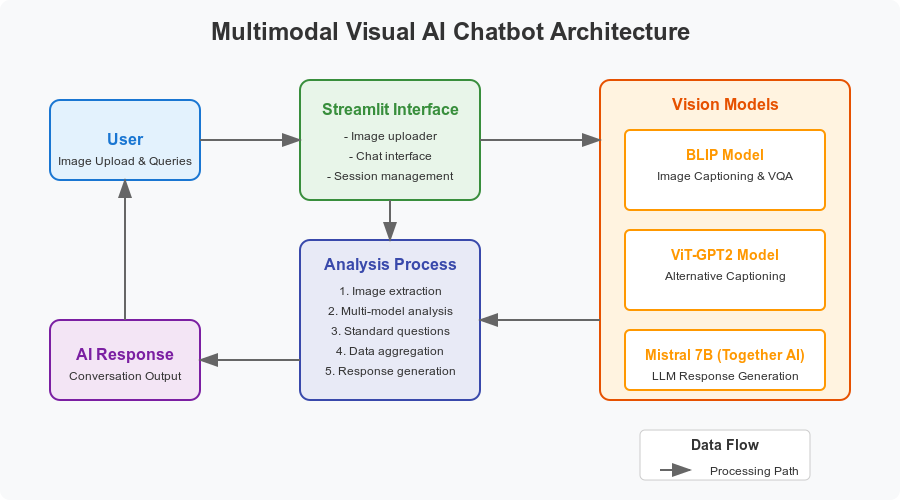
- BLIP Model: Provides detailed image captioning and visual question-answering capabilities
- ViT-GPT2 Model: Offers complementary image understanding through a different architectural approach
- Standard Question Analysis: Extracts consistent information across all images through predefined questions
- Together AI Integration: Uses Mistral 7B model for generating conversational responses
- Streamlit Interface: Handles user interactions, image uploads, and displays chat history
- Python 3.8+
- CUDA-capable GPU (optional but recommended)
- Together AI API key
- Clone the repository:
git clone https://github.com/PrachiPatel15/Multimodal-Visual-AI-Chatbot.git
cd Multimodal-Visual-AI-Chatbot- Create and activate a virtual environment:
# Using venv
python -m venv venv
source venv/bin/activate  # On Windows: venv\Scripts\activate

# Or using conda
conda create -n visual-chatbot python=3.8
conda activate visual-chatbot- Install dependencies:
pip install -r requirements.txt-
Set up environment variables:
- Create a
.envfile in the project root - Add your Together AI API key:
TOGETHER_API_KEY=your_api_key_here - Create a
-
Download model weights (optional):
- The models will be downloaded automatically on first run
- To pre-download and cache them:
from transformers import BlipProcessor, BlipForConditionalGeneration, VisionEncoderDecoderModel, ViTImageProcessor, AutoTokenizer

# Download BLIP
BlipProcessor.from_pretrained("Salesforce/blip-image-captioning-large")
BlipForConditionalGeneration.from_pretrained("Salesforce/blip-image-captioning-large")

# Download ViT-GPT2
VisionEncoderDecoderModel.from_pretrained("nlpconnect/vit-gpt2-image-captioning")
ViTImageProcessor.from_pretrained("nlpconnect/vit-gpt2-image-captioning")
AutoTokenizer.from_pretrained("nlpconnect/vit-gpt2-image-captioning")
- Dual-Model Processing: Both BLIP and ViT-GPT2 generate diverse perspectives on the uploaded image.
- Standard Question Analysis: Consistent data extraction using six predefined questions.
- Together AI Integration: Uses Mistral 7B for enhanced conversational ability based on image context.
Contributions are welcome! Feel free to submit a Pull Request.
- Fork the repository
- Create your feature branch (
git checkout -b feature/amazing-feature) - Commit your changes (
git commit -m 'Add some amazing feature') - Push to the branch (
git push origin feature/amazing-feature) - Open a Pull Request
- Salesforce BLIP for their powerful vision-language model
- NLP Connect for the ViT-GPT2 image captioning model
- Together AI for their Mistral model API
- Streamlit for the intuitive web application framework
- Hugging Face Transformers for model implementations
Prachi Patel - @PrachiPatel15